

A few weeks ago, we shipped a pre-release version of the completely rebuilt Kilo Code extension for VS Code, built on OpenCode server — a portable, open-source core that isn’t tied to any single editor. Today, that rebuilt extension is leaving pre-release and becoming the new default Kilo Code experience in VS Code for all users.
This is the biggest change to the VS Code extension since launch. With OpenCode server at its core, Kilo now shares the same engine across VS Code, the CLI, and Cloud Agents, so improvements to the core benefit every surface at once.
If you already have Kilo Code installed, this update will roll out through the normal extension update path. If auto-update is enabled, nothing else is required.
Why We Rebuilt It
The previous extension served over 2.2 million developers and worked well. But under the hood, every Kilo surface — CLI, JetBrains, and Cloud Agents — was still running VS Code internals, whether it needed them or not. That created a ceiling on what we could build.
When we rebuilt the CLI on OpenCode server — an MIT-licensed, open-source foundation for agentic coding — we saw the opportunity to fix this at the root. Instead of patching around VS Code dependencies, we built a portable core that runs natively on every surface. The new VS Code extension shares the same engine as Kilo CLI. One experience that follows you from terminal to editor and back.
For users, that translates into something simple: Kilo feels faster, more consistent, and more predictable wherever you use it.
What’s New
Parallel Execution and Subagent Delegation
The most immediately noticeable change is speed — and the reason is parallelism at every level.
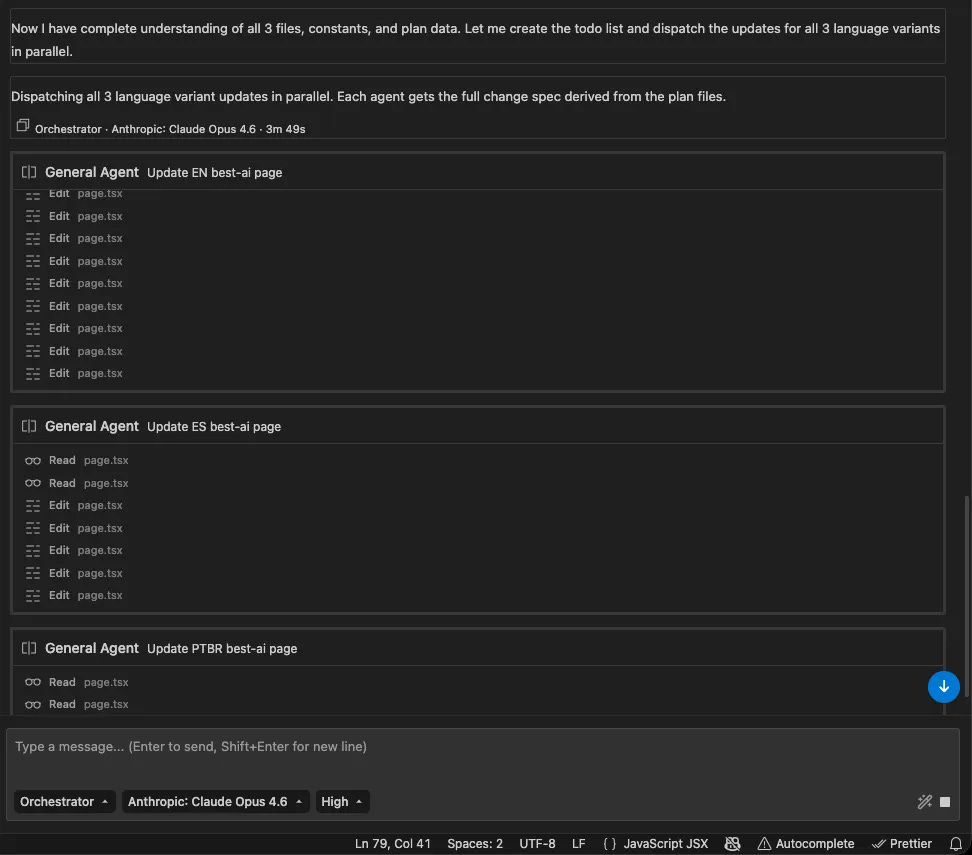
Previously, many tasks were bottlenecked by sequential execution: read a file, wait; search the codebase, wait.
Kilo now supports parallel tool calls, meaning the agent can execute multiple actions simultaneously. Files are read, terminal commands run, and searches execute concurrently — you feel the difference right away.
Beyond that, Kilo supports parallel subagents. When a task is too complex for a single prompt, Kilo can spin up multiple subagents that work simultaneously — an implementation agent, a test-writing agent, and a documentation agent — each handling its piece of the work in parallel, then merging results back to the parent agent. You can also define your own custom subagents to match how your team actually works.
The result is an agent that doesn’t just think faster — it works faster, doing more in the same amount of time.
The Agent Manager
The Agent Manager is your control panel for parallel work. Open multiple Kilo tabs and give each one a role. Monitor what each agent is doing, switch context instantly, and step in when you need to — whether you’re running two agents or eight.
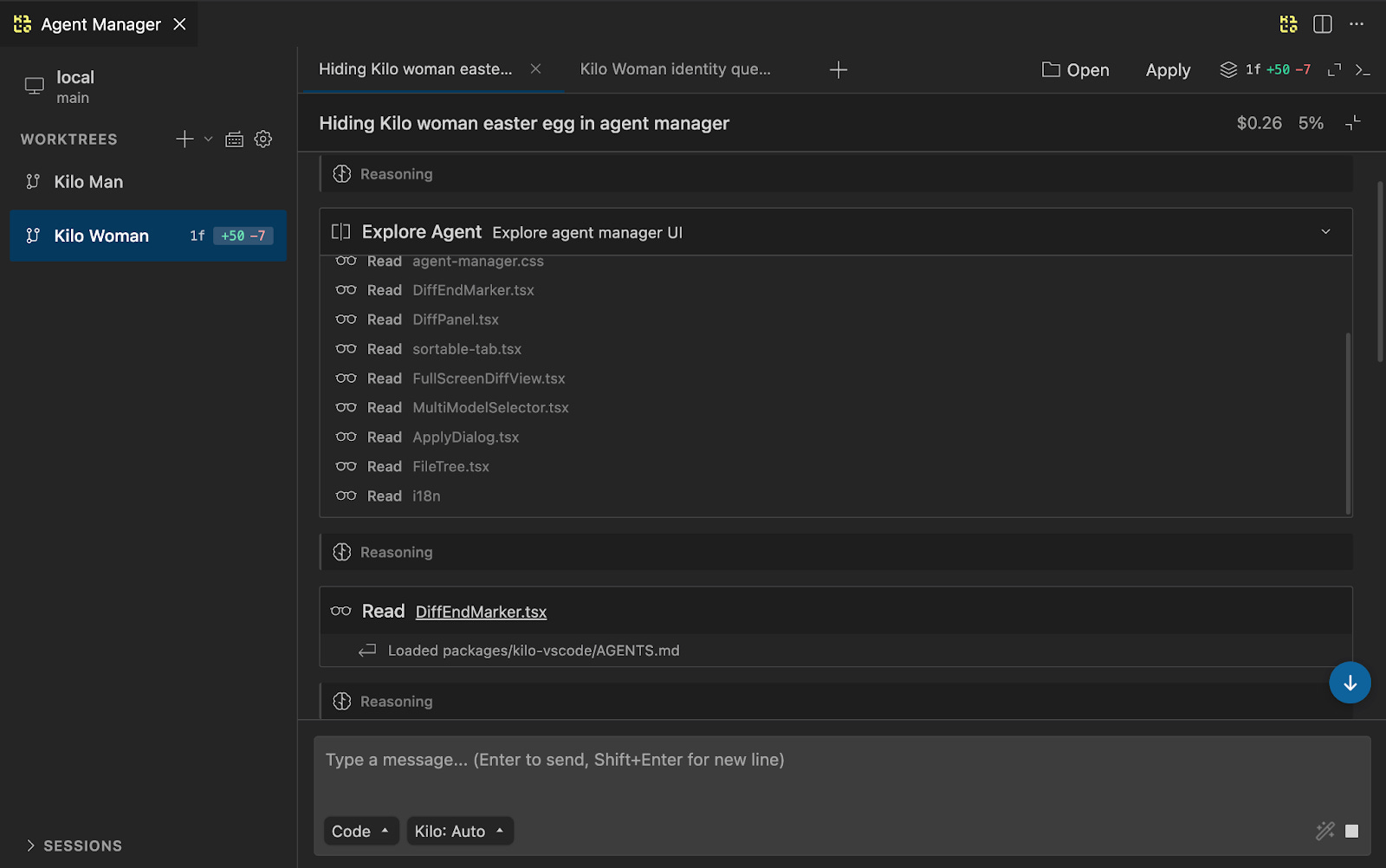
Each tab is a fully independent agent. For workflows where tasks need isolation, the Agent Manager lets you create git worktrees: separate copies of your repository where each agent operates independently. One agent adds a new API endpoint, another refactors the auth module, a third writes tests — all simultaneously, without stepping on each other’s code. When they’re done, you merge the results, apply changes directly, commit them, or open a PR.
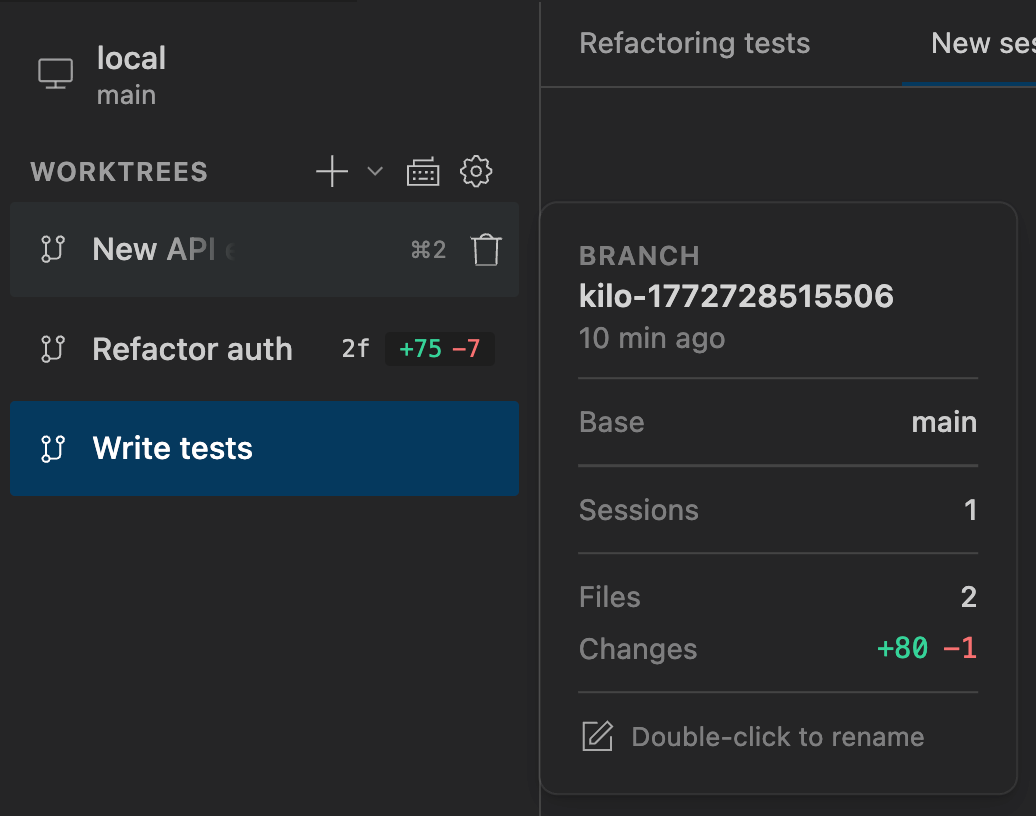
For read-heavy workflows, running parallel agents on the same worktree is also supported. A common pattern: one agent makes changes while a second reviews the current diff or investigates how a feature is implemented elsewhere in the codebase. A much faster feedback loop.
Inline Code Review
When agents make changes across your codebase, you need a precise way to review the work and push back when something isn't right. The Agent Manager includes a built-in diff reviewer that shows every change an agent has made, file by file, in either unified or split view.
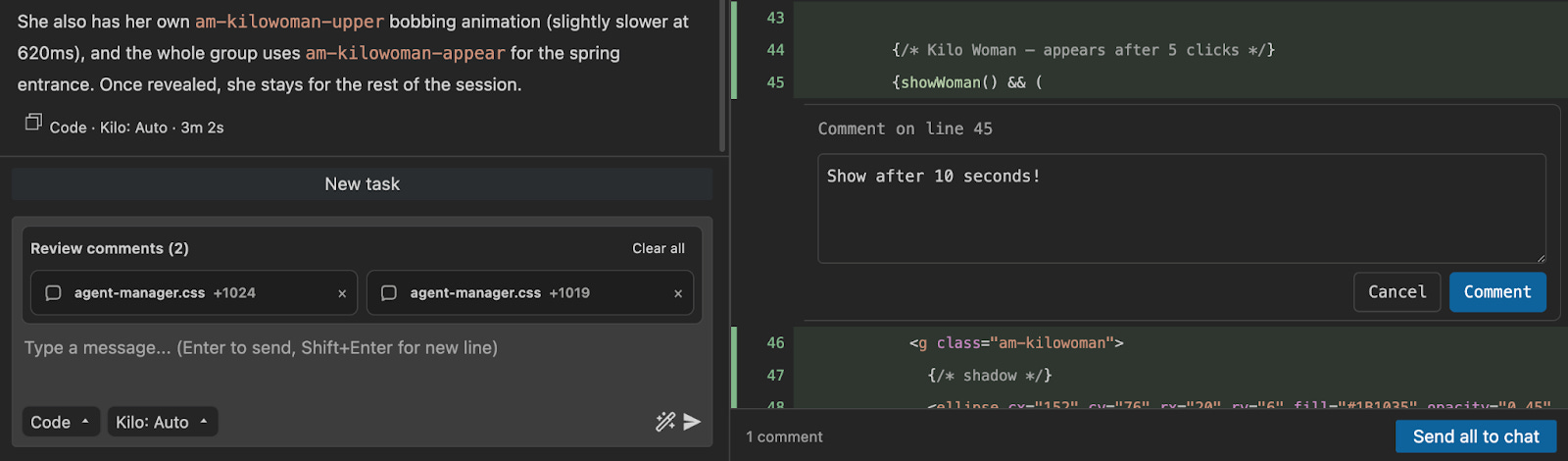
More importantly, you can leave line-level review comments directly on the diff — the same way you would on a pull request. Click a line, type your feedback, and hit “Send all to chat.” Every comment, with its file path, line number, and the relevant code, is sent to Kilo as structured context. This turns agent-assisted development into something closer to a real code review workflow: targeted conversation about specific lines of code, not approval or rejection of an entire changeset.
Multi-Model Comparisons
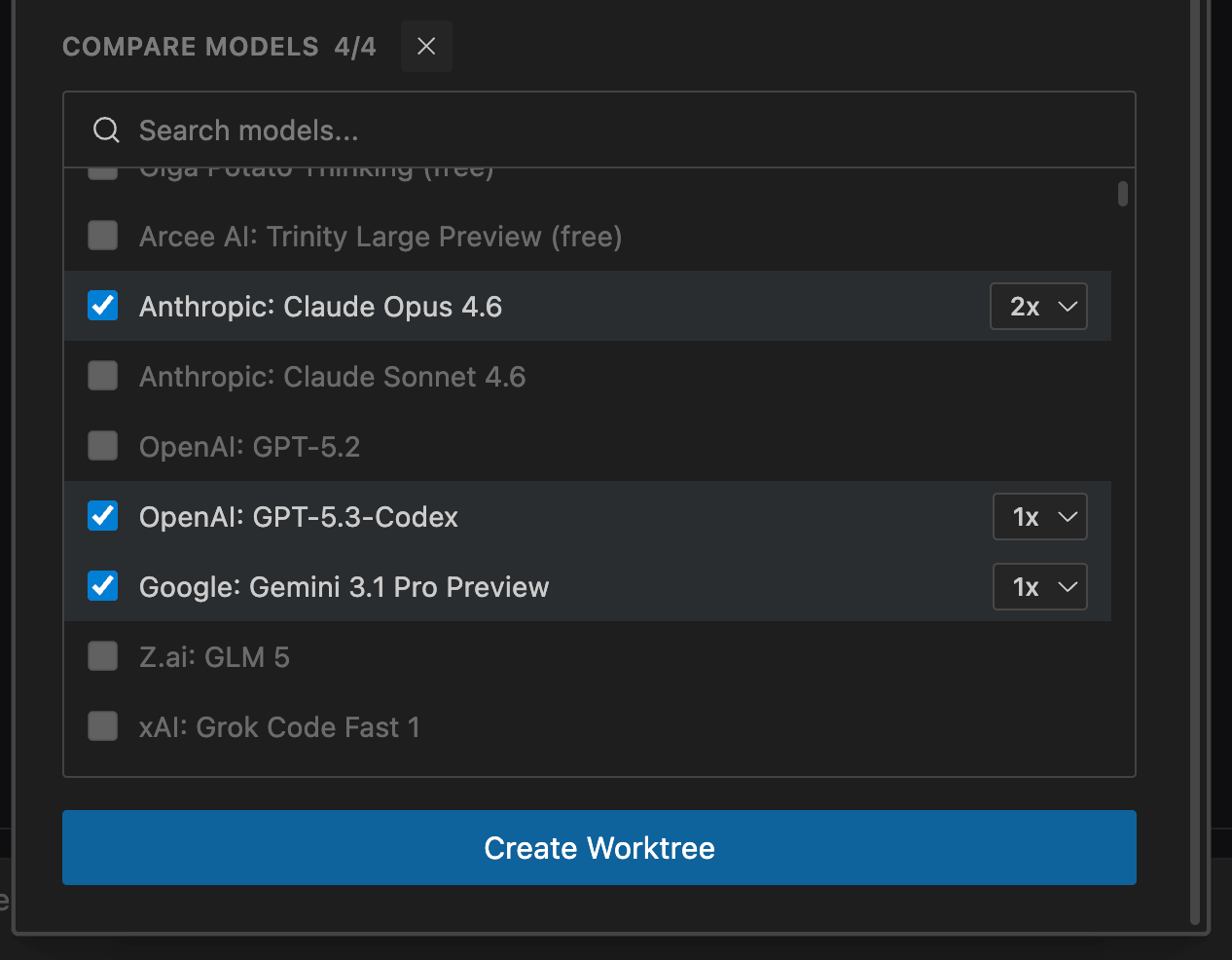
The Agent Manager lets you start multiple agents on the same prompt using different models — Claude Opus 4.6 and GPT-5.4, for example — and compare results side by side. It's useful any time you're working on something complex or open-ended: a tricky refactor, a page layout, an architecture decision. Run two or three models on the same problem and go with the one that got closest.
Cross-Platform Sessions
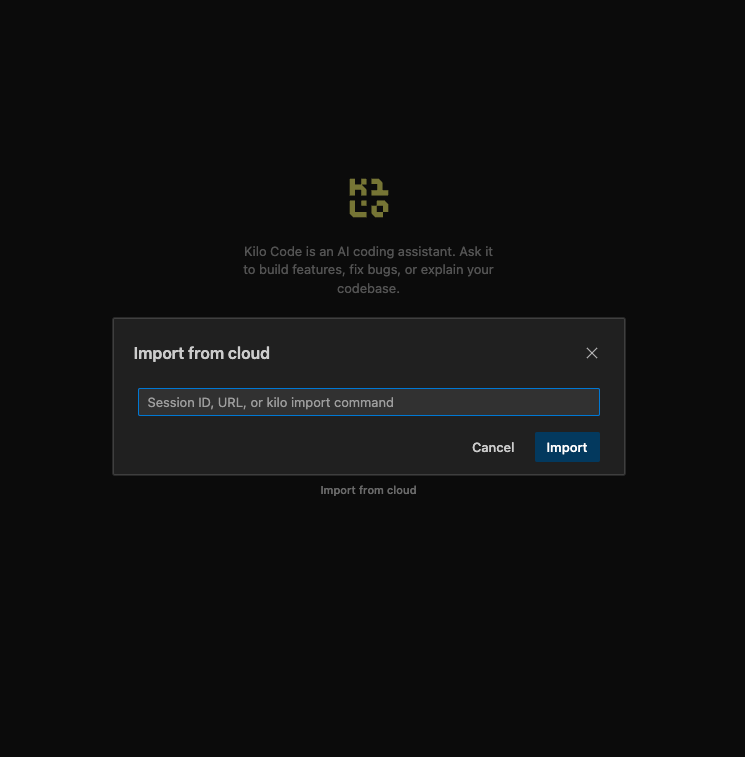
Start a coding session in the CLI while SSHed into a production server. Pick it up in VS Code when you’re back at your desk. Share context with a teammate via Slack. Because the extension and CLI share the same portable core, session continuity is built into how the system works — not a bolt-on feature.
Built With Early Adopter Feedback
Before shipping this as the default experience, we released an early pre-release version to developers willing to test the new architecture in real workflows. The response was substantial — we collected bug reports, friction points, and feature requests, and used that feedback to harden the extension into a production-ready release. If you were one of those early testers, thank you. This GA release is better because of you.
Also in This Release
On top of the rebuilt architecture and the features above, this GA release includes several additions that came directly out of the pre-release feedback:
Provider settings are now configurable directly inside the extension — no CLI setup required
The MCP marketplace is available natively in the extension
Modes have been unified into the new Agents experience for a more consistent workflow
Get Started
Search for Kilo Code in the VS Code Extensions panel, or install directly from the Visual Studio Marketplace.
If you already have Kilo Code installed, the update will arrive through the normal extension update path. Auto-update handles everything — there’s no separate extension to install.
We’d love to hear what you think. Drop feedback in Discord in the #vscode channel or message us anytime at hi@kilocode.ai.
Kilocode version 7 is not what I wanted. I've rolled back to version 5, and I hope you will fix v7 and bring back all the features we loved. Make v7 better than v5, not worse!
Why does version 7 perform really bad compared to version 5? It's faster sure, but prompts are misunderstand so much now, also when I tell the AI to do something, it sometimes does the complete opposite, and it just doesn't seem to read my instructions properly, I haven't had any issues with version 5 other then it being slow at time, version 7 is considerably quicker at doing things, but it seems like the AI became dumber or something.
It feels very off. Is there a way to revert to version 5 instead?