Tomorrow (Dec 5th) we’re hosting a webinar where we’ll debug a Next.js/React game using MiniMax.
MiniMax M2 is a fast model, and a lot of people use it for implementation work. We tested it on boilerplate generation, bug detection, code extension, and documentation to see when it makes sense to use it over a frontier model.
TL;DR: MiniMax M2 was able to:
Generate a complete Flask API with a 234-line README in under 60 seconds
Find all four bugs in our Go concurrency test
Produce comprehensive JSDoc for a complex TypeScript function
This model is currently free on Kilo Code and, at regular pricing, costs less than 10% of Claude Sonnet 4.5.
What We Tested and Why
Not every coding task requires deep problem-solving or a state-of-the-art model. Most of the time, you already know what needs to be built—you just need it done.
Day-to-day AI coding isn’t always about greenfield architecture work. It’s often about doing the practical stuff faster: adding endpoints to an existing API, documenting functions, scaffolding services that follow established patterns, or rapidly testing a few approaches to find the best fit.
This is implementation work—the thinking is already done, you just need fast, accurate output. It’s different from asking a model to help design a system, debug something you don’t understand, or make architectural decisions.
In other words, you’ve already solved the problem mentally. Now you need the code to exist.
To see how good MiniMax M2 is for this type of work, we ran it through four types of implementation tasks in Kilo Code using Code Mode:
Boilerplate generation - building a Flask API from scratch
Bug detection - finding issues in Go code with concurrency and logic bugs
Code extension - adding features to an existing Node.js/Express project
Documentation - generating READMEs and JSDoc for complex code
Let’s go through each task and see how the model performed.
Test 1: Flask API Boilerplate
Our prompt: “Create a Flask API with 3 endpoints for a todo app with GET, POST, and DELETE operations. Include input validation and error handling.”
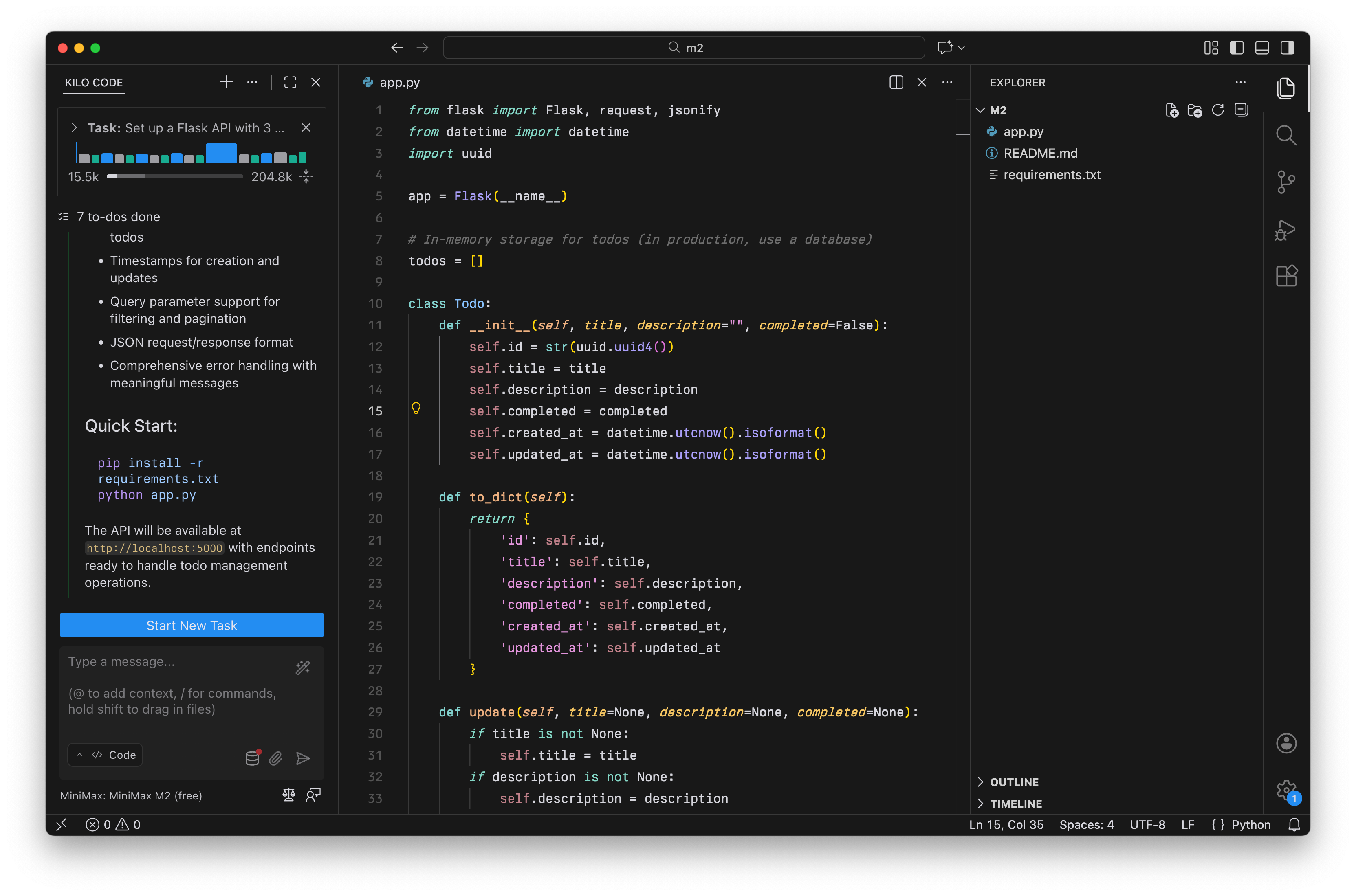
The result: MiniMax M2 generated a complete project with app.py, README.md, and requirements.txt in under 60 seconds and cost $0.
The output included:
A
Todoclass with proper data modelingInput validation function
Four endpoints (GET all, POST create, DELETE, plus a health check it added)
Query parameter filtering (
?completed=true,?limit=5)Error handlers for 404, 405, and 500
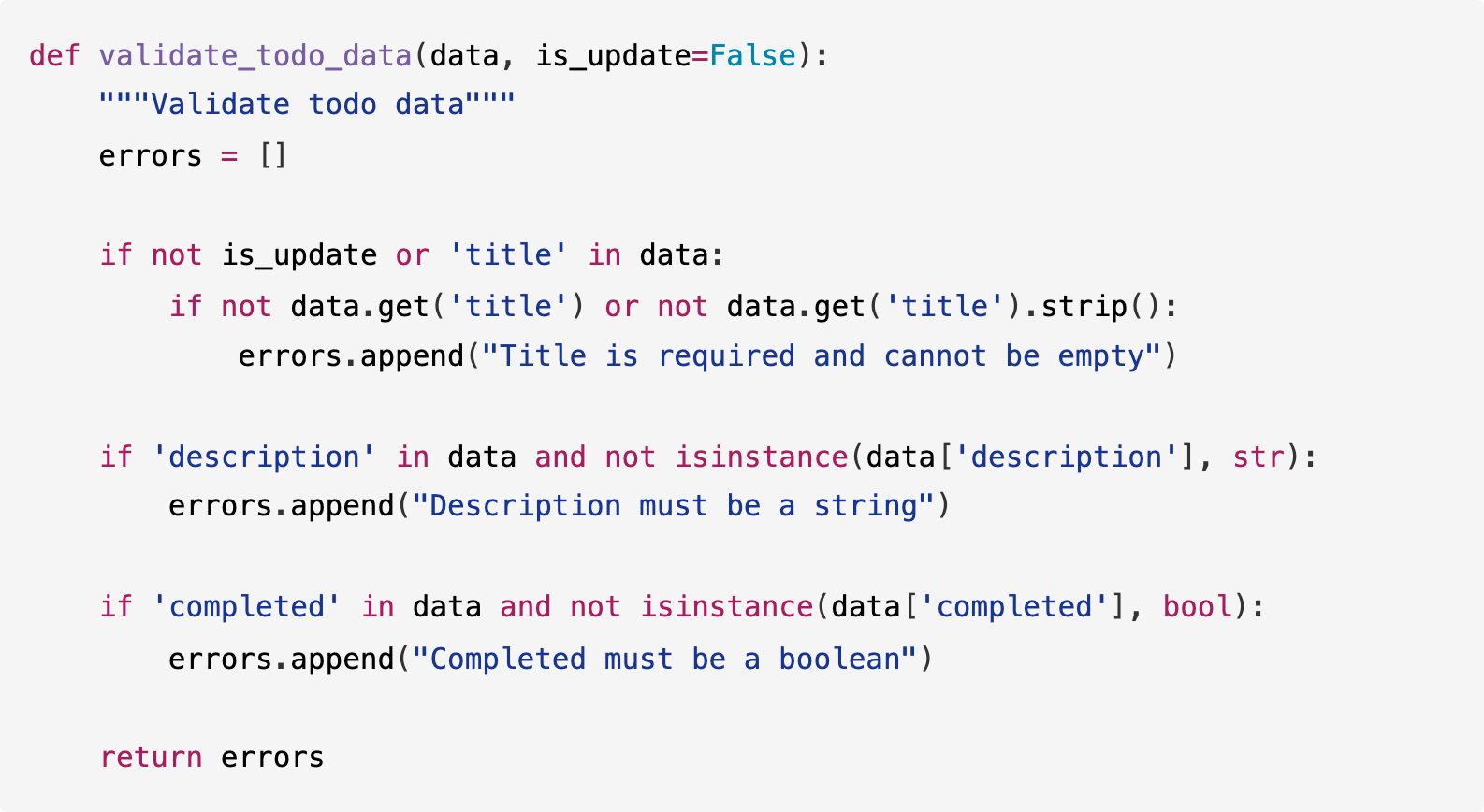
Here’s the validation logic the model wrote:
Here’s the GET endpoint with filtering:
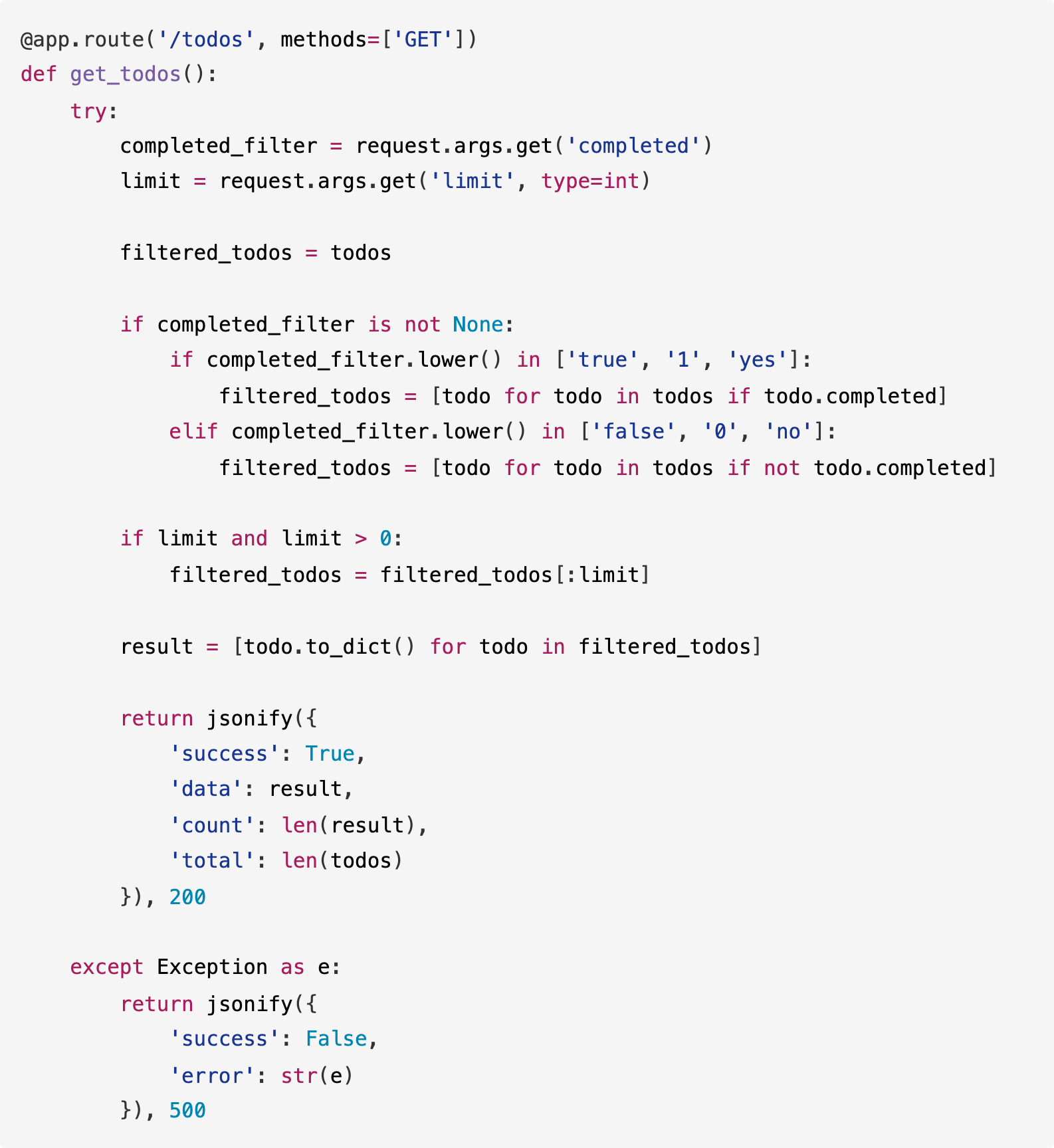
MiniMax M2 added features we didn’t ask for—health check endpoint, query filtering, proper HTTP status codes—but they’re all reasonable additions for a production API. The code is clean and follows Flask conventions.
Test 2: Bug Detection in Go
We wrote a Go file with intentional bugs to test MiniMax M2’s code-analysis abilities.
The bugs included concurrency issues, off-by-one errors, and potential crashes.
Our prompt: “Review this Go code and identify any bugs, potential crashes, or concurrency issues. Explain each problem and how to fix it.”
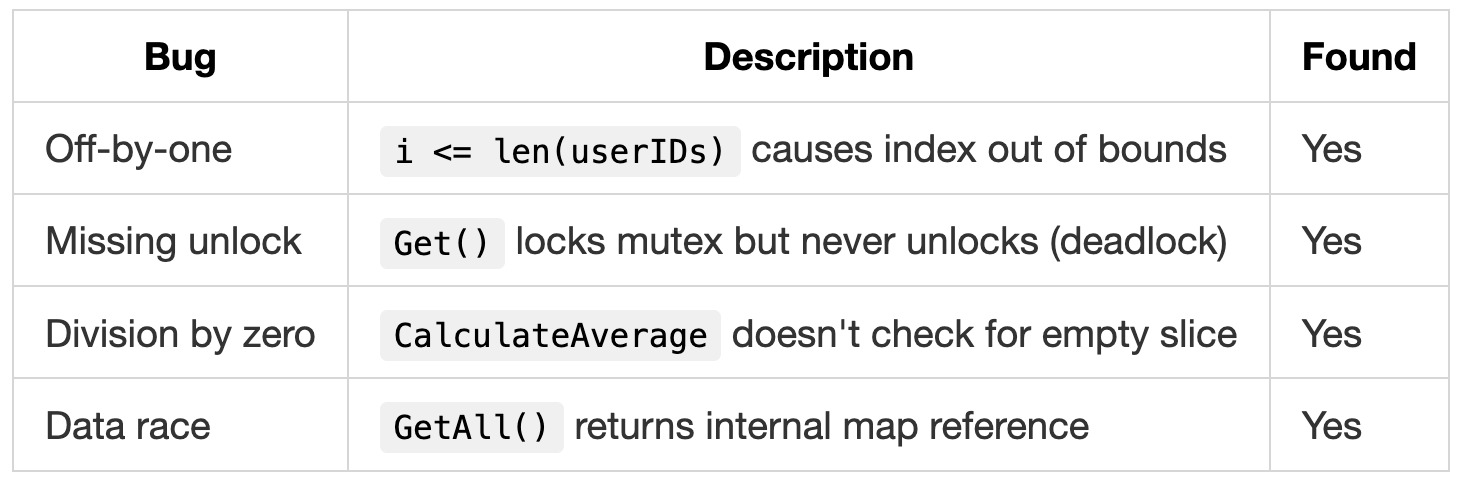
Bugs planted: 4
The result: MiniMax M2 found all 4 bugs.
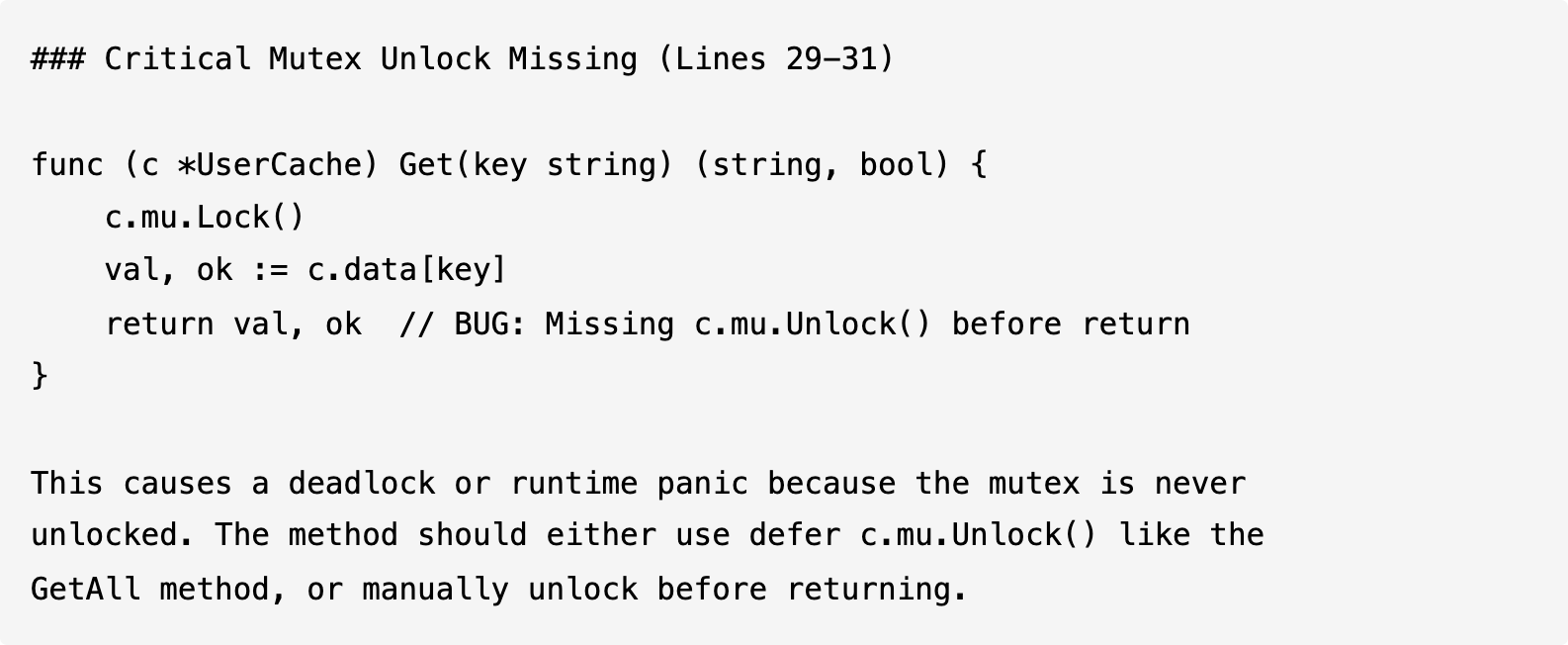
MiniMax M2’s analysis of the mutex bug:
MiniMax M2 then generated a corrected version of the file with all fixes applied. Here’s how it fixed the data race in GetAll():
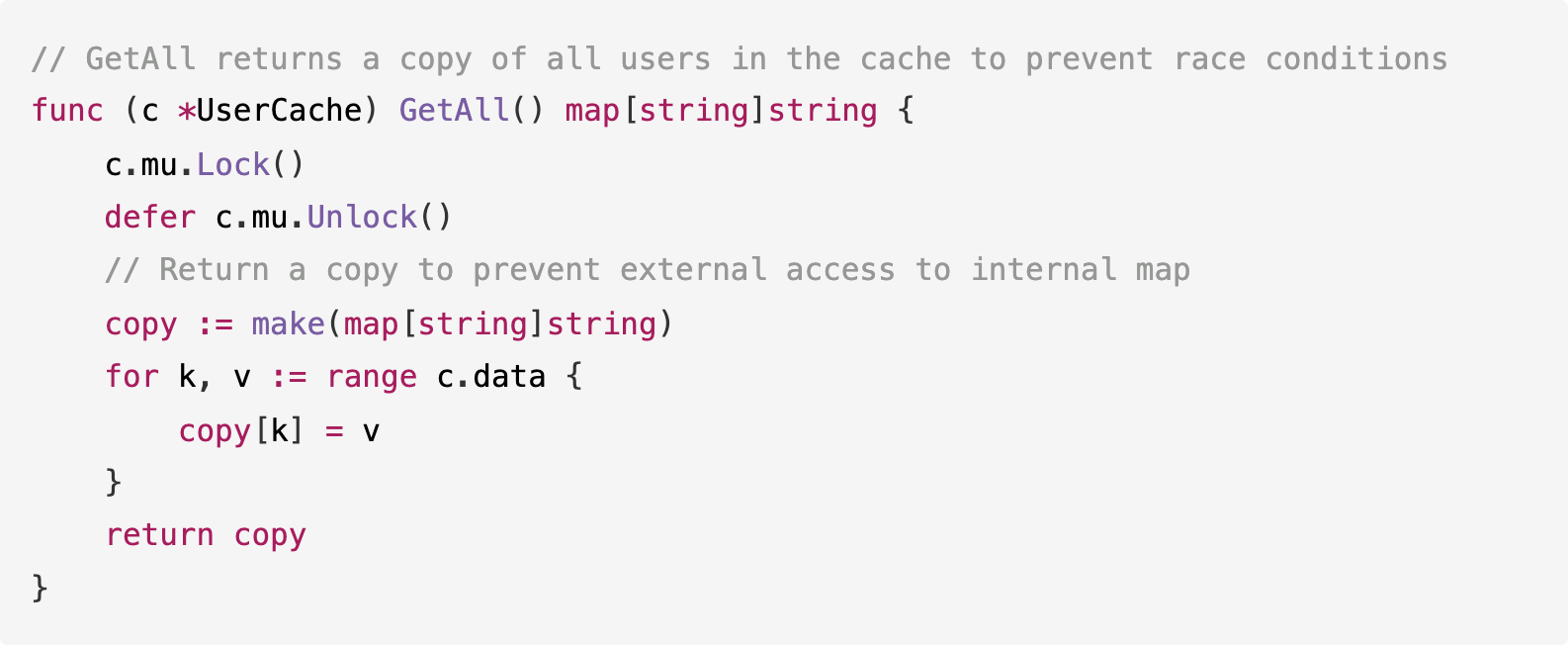
This matches what we’d expect from a code review: identify the issue, explain why it’s a problem, and show the fix.
Test 3: Extending a Node.js Project
This test had two parts.
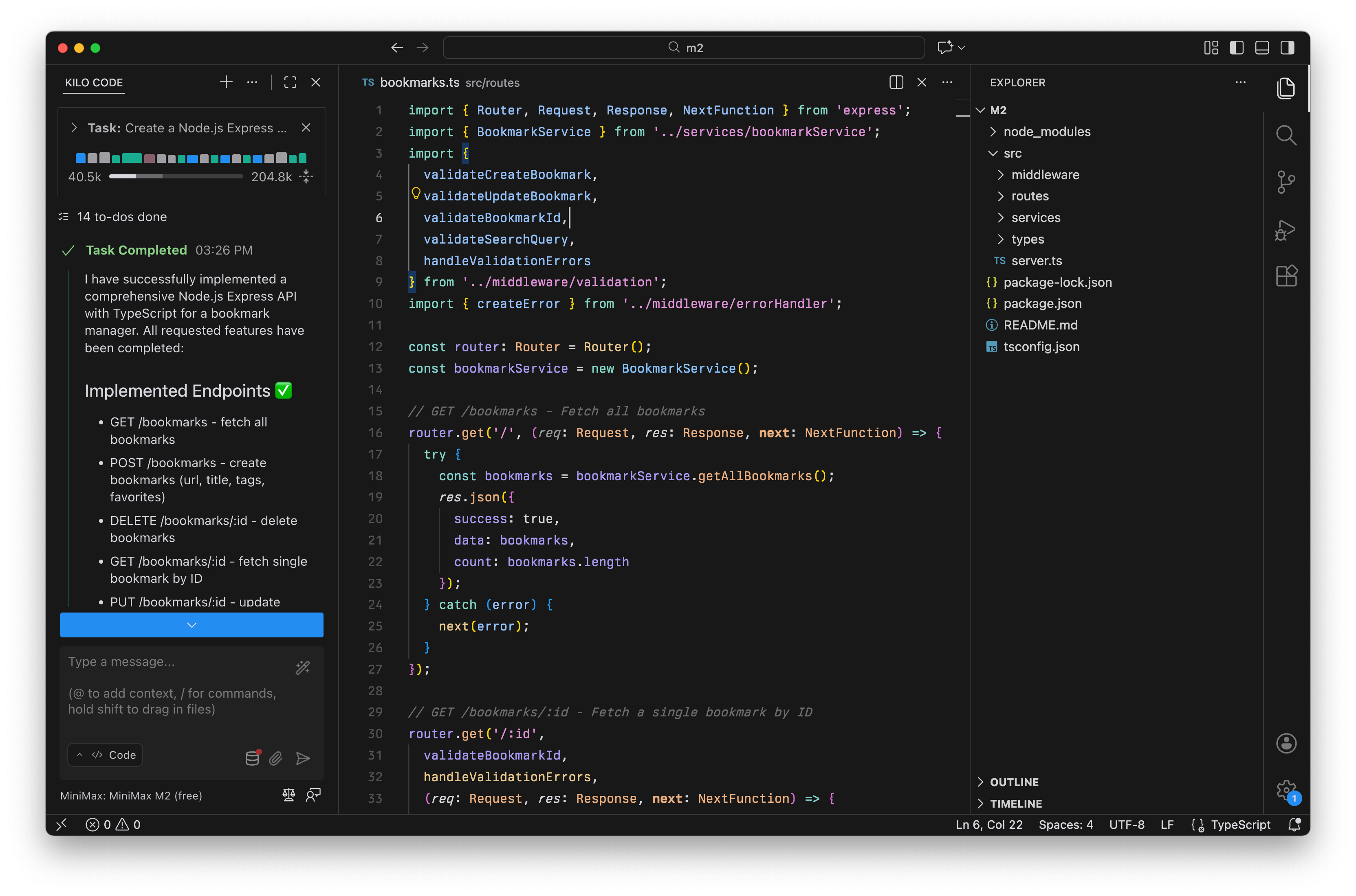
First, we asked MiniMax M2 to create a bookmark manager API. Then we asked it to extend the implementation with new features.
Step 1 prompt: “Create a Node.js Express API with TypeScript for a simple bookmark manager. Include GET /bookmarks, POST /bookmarks, and DELETE /bookmarks/:id with in-memory storage, input validation, and error handling.”
Step 2 prompt: “Now extend the bookmark API with GET /bookmarks/:id, PUT /bookmarks/:id, GET /bookmarks/search?q=term, add a favorites boolean field, and GET /bookmarks/favorites. Make sure the new endpoints follow the same patterns as the existing code.”
The result: MiniMax M2 generated a proper project structure:

The service layer shows clean separation of concerns:
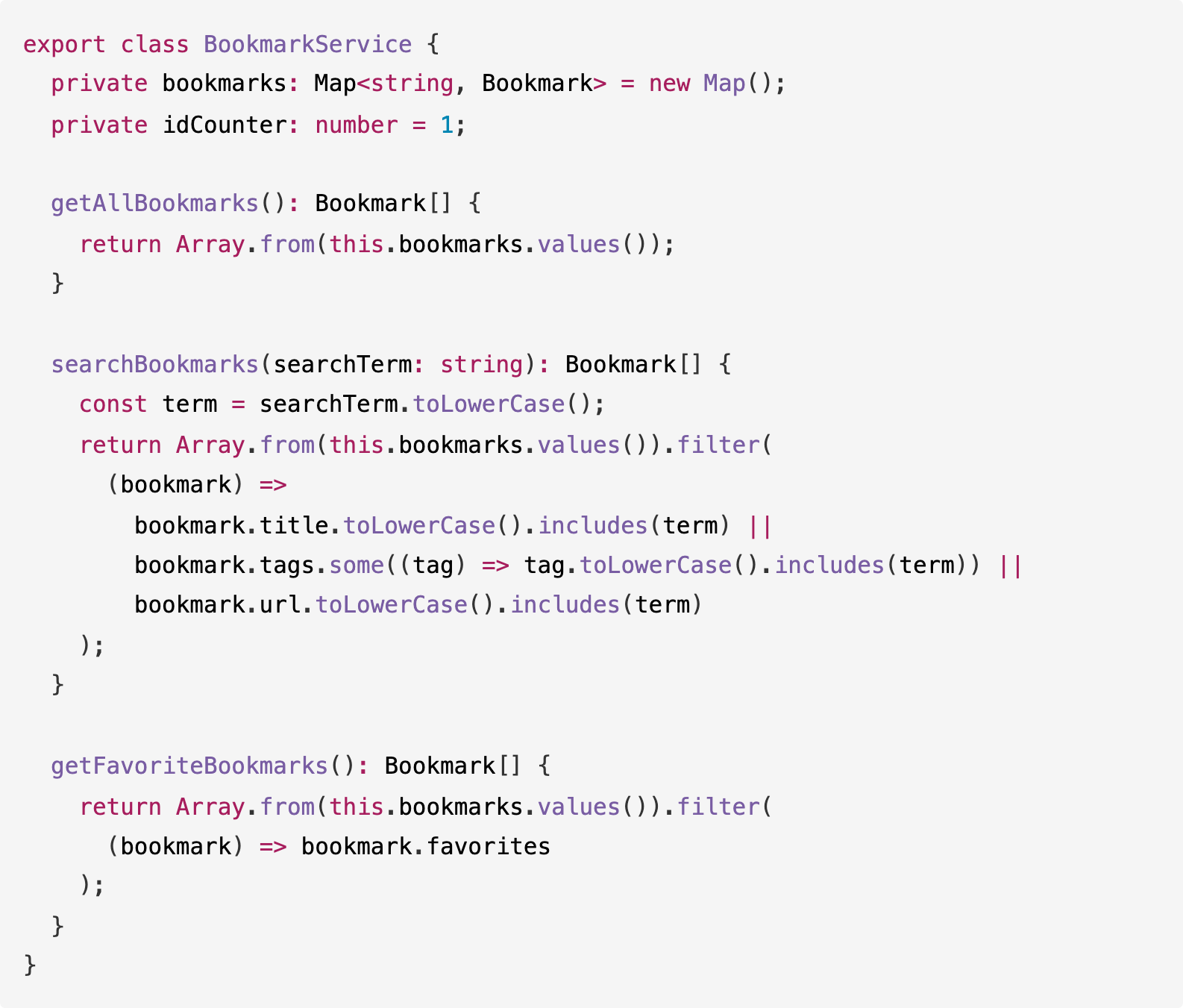
When we asked MiniMax M2 to extend the API, it followed the existing patterns precisely.
The new endpoints use the same validation middleware, error handling approach, and response format as the original code. It didn’t try to refactor or “improve” what was already there.
Test 4: Documentation
We tested MiniMax M2’s ability to generate documentation with this prompt:
Our prompt: “Add comprehensive JSDoc documentation to this TypeScript function. Include descriptions for all parameters, return values, type definitions, error handling behavior, and provide usage examples showing common scenarios.”
We fed MiniMax M2 a complex TypeScript function that combines retry logic, caching, and stale-while-revalidate patterns (about 100 lines, no comments).
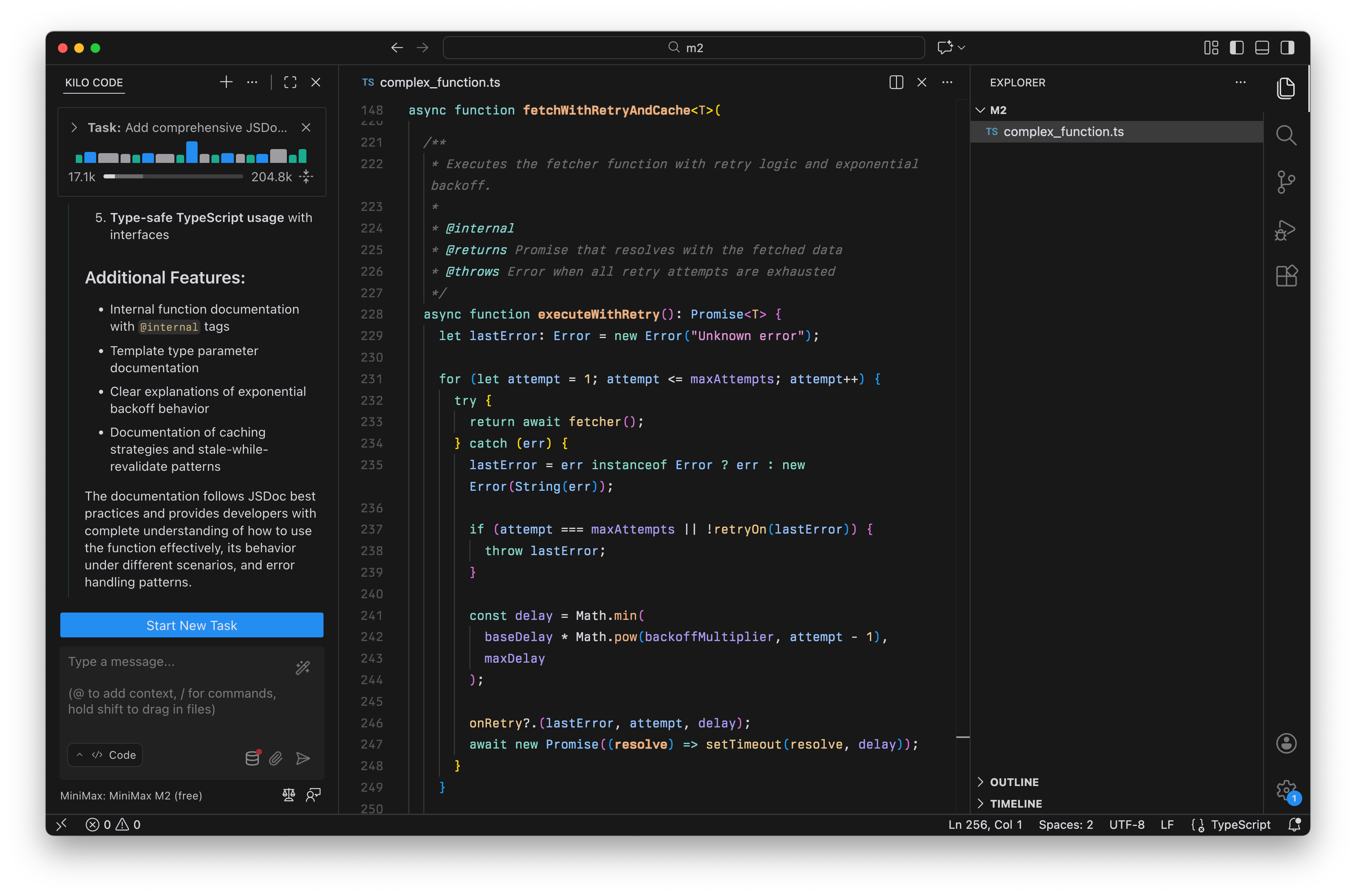
The result: The output included documentation for every type, parameter descriptions with defaults, error-handling notes, and five different usage examples:
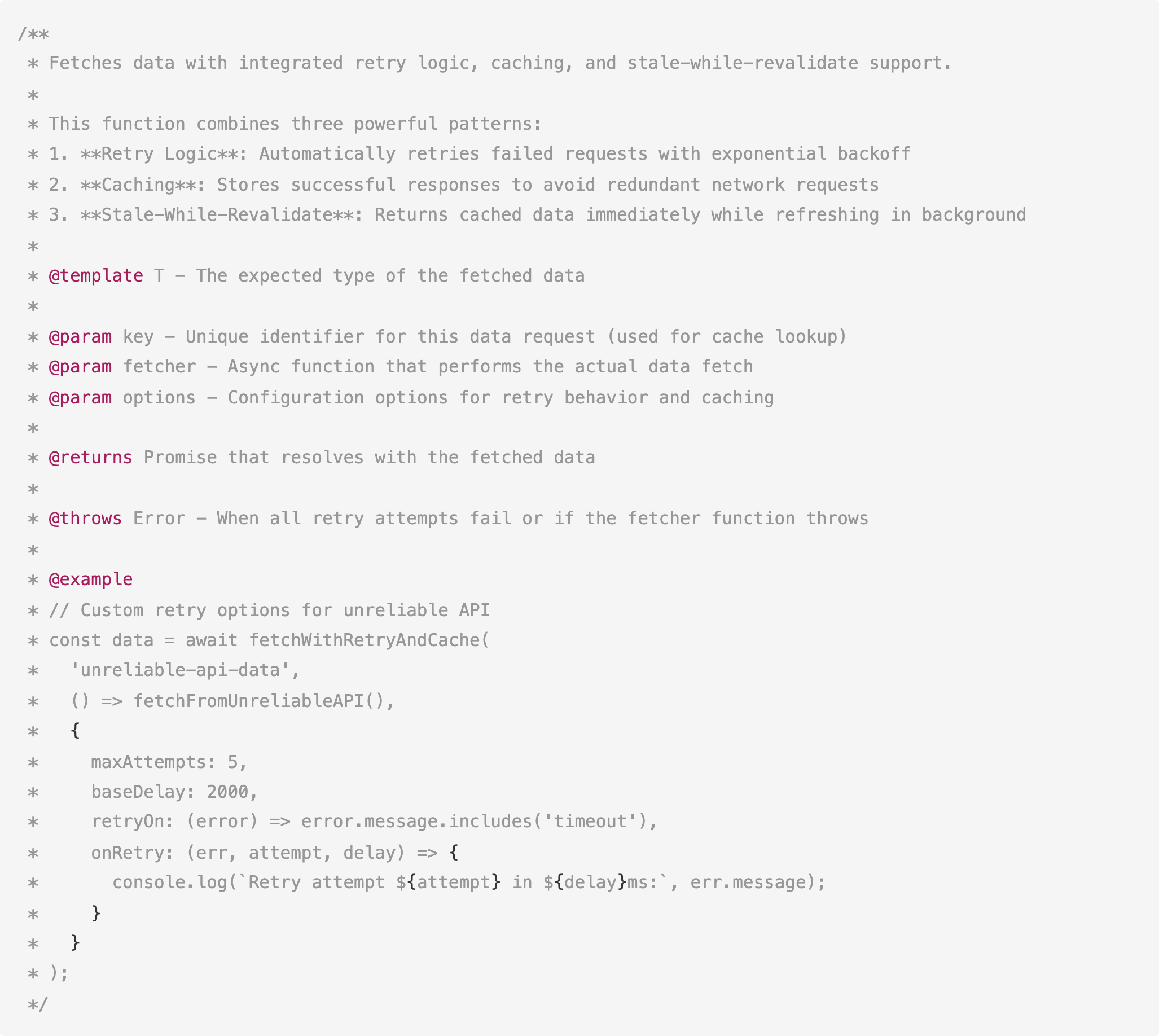
MiniMax M2 understood the function’s purpose, identified all three patterns it implements, and generated examples that demonstrate realistic use cases. This is especially helpful for documenting internal libraries or adding JSDoc to legacy code.
Why Speed Matters for Implementation Work
Frontier models like Claude Opus 4.5, GPT-5.1, and Gemini 3.0 are optimized for deep reasoning. They “think” extensively before generating code, which is valuable for complex architectural decisions.
But that reasoning overhead comes with time and token cost.
When we benchmarked these frontier models on coding tasks, the total completion times ranged from 7 to 13 minutes across three tests.
GPT-5.1 took 13 minutes total. Claude Opus 4.5 was the fastest at 7 minutes. These models reason through edge cases, consider alternative approaches, and add defensive features you didn’t ask for.
That’s exactly what you want when designing a system or refactoring legacy code. But when you’re adding a route, writing a database query, or scaffolding a new service, waiting several minutes for a model to “think” breaks your flow.
MiniMax M2 generated a complete Flask API in under 60 seconds. The bug detection was almost instant.
MiniMax M2 doesn’t deliberate extensively because implementation tasks don’t require it. You already know what you want—you just need it written.
This makes MiniMax M2 a useful complement to frontier models. Use Opus 4.5 or GPT-5.1 for the hard parts (system design, complex refactoring, architectural decisions), then switch to MiniMax M2 for the implementation work.
The trade-off is speed and cost vs. depth of reasoning, and having both types of models available lets you pick the right tool for each task.
Where MiniMax M2 Fits in Your Workflow
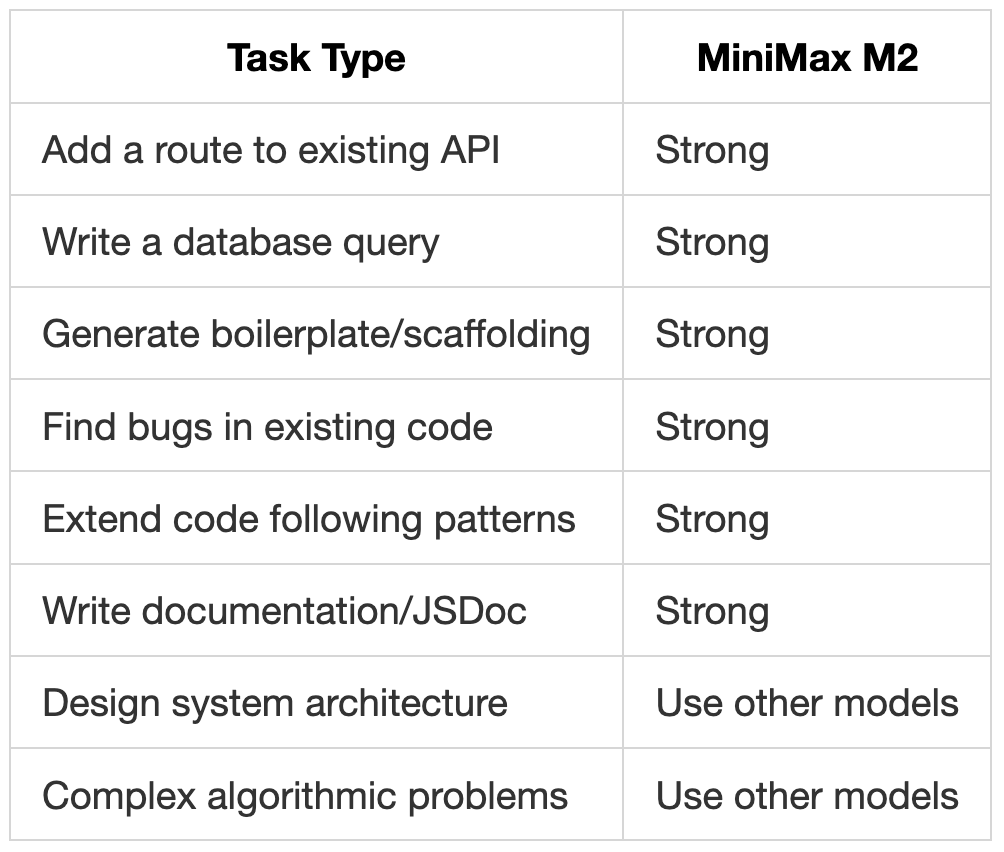
Across all four tests, MiniMax M2 performed best when the task was clear:
“Build X with these features” (Flask API)
“Find bugs in this code” (Go review)
“Add these endpoints following existing patterns” (Node.js extension)
“Document this code” (README, JSDoc)
This lines up with what we’ve heard from users. MiniMax M2 handles boilerplate and implementation tasks well. It’s fast, follows instructions, and produces clean code that matches established patterns.
How to start using MiniMax M2 for Free
MiniMax M2 is currently free on Kilo Code:
Install Kilo Code for VS Code, JetBrains, or CLI
Select “MiniMax: MiniMax M2 (free)” from the model dropdown
Start coding
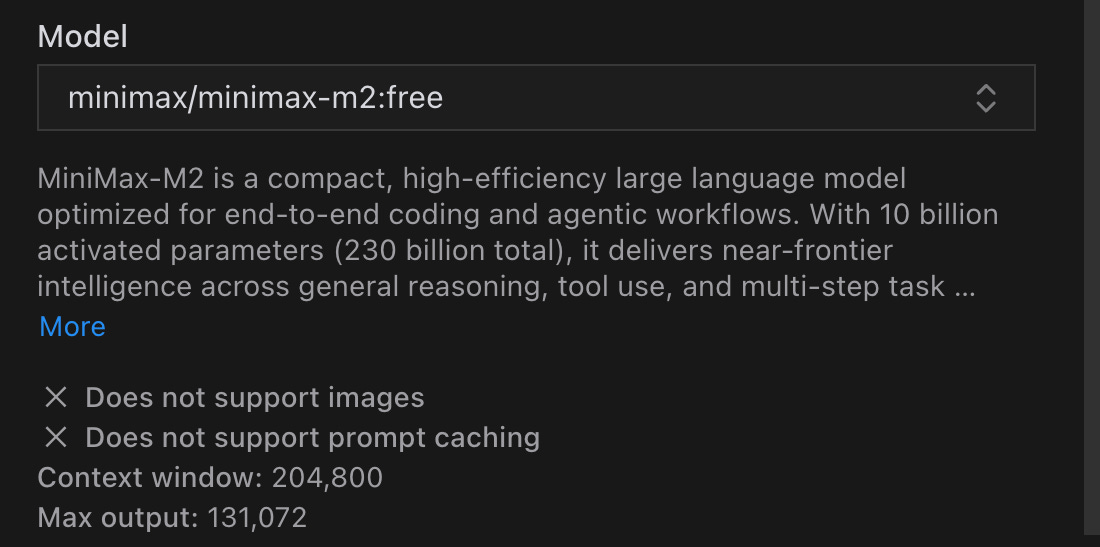
The free tier won’t be around forever, but even at regular pricing ($0.255/M input, $1.02/M output), MiniMax M2 costs less than 10% of Claude Sonnet 4.5 ($3/M input, $15/M output).
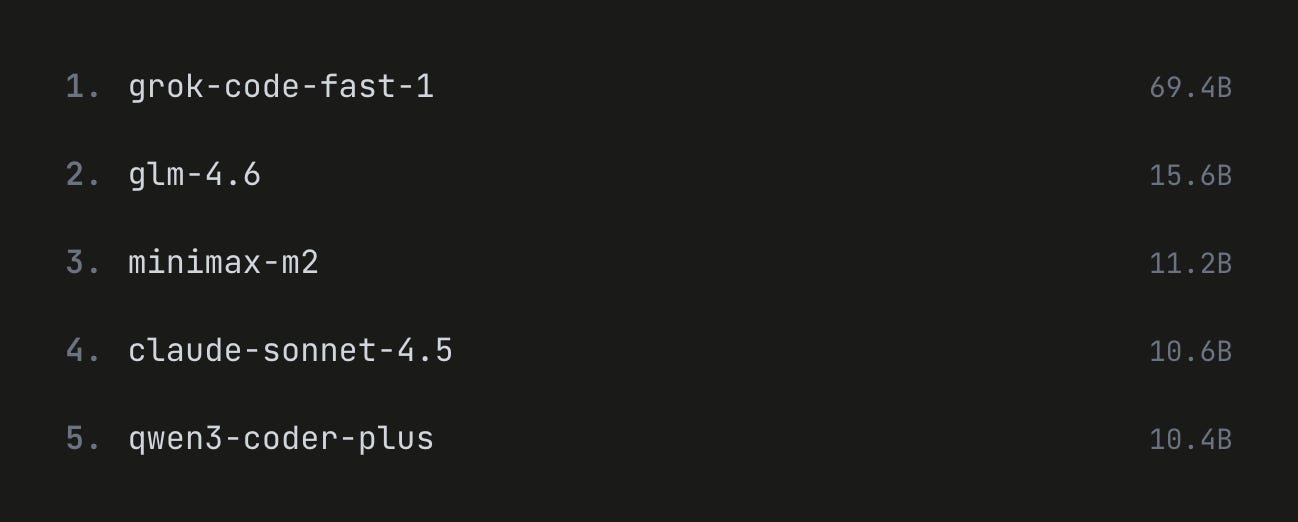
MiniMax M2 is currently the #3 most-used model on Kilo Code, and developers are finding real value in having a fast implementation model alongside their state-of-the-art models.