

Last week we wrote about our focus week, and what shipped to help you save on cost. This week a few more things landed, so here’s part 2 of our cost optimization features, available to all Kilo Code users.
Cost Insights: clarity on what drives your spend
You can now see what’s actually driving your AI coding bill, and get notified about anomalies before it becomes a surprise.
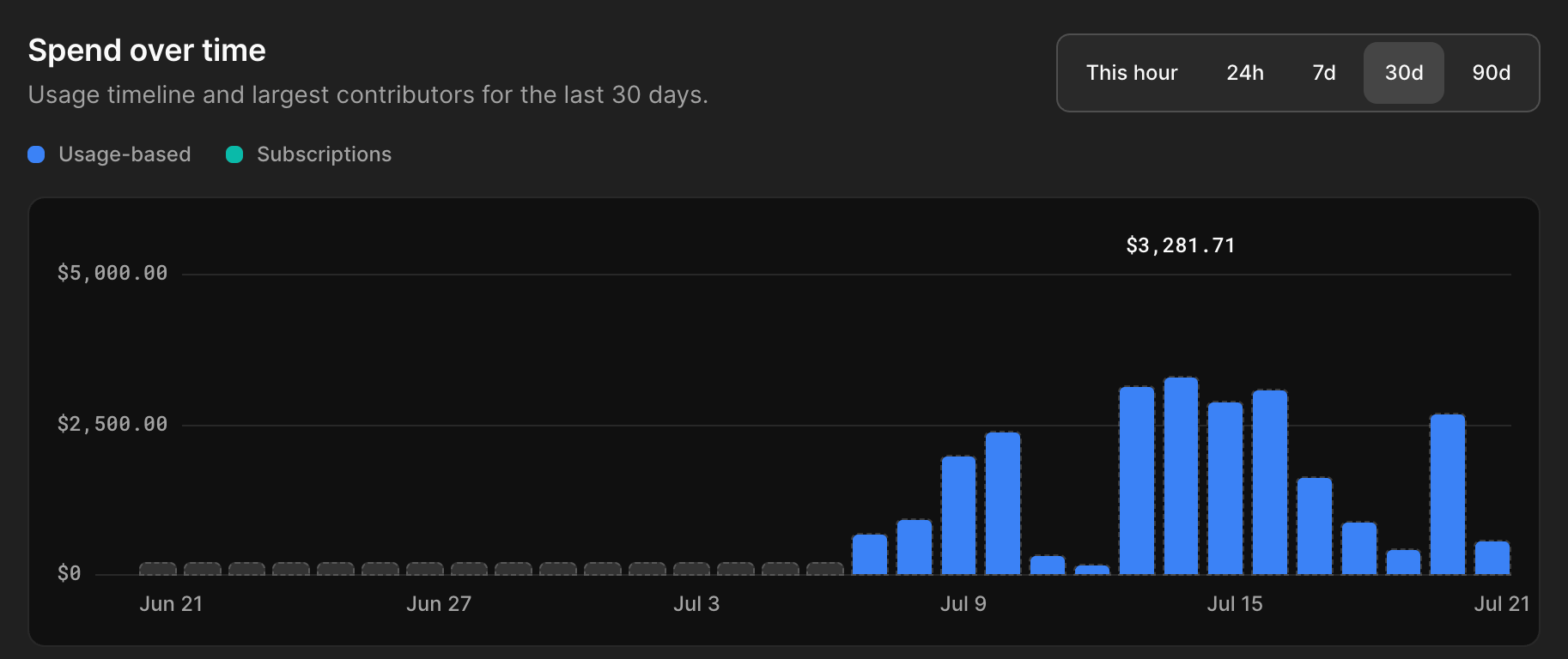
Spend over time, broken down
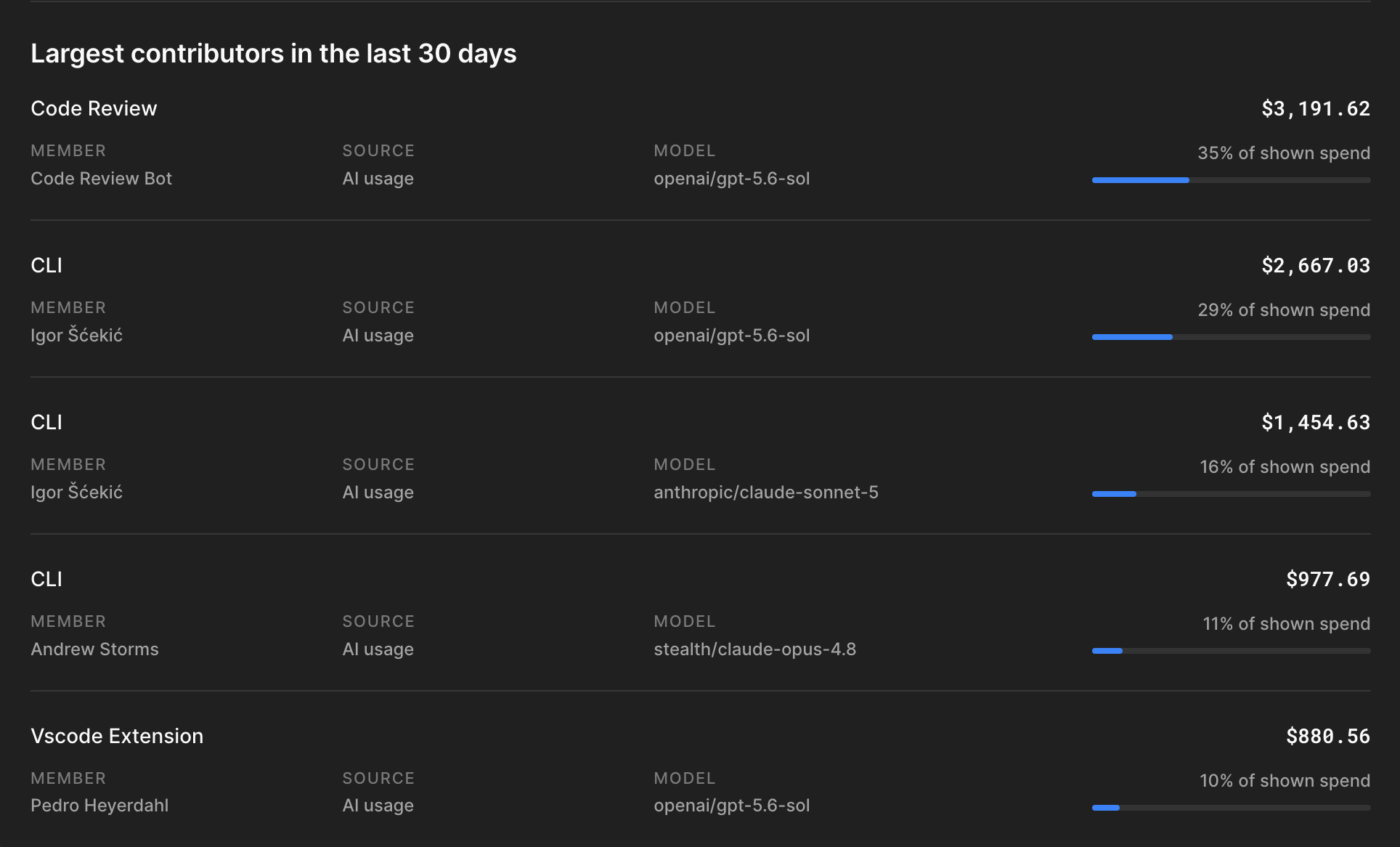
The Overview tab plots usage-based and subscription spend over the last 7, 30, or 90 days, and surfaces the largest contributors so you know which products or members are driving the cost.
Set spend alerts
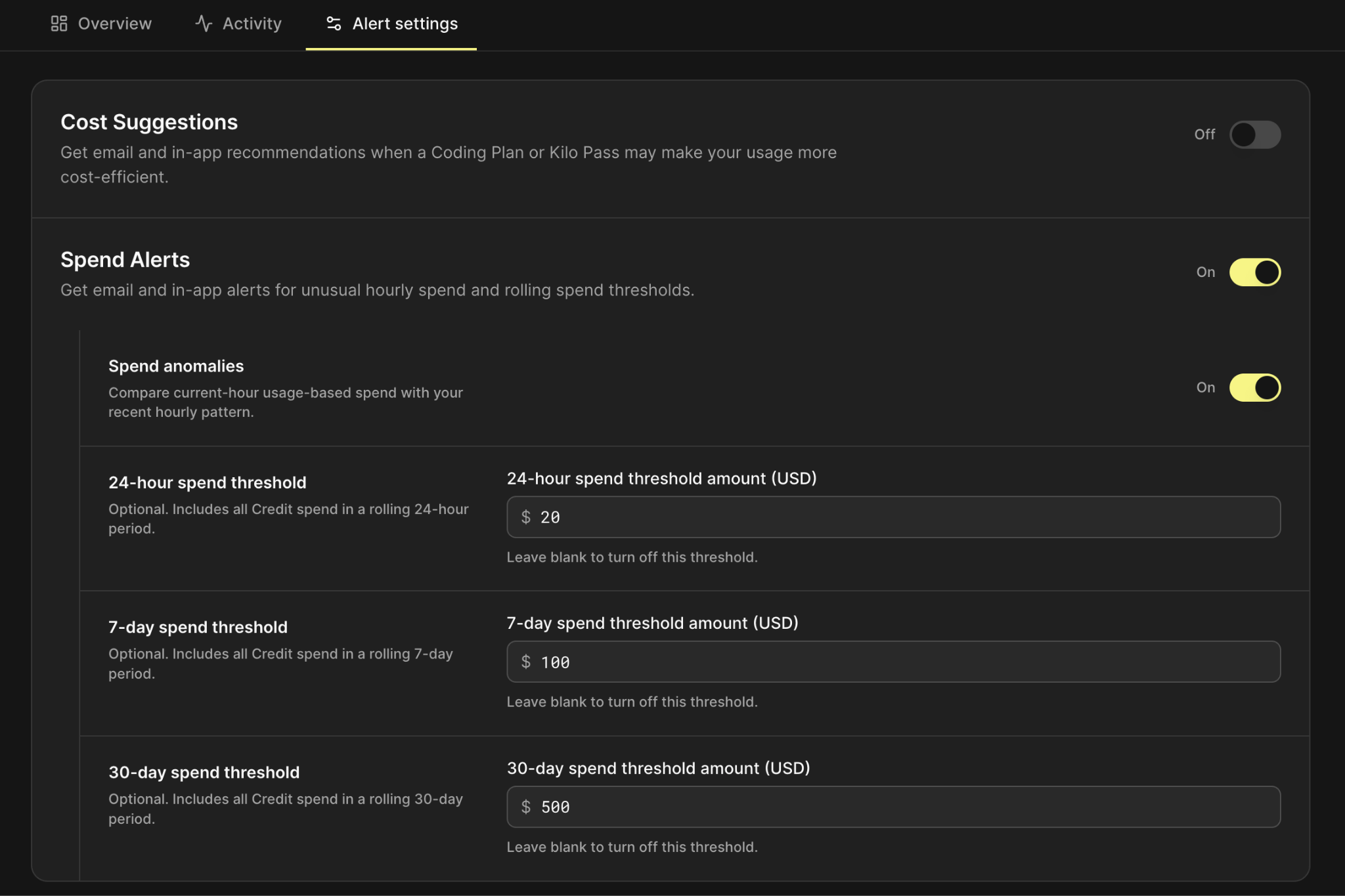
You could already set spend thresholds in the VS Code extension and CLI. Now you can do it at the organization and personal level too, covering cloud agents and code reviewer as well. Turn on Spend Alerts to get notified of unusual spend, plus configurable rolling thresholds for 24 hours, 7 days, and 30 days.
A full activity log
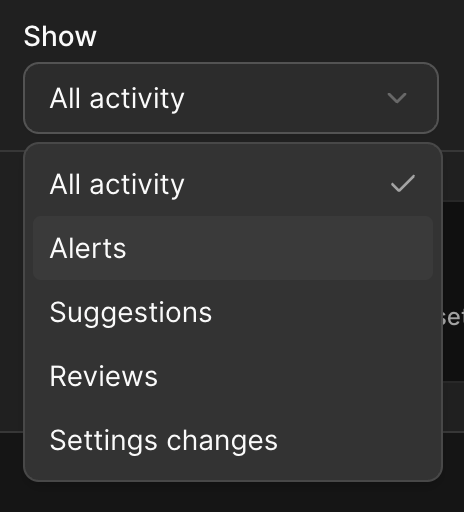
The new Activity tab shows every type of activity: alerts, suggestions, reviews, and settings changes, so you can see exactly what happened and when, not just a total that changed overnight.
Cost Suggestions: recommendations based on your actual usage
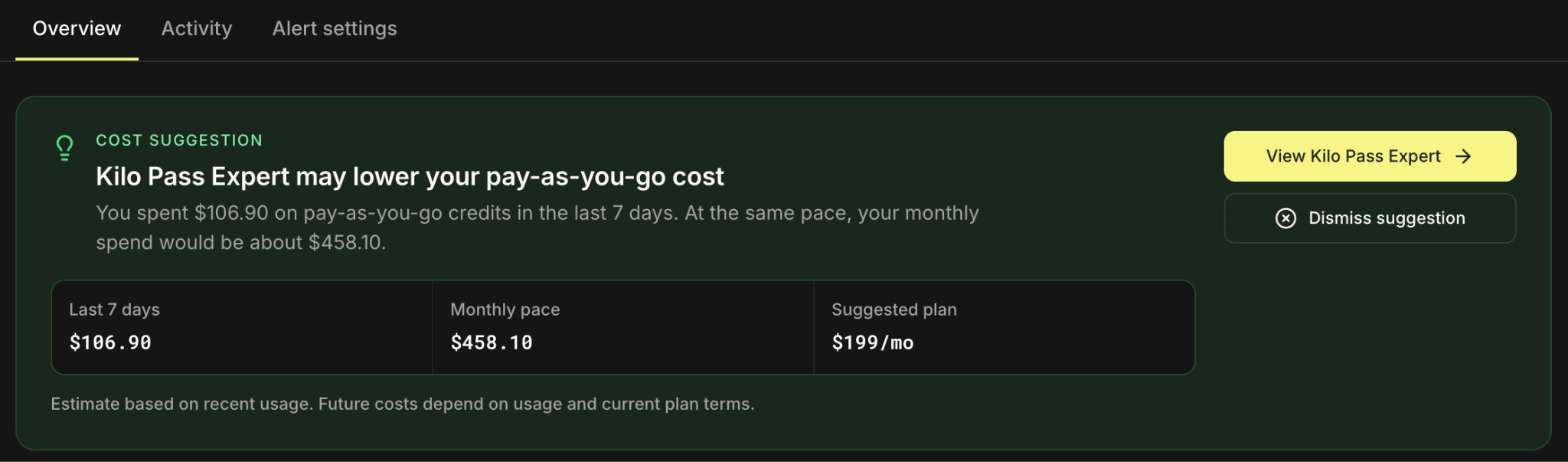
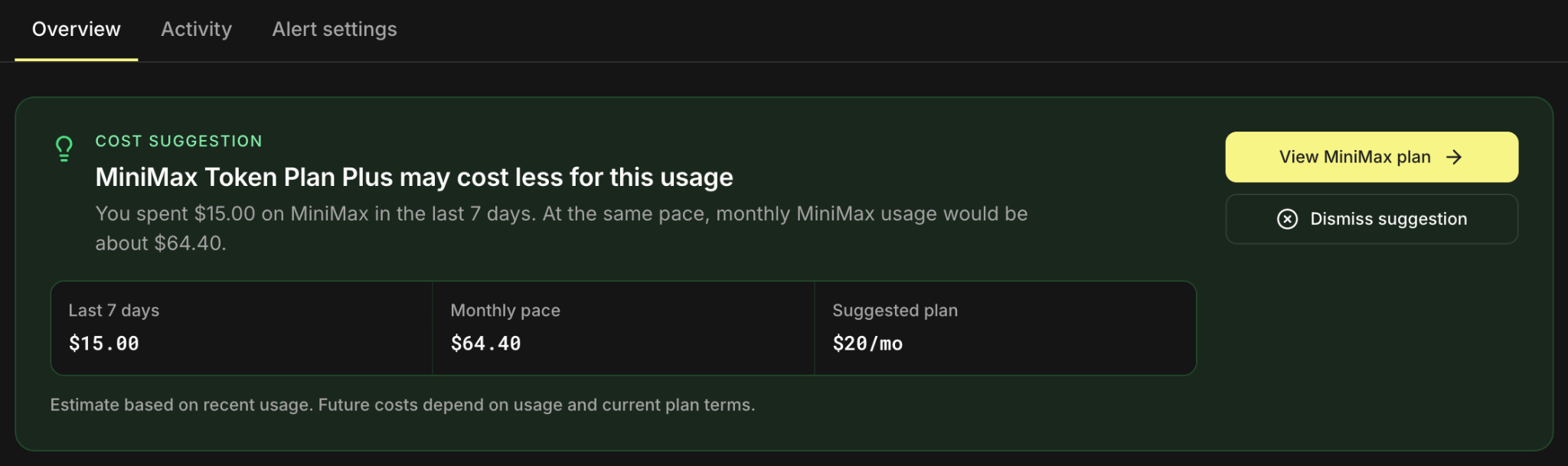
Turn on Cost Suggestions and you’ll get email and in-app recommendations when a coding plan or Kilo Pass would make your usage cheaper, based on what you’re actually spending, not a generic upsell.

A coding plan or Kilo Pass are great ways to pay for inference, but they’re not the only ones — there are many more inference options, from BYOK to subscription bundles. Since coding plans went live in Kilo, we’ve been expanding what’s available to buy directly on your balance, and Cost Suggestions now actively points you to whichever inference path fits your usage best, instead of leaving you to work it out yourself.
Try it out today. All of these features are available for Individuals, Teams and Enterprise
For me accessing https://app.kilo.ai/cost-insights ends up with 404 error code :/
Thanks for this, looks good.
I am not seeing it on my usage page.
There is a message “ Usage data is catching up”
Perhaps I need to wait for a data migration