

We now support Bring Your Own Key (BYOK) across 20 providers and 24 plans on the Kilo Gateway. That means you can use your own API keys from DeepSeek, xAI, Anthropic, OpenAI, and a long list of others, and the provider bills you directly. We charge 0% on top, unlike OpenRouter and Requesty, which both add 5%.
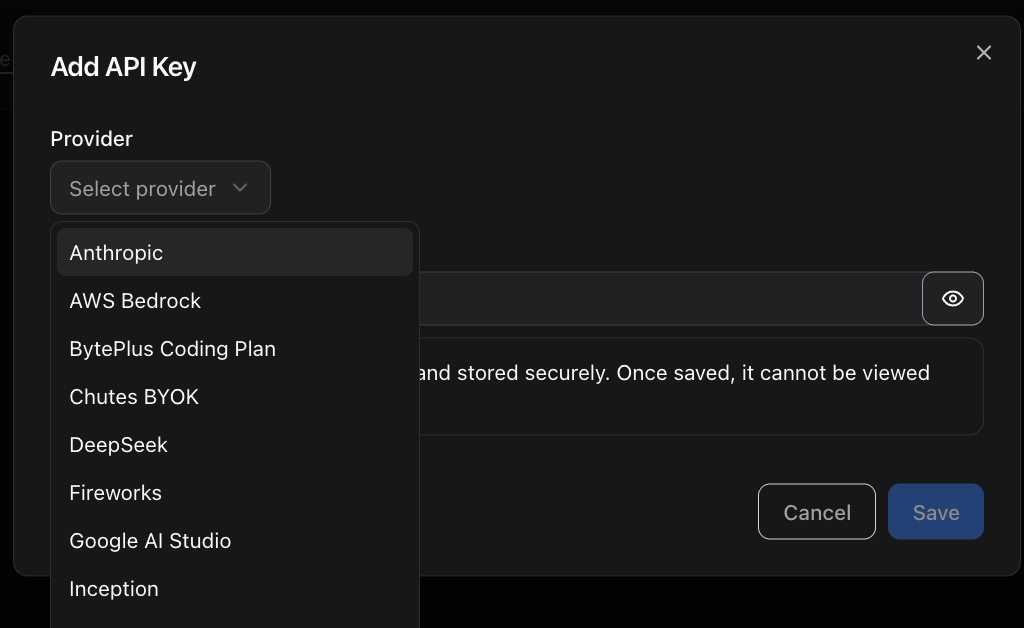
20 supported providers and 24 configuration plans
You can import your pay-as-you-go API keys or use your coding subscription plans.
Pay-as-you-go API keys work for: Anthropic, AWS Bedrock, Chutes, DeepSeek, Fireworks, Google AI Studio, Inception, MiniMax, Mistral AI, Moonshot AI, Novita, Ollama Cloud, OpenAI, Perplexity, xAI, Xiaomi, and Z.ai.
Coding-focused subscriptions work with the: BytePlus Coding Plan, Kimi Code, Mistral Codestral, Neuralwatt, Xiaomi Token Plans (Europe and Singapore), and the Z.ai Coding Plan.
What you get with BYOK via the Kilo Gateway (a DeepSeek example)
Most API providers like DeepSeek give you dashboards with basic usage stats. Here’s an example from DeepSeek:
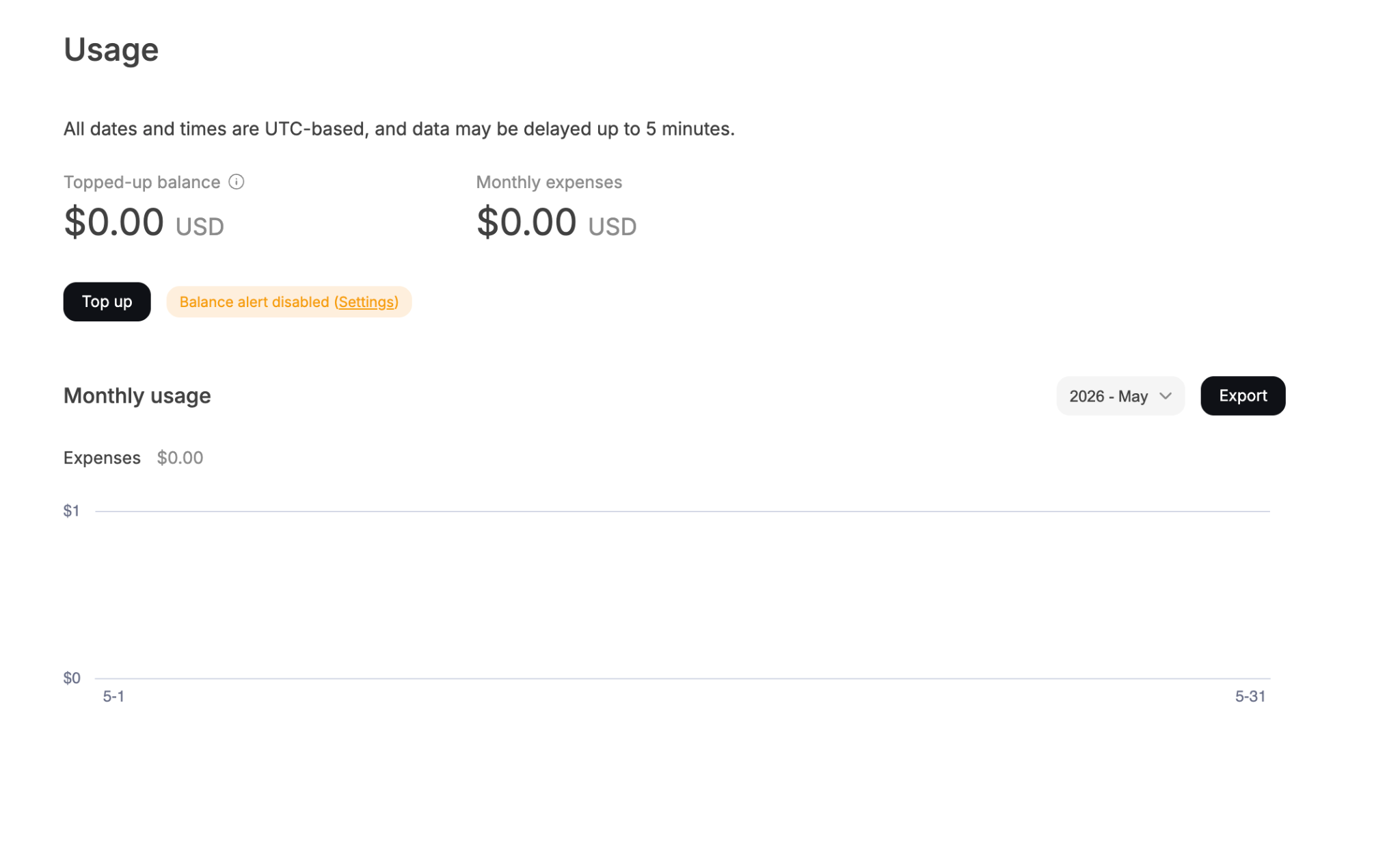
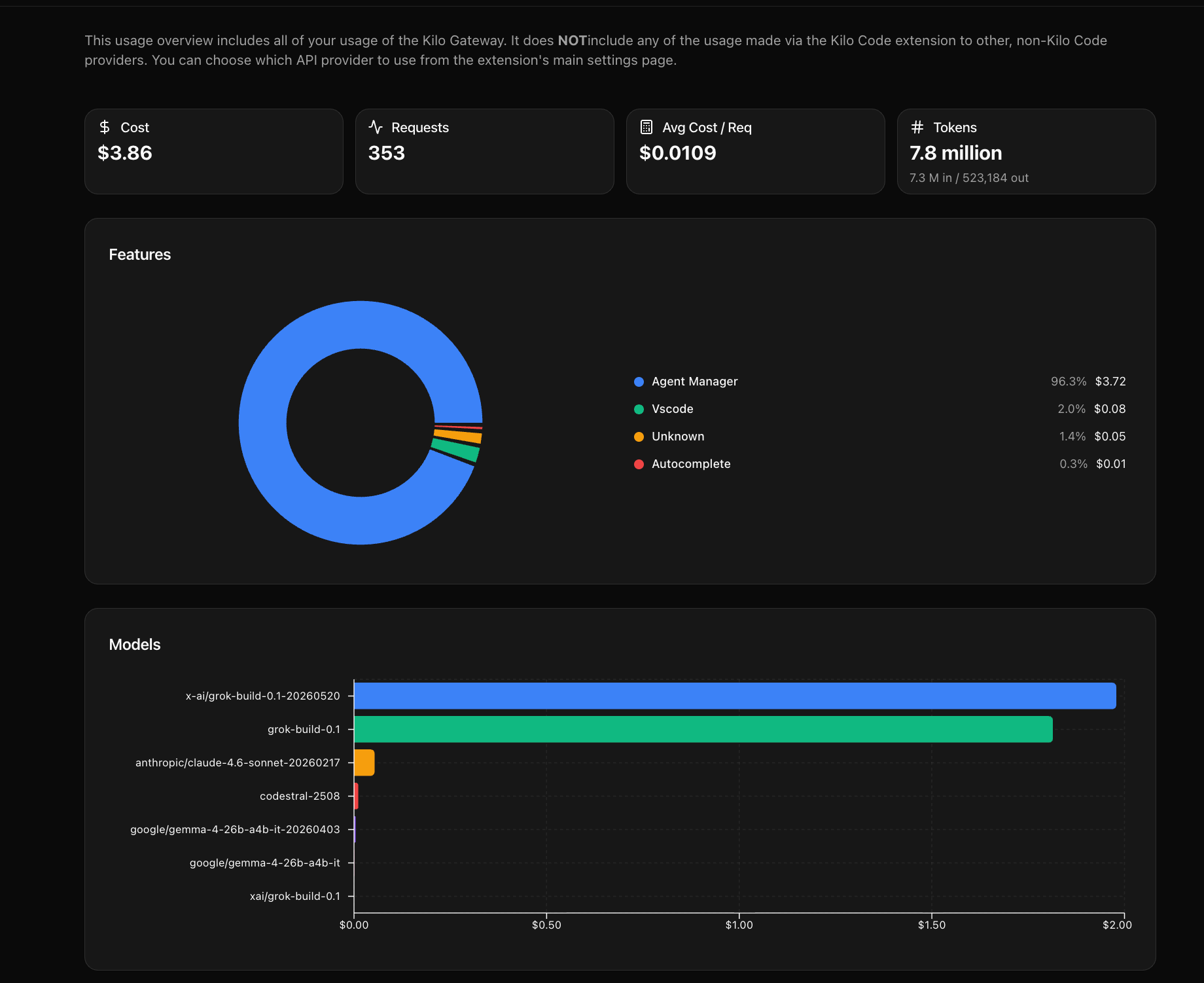
With Kilo Gateway, you get a more comprehensive dashboard which shows your total cost, request count, average cost per request, and token counts with the input and output broken out.
A donut chart underneath splits your spend by Kilo Code surface, so you can tell whether Cloud Agents are eating most of it or autocomplete is quietly running up a tab. A bar chart ranks spend by model, which makes it easy to spot a pricey model running where a cheaper one would have done the job.
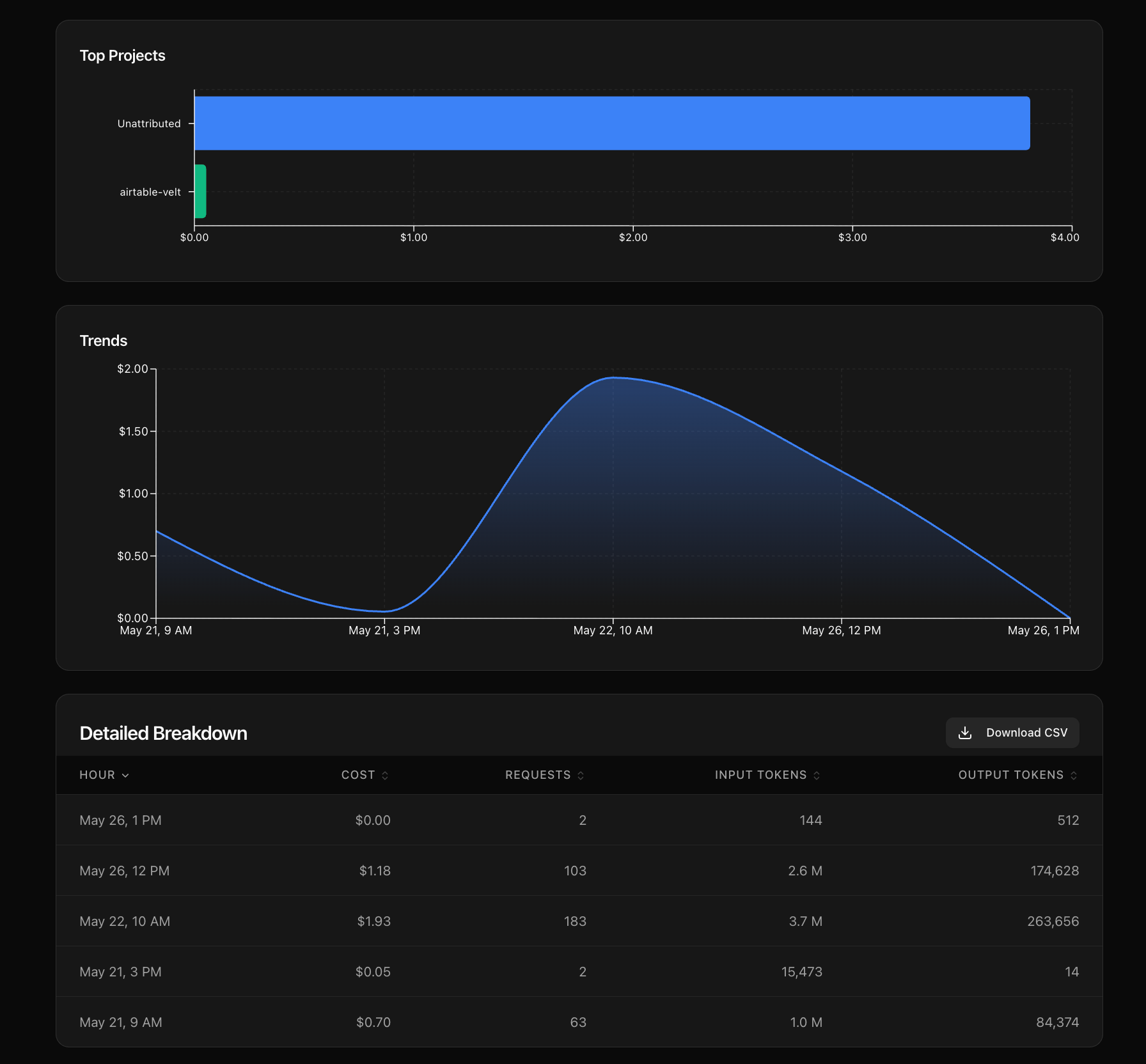
Scroll down and the dashboard splits spend by project and plots a trend line across your selected window. An hourly breakdown table sits at the bottom with a CSV download for finance or deeper analysis.
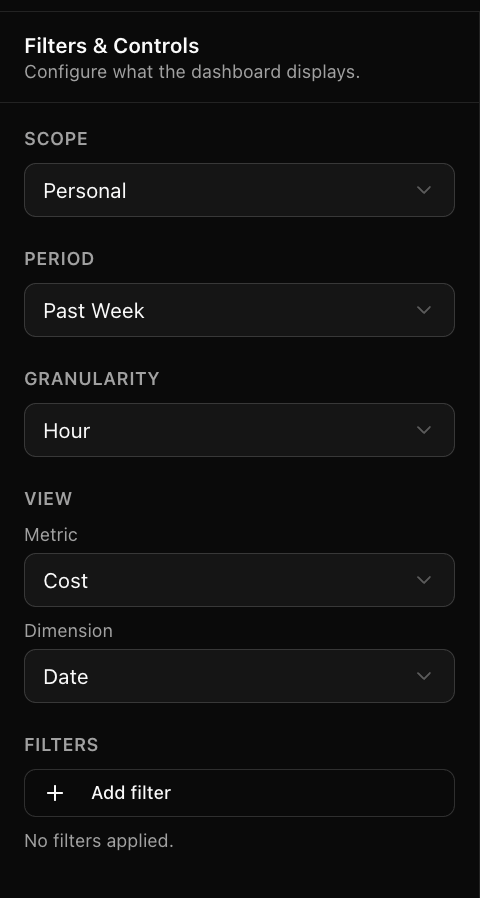
Use the side panel for more granular control. Switch scope between personal and organization usage, pick a time period and granularity, change what the chart shows on each axis, and add filters to isolate a single provider, project, or model.
If you’ve ever wanted a second source of truth on your DeepSeek (or any other API provider) bill, BYOK gives you one.
Just as a reminder, we charge 0% on top of your provider bill. You pay DeepSeek what DeepSeek charges. We make money on team and enterprise features.
Import 1 key, get free access to 7+ product areas
Kilo Code is a whole suite of agentic engineering products, which include the VS Code extension, the JetBrains plugins for IntelliJ, PyCharm and WebStorm, the CLI, Cloud Agents, Code Reviewer, Slack, the Android app, and KiloClaw. Most of them are open-source and free, and by free we mean you don’t pay for the product, you only pay for the AI model that product relies on.
You can configure any of our product area with a BYOK provider:
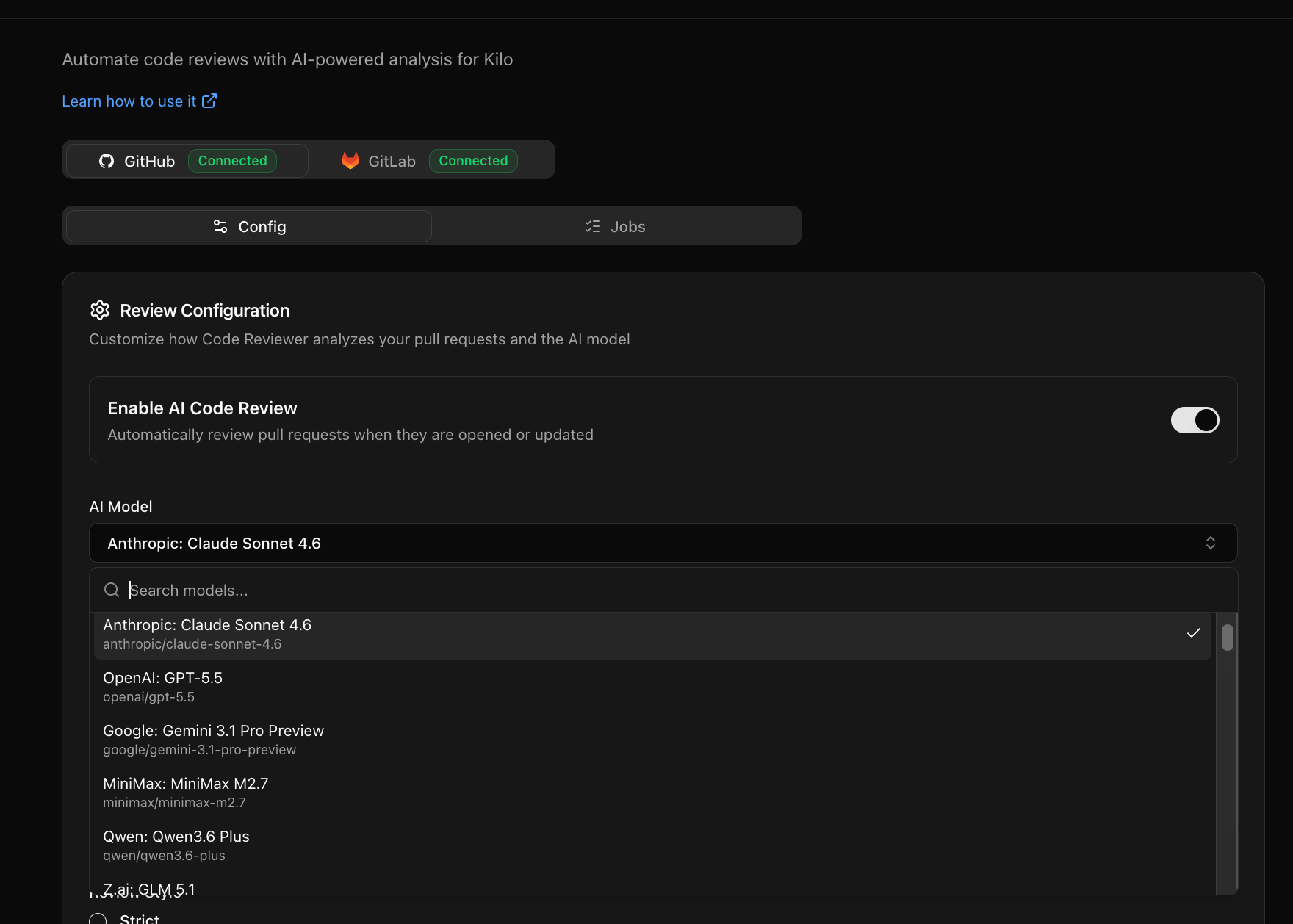
Once you BYOK, you can just go to any product area, find the configuration window where you pick a model, find your provider and you’re done.
For DeepSeek users, the V4 release works amazingly well for coding tasks like writing tests and reviewing PRs, so it’s a good fit for all of the product areas above. We benchmarked DeepSeek V4 Pro and Flash against Claude Opus 4.7 and Kimi K2.6. Read the results here.
How to Add Your Own Key to the Kilo Gateway
Let’s use DeepSeek as an example to demonstrate this.
To add your key to the Kilo Gateway:
Go to the BYOK page: https://app.kilo.ai/byok
Choose your provider and enter your key. You’ll see a list of the models we support by that provider.
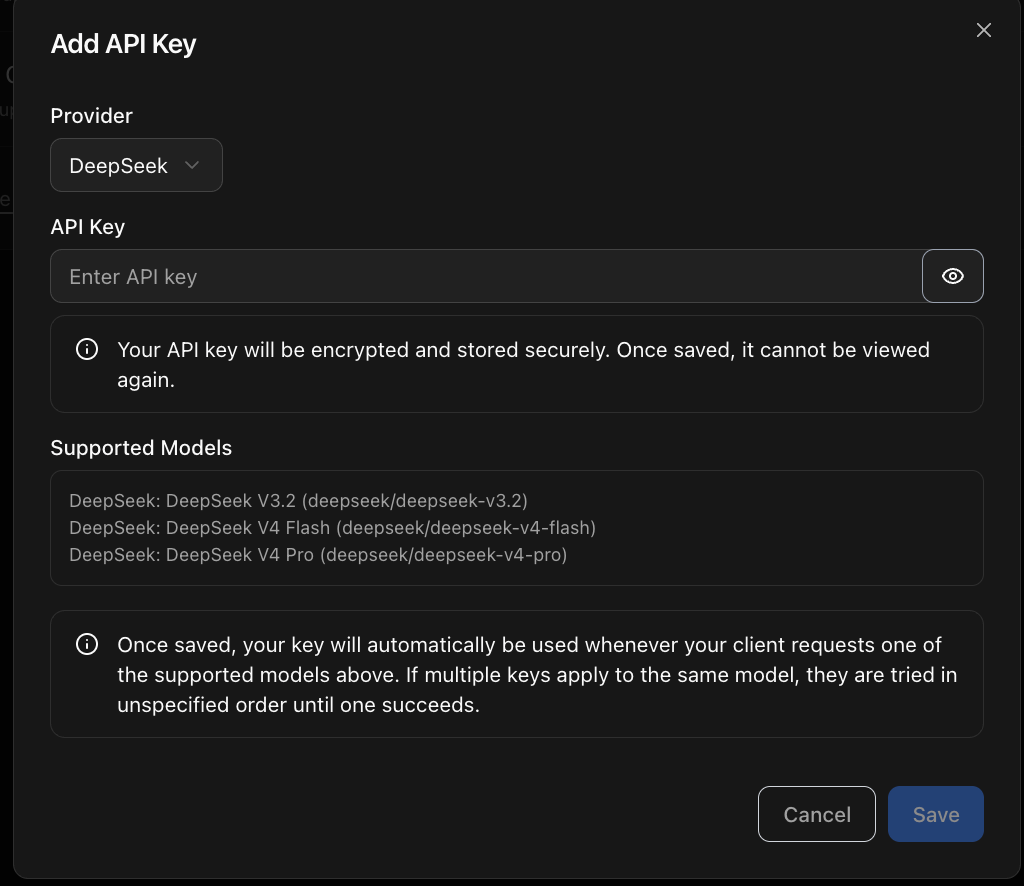
Once you add your provider, you’ll see it in the list of providers on the BYOK page. Click on the lab icon to test if your key works:

How routing works
When you send a request through Kilo Gateway, we check whether you have a BYOK key for that model’s provider. If you do, we route through your key. If your key is invalid, the request fails and we do not retry on Kilo’s keys. Silent fallback would let bad keys hide behind our balance, which defeats the point of BYOK.
To confirm the traffic is actually hitting your key, double-check your DeepSeek dashboard. Token counts there should match what Kilo Gateway shows under your usage analytics. If the numbers don’t agree, that’s exactly the kind of thing you now have the data to spot.