

If you already have an API key from DeepSeek, xAI, Anthropic, OpenAI, or another provider, the obvious question is: why put Kilo Gateway in the middle?
Kilo Gateway is a universal API for AI inference. It works especially well with the whole suite of Kilo’s products (Kilo Code, Kilo Code Reviewer, Kilo CLI, etc.)
We recently added support for 20 different BYOK providers.
Augment, not replace:: When you bring-your-own-key into the Kilo Gateway, the provider still runs the model. The provider still bills you directly. You still manage your own account with that provider. So at first glance, routing your key through Kilo Gateway might seem like an unnecessary extra step.
So why use BYOK through Kilo Gateway? Kilo does not replace the provider. It sits on top of it. You get better analytics, one key that works across Kilo’s products, and a clearer view of where your AI spend goes..
And unlike some other gateways, Kilo charges 0% markup on BYOK traffic. If you bring a DeepSeek key, you pay DeepSeek. If you bring an xAI key, you pay xAI. Kilo does not add anything on top of your provider bill.
Provider dashboards usually don’t tell the full story
Most API providers give you some form of usage dashboard. DeepSeek, for example, gives you a basic view of API usage, which is useful if all you want to know is whether requests are being made and roughly how much you are using.
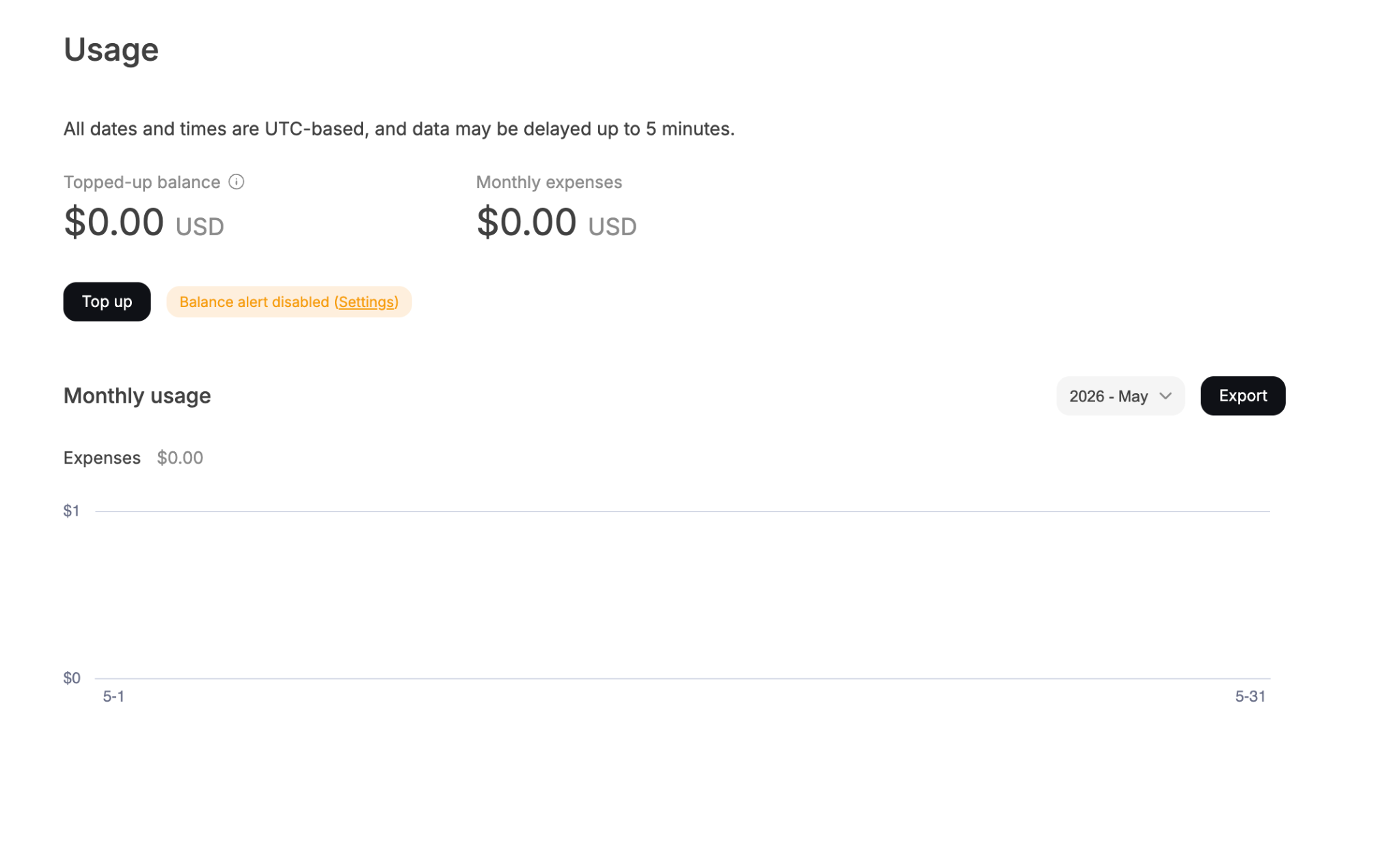
But once you start using models across real engineering workflows, that basic view stops being enough. You do not just want to know that tokens were used. You want to know which project used them, which model drove the cost, which workflow triggered the requests, and whether a cheaper model would have been good enough for the job.
That is where Kilo Gateway becomes useful. Instead of looking at usage as one big number from the provider, you can break it down by model, project, provider, and Kilo product surface. You can see total cost, request count, average cost per request, and token counts with input and output separated. You can also look at trends over time and download the data when you need to share it with finance or do deeper analysis.
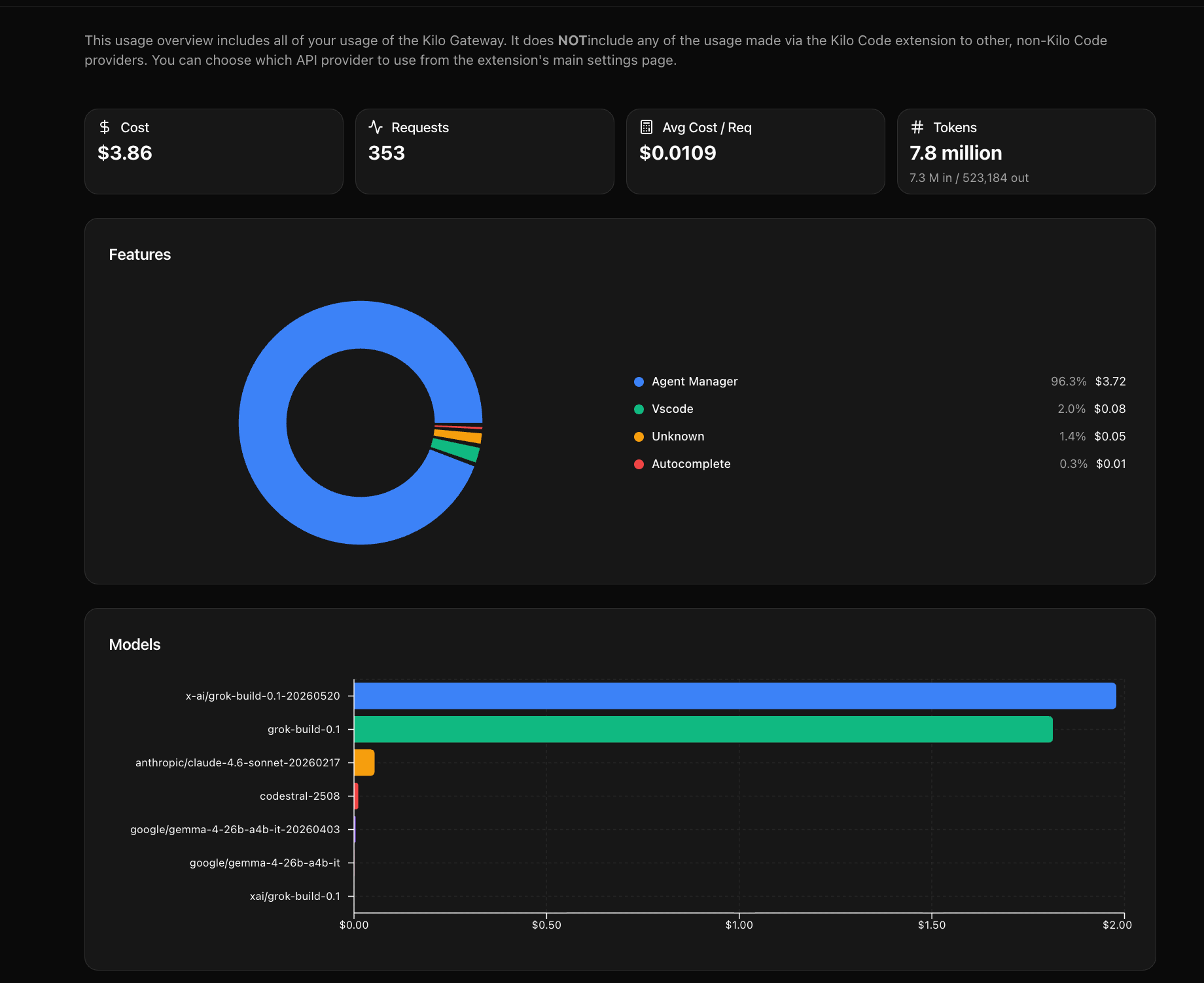
This matters because AI spend is rarely obvious from a single request. The real cost comes from repeated usage across tools: autocomplete running all day, Cloud Agents working through larger tasks, Code Reviewer checking PRs, or Slack workflows answering questions from the repo.
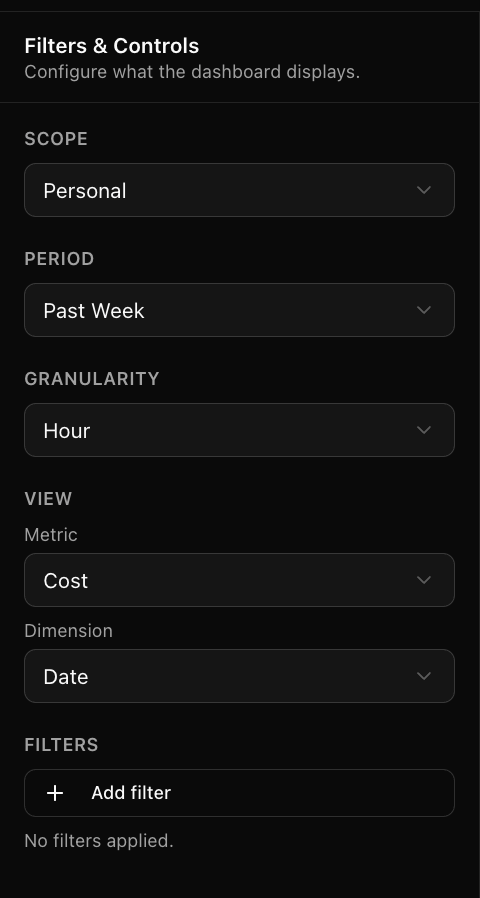
Without a more detailed view, it is hard to know whether your bill is coming from valuable usage, accidental overuse, or a model being used in a place where a cheaper option would have worked just as well.
BYOK gives you a second source of truth
Price-conscious teams also care about whether the bill they are seeing makes sense. The provider’s dashboard is still the official billing source, but Kilo Gateway gives you a second view into the same traffic that passed through Kilo.
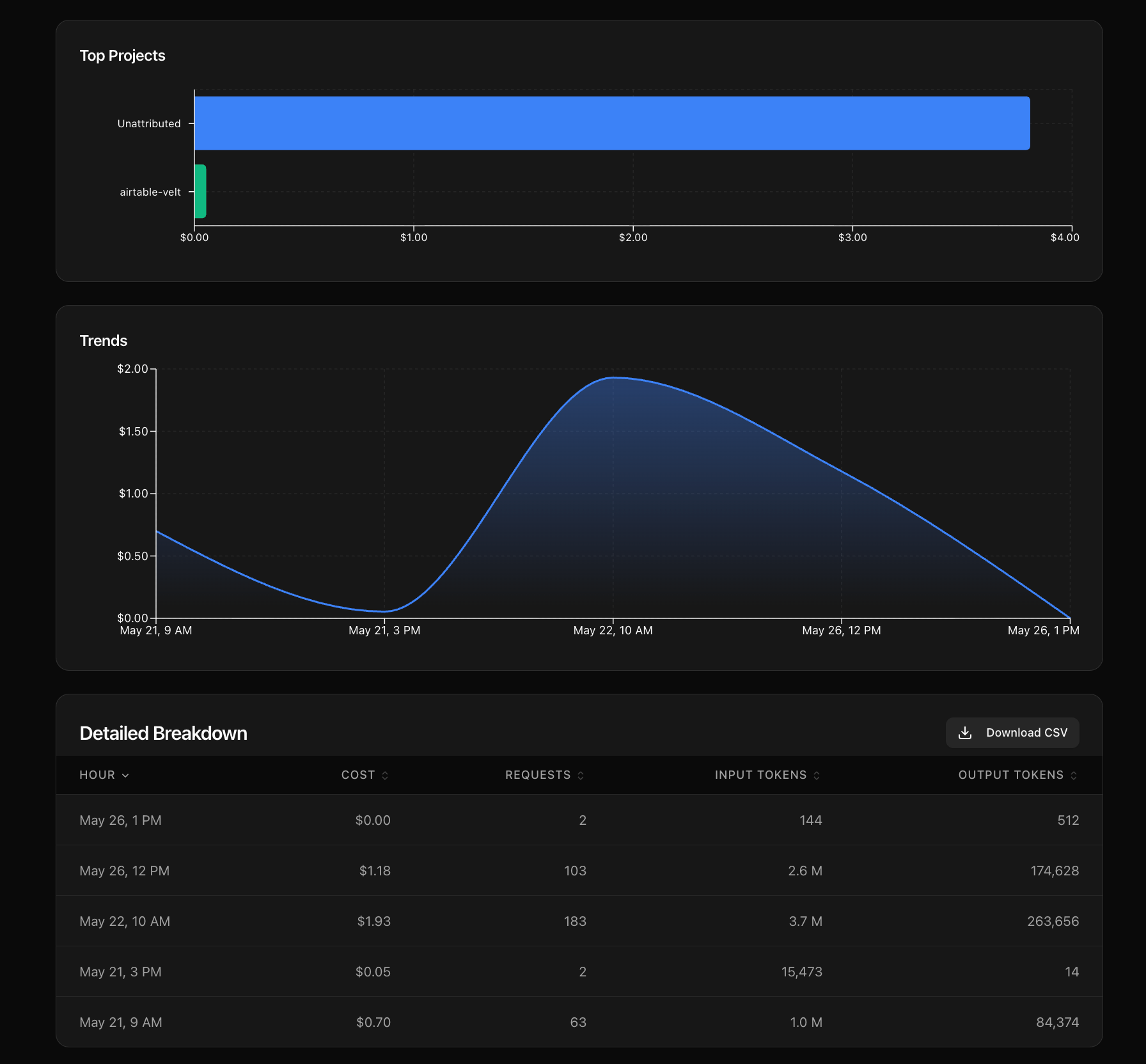
That makes it easier to investigate surprises. If your DeepSeek usage suddenly increases, you can open Kilo Gateway and see which product area, model, or project caused the jump. Maybe Cloud Agents handled a large task. Maybe a team started using a more expensive model for code review. Maybe autocomplete usage increased after more developers enabled it. Instead of guessing, you have data you can inspect.
In other words, you and your team get a more granular view of your own usage so you can understand the bill, explain it internally, and optimize it over time.
For teams trying to manage AI costs, this is one of the biggest reasons to use BYOK through a gateway. A raw provider bill tells you what you owe. A better usage layer helps you understand why you owe it.
One key works across the Kilo product suite
The other major reason to use BYOK through Kilo Gateway is that your key becomes usable across Kilo’s product surface.
Once you add a provider key to Kilo Gateway, you can use that provider inside the VS Code extension, JetBrains plugins for IntelliJ, PyCharm, and WebStorm, the CLI, Cloud Agents, Code Reviewer, Slack, the Android app, and KiloClaw.
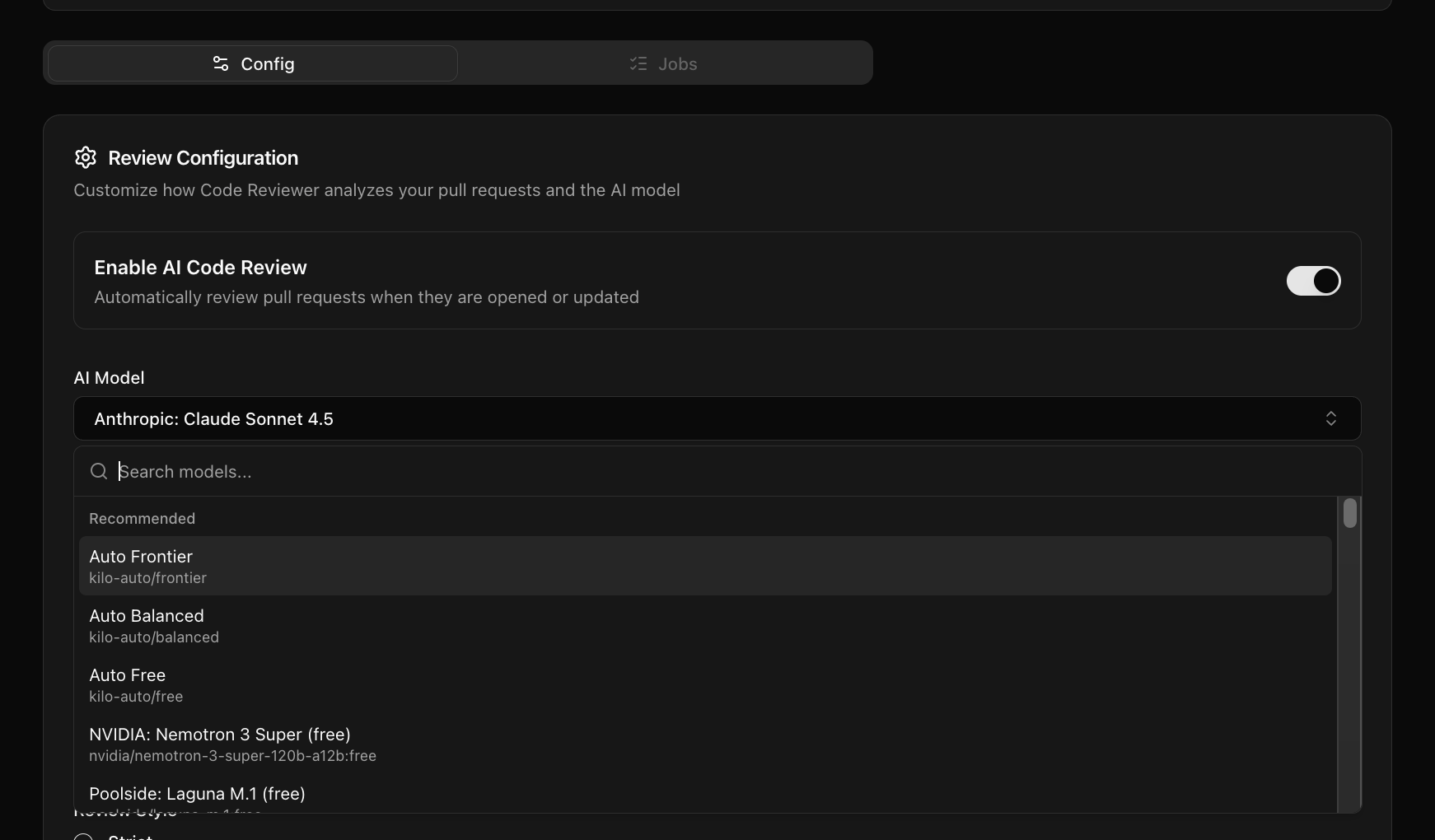
That means one DeepSeek key can power local IDE work, cloud-agent workflows, PR reviews, Slack-based repo questions, and more. You do not have to configure the same provider separately in every place where developers want to use AI. Add the key once, then choose the provider wherever you configure a model inside Kilo.
For individual developers, that is convenient. For teams, it can be much more important. It gives you a centralized way to make a provider available across different engineering workflows without every developer building their own scattered setup.
Cheaper models become easier to use in the right places
A lot of teams are realizing that not every coding task needs the most expensive frontier model. There are still tasks where you want the strongest model available: complex planning, large refactors, ambiguous debugging, or work that requires a lot of judgment. But there are also many tasks where a cheaper model can be good enough, especially when the task is narrower.
Code reviews, test generation, documentation, small bug fixes, and repo Q&A are often good places to experiment with lower-cost models. A model like DeepSeek may not be the default choice for every complex coding task, but it can still be a strong fit for many practical engineering workflows.
Kilo Gateway makes that easier because you can use the same provider across multiple product areas and then check the analytics to see where it is actually being used. If you find that a lower-cost model works well for PR review or Slack-based repo questions, you can route those workflows accordingly. If you find that a particular task still needs a stronger model, you can keep using one there.
The goal is to match the model to the job, using real usage data to decide.
There is no BYOK markup
One reason people hesitate to use a gateway is that they assume it means paying extra. That assumption is fair, because some gateways do add markup to BYOK traffic. OpenRouter and Requesty both add a 5% markup on BYOK usage.
Kilo Gateway does not do this.
When you bring your own key to Kilo Gateway, Kilo charges 0% on top of your provider bill. Your model usage is billed by the provider directly. If you use DeepSeek, you pay DeepSeek’s prices. If you use xAI, you pay xAI’s prices.
Kilo makes money from team and enterprise features, not by marking up your BYOK traffic. That means you can use Kilo Gateway as the operating layer for your provider keys without turning every request into a marked-up request.
BYOK can also simplify team operations
For individual developers, BYOK through Kilo Gateway is mostly about convenience, visibility, and access to more Kilo products. For teams, there is also an operational angle.
Kilo is a US-based company, and many teams already use Kilo as part of their engineering workflow. Routing provider usage through Kilo Gateway can make it easier to centralize how AI providers are used across the team, especially if you are trying to track spend, understand usage patterns, and manage access across different tools.
This does not remove the need to evaluate each model provider on its own terms. If you bring a DeepSeek key, you are still using DeepSeek as the model provider, and you should still review DeepSeek’s terms, data handling, and compliance posture based on your company’s requirements.
But Kilo Gateway gives you a more centralized way to use that provider inside your engineering workflow. Instead of every team member using different tools, different keys, and different dashboards, you can bring provider access into one place and make usage easier to monitor.
Setup takes a minute
Adding a BYOK provider to Kilo Gateway is simple. Go to the BYOK page, choose your provider, enter your key, and test that it works. Once the key is connected, that provider becomes available inside Kilo’s model configuration menus.
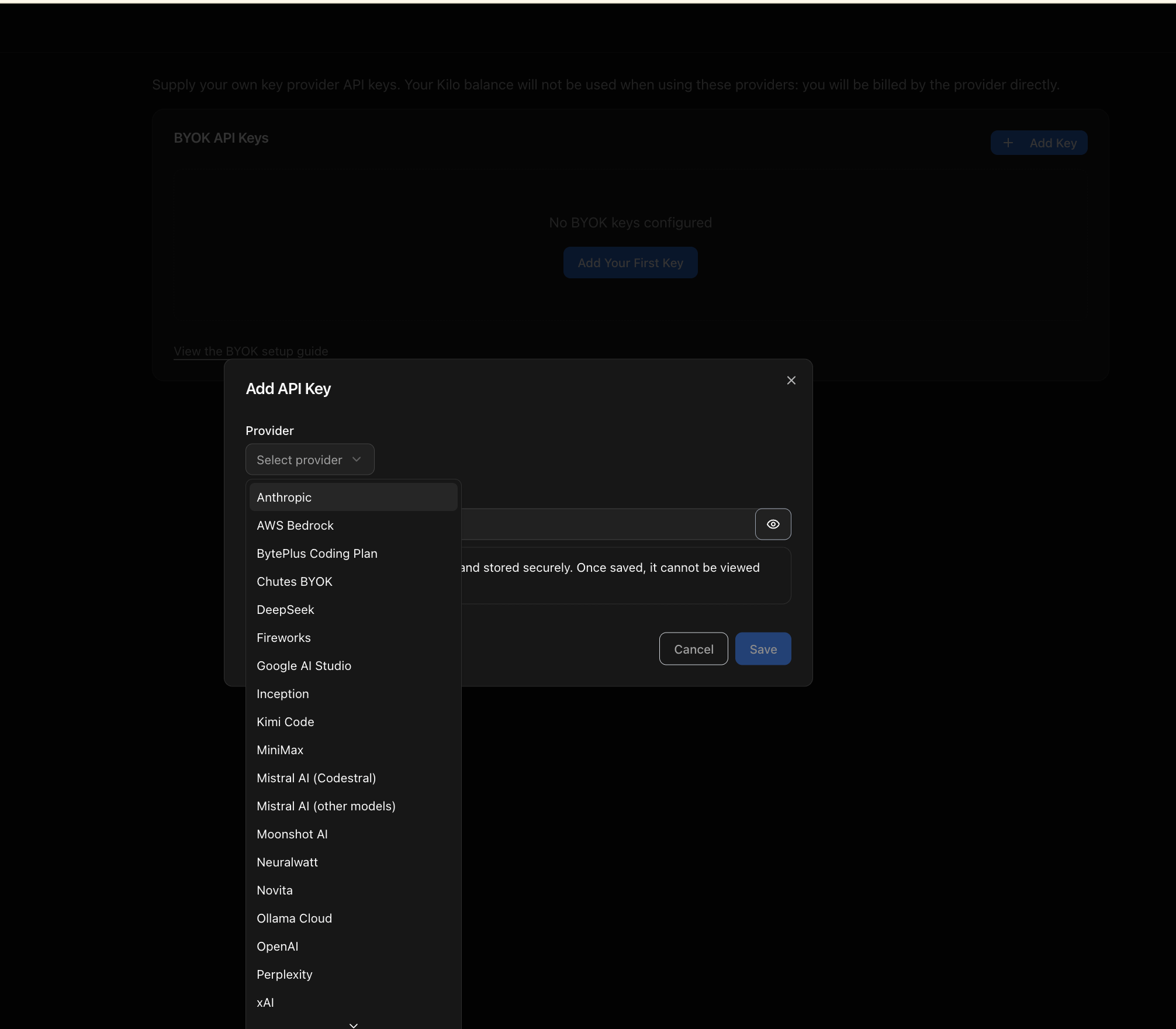
There is no migration project. There is no new model bill from Kilo. There is no markup. You keep your provider account and your provider billing relationship, but you get a better way to use that key across Kilo’s engineering products.