

TL;DR. Six things we shipped for teams and enterprises:
Feature adoption in the usage tab — see which features your org is using, with an adoption score and specific recommendations.
Agent sandboxing — file system and network isolation so auto-approve isn’t a gamble. Experimental, Linux and macOS first.
Sub-organization management — child orgs under an enterprise, with fund distribution and per-org usage.
Bitbucket and Jira — connect Atlassian repos and use them with Cloud Agents, code review, and security agents.
Auto Efficient — a session-aware model router that picks the cheapest model proven to handle your task.
OpenAPI docs for usage analytics — a documented API surface for pulling usage data into your own tools.
During Focus Week, small groups dedicate their time to a few defined product areas. One of those groups took enterprise and teams as its area, and this post is about what they built. This was also our first live-streamed Focus Week.
Developers are writing more code with AI, but a lot of businesses aren’t sure what they’re getting back for the token spend. There’s pressure to govern how AI gets used, keep data where it’s supposed to be, and avoid getting locked into a single model when a new one ships almost every week. For many companies, the main concerns are security and selecting an appropriate model for each task.
Kilo is open source, and our enterprise products are source-available, so you can inspect what happens to a query instead of trusting a black box. The enterprise group addressed those concerns with six releases.
See which features your team uses
The Kilo platform has a lot in it, and enterprise customers often aren’t using features they’re paying for, either because they don’t know about them or haven’t configured them well.
We added feature adoption to the usage tab. It shows the features available to your org, flags where you’re not using something to its full extent, and gives an AI adoption score alongside it.


For a given org you get a checklist of the top features you should have on, like a connected source control system, plus specific recommendations underneath each one. Turning a feature on is one click, and the checklist updates as you go. If you’ve made a deliberate choice not to enable something, like SSO, you can dismiss the recommendation and restore it later.
Use auto-approve within a system-level sandbox
Plenty of people run their agent on auto-approve. Auto-approve removes the need to confirm each command, but it also increases the consequences of unsafe agent behavior. Without isolation, an incorrect command could modify a database or expose proprietary code after a prompt injection to write “clean” unit tests, or following a prompt injection and sending your proprietary code somewhere it shouldn’t go.
The old approach was Gatekeeper, which asked another AI agent to decide whether a command should run. Gatekeeper can reduce risk, although its model-based decisions do not provide system-level enforcement.
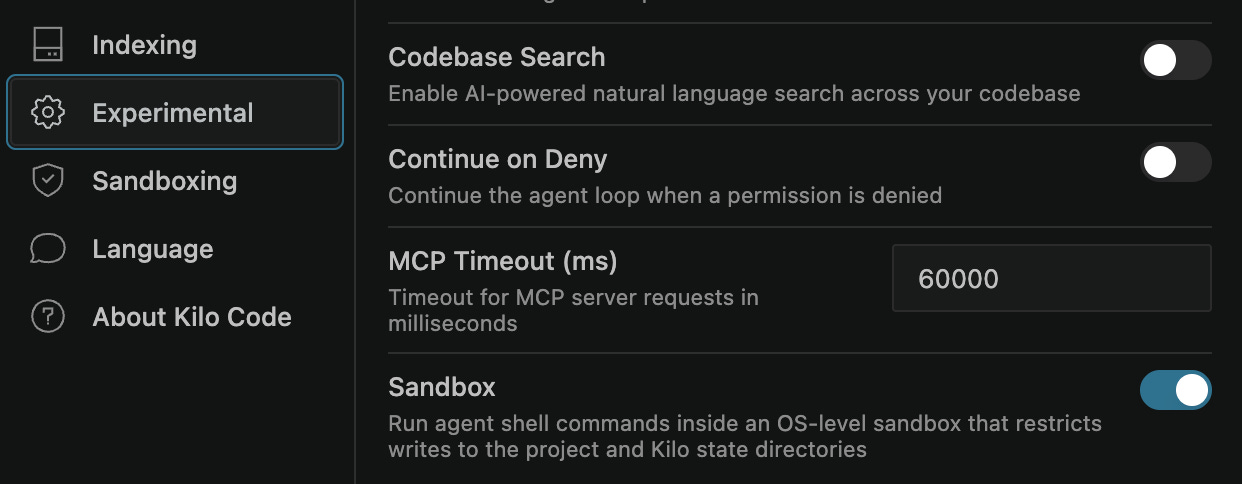
The sandbox enforces restrictions at the operating-system level. File system access is limited to the directory the agent is running in, so it can’t use bash tools or scripts to touch anything outside that directory. You can also block network access, with an exception for your own MCP tools, which you’re responsible for. These restrictions make auto-approve suitable for a broader range of tasks, subject to the sandbox’s documented limitations.
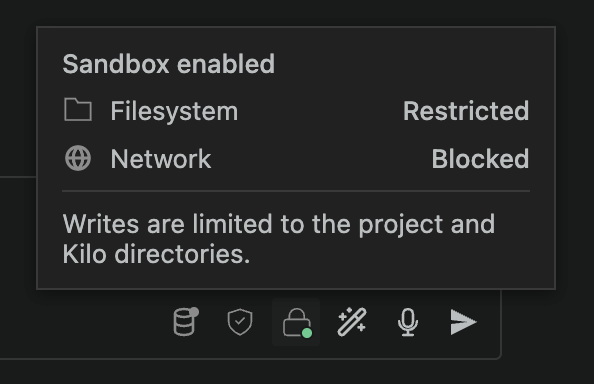
If the agent attempts to write outside its worktree or make a blocked outbound connection, the sandbox denies the operation.
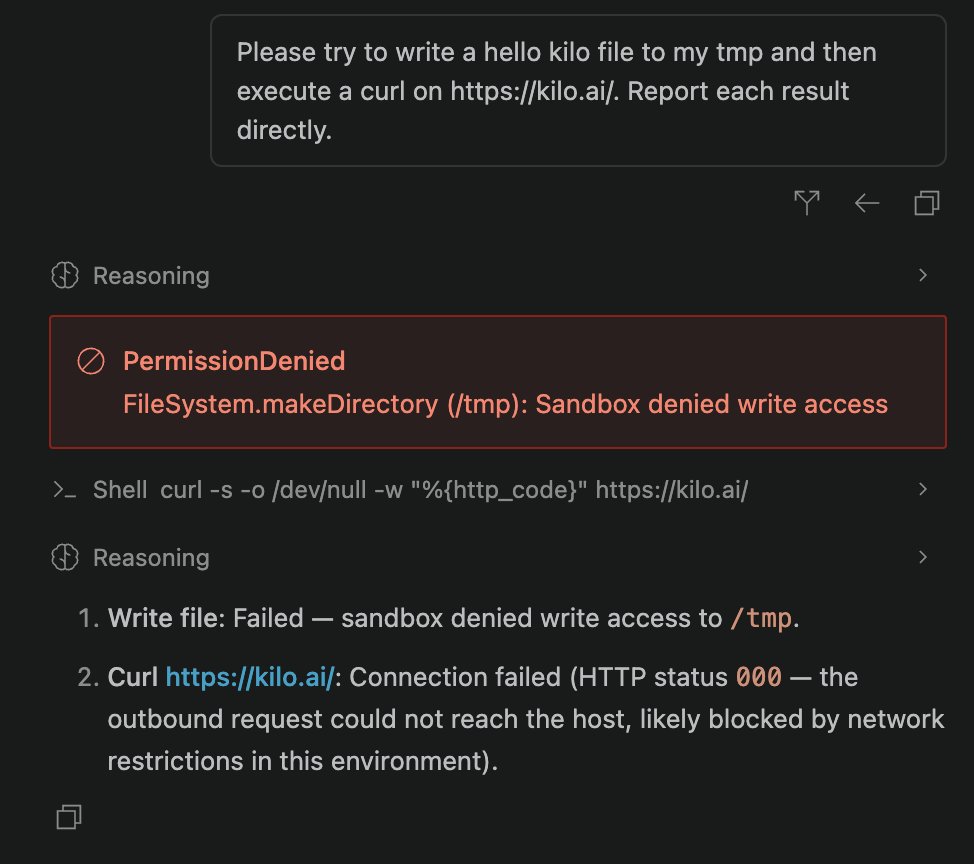
The implementation uses Bubblewrap on Linux and the native Seatbelt sandbox on macOS. We are testing both file-system and network restrictions through red-team exercises and benchmarks. It’s an experimental feature shipping on Linux and macOS first, with Windows to follow.
Manage sub-organizations, budgets, and usage in one place
Many enterprise customers need to manage several teams, each with its own members and budget. One enterprise usually contains several sub-organizations with different needs and different budgets.
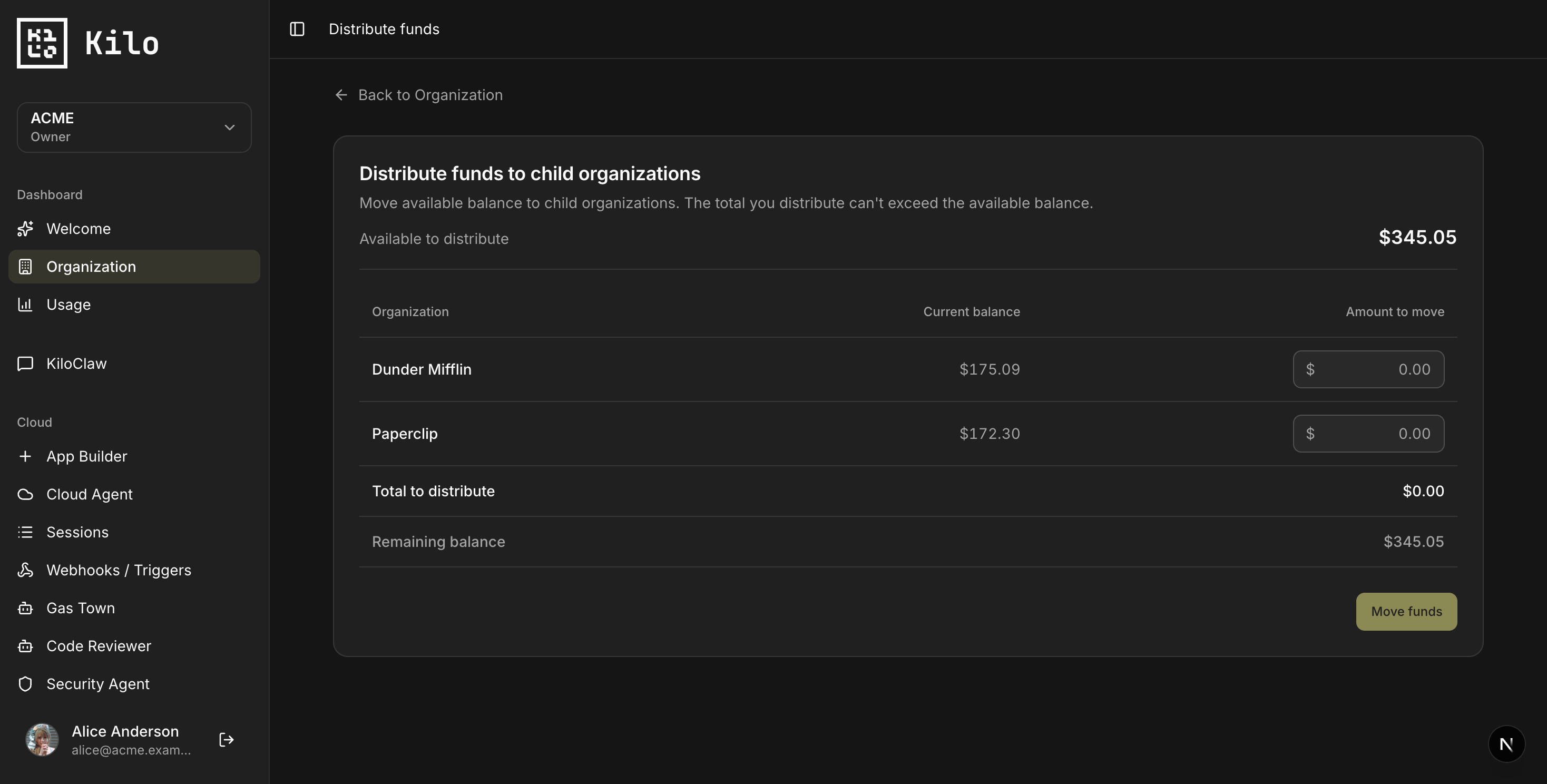
Customers requested this capability, and one participated in the release process. And we shipped it live with one of the orgs that asked for it. You can now create child organizations (sub-teams) under an enterprise. The member overview shows which sub-teams each member belongs to, and you can navigate into a team’s profile and back out.
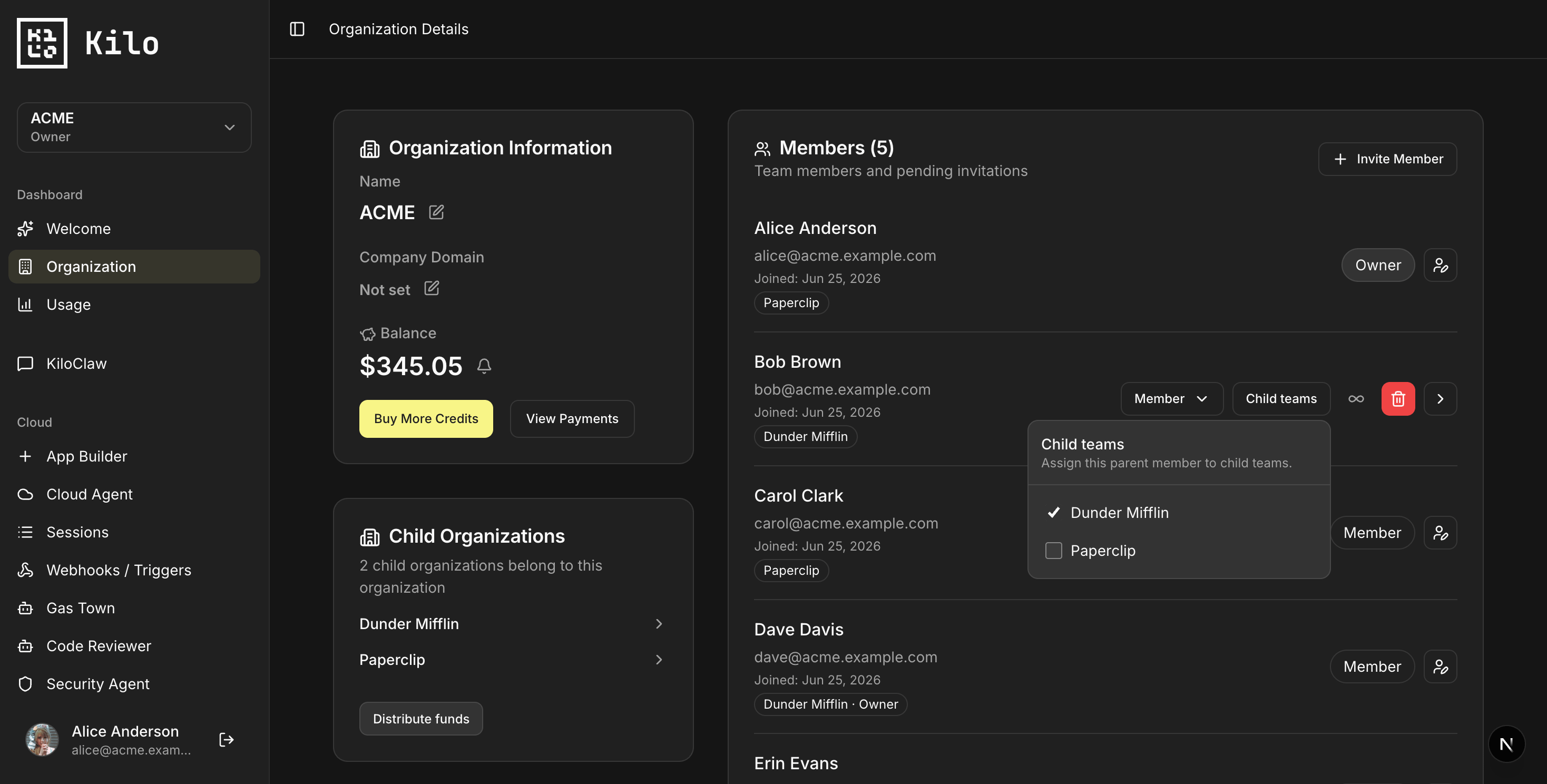
You can distribute funds from the enterprise balance to each sub-org, topping up a team that’s running low. And the usage dashboard now lets you view stats across every org in your enterprise or zoom in on a single one.
Connect Bitbucket and Jira
“Companies using Atlassian can now connect Bitbucket and Jira alongside GitHub and GitLab. You can connect repositories and use them with Cloud Agents and other services like code review and security agents.
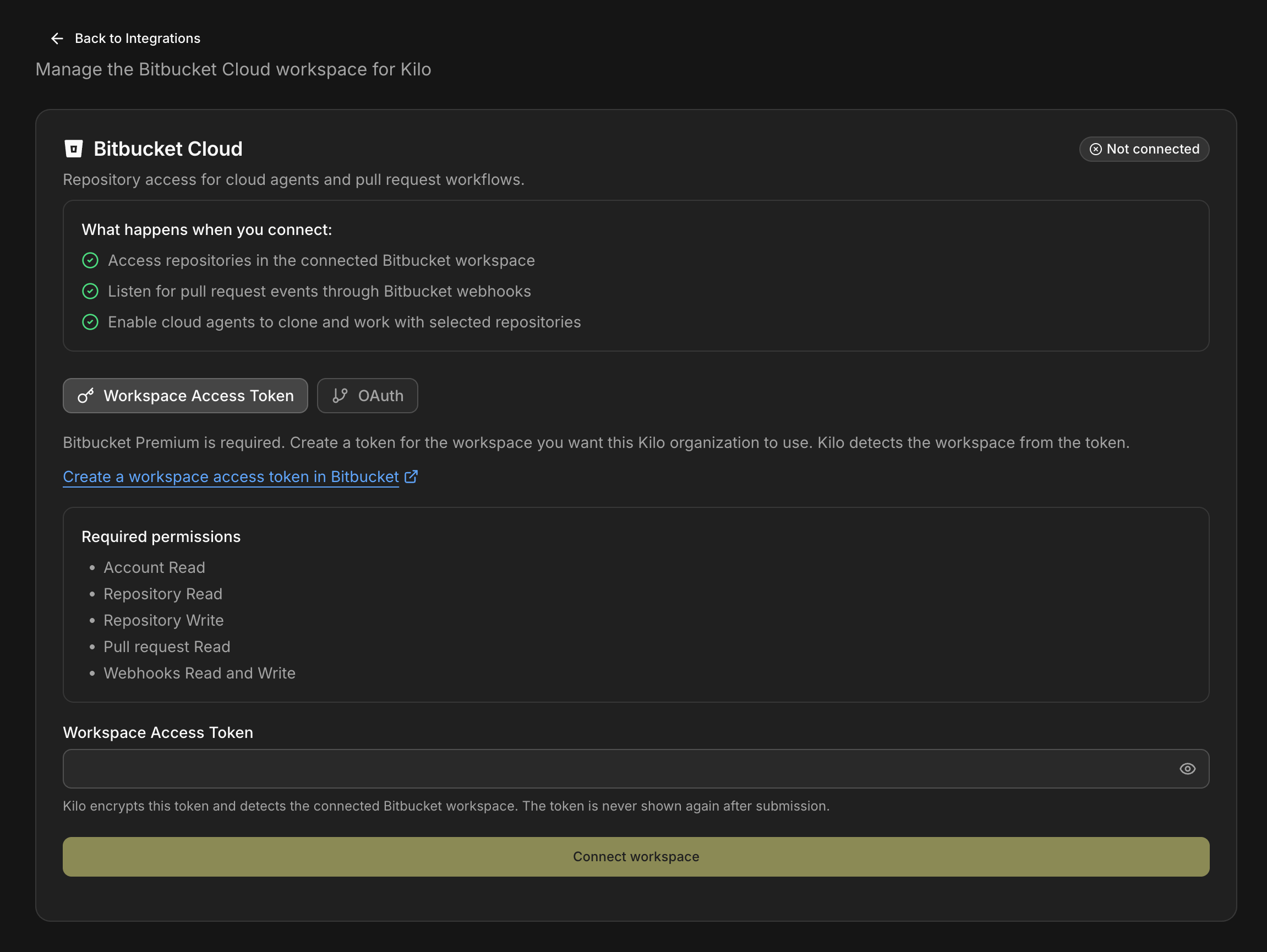
There are two ways to connect. The recommended one is a workspace access token, which is scoped to the workspace rather than your personal account, and pairs well with a separate service or bot account that only has access to selected repositories. After you connect, Kilo fetches your Bitbucket repos automatically.
From a Cloud Agent you can then chat with a repo, ask about a pull request by pasting its URL, and have the agent help create PRs, pull diffs, and add comments. Like the sandbox above, each Cloud Agent session runs in its own isolated environment, so you get file system isolation per session.
Auto Efficient: a model router that picks the cheapest model to do the job
Model selection also affects enterprise costs. Organizations may want developers to use AI without routing every task to the most expensive available model.
Auto Efficient is our newest auto router, joining Auto Frontier, Auto Balanced, and Auto Free. Auto Efficient uses session context when selecting a model. Every time you give Kilo a task, it finds the lowest-cost model that meets the relevant KiloBench performance threshold, and it can change its choice as the session progresses.
Those decisions are informed by KiloBench, our software engineering benchmark built partly on Terminal-Bench 2.0. It classifies the task using results from comparable KiloBench workloads across many models and picks the one that can do a good job for the least spend. All of the data behind it is public at kilo.ai/kilobench, so you can review the results and still switch models manually whenever you want.
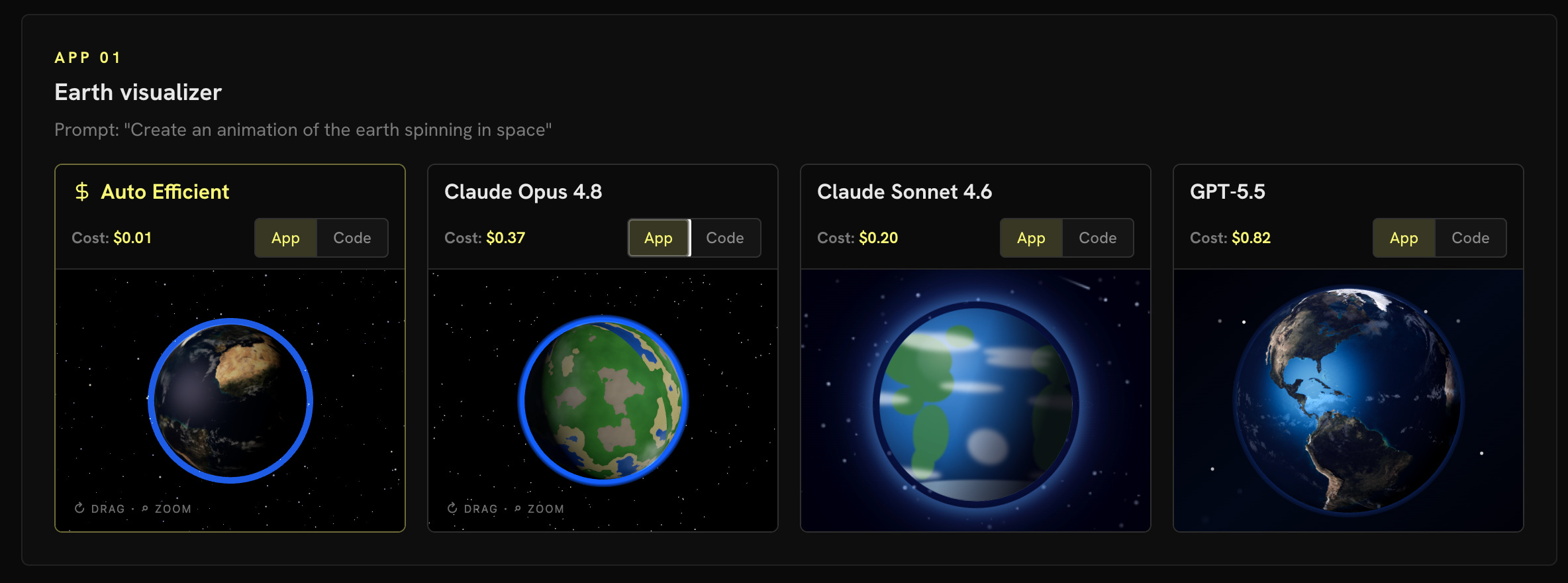
To use it, top up your Kilo credits, update to the latest VS Code extension or CLI, and pick Auto Efficient from the model dropdown.
Usage analytics now has an OpenAPI surface
We also documented the usage analytics endpoints through OpenAPI. The usage analytics endpoints didn’t have a public, public API documentation, which made it harder to understand what’s available and what each endpoint is for.
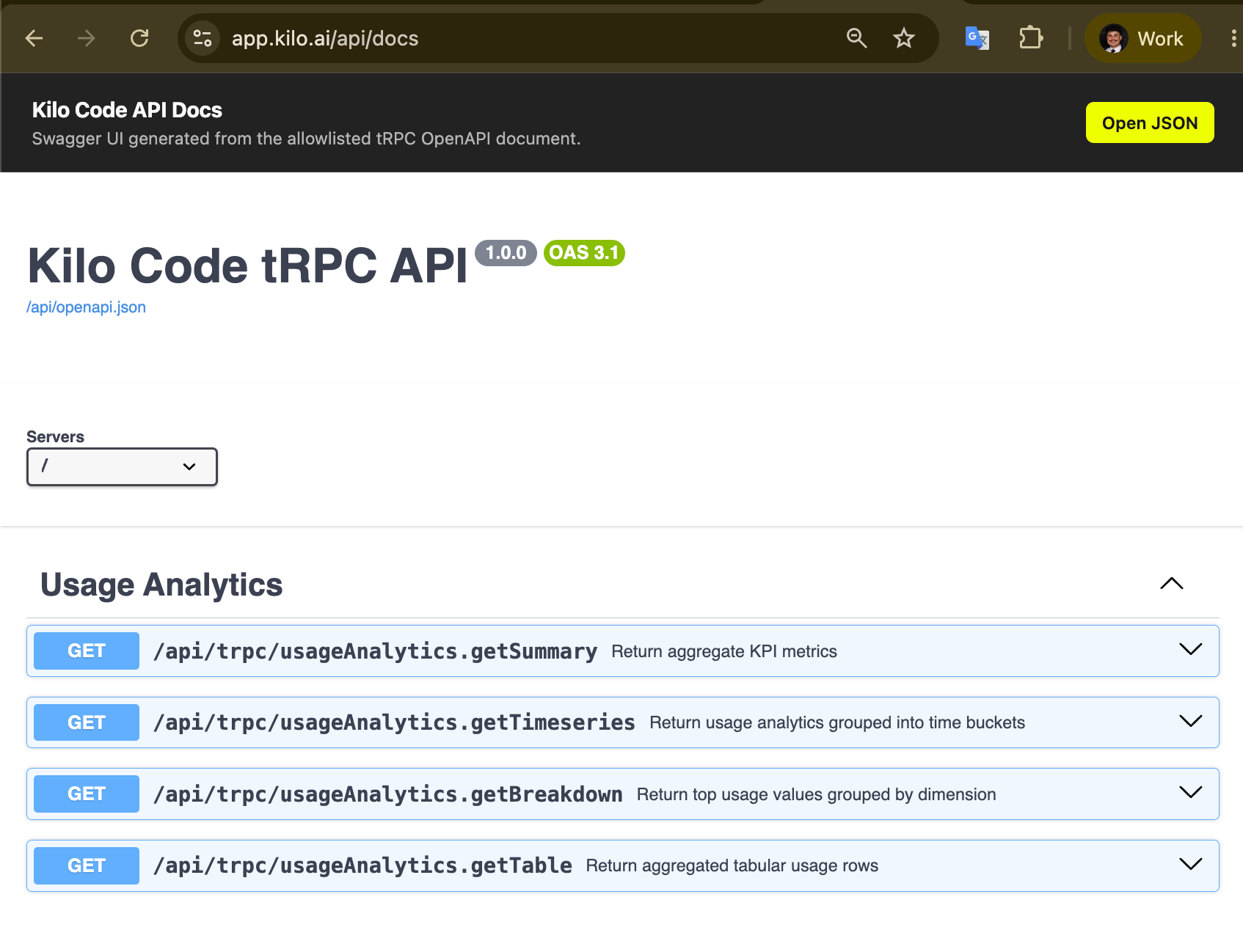
We added an OpenAPI/Swagger surface for the usage analytics tRPC endpoints. The OpenAPI JSON is served at /api/openapi.json and the Swagger UI at /api/docs, with bearer auth metadata and endpoint descriptions that distinguish the summary cards, trends, breakdown charts, and the detailed table and export endpoints. The specification exposes only procedures included in an explicit allowlist. If you’re pulling usage data into your own dashboards or finance reporting, this gives you a documented set of endpoints to build against.
Planned follow-up work
Next steps include deeper Bitbucket integration, Windows sandbox support, implementing organizations’ adoption score and recommendations, and evaluation of Auto Efficient in production sessions.
The engineers behind the features:
Andrew Storms
Marius Wichtner
Remon Oldenbeuving
Evgeny Shurakov
Evan Jacobson
Igor Šćekić
Joshua Lambert
Thinking of implementing or scaling Kilo in your organization? Let’s talk!