

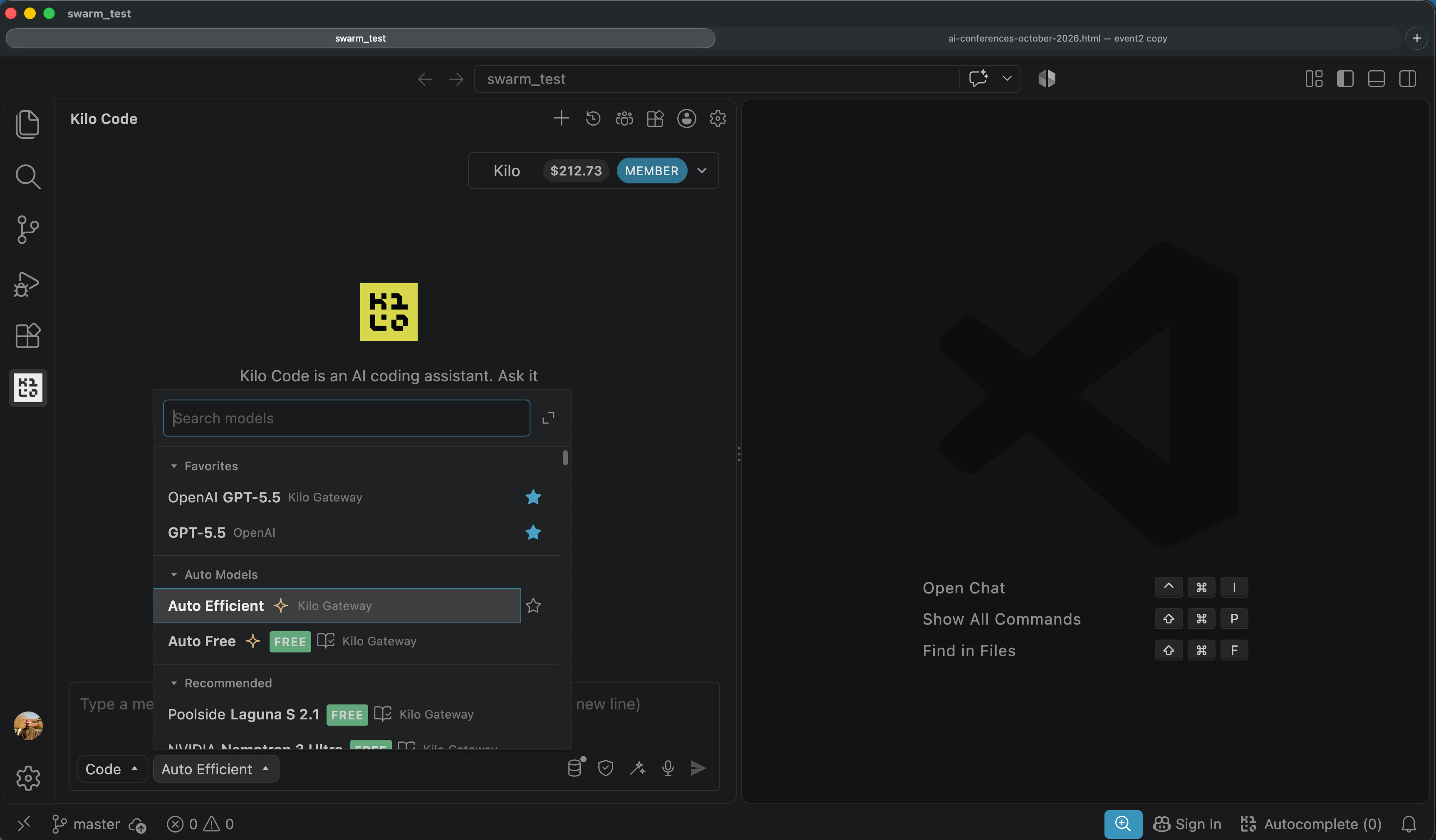
Auto routing is the bleeding edge of using AI inference these days. The idea that each request could be automatically sent to the model with exactly the right balance of cost and performance is what we’re all shooting for.
That’s exactly what Kilo’s Auto Router does – you don’t switch models by hand, and you don’t guess which one is worth the money this week. Instead, it automatically chooses the cheapest model that meets our benchmarks for the task at hand.
But the coders using Kilo’s auto router are curious people and want to know what this actually means. So here’s a writeup on how auto-router works.
But first, why auto router?
Before we get into the how, it’s worth pausing for a moment at why to auto route. If you only had one model, there’d be no need to choose the right model for any given task. The model you have is always the right one.
But Kilo’s Gateway has over 500 models in it. What we’ve observed is that there is indeed a select, “frontier” group of models that are the most powerful - such as Fable, Astra, and Opus. But these models are also exponentially more expensive than another set that can perform quite well. A number of open-weights and older models can perform extremely well on targeted, day-to-day tasks at a fraction of the cost.
At Kilo, we run our own Kilo Bench benchmarks that are captured by our leaderboard. Each benchmark hands a model a task and checks the output against a known-good result, so the model either passes or it fails. There’s no judge model scoring the answer on a curve; it’s a deterministic pass/fail.
These benchmarks attempt to capture real-world performance on coding tasks. We run them against a variety of models, and we’ve consistently found that there’s a category of model that has strong performance with much lower cost than Frontier models.
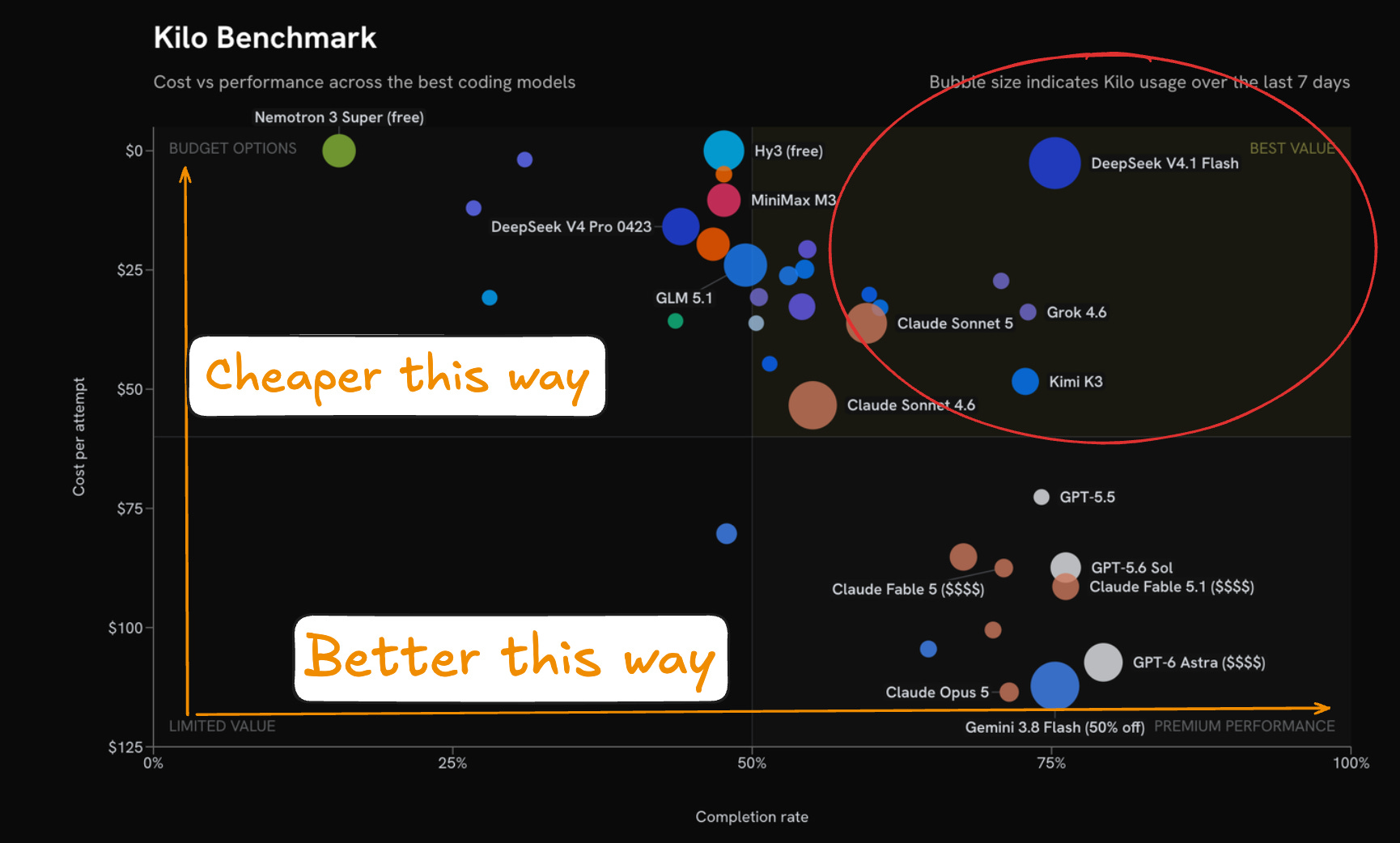
In the chart above, the models to the upper right “punch above their weight” in terms of performance. It’s these models that our Auto Balanced and auto efficient models route to.
Routing to the right model
Behind Kilo Bench, we’re creating a routing table. When we execute the Kilo Bench runs, we classify the tasks so that for each model/task combination, we can see how often it succeeds and how much it costs on average. It looks something like this:
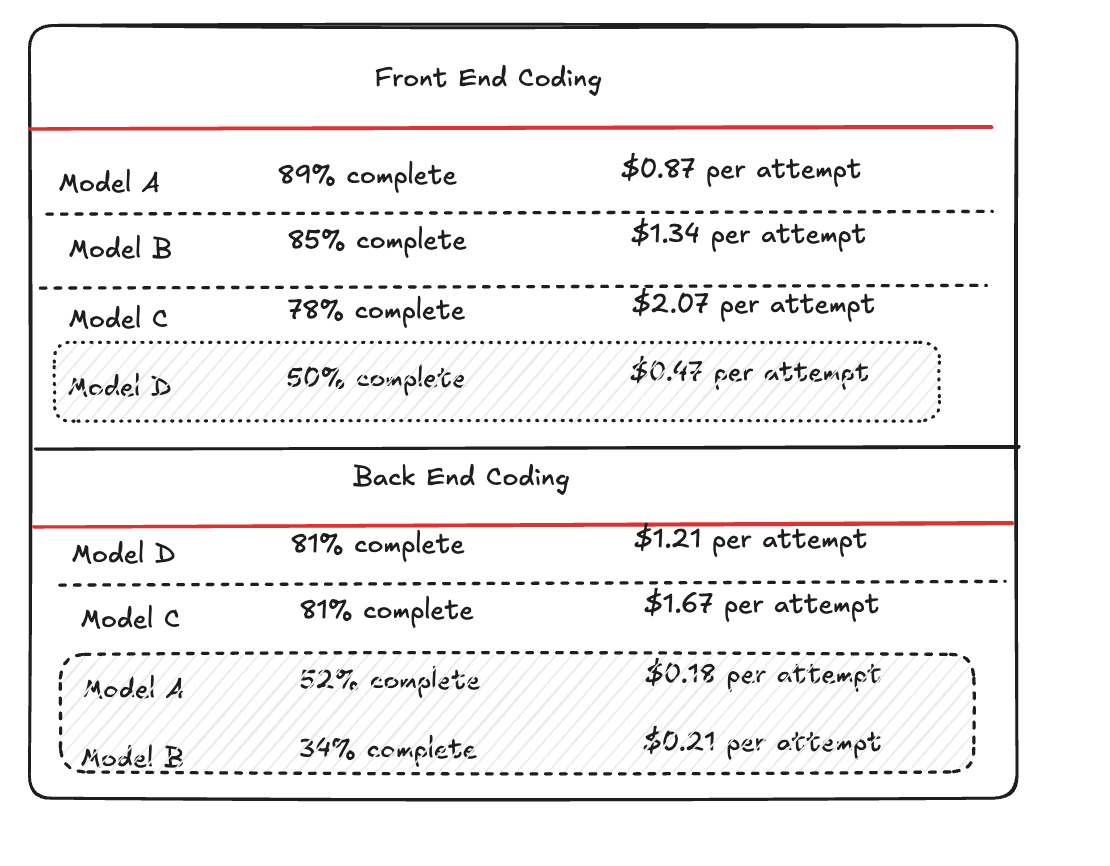
When you send a prompt to Auto Balanced, a lightweight classifier reads the request and decides what kind of task it is: code generation, architecture planning, a migration, tool use, or one of a handful of other categories.
Our classifier is tuned for speed because a slow classifier would defeat the point of automatic routing, and we benchmark its accuracy separately. That’s because a misread sends the request to a table that is built for the wrong kind of work entirely.
Once the classifier settles on a task type, the router looks it up in the table. We scored every candidate model ahead of time on two things: how often it produces a correct answer for that kind of task, and what it costs to get there.
The model that wins depends on which tier you’re running. Auto Frontier picks the strongest model available regardless of price. Auto Free stays within the best models we offer at no cost. Auto Efficient cross-references your prompt against Kilo Bench and finds the least expensive model already proven proficient at that specific kind of task.
Your pool, your table
The default table covers a curated pool of models that we picked for their accuracy relative to their price, but teams aren’t stuck with our picks. You can adjust the pool if your organization has a contract with a specific inference provider, or a compliance requirement that rules out certain vendors entirely.
When you build a custom pool the router doesn’t reuse the platform’s scores against your models; it benchmarks your models on the same pass/fail methodology and builds a table specific to your needs.
Overriding the router
The router makes a price-and-accuracy tradeoff on your behalf using numbers we computed ahead of time, but nothing about that stops you from overriding it. You can pick a model manually for any task, and the router steps aside entirely. Leave a tier of auto model running and it applies that same lookup, automatically, to every request you send through it, whether that’s one request a day or several thousand.
You don’t need a private jet to travel down the street. In the same vein, it no longer makes sense to use the most powerful AI model for every task, especially when there are other, cheaper options that are built especially for smaller, more refined tasks. That’s why a lot of people consider auto-routing to be the future of AI model selection, because software development is a dynamic process, and that should extend to the tools you use, and the prices you pay.
With the Jev generic classifier released, perhaps it would be interresting to offer classification as a tool to the LLM. e.g:
define a Jev classifier in a json/xml file
<inputs car_size="" car_color="" car_price="" gearbox_type="">
<Question text="is the car reliable?">
<choices c1="cheap_car" c2="sports_car" c3="family_car">
<confidence_aceptance_score v="97%">
the LLM can invoke the classifier, if it passes the conficence limit the decision is accepted automatically, if not the user is prompted to make the decission (the same way kilo agents questions pop up for the user)
- On another note, the classifier for model selection could become more advanced with Jev
But what is considered a task for the agent? Ideally the most granular amount of work, like a line from the todo list. And then you have to load the entire context on each model you chose to switch to each time. So the claims are a bit vague :-)
Another idea could be to assign related work to subagents, giving each one of them a specific domain to work on. E.g agent A will exclusively work on module A (and ai model A), and agent B on module B alone (with different or same model). This way keeping the sub-agents alive accross prompts makes sense because you get to keep their context (thus not having to pay again to load it up).
But you run into the trouble of generating prompts for each sub-agent, suitable for their domain/api interface.