

Most people I’ve talked to use AI to build landing pages by starting with a text prompt.
The workflow usually looks like this:
You submit a prompt to a text-based model.
The model returns an HTML page.
You go back and forth with the model to make revisions.
After OpenAI released ChatGPT Images 2.0, I’ve seen more people shift to a different workflow:
You submit a prompt to an image-based model.
The model returns an image.
You iterate on the image until you get a design you like.
You ask the model to convert that image into an HTML file, whether that’s static HTML, React, or whatever stack you use.
This approach looked interesting, so I decided to test it.
The test
I asked GPT-5.5 using ChatGPT to create 3 different pages for me. I used a different session for each request.
A landing page for an AI coding tool. The Kilo Code landing page already looks good, but I thought, why not?
A landing page for a SaaS tool for lawyers.
A website for an e-commerce store selling shoes.
Important: I kept the prompts generic on purpose. I didn’t paste a 10-page prompt with detailed specs because that’s not how most of us interact with AI and I wanted to model more realistic scenarios.
Let’s dive into the results.
A Landing Page for an AI Coding Tool
Prompt: “Let’s create a modern landing page image for an AI coding tool.”
I entered this prompt twice and got two different designs. I didn’t really like the first one, but the second looked decent:
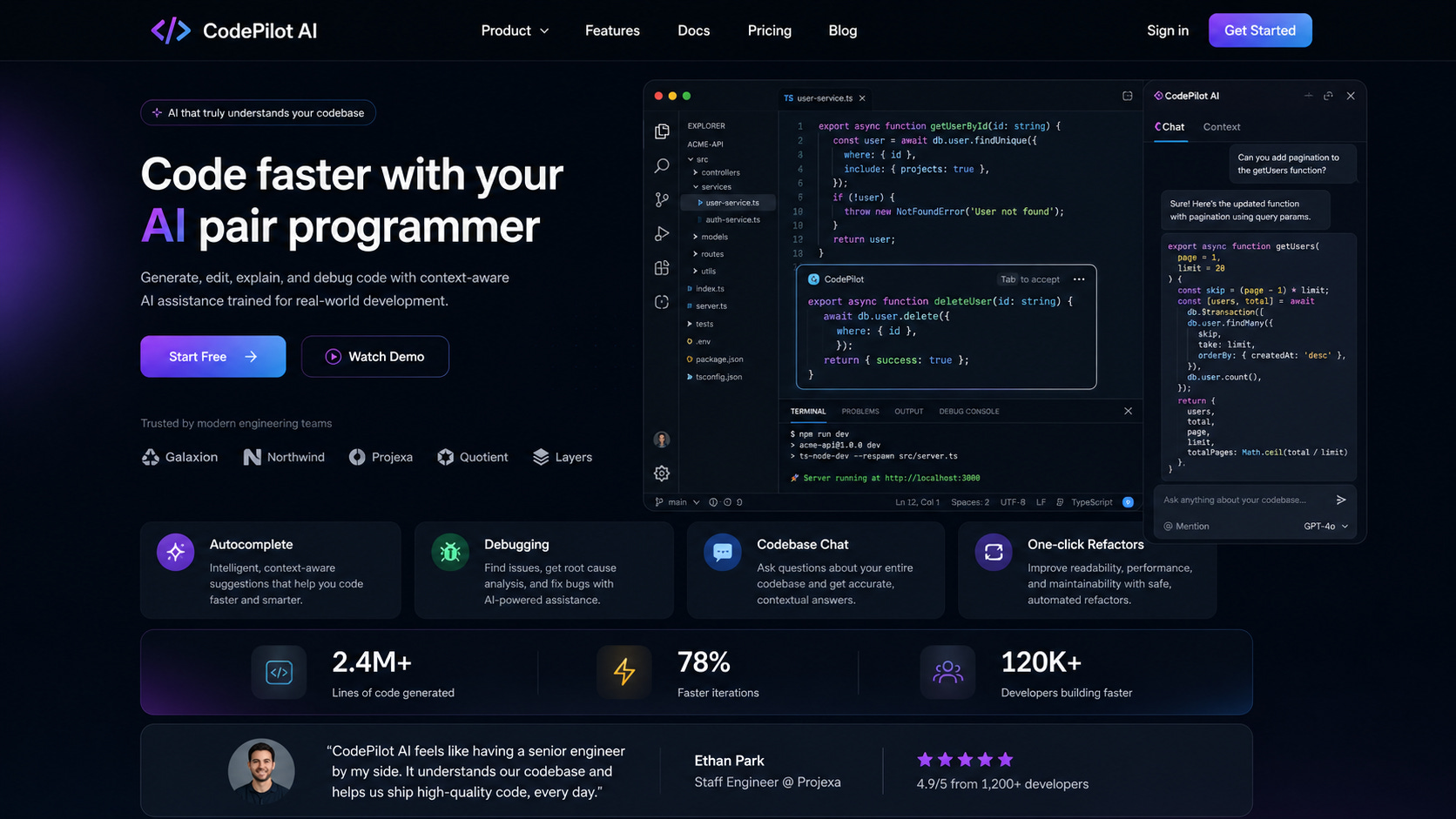
Let’s see if we can translate this into an HTML page.
Follow-up prompt: “Can we turn this into a single HTML page?”
Here’s a preview of the HTML:
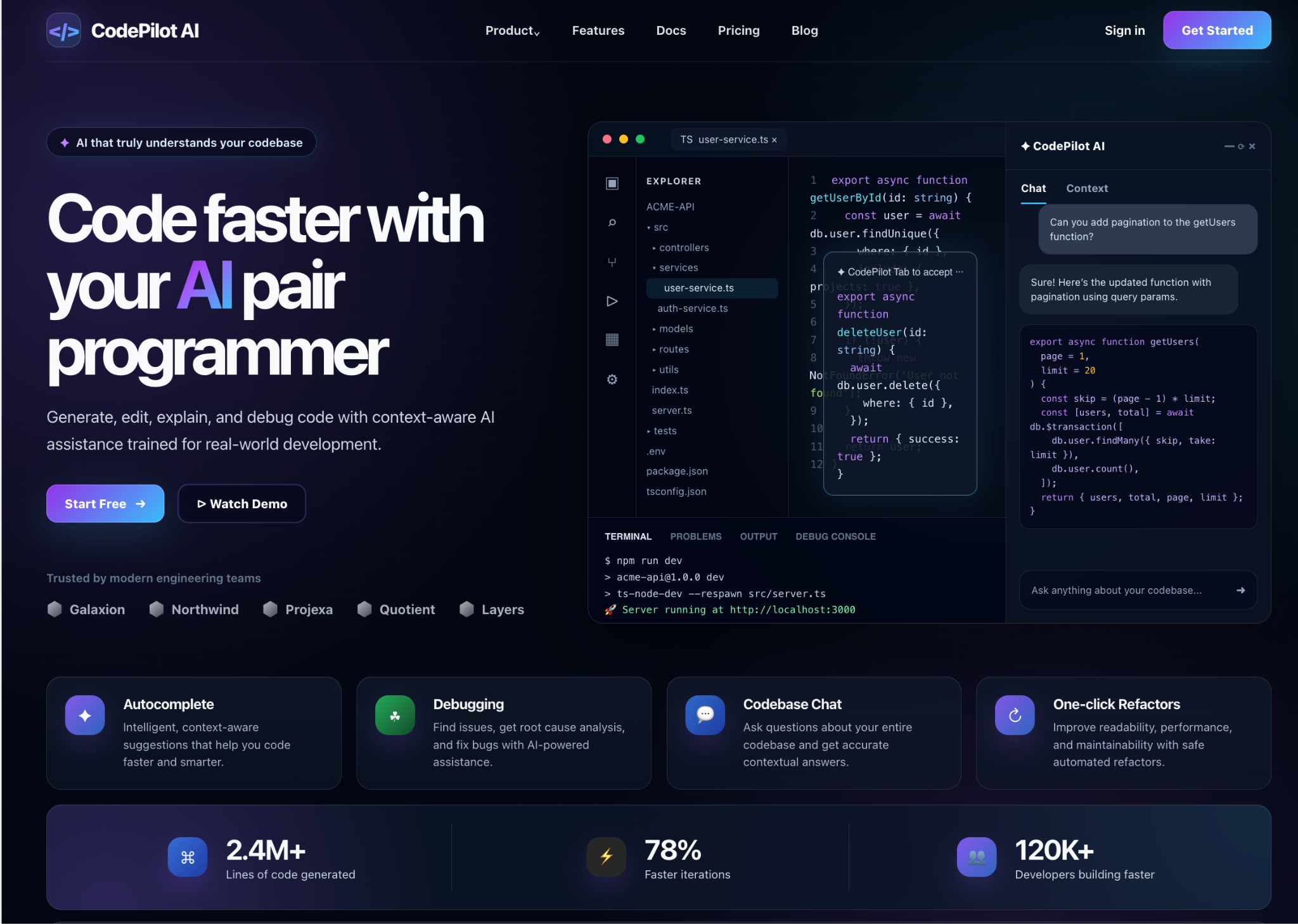
Not bad! The page also looked decent on mobile:
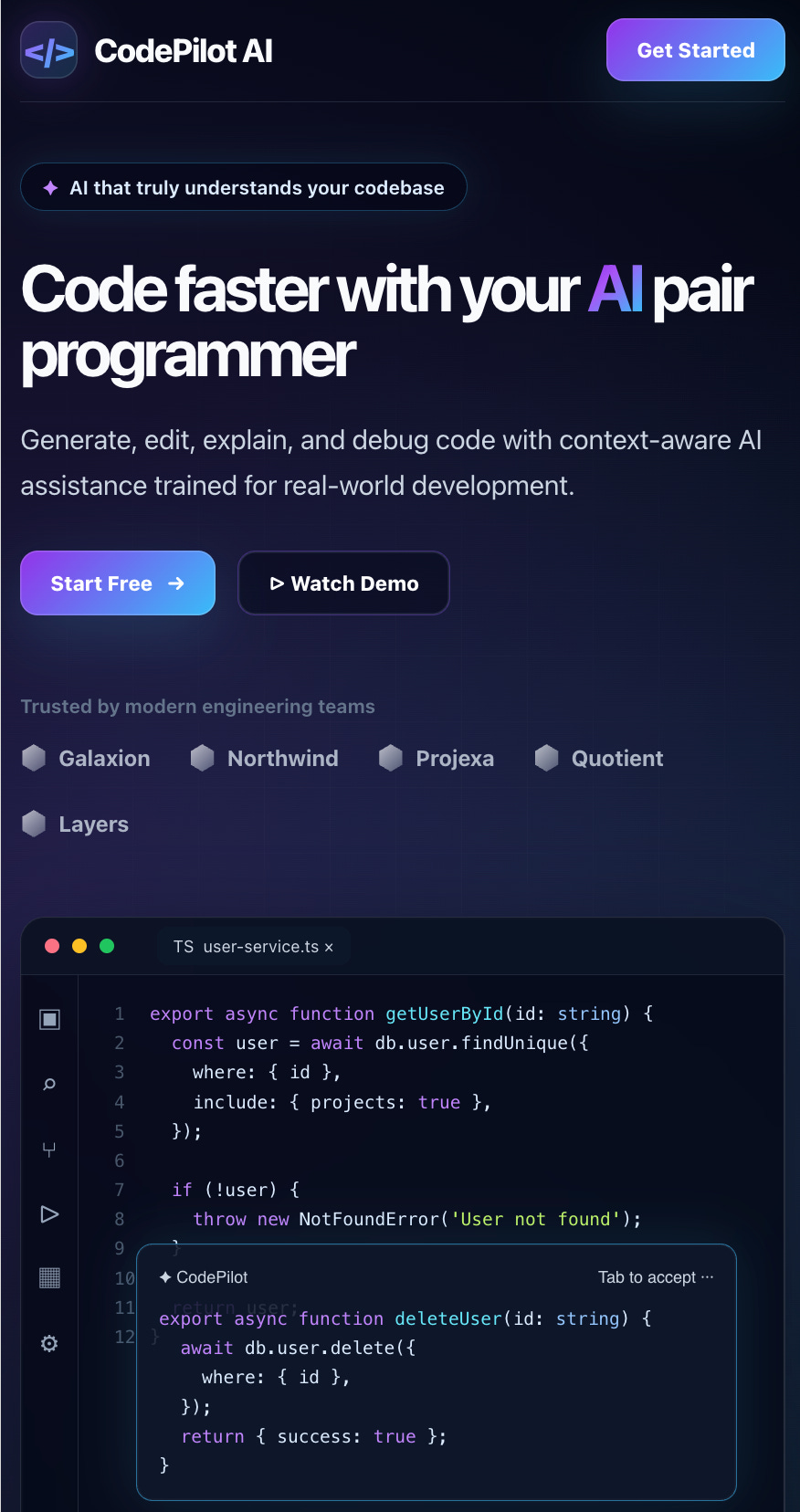
This was impressive. I tried to one-shot everything just to see how the model would behave.
This is not the most unique landing page in the world, but it’s a good starting point.
SaaS Landing Page for Lawyers
Prompt: “Let’s create a modern landing page image for a SaaS management software for lawyers”
The first result wasn’t very encouraging:
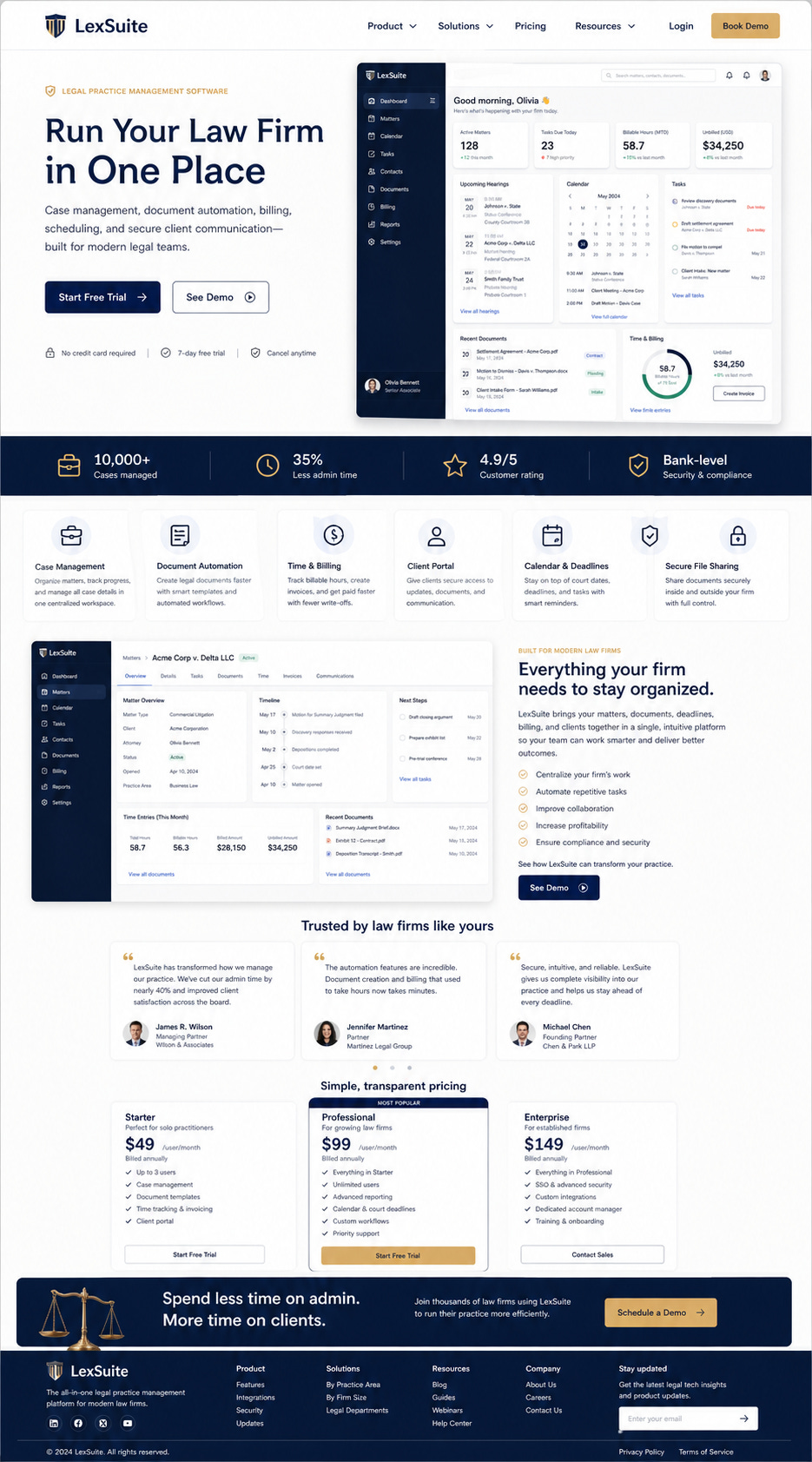
My theory on why this was the case: I asked it for a “landing page” (that’s associated with something modern) + mentioned ‘lawyers’ and the end result was a weird mix between modern and more traditional design style.
I tried a follow-up prompt to see if the AI could come up with something better.
Follow-up prompt: “I see you’re trying to mix modern elements from a landing page with traditional elements from a lawyer page. Make the whole page feel like a lawyer’s website, including the fonts, colors, and overall style.”
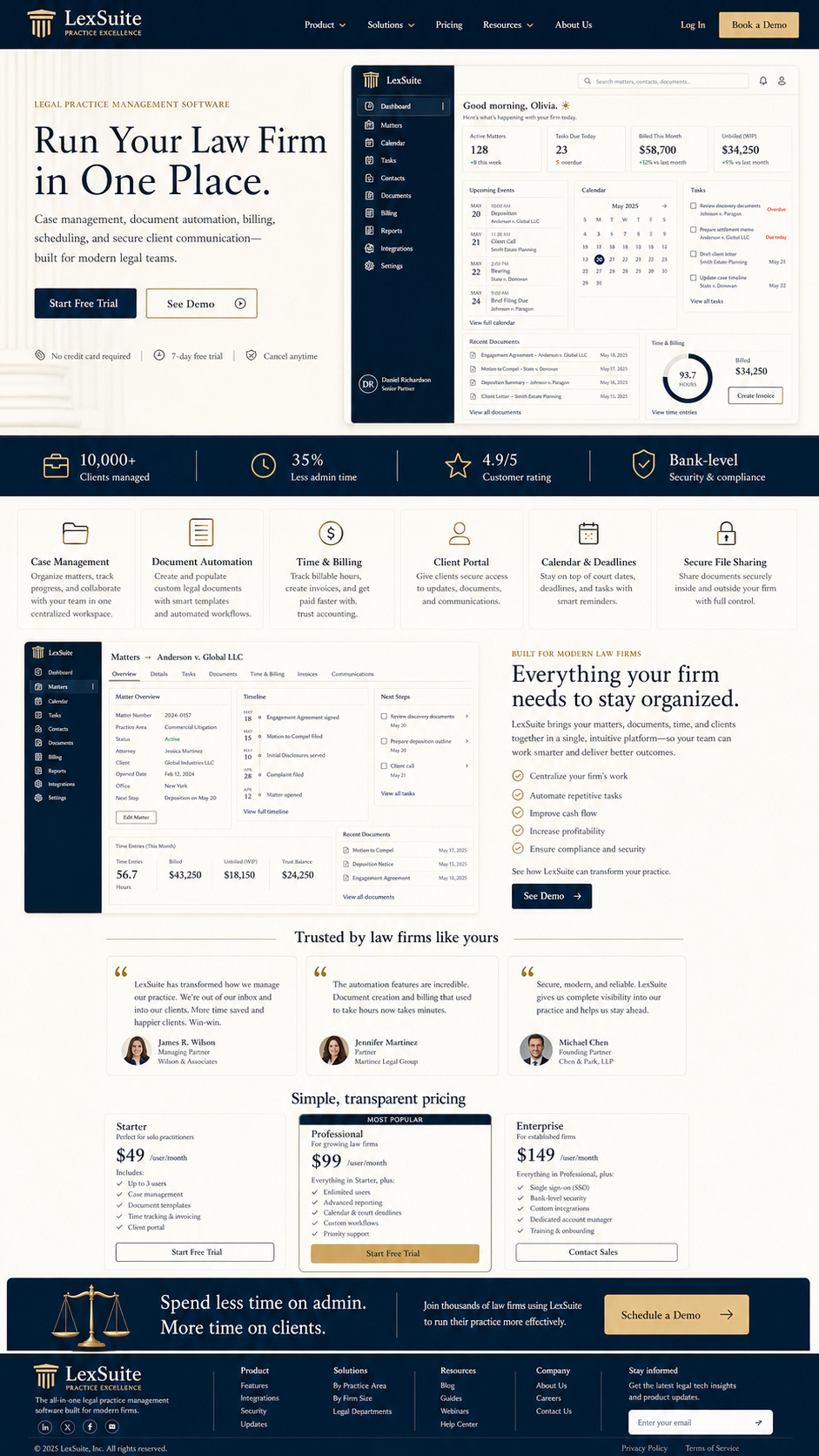
Ugh. Still not there.
I think the reason is that the AI model likely has less training data for “legacy” or more traditional websites.
The lesson: you may need to be more specific when creating websites in categories where there’s less strong design data available. Load skills, ask the AI to analyze websites you like, and have it create a detailed design spec before generating anything.
An E-Commerce Website Selling Shoes
Prompt: “Create a website image for an e-commerce website selling shoes”
The result was something I almost liked:
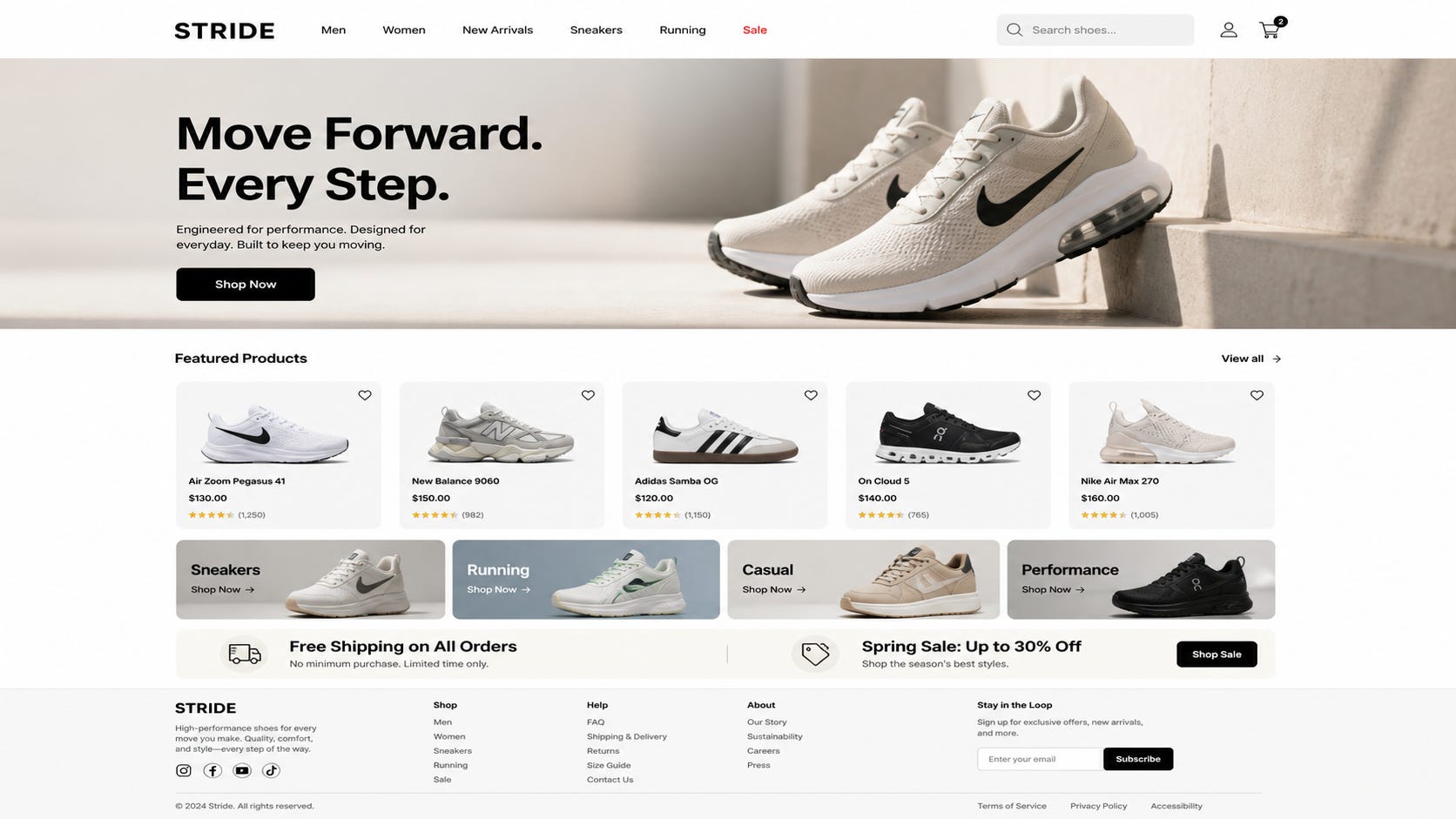
These images look too wide.
Follow-up prompt: “The images look too wide, can you fix that?”
This result more closely resembled a modern e-commerce website:
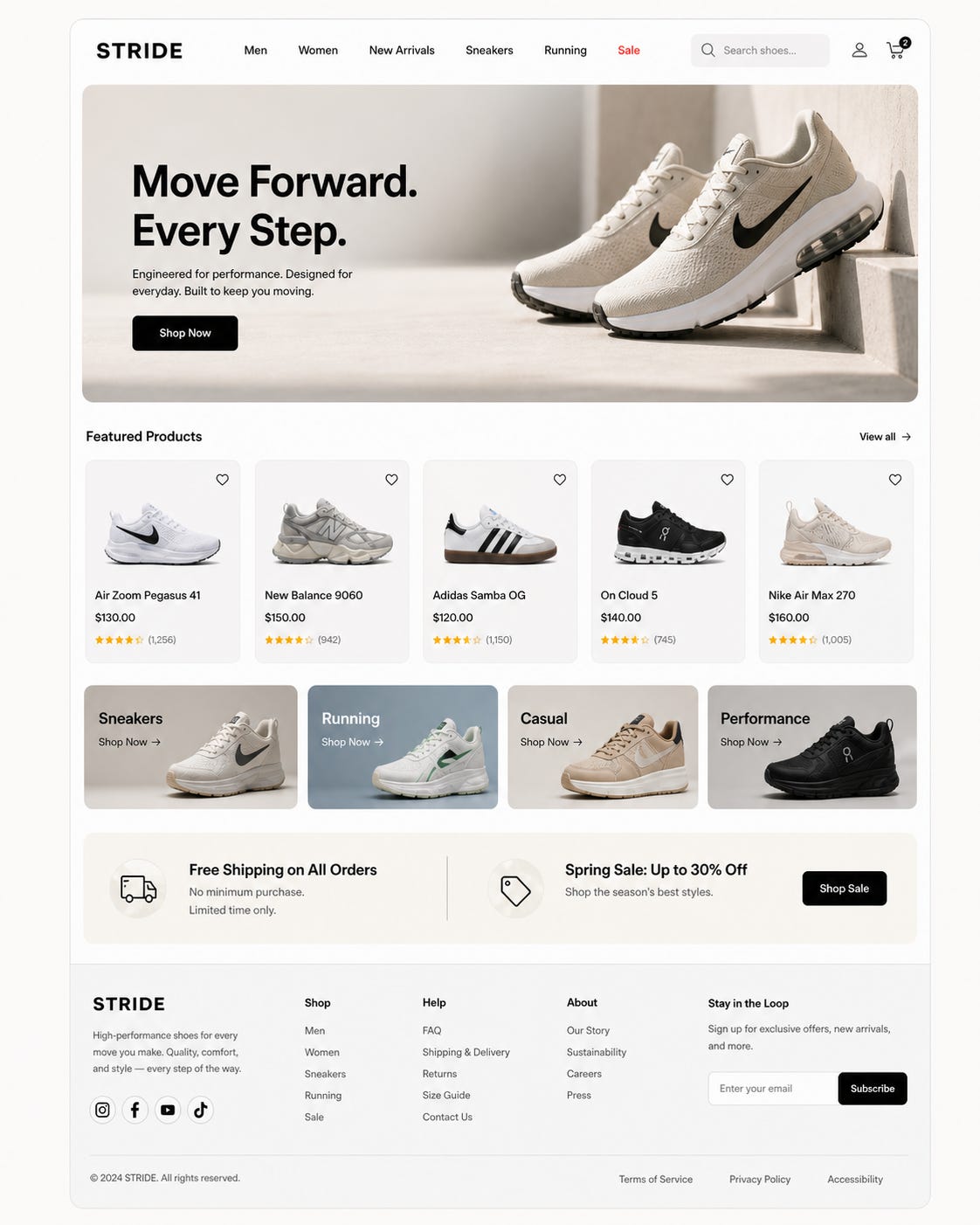
Let’s try to see if we can convert this design to a webpage. The prompt I used was: “let’s convert this to a single HTML page (include all CSS/JS inside that HTML)”
The result was close to what I wanted:
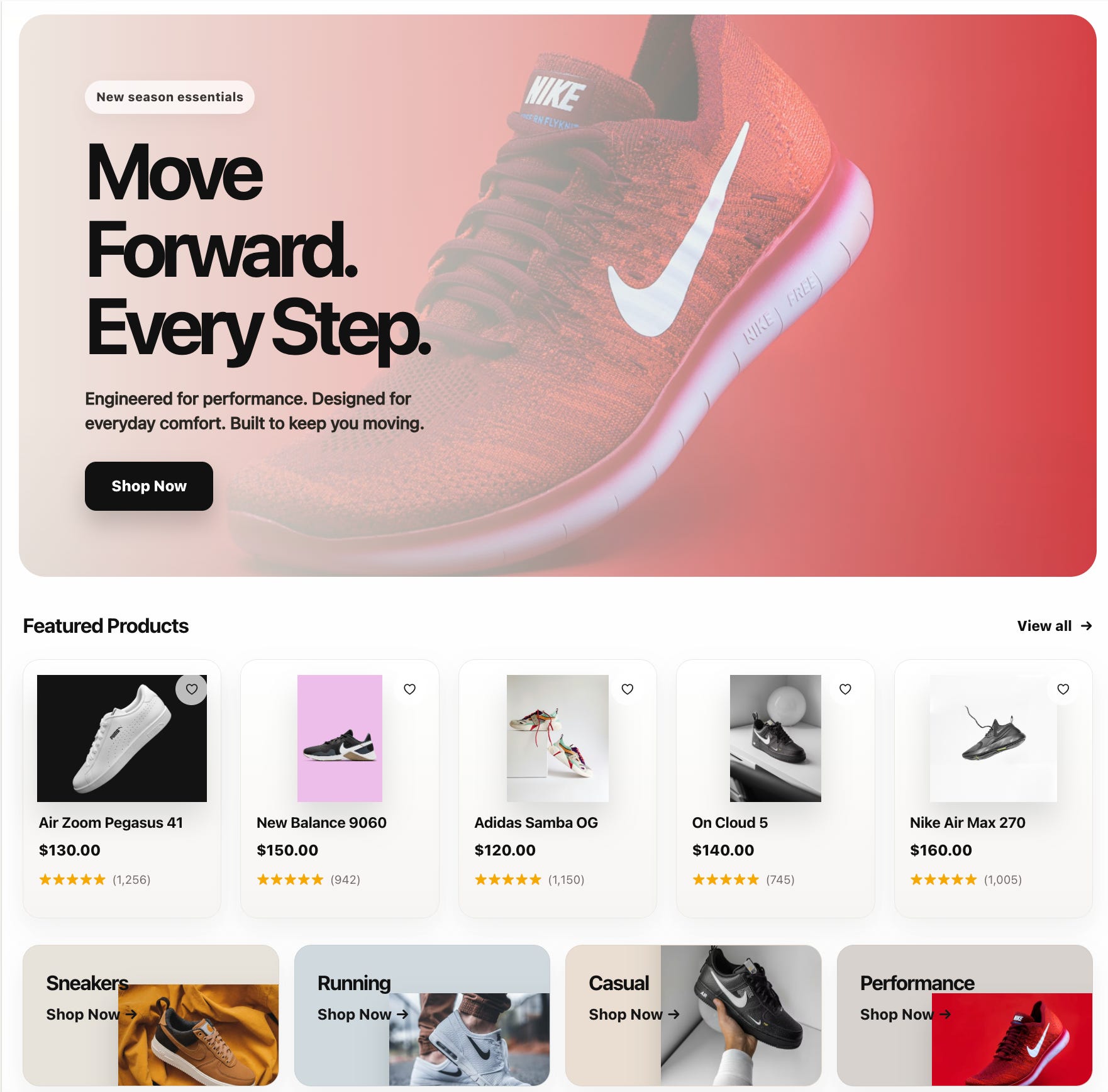
I tried a few prompts to get the images to align properly, but I couldn’t get it to work.
Then I had an idea:
What if I take a screenshot of the image, and ask the AI to look at that picture, figure out what’s wrong and fix what’s wrong on its own?
This actually worked! GPT-5.5 figured out the problems:

And it actually fixed the page:
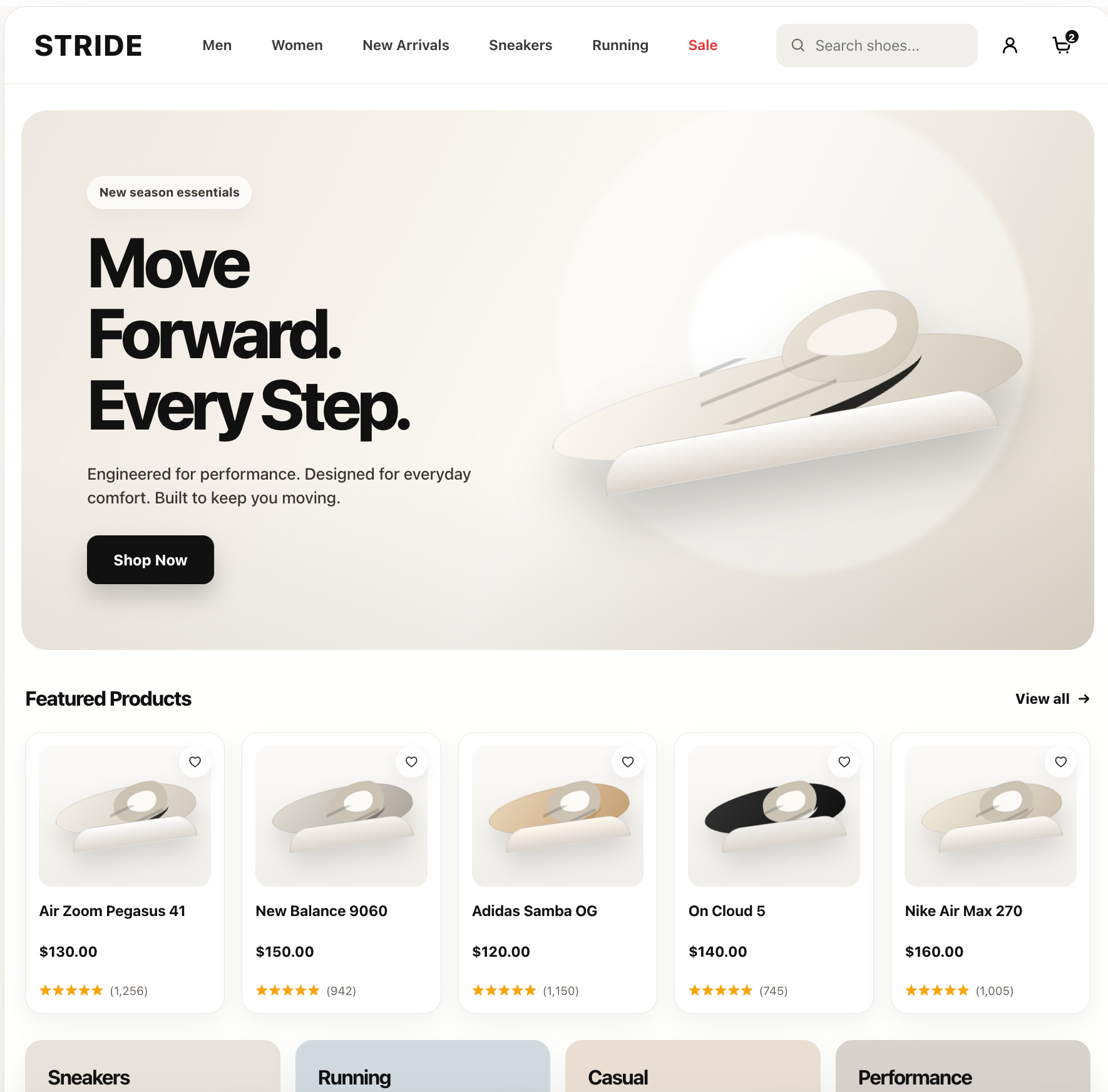
This is a preview of the actual (fixed) HTML page.
Now that’s something that looks better.
Using AI to Design Websites Is Not the Same as Using AI to Code
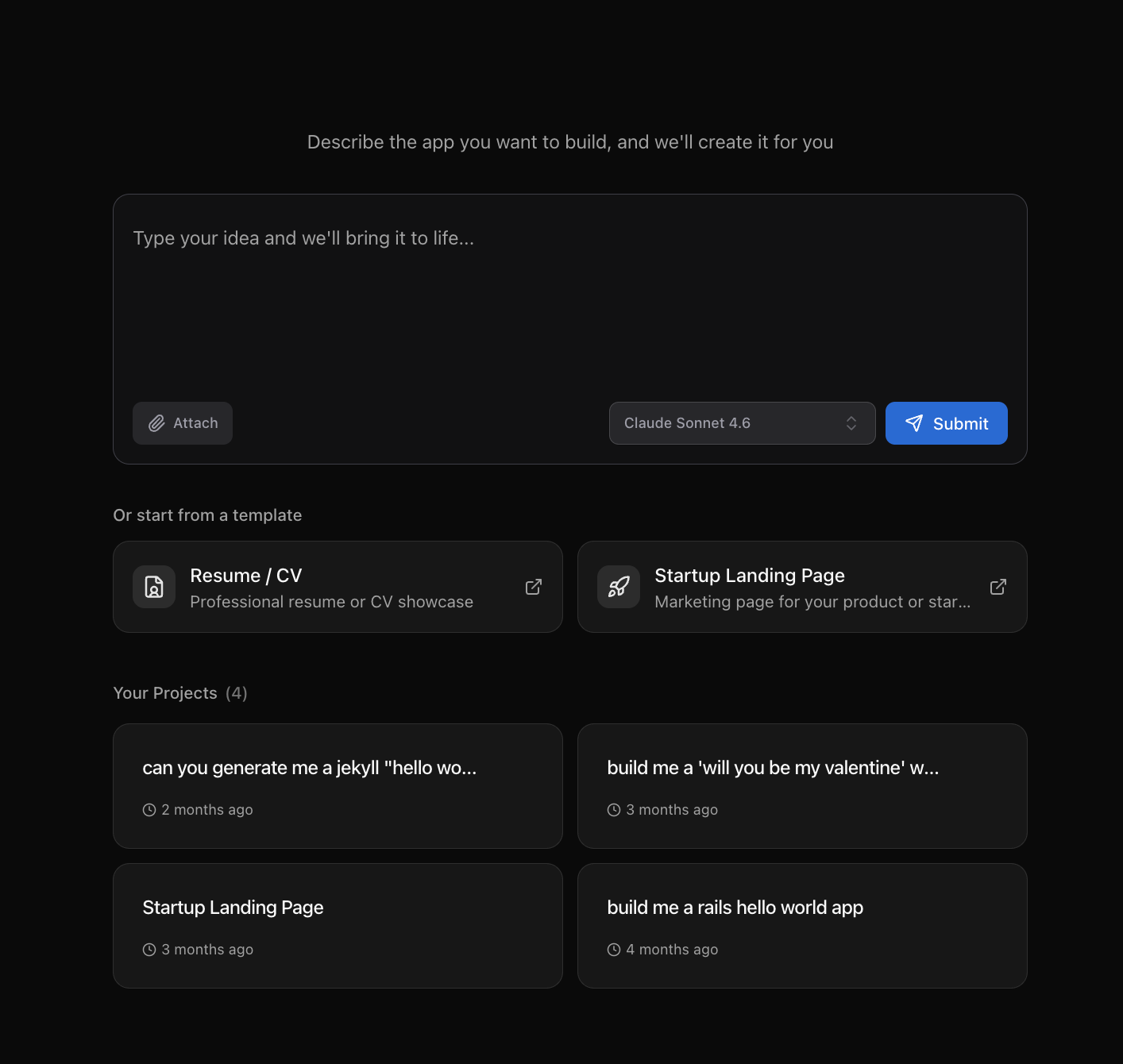
We’ve seen that using AI to design beautiful pages requires a different approach than using AI to generate code. That’s why we created App Builder, for example:
Anthropic recently released Claude Design, and OpenAI released ChatGPT Images 2.0. Both are changing the workflow for how design gets made.
We’re excited about the future of AI + design and can’t wait to see what it unlocks and what kinds of products we can build around it.
Nice