

Three changes just landed in the Kilo for VS code extension: agents can now message each other while they work, Kilo can open and click through a browser without any additional setup, and Agent Manager pulls GitHub pull request data directly into its panel.
Kilo Swarm
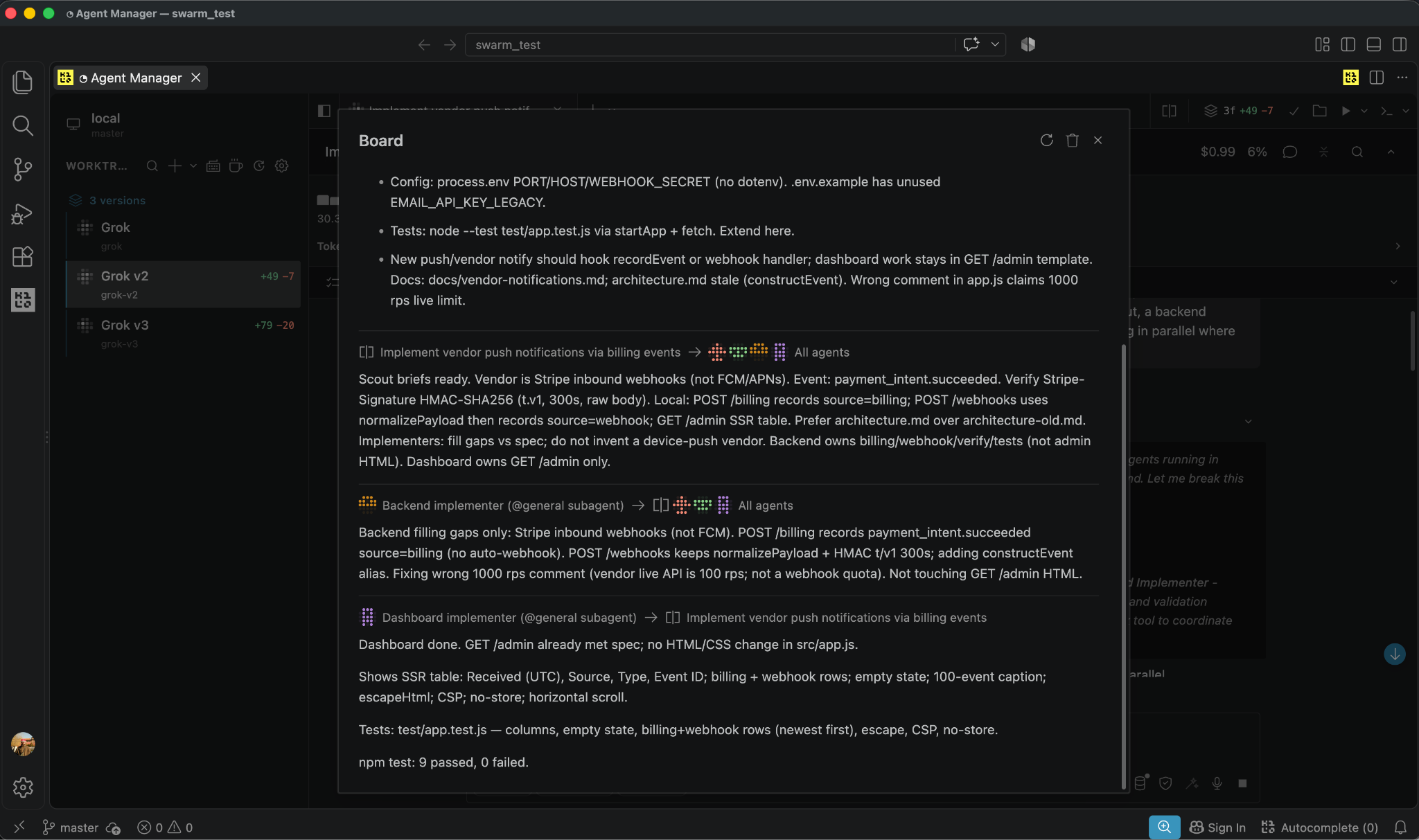
Kilo Swarm gives a main session and its task descendants, including nested subagents, a shared board to post and read messages on. Before this, agents working in parallel on related pieces of a task had no way to tell each other what they found until the whole task finished.
Toggle it on and off in Settings under Experimental, and once enabled, agents get two tools: board_post stores a message, and board_read retrieves what’s on the board.
For example, if you ask Kilo to develop a robust API suite, it’ll break down the task into subtasks and distribute them to sub-agents. One sub-agent can work on and post its progress on the auth pattern, and a second can read that post before writing a single test, rather than duplicating the discovery on its own.
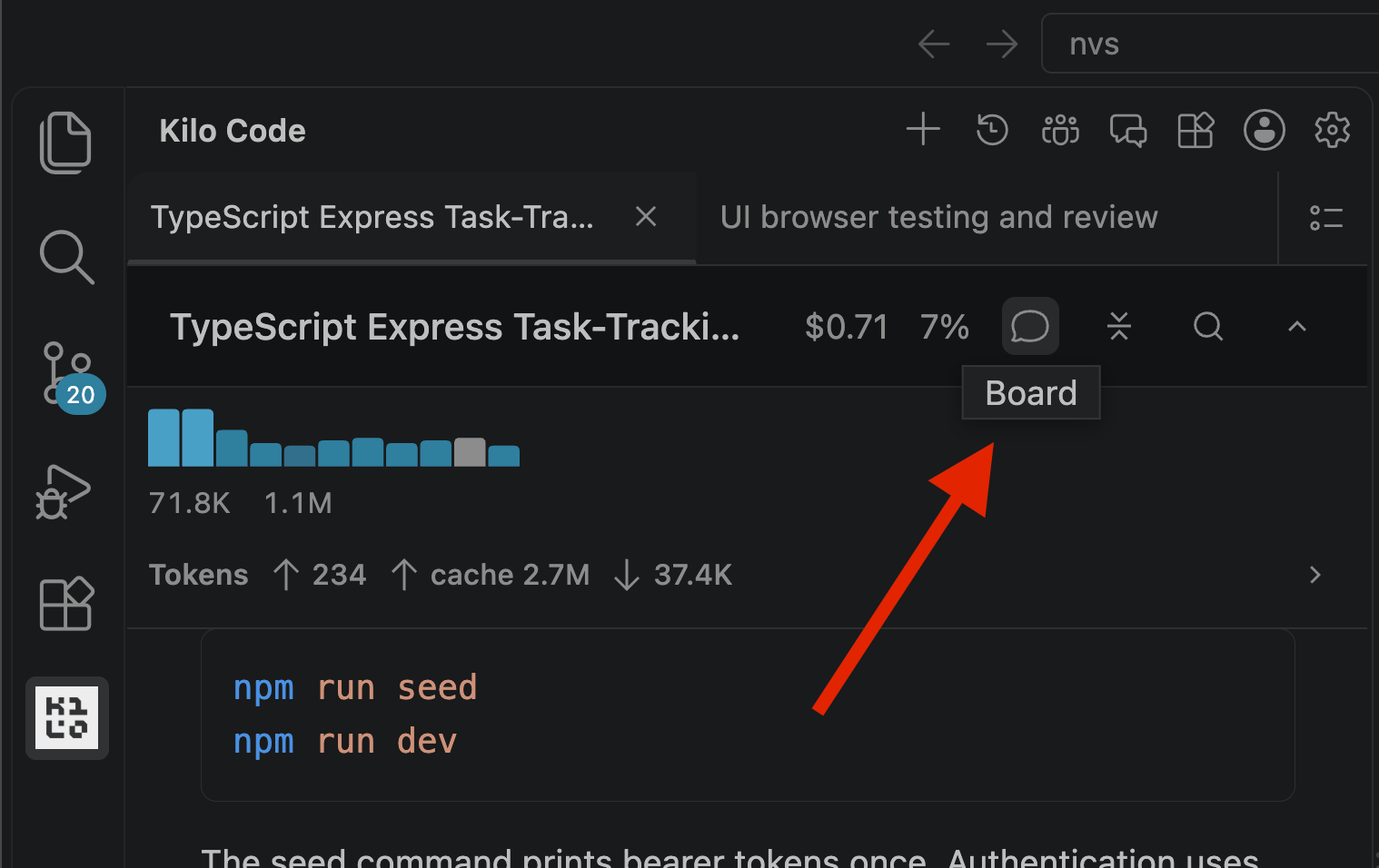
Posting a message doesn’t wake, resume, or approve an agent; it’s coordination data, not a control signal. Every participant can read the full board history, including messages addressed to other agents, so recipient selection isn’t a privacy boundary. HOLD and VETO messages are advisory only and don’t pause or cancel a running agent. When a main session has board messages, a Board icon appears in its task header, and only the owning top-level session can open or reset that board.
Early internal evals also point to a token cost benefit. On complex tasks that use several subagents, sharing findings through the board cuts down on duplicate work, and duplicate work is what drives most of the extra token spend once more than one or two agents are working the same task. The effect is clearest so far with models like OpenAI GPT-6 Astra and DeepSeek-V4.1-Flash. These are preliminary results, not published numbers, but the pattern has held up in testing so far.
Browser use, built into the extension
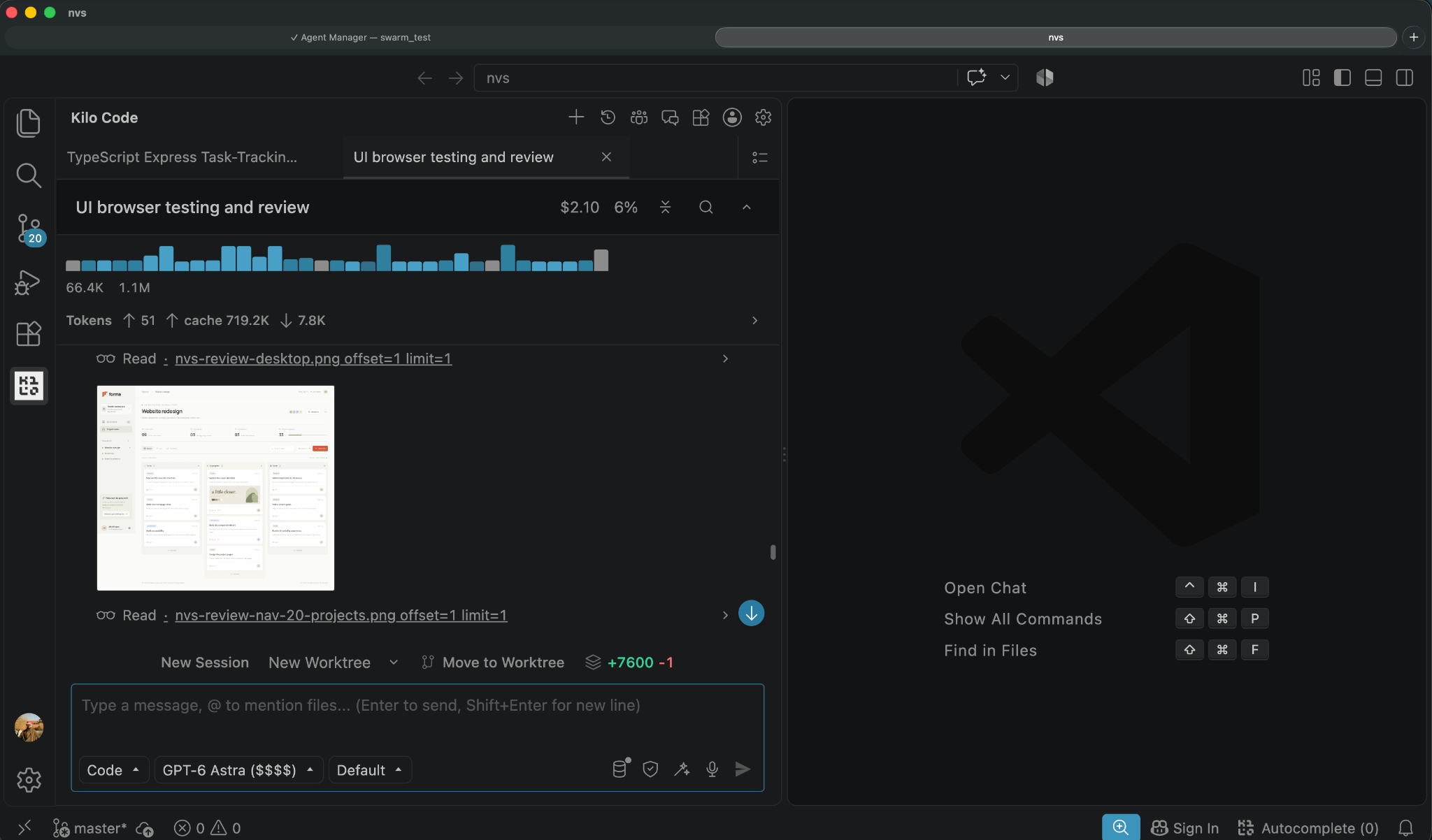
Kilo can now launch a browser, take a screenshot, click an element, fill in a form, scroll, hover, or drag and drop, all from a chat instruction. In the VS Code extension, this requires no configuration beyond a toggle: go to Settings, then Web Tools, then Browser Automation.
Ask it to open localhost:3000, check whether the footer renders correctly, or click through a signup flow, and it returns a screenshot after each step so you can see what happened before asking for the next action.
The feature works best with a capable model behind it, such as OpenAI’s GPT 6 or Claude Opus 5. It’s simpler than other browser tooling like in Cursor: no persistent session across editor restarts, and no test suite generated from a recorded session. For checking whether a page renders correctly right now, you don’t need to install or configure anything separate.
GitHub integration in Agent Manager
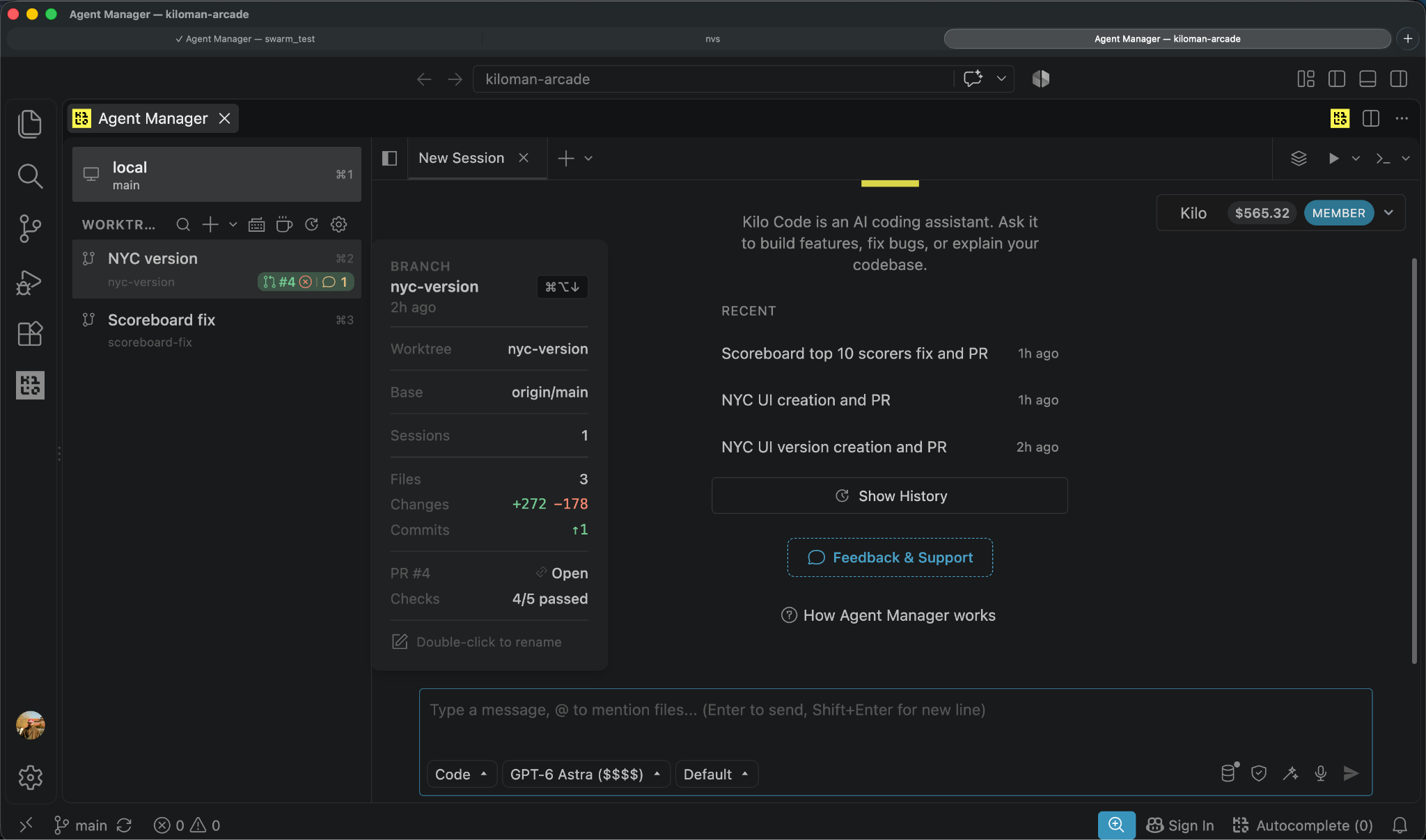
Agent Manager now shows a PR status badge on any worktree whose branch has an associated pull request. Kilo detects the PR using gh, so you need to authenticate with the github CLI for this feature to work.
The badge color reflects the pull request’s state, in priority order, and clicking the badge opens a full PR panel inside the editor: merge readiness, checks with pass/fail counts, requested and completed reviewers, and unresolved comment threads, each with a jump-to-location action. You can leave inline review comments directly on the diff without switching to a browser, and reply to, resolve, or react to existing threads from the same panel.
If a reviewer requested changes or a CI check failed, the Fix with Kilo button sends that thread or failure log to the current agent as context, so it can address the feedback without you copying anything over manually. None of this replaces GitHub - but it cuts down on how often you have to tab over just to check where a pull request stands.
Getting Started
All three features ship in the current version of the Kilo VS Code extension. Update the extension, then check Settings under Experimental and Web Tools to turn on Swarm and Browser Automation.