

On October 29, a tampered build of Anthropic’s Claude Code extension, version 2.1.313, appeared in Cursor’s VS Code extension marketplace. Anthropic didn’t build it. It was live from about 2:27am to 1:35pm PT, and up to 5,000 users may have installed it.
Cursor caught it, pulled it, shut down the marketplace, rotated keys and worked with the host to take the attacker’s server offline. They also published a clear, detailed security notice. That’s the right response, and they deserve credit for it.
But the attack itself is the part worth studying. It was simple. And it will happen again, to some tool, somewhere.
What the extension did
The malicious build tried to plant a persistent SSH backdoor. According to Cursor, it:
Collected host details: hostname, username, OS, home directory, environment variable names, Git email and public IP.
Added an attacker-controlled SSH key (labeled svc-telemetry) to authorized_keys.
Tried to enable the local SSH service and open a reverse tunnel. This step failed on most machines, because it needs admin rights.
Installed persistence through a LaunchAgent on macOS or a scheduled task on Windows, retrying the tunnel every 60 seconds.
Reported back to the attacker over HTTP.
If you installed or updated that version during the window, act now. Check for the svc-telemetry key, run Cursor’s remediation script, and rotate credentials from a clean machine. Uninstalling the extension alone is not enough. The payload leaves scripts that keep running. Cursor’s notice has the full steps and indicators of compromise.
Why this one matters
Nothing here was clever. A trusted name. A new version number. An install or auto-update. That was enough.
The lesson is bigger than one marketplace. AI coding tools now run a growing stack of add-ons: extensions, MCP servers, skills and plugins. Many of them can read your repo, run shell commands and touch your environment. Your software supply chain has moved into the editor, and most teams aren’t watching it yet.
Know Your AI Toolchain
One of our engineers put it well in an internal thread: teams need a habit of knowing their AI toolchain. For every extension, MCP server, skill and plugin, you should be able to answer four questions:
Who made it? Is the publisher who you think it is?
What changed? What’s different in this version from the last one you trusted?
What does it do? Does its behavior match its stated purpose?
What is it allowed to do? Which files, commands, networks and secrets can it reach?
In practice, that means a few concrete steps:
Allowlist publishers and pin versions for anything with shell or file access. Don’t let agent extensions auto-update unreviewed.
Run editors without admin rights. In this incident, missing admin rights stopped the worst step on most machines.
Review MCP servers like dependencies. Know where each one comes from and what tools it exposes.
Watch the usual persistence spots. ~/.ssh/authorized_keys, LaunchAgents, scheduled tasks and startup folders.
Centralize policy. Developers shouldn’t each decide alone which tools and models are safe.
Where Kilo stands
To be clear: no editor is immune. Kilo ships as an extension too, and we hold ourselves to the same four questions.
Here’s how we help teams answer them:
Open source. Kilo’s code is public on GitHub. You can see what it does and what changed.
Admin controls. Kilo Enterprise lets you set which models and providers each org and sub-org can use, with SSO, SCIM, role-based access and audit logs.
Provider policies. Filter providers by training policy, prompt retention and location.
Coding guardrails. Kilo works with Enkrypt AI’s guardrails, which check each prompt, tool call (including shell commands) and tool result against a policy your security team sets. A pasted API key, or an instruction hidden in a README, is blocked before the agent acts on it, and every block is logged for audit.
Coming next. Admins will be able to turn on guardrails for every Kilo user in one place, and MCP Scan and Skill Scan, by Enkrypt AI, will check MCP servers and skills before they run
The other reason teams are rethinking Cursor
Security isn’t the only pressure. Cursor’s model access is shifting too:
OpenAI has said it won’t supply future models to Cursor following Cursor’s acquisition by SpaceX.
OpenAI model access in Cursor is scheduled to end November 12, 2026.
Cursor’s new X Subscription plans drop the included third-party model allowance.
The common thread: your toolchain shouldn’t depend on one vendor’s marketplace or one vendor’s provider deals. You should control both.
The Cursor Exodus: Kilo Enterprise, free for your remaining term
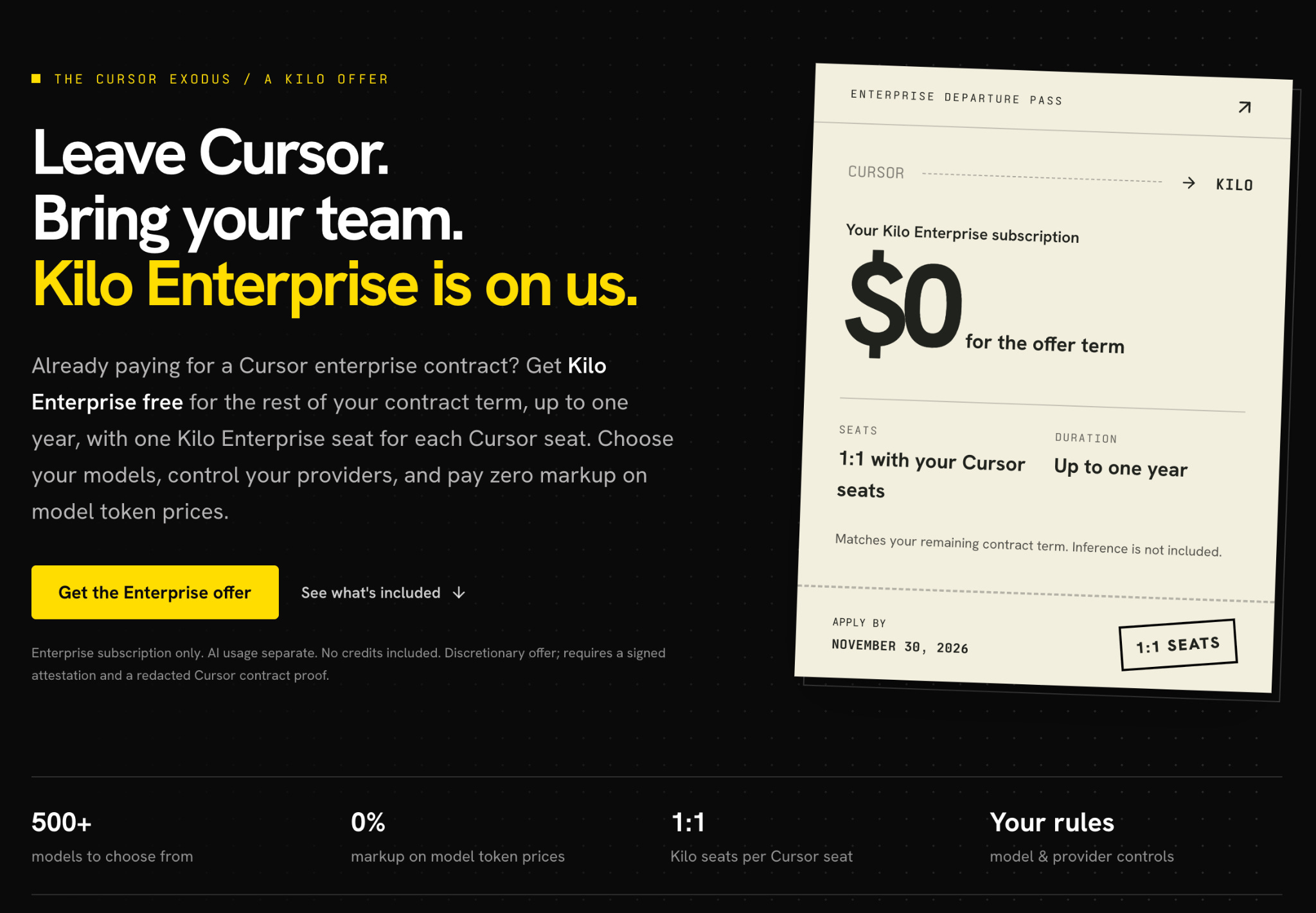
If you’re on a Cursor enterprise contract and want out, we’ll make the move easier. Through the Cursor Exodus offer:
Kilo Enterprise is free for the rest of your Cursor contract, up to 12 months.
Seats match 1:1 with your Cursor seats.
500+ models, including GPT, with zero markup on token prices through the Kilo Gateway.
Bring your own keys, local models or eligible ChatGPT Plus and Pro subscriptions.
Apply by November 30, 2026.
AI usage is billed separately, and no credits are included. The offer is discretionary and needs a signed attestation plus a redacted proof of your Cursor contract. It doesn’t cancel or reimburse your Cursor contract.
You don’t have to switch overnight. Pilot Kilo on real repositories alongside Cursor, compare quality and cost, then roll out. Our migration guide walks through it, and you can read what Anaconda’s engineers found when they made the same move.
The takeaway
Whatever editor you use, audit your AI toolchain this week. Know who made each piece, what changed, what it does and what it can touch.
And if you’re ready to take back control of your models and your stack, claim the Cursor Exodus offer.
Wow, I love how this went from a explainer article to customer pipeline creator. Smooth transition :) Props to the team.