

Lovable announced its latest $330m fundraise at a valuation of $6.6b. The offer is simple: Lovable makes anyone a coder. That’s incredibly cool! But for those of us who have built careers writing, debugging, maintaining, testing, and deploying code we know the devil really is in the details. Here’s how one Reddit user put it:
“Lovable is like most new ‘AI thing[s]’. You try it out, you’re blown away, it feels like magic. You use some free credits, it works amazingly well, gives you a slick interface, so you pay and start building something more serious. And that’s when the cracks start to show. You realize it’s not really viable for a serious project in most cases.”
Think of App Builder as Lovable for serious projects.
Instead of prototyping in Lovable, Bolt, or Replit you can now do that in Kilo. Create web applications through conversation with Kilo. Vibe code away! Describe what you need, watch it build in real-time with a live preview, iterate until it’s right. Everything happens in your browser.
You get that initial rush of seeing your idea come to life without having to set up environments, configure deployments, or wrestle with infrastructure before you write a single line of meaningful code.
Then, when you’re ready, move seamlessly from vibe coding to agentic engineering. Switch to Kilo Code in VS Code, JetBrains, or the CLI, and spin up Orchestrator mode to plan and build simultaneously, leveraging Managed Indexing to optimize context management. No lost context. No need to throw out your prototype. From first idea to product-ready code, all in Kilo.
App Builder is another way Kilo helps you work at Kilo Speed.
How It Works
Start by describing what you want. Open App Builder and tell Kilo what you’re trying to build. A personal website. An internal admin panel. A data visualization tool. Whatever you need.
App Builder interprets your description and generates a working implementation. You see it appear in the live preview immediately, fully interactive and functional.
Refine it through conversation. The preview isn’t just a mockup; it’s the actual app. Click around, test the interactions, see how it feels. Then keep talking to Kilo to refine it.
“Make the navigation sticky when you scroll.”
“Add a dark mode toggle in the header.”
“Connect to this API and display the results in a table.”
“Add filtering and sorting to that table.”
Every message updates the preview in real-time. You’re not editing files or searching through code. You’re having a conversation about what the app should do, and watching it evolve.
Deploy when you’re ready. When it looks right and works the way you want, click Deploy. App Builder packages everything and pushes your app live. You get a production URL immediately.
What You Can Build
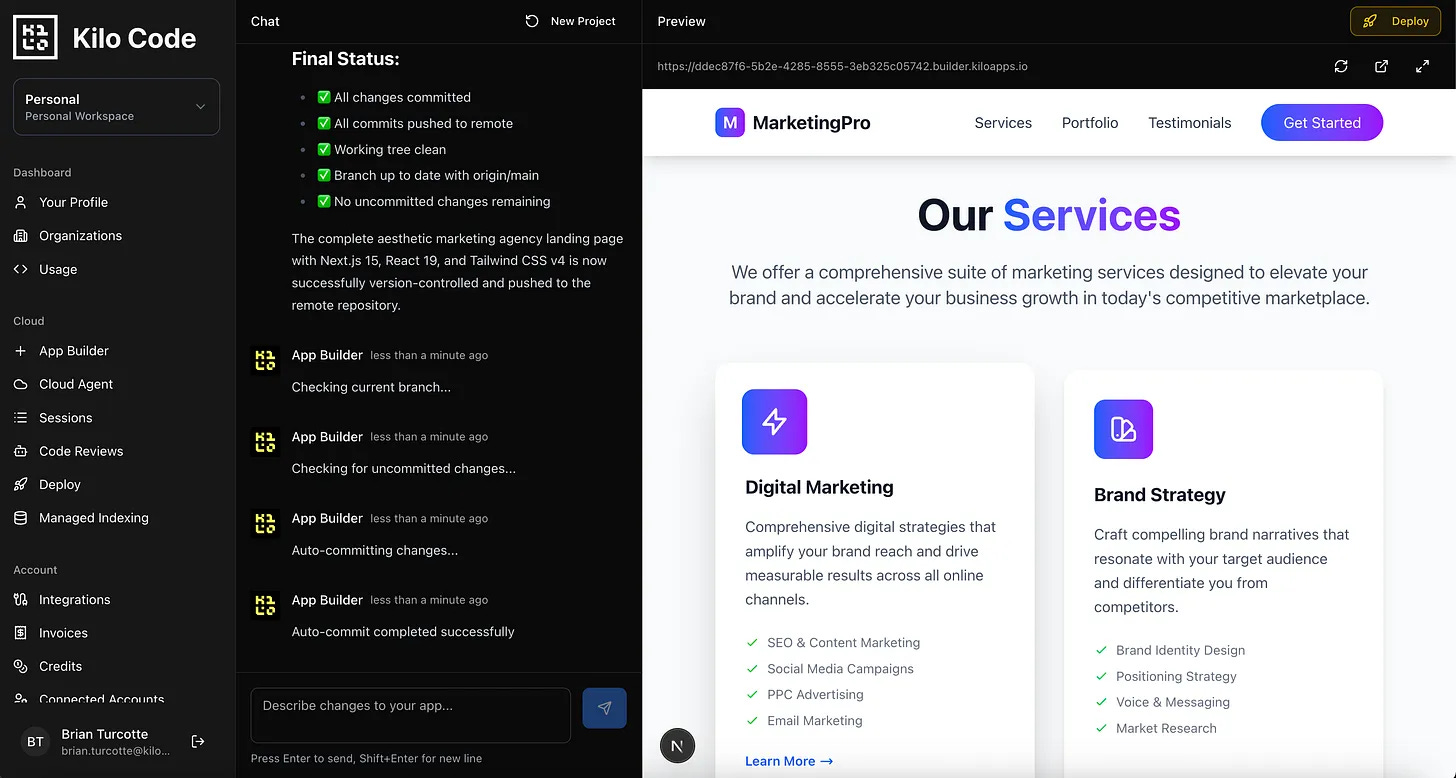
App Builder handles complexity. It’s not constrained to templates or predetermined structures. It generates custom code based on exactly what you describe.
Landing pages and marketing sites. Product pages, signup forms, hero sections, feature showcases. Build the frontend users see when they discover your product or personal brand.
Interactive dashboards and visualizations. Build interfaces that display data, create charts and graphs, and let users filter and explore information.
UI prototypes and mockups. Validate design ideas with functional interfaces before committing engineering resources. Get something clickable in front of users fast.
Frontend tools and utilities. Calculators, converters, form builders, data formatters. The specialized interfaces your team needs but hasn’t had bandwidth to build.
Customer-facing interfaces. User dashboards, account settings pages, profile interfaces. Build the frontend components your users interact with.
Because App Builder can use the same AI models that power Kilo in the IDE and CLI, you get thoughtful implementations, not just scaffolding. It understands context, handles edge cases, and generates code you’d actually want to maintain.
Built Different
Most no-code tools force you into their worldview. You learn their interface, work within their constraints, and hope your use case fits their templates.
App Builder works the opposite way. You describe what you want in plain language, and it generates custom code to match.
Most app builders separate the “building” phase from the “seeing it work” phase. You make changes, then preview them, then go back to make more changes.
App Builder collapses that loop. The preview updates as you talk. You’re always looking at the current state of your application, not a representation of what it might look like later.
And because everything runs in the cloud and deploys with one click, there’s no localhost-to-production gap. What you see in the preview is what your users will see.
Move at Kilo Speed
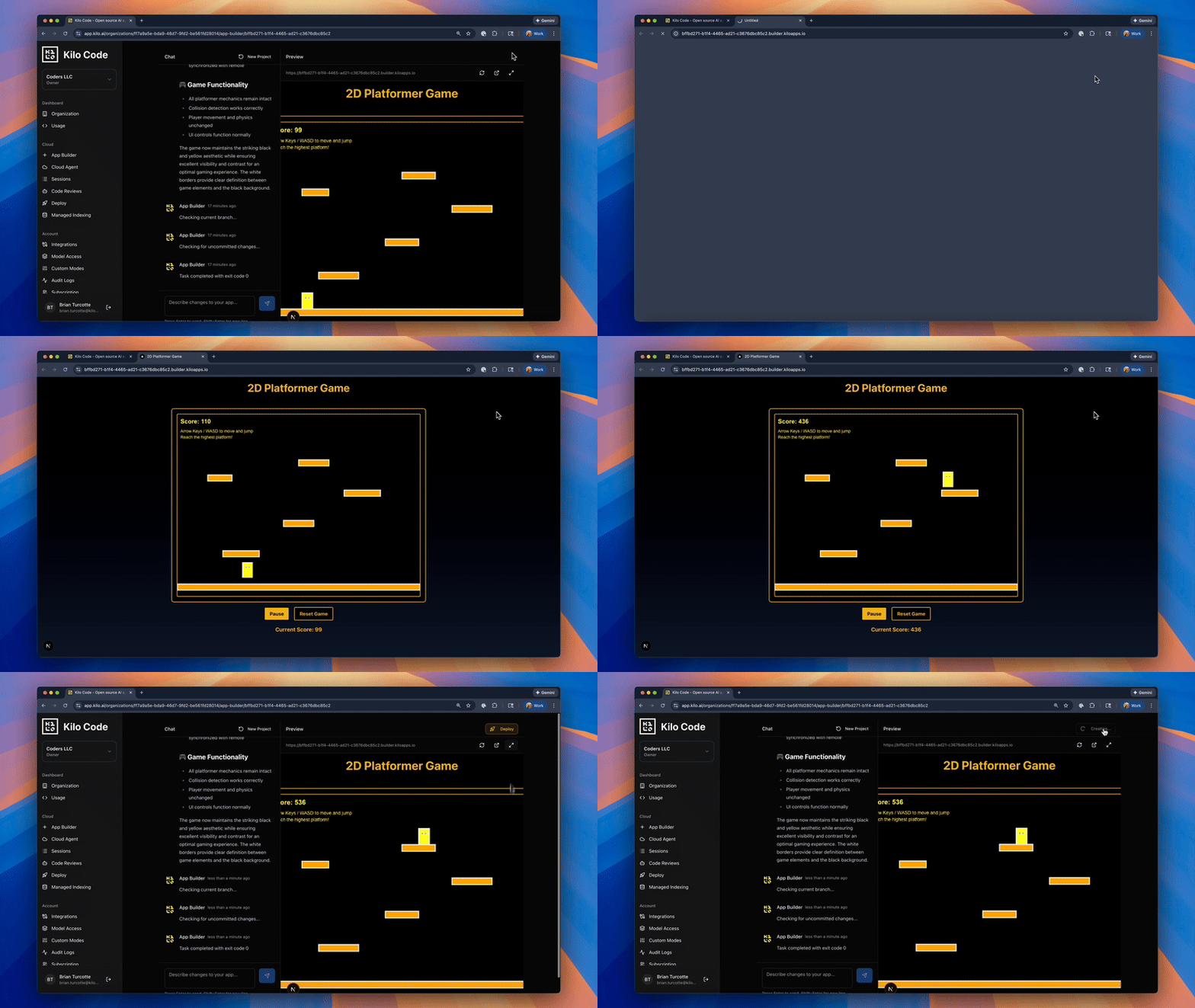
We talk about Kilo speed a lot—the state of effortless, joyful flow achieved when you can focus without dependencies, blockers, or friction of any kind. App Builder is one of the ways in which we’re extending that speed to you.
It’s now possible to build working interfaces in under ten minutes. Landing pages that went from concept to live in a single conversation. Dashboard prototypes that would take days to design and implement, shipped in an afternoon.
But Kilo speed isn’t just about being fast. It’s about eliminating the friction that doesn’t add value: environment setup, deployment configuration, context-switching between tools, rebuilding when a prototype needs to become real software.
When you strip all that out, you move at the speed of your ideas. That changes the math on what’s worth building.
That landing page you need for a product launch next week? Done in minutes. The prototype interface you want to show investors? Functional and deployed before the meeting. The dashboard mockup your team has been discussing? Built this afternoon.
It’s not about replacing developers or cutting corners. It’s about removing friction. Sometimes the best tool for the job is the one that just lets you start.
Pricing
To use App Builder, you just need $1 in your Kilo account and to have made at least one payment before. You pay for AI model usage through Kilo Code credits—the same credit system you’re already using.
We want your feedback. What are you building? What’s working well? What should work differently? Drop into our Discord and tell us. We’re actively iterating based on what we hear from the community.
Getting Started
If you’re already using Kilo Code:
Navigate to App Builder in your dashboard
Choose an AI model
Describe what you want to build
Watch the live preview materialize
Iterate through conversation
Click Deploy when ready
Your app goes live immediately. Share the URL, keep refining, or take it further with Kilo Code’s full agentic engineering capabilities when you’re ready.
Try It Now
App Builder is live for all Kilo Code users today. Log in, describe something you want to build, and watch it happen.
Then share what you made. Post it on X, drop it in Discord, or reply to this post. We genuinely want to see what people build when the barrier between idea and execution disappears.
Your next app is one conversation away.
App Builder still needs some work. I tried to build a personal dashboard and add some features. The App Builder went into continuous loop at the 3rd prompt. Its easier to build something using App Builder as it is now if you can get it done with 1 prompt. That is my opinion anyways.
App Builder provides too little feedback to users.
I once tried to have a client, who cannot code but has basic computer knowledge, use App Builder to improve our communication efficiency.
However, the user experience was not ideal; I believe the feedback App Builder gives to users is far too sparse.
It only provides information at the beginning of certain key steps, and then the user is forced to stare at a tiny loading animation for several minutes or even tens of minutes, with absolutely no knowledge of the progress.
The experience would be much better if it could display a color-coded task timeline, the names of files created by the tool, or a list of AI tasks and their completion status. This would let people know it is actually working and provide some expectation regarding the total workload and speed, rather than worrying if App Builder has completely frozen somewhere.
Since App Builder offers a code export feature, this means the detailed code does not contain trade secrets that need to be kept confidential to enhance user experience. I cannot imagine any reason why the details of the project process need to be hidden. Is this to reduce operating costs?