

SOTA AI coding models have come a long way in the past year. They’re more powerful than ever —but using them often means thinking about caps, quotas, and trade-offs.
Enter the world of open weight-coding models. MiniMax is the company behind one of the most capable open-weight models on the planet (MiniMax M2.1), and it’s great for developers who care about shipping code without friction. They also have a coding plan if you’re looking for a predictable pricing approach.
Why use the MiniMax Coding Plan ?
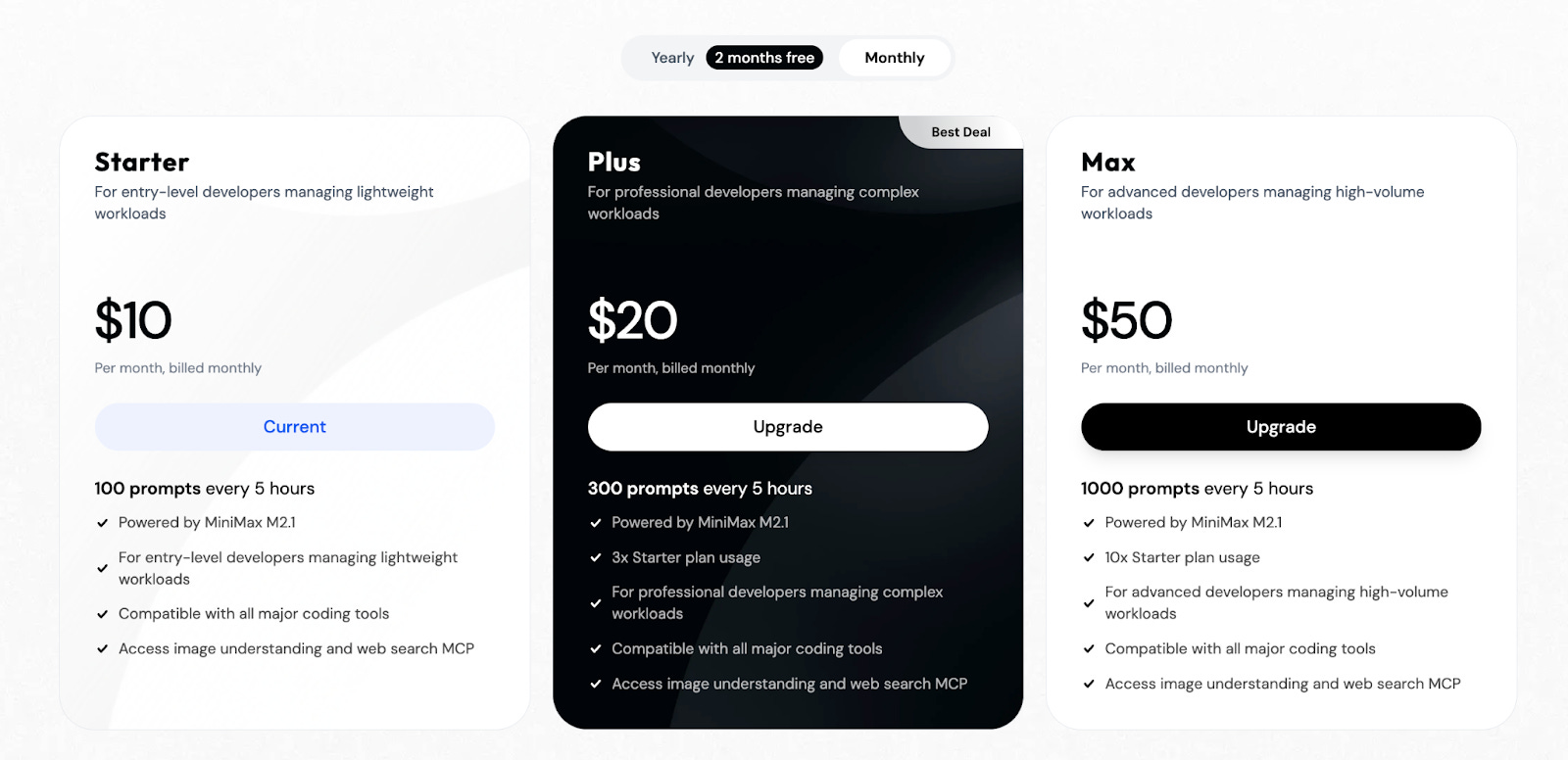
MiniMax provides 3 packages for its coding plan:
.
The latest version of MiniMax (M2.1) scores exceptionally well on various software development benchmarks compared to many state-of-the-art models.
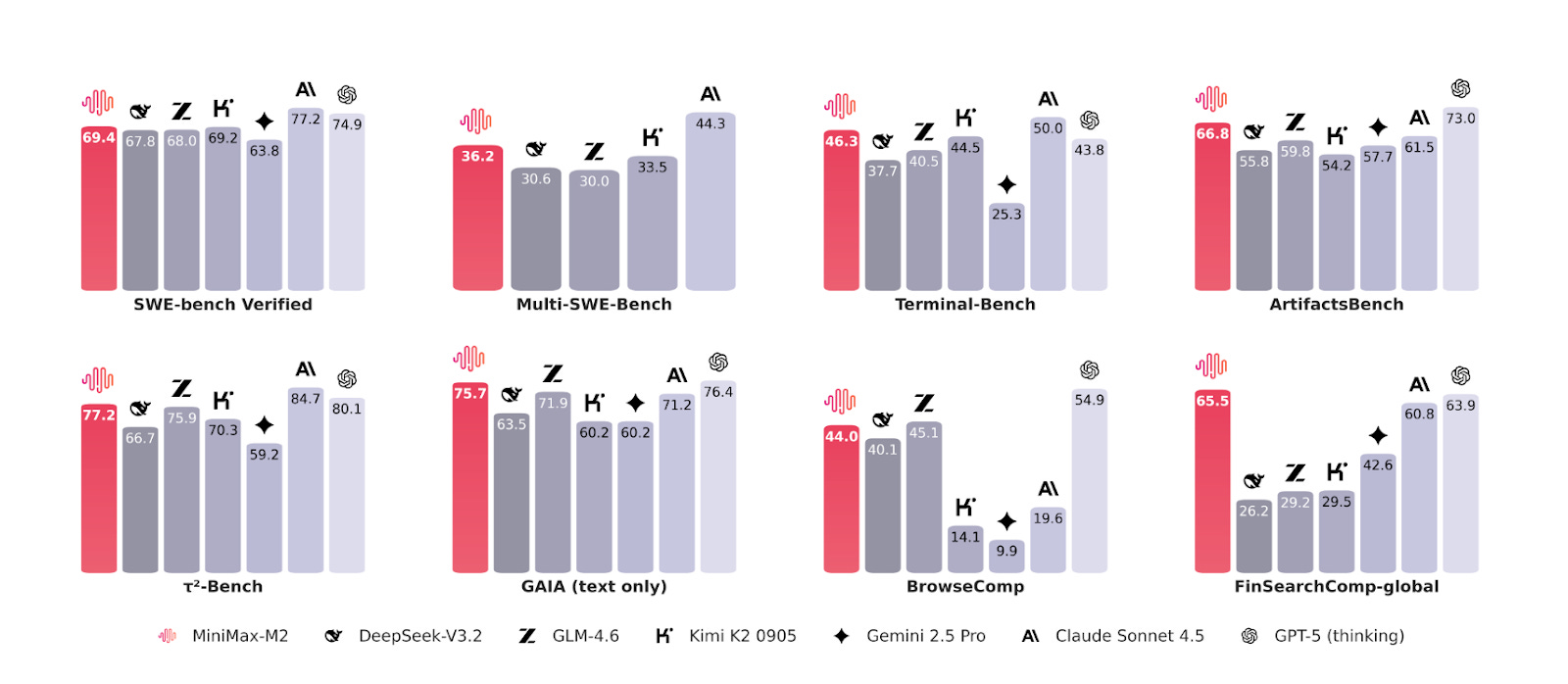
To many people, MiniMax-M2.1 seems to be the strongest model per parameter and does pretty well on coding tasks.
Even if you go with the lowest ($10/mo) plan, 100 prompts every five hours should be more than enough for 95%+ of people.
We’ve made it really easy to set up Kilo Code with MiniMax and use MiniMax across the whole suite of Kilo products.
How to Use the MiniMax Coding Plan with Kilo Code
Here’s how to do this from scratch:
Sign up for a free Kilo account. Signing up is 100% free and takes less than a minute
Get a MiniMax coding plan. Pricings starts from $10/month for your first month (you get 2 months free if you purchase an annual plan).
Copy your MiniMax API key. After purchasing a plan, go to the API keys page and copy the API key under “Coding Plan Key” (click on Reset & Copy if you don’t see your key):
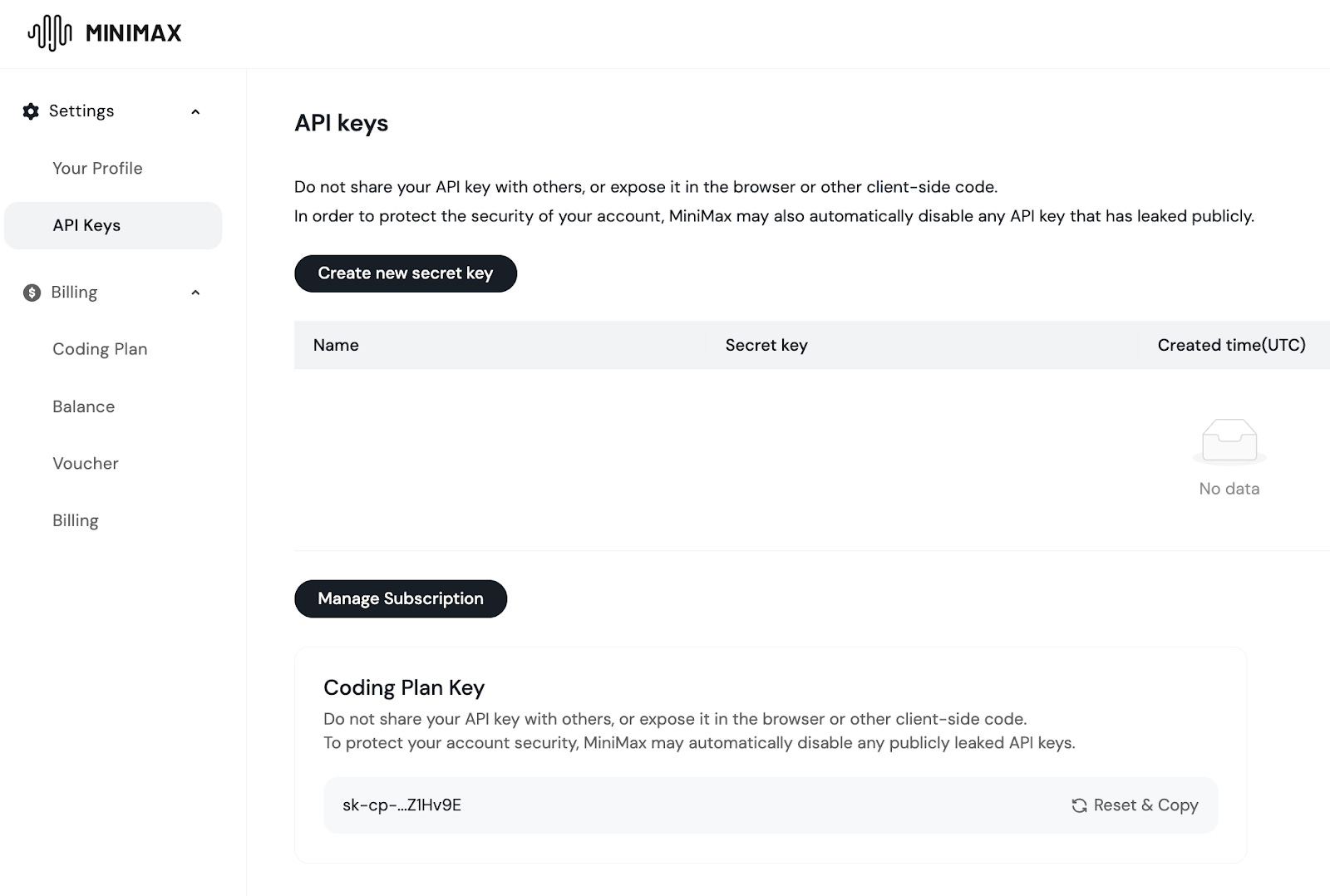
Paste your Coding Plan key into Kilo’s Gateway BYOK page.
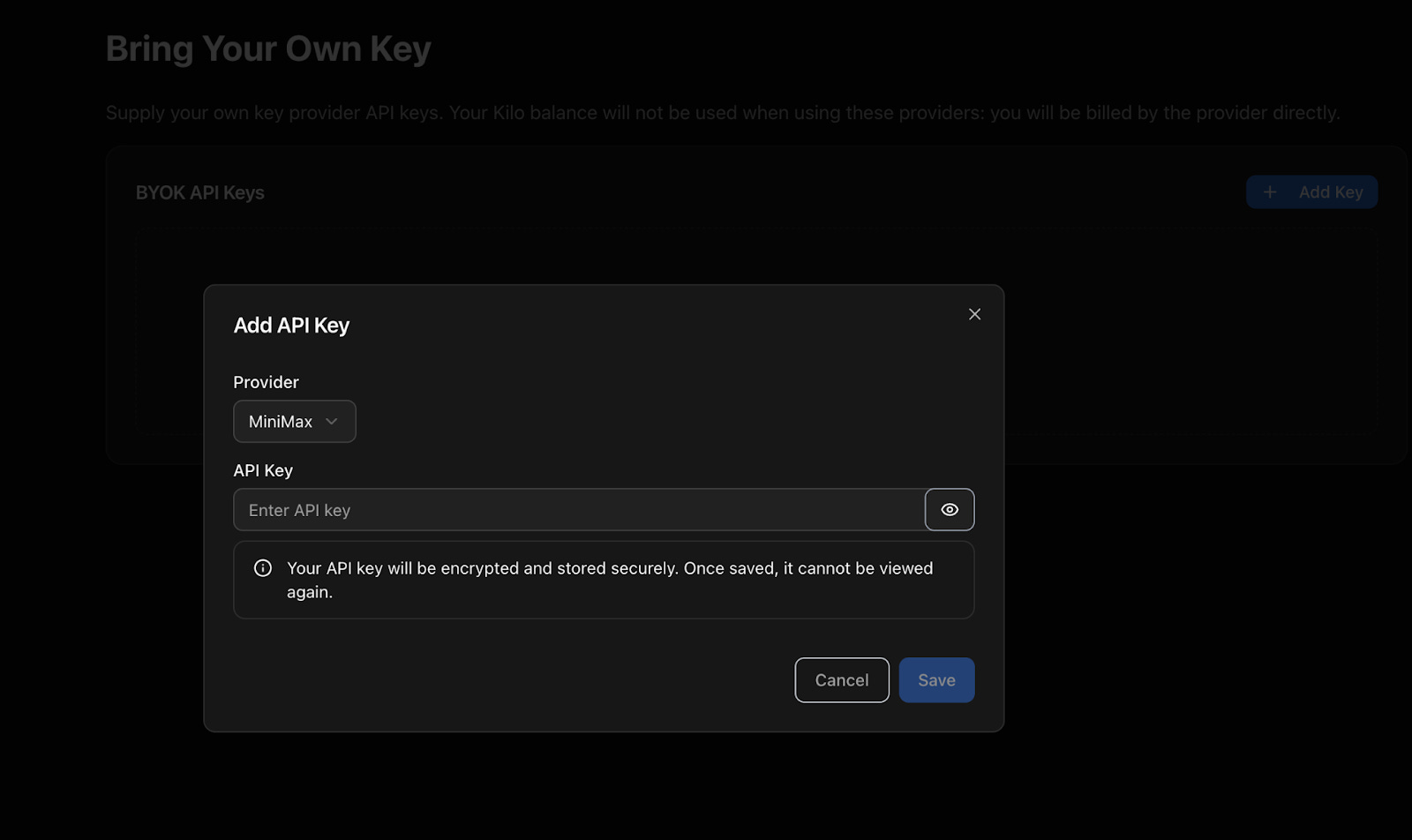
Go to Kilo’s BYOK page
Click on “Add key”
Choose MiniMax from the list of providers and paste the key you copied in step 3.
Go back to Kilo Code on VS Code and the latest version of MiniMax (M2.1) as your model
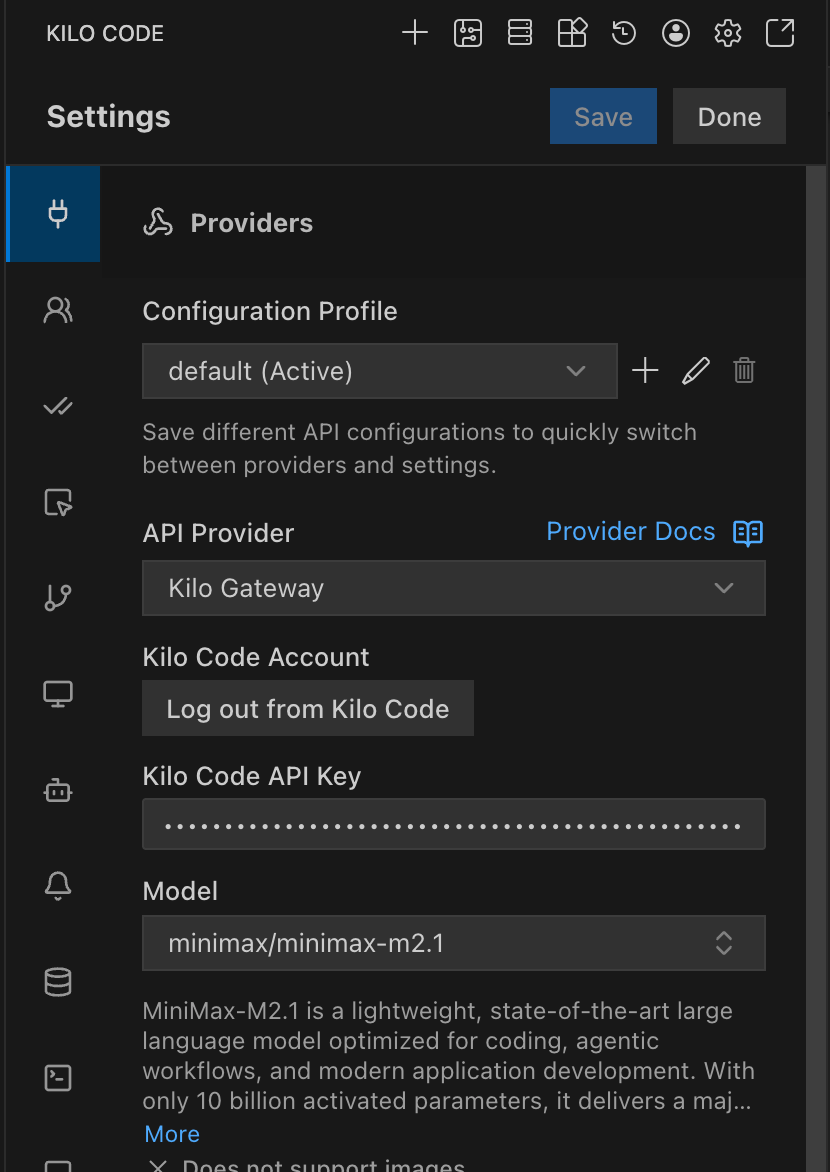
I completed all of this using a brand-new Kilo account with a $0 balance and no payment method on file.
To confirm the integration works, let’s type something into the Kilo Code chat box.
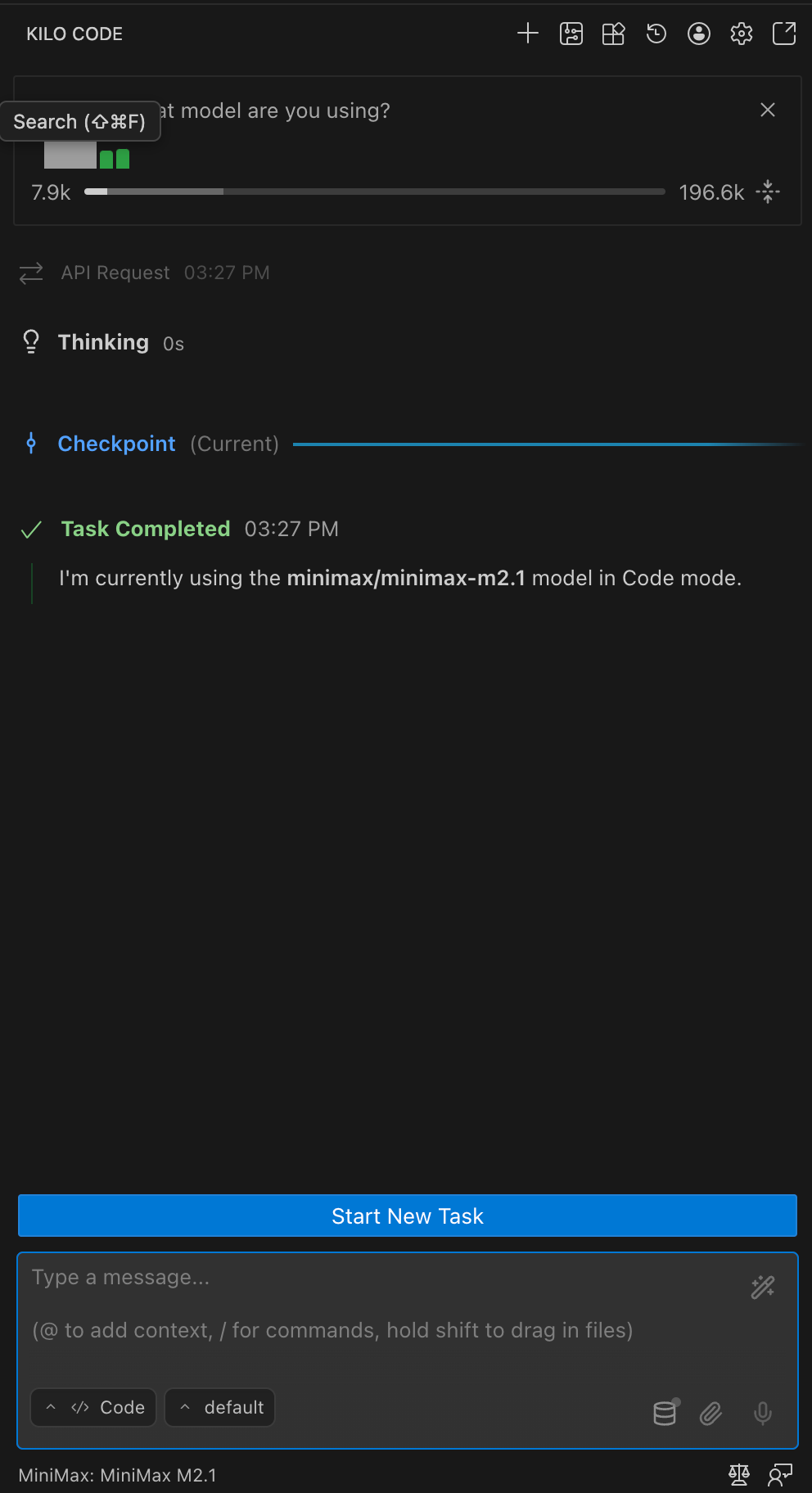
Voila!
If you visit your Kilo usage page, you’ll see a few stats for your daily usage. You’ll also see $0 next to “Total cost”. You can view your real rate limits on the MiniMax coding plan page.
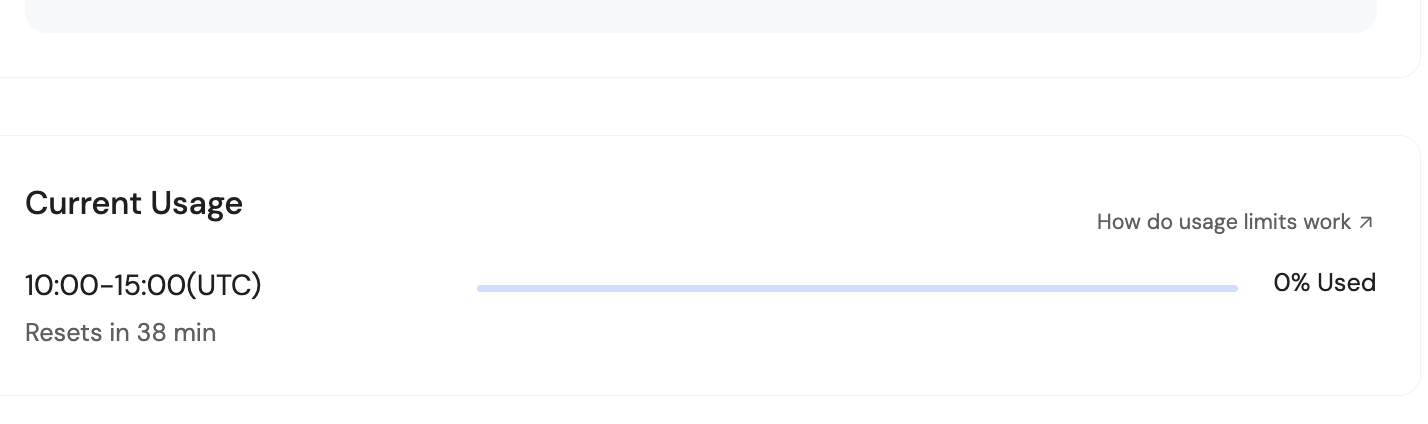
I prompted M2.1 several times and still didn’t break 1% of my five-hour quota. That’s pretty nice.
Enjoy hours of uninterrupted coding for just $10!