

Over the past year, AI coding tools have gotten really good—but also surprisingly expensive.
For many developers—especially those using coding agents day to day—the real question isn’t “what’s the smartest model?” It’s “how much real work can I get done without constantly worrying about limits or cost?”
That’s the gap zAI’s GLM Coding Plans are meant to fill, especially when paired with Kilo Code.
Why use the GLM Coding Plan & GLM-5?
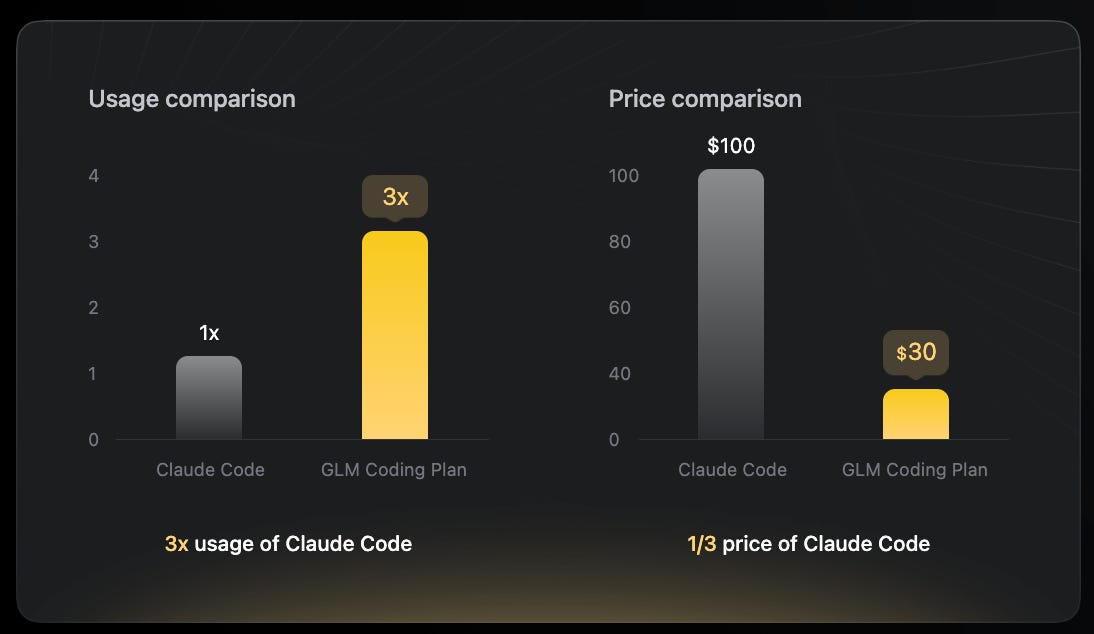
According to Z.ai, the answer is simple: unbeatable value for about the price of a morning coffee.
GLM-5 isn’t just another open-weight model. It scores exceptionally well on various software development benchmarks compared to many state-of-the-art models
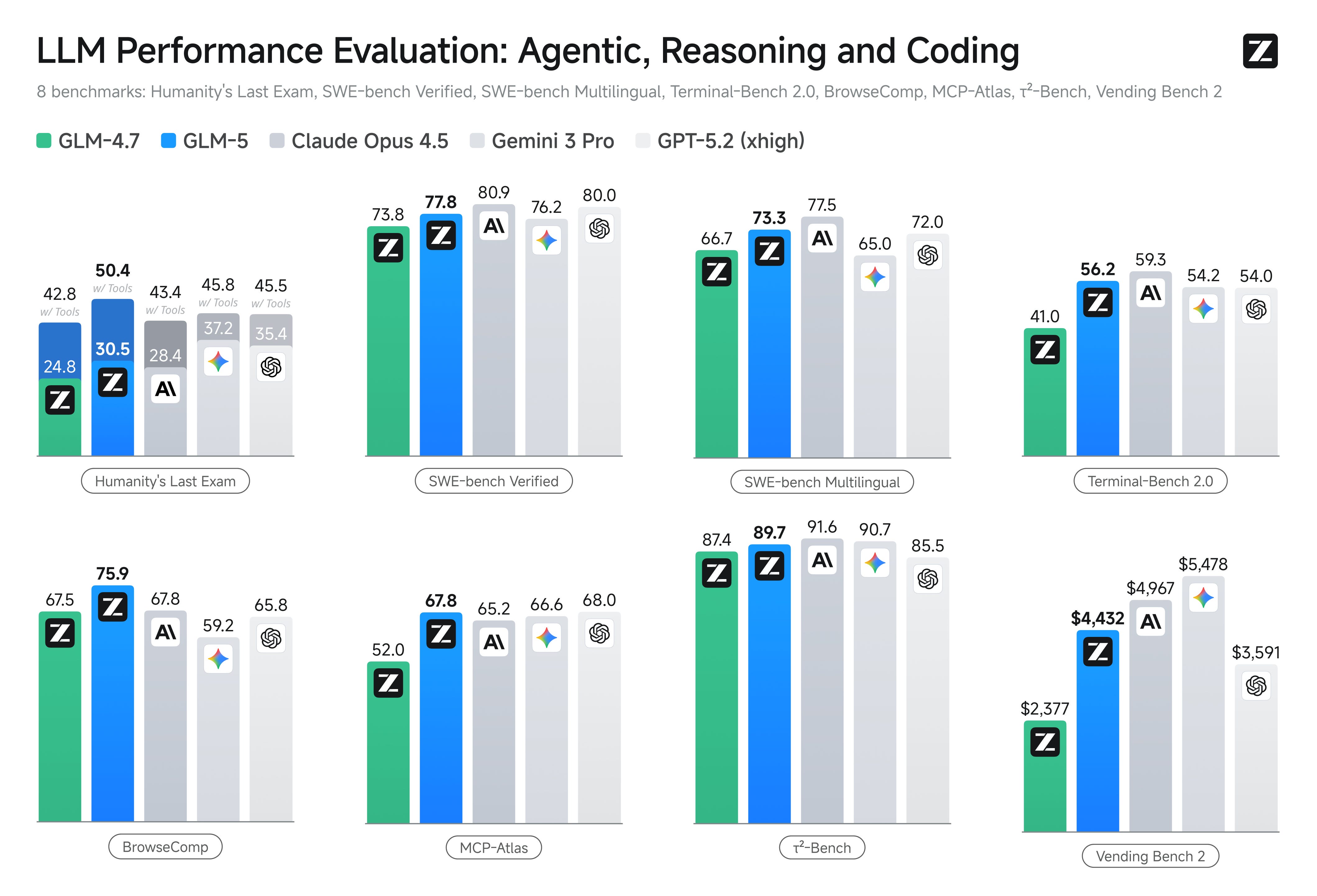
.
How to use GLM-5 in Kilo Code for $10/mo
We’ve made it very easy to set up GLM-5 in Kilo Code—without ever leaving your browser.
Sign up for a free Kilo account. Signing up is 100% free and takes less than a minute
Get a GLM coding plan. Plans start from $3/month for your first month.
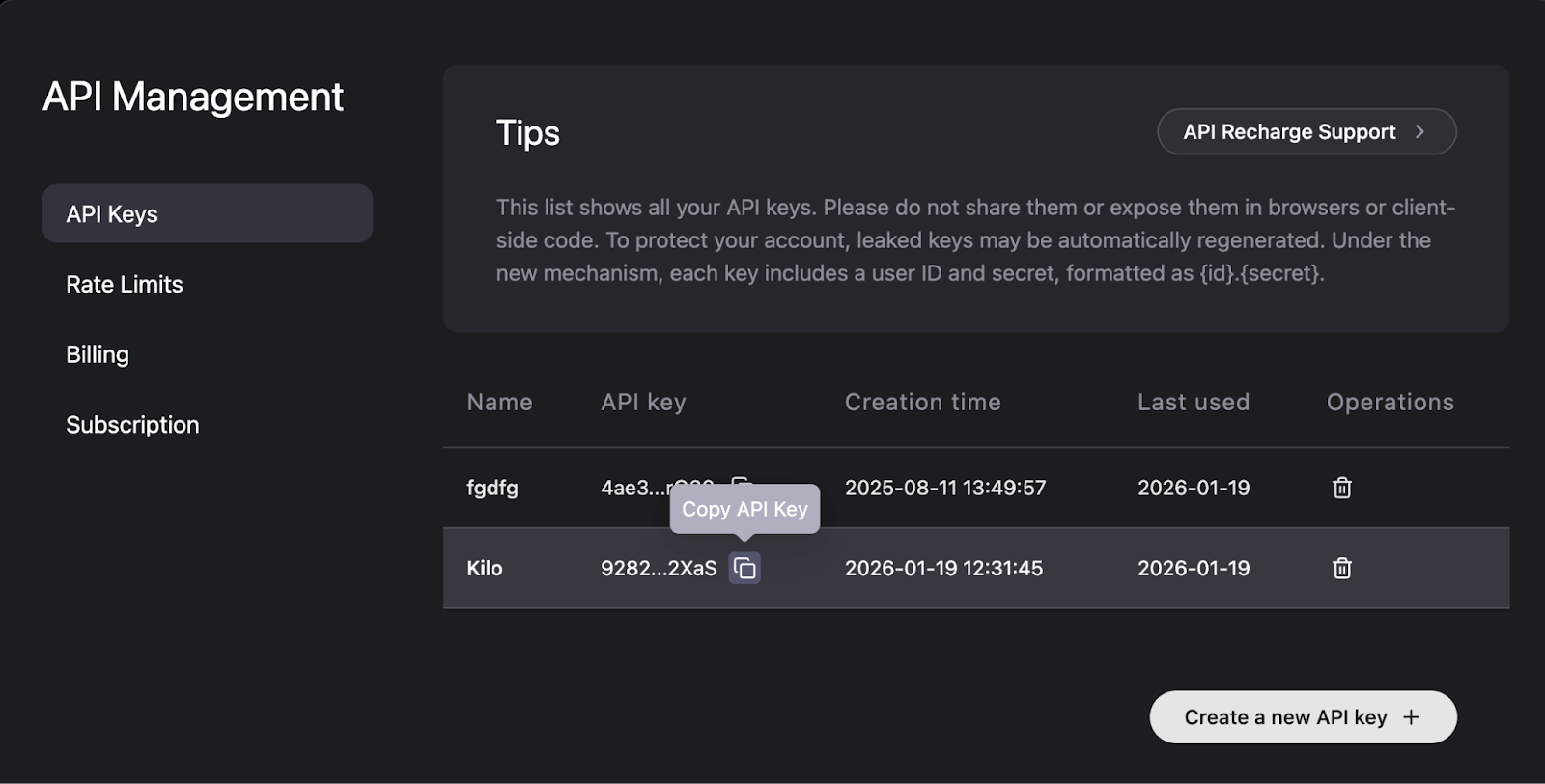
Copy your Z.ai API key. After purchasing a plan, go to the API management page and copy your API key:
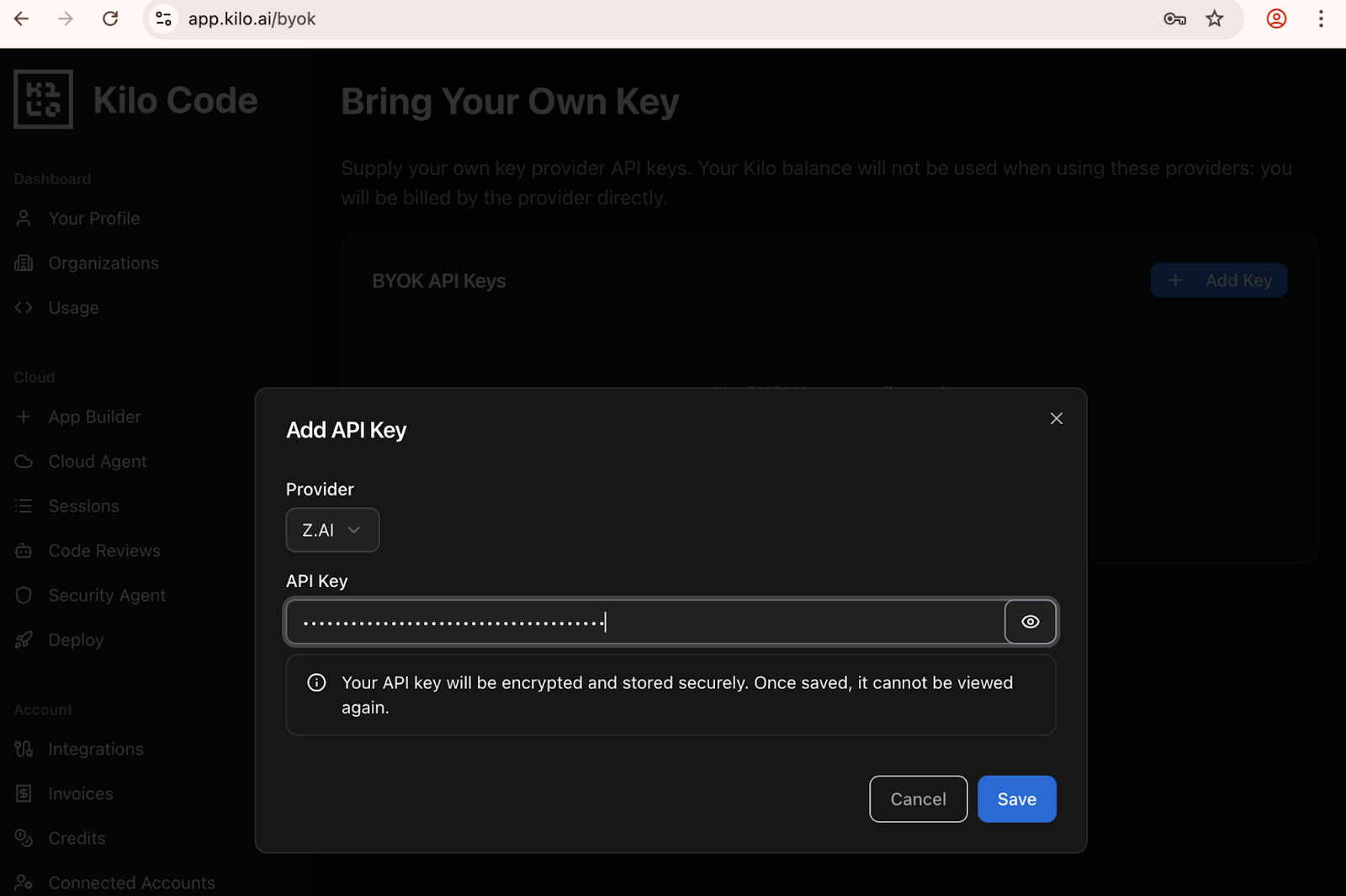
Paste your API key into Kilo’s Gateway BYOK page.
Go back to Kilo Code on VS Code and select GLM-5 as your model
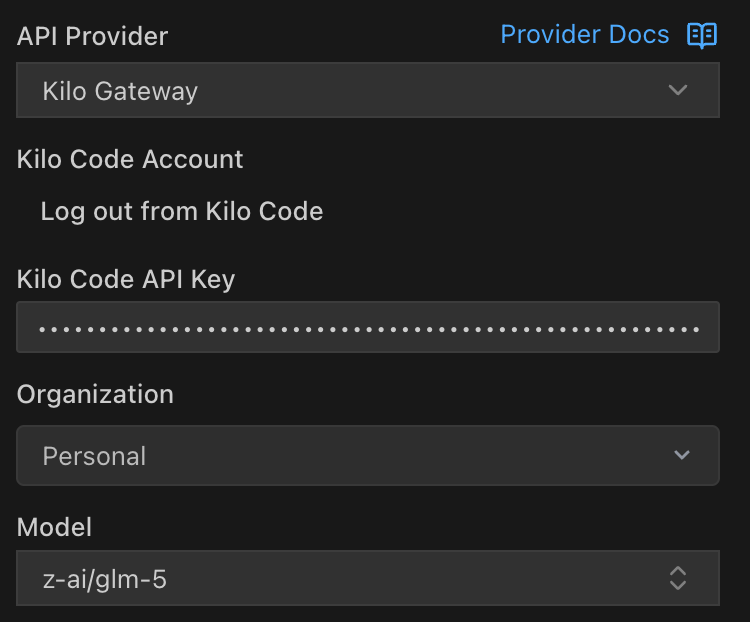
I did all of this on a brand-new Kilo account with a $0 balance and no payment method added. Let’s confirm the integration by typing something into the Kilo Code chat box.
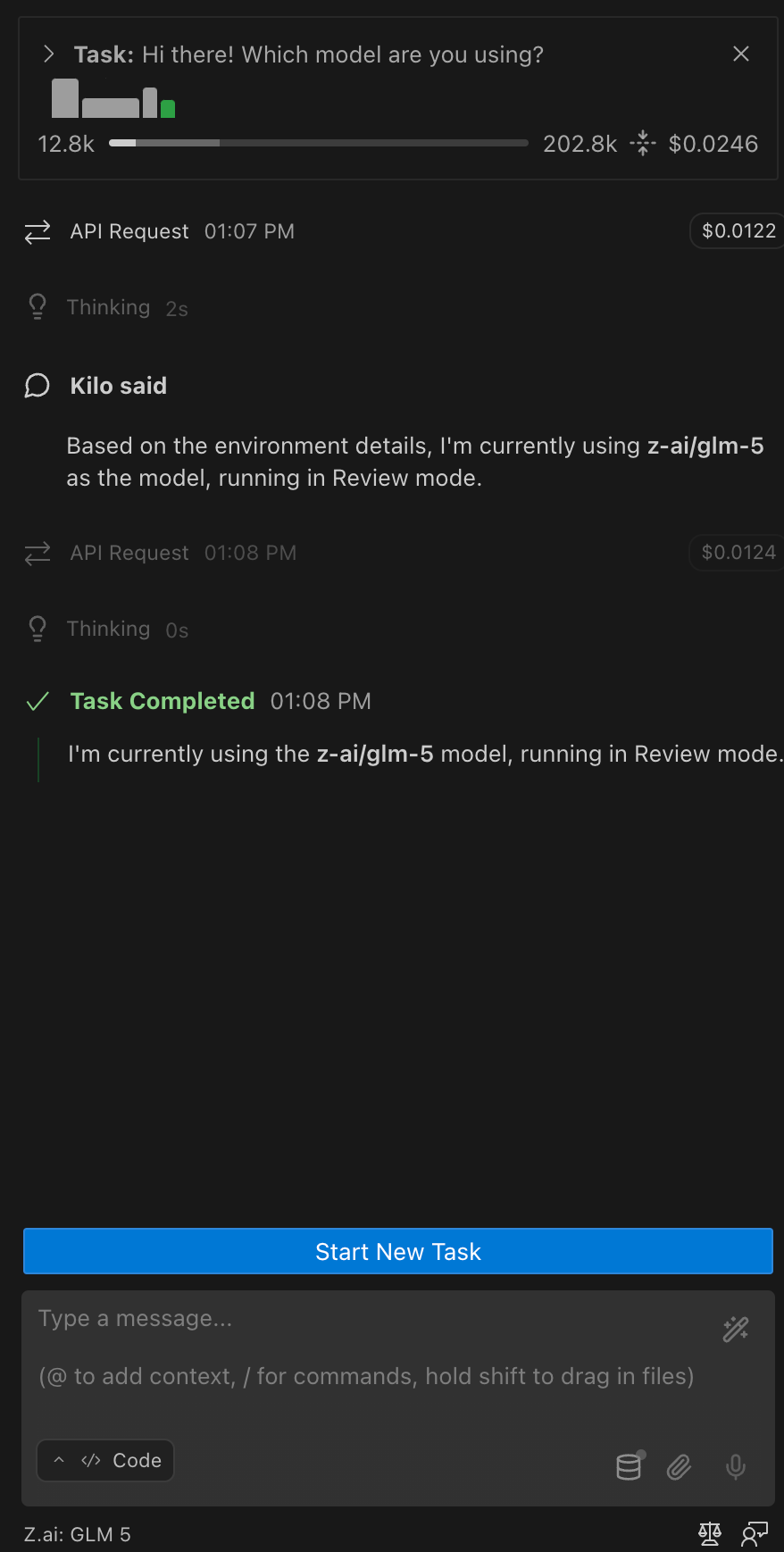
Voila!
If you visit your Kilo usage page, you’ll see a few stats for your daily usage. You’ll also see $0 next to “Total cost”. You can view your real rate limits on Z.ai’s usage page:
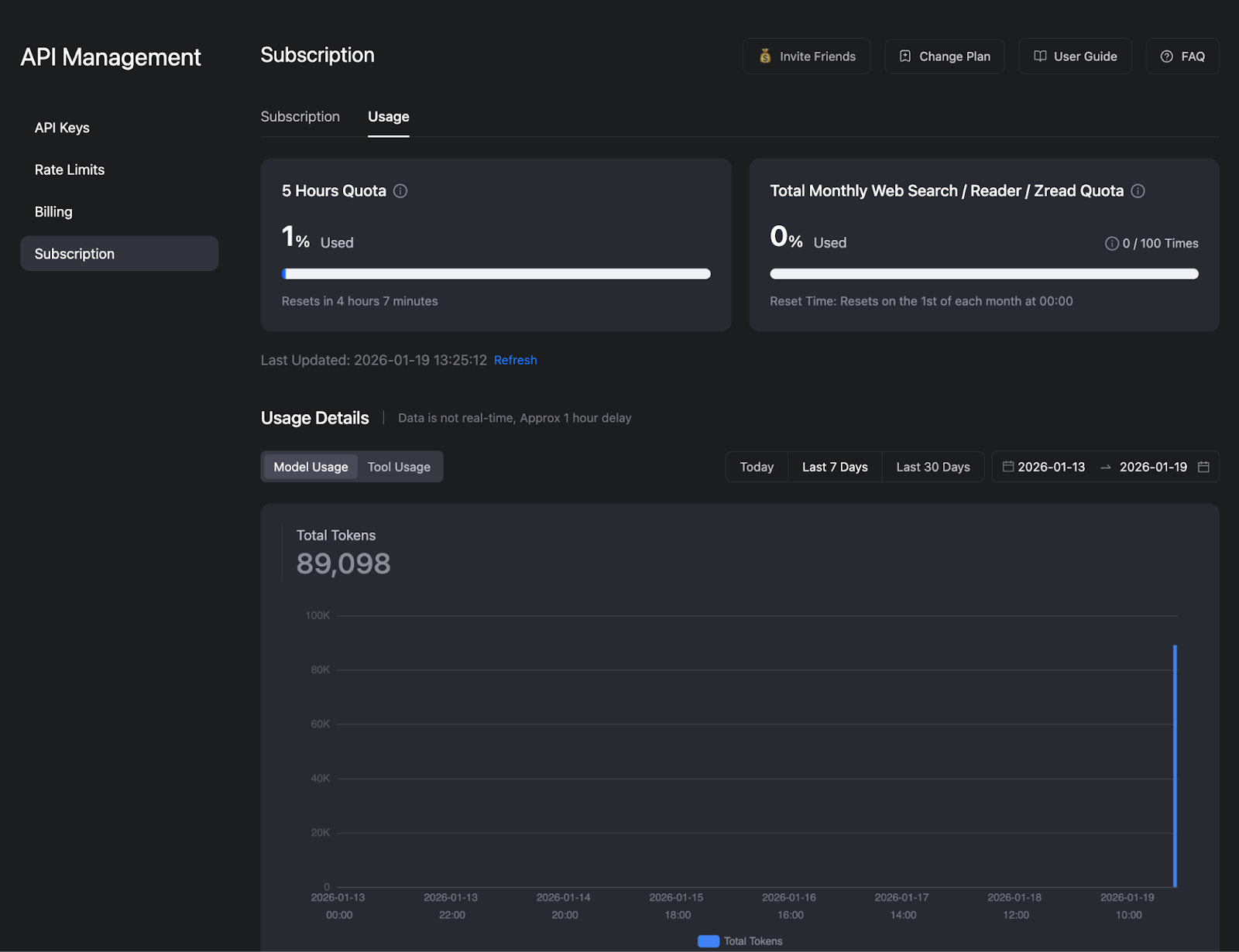
I prompted GLM-5 several times and still didn’t break 1% of my five-hour quota. That’s pretty nice.
Enjoy hours of uninterrupted coding for just $10/mo!
Been using Kilo + GLM-4.7 Coding Max plan for months and it’s a great combo. Z.ai offers a solid Quick Start (below), just remember to scroll to Advanced Features section at the bottom for the three additional MCP servers at no additional charge depending on your plan (vision, web search, web fetch). GLM-4.7 is text-to-text only but uses GLM-4.6V in the vision MCP server to deliver image-to-text _and_ video-to-text as well!
Only API hiccup I’ve encountered is passing image filenames with white spaces (e.g., when the screenshot utility on MacOS creates filenames with spaces by default). The API is not great at handling whitespaces as of this writing so just remove them client side and you’ll be fine.
https://docs.z.ai/devpack/quick-start
Does this work on the Kilo Code CLI too? I'm looking to use GLM-5 there and want to make sure it's supported before I set everything up.