

If you’ve been checking out OpenClaw, you’ve probably also heard of Hermes. The rapidly growing open-source agent from Nous Research is already up to almost 90k stars on GitHub.
Unlike traditional, reactive agents, Hermes features a built-in learning loop—it autonomously creates skills from experience, searches its past conversations, and builds a persistent model of your workflows across sessions.

But a self-improving agent needs a powerful engine. Model choice matters, and you should never pay more than market price.
We’re excited to announce that the Kilo Gateway is now available to be used with any Hermes agent. This integration gives your agent unified, OpenAI-compatible access to over 500 top-tier models like GPT-5.4, GLM-5.1, and anything that’s currently free in Kilo—like Step 3.5 Flash and the stealth model Elephant—through a single key. You can even take advantage of Kilo’s auto models such as Kilo: Auto Balanced (recommended).
If you’re planning to use Kilo Gateway in your Hermes instance, there are a couple of things to keep in mind.

Want Top Performance? Use a 64K+ Context Window
Hermes isn’t just processing your prompt. To function reliably, it constantly juggles its core system instructions, retrieved skills from past sessions, your persistent user profile, and an active scratchpad for evaluating tasks.
Hermes is best with a model that has at least 64K tokens of context for reliable agentic performance. If you route Hermes through a smaller model, the agent will rapidly run out of memory, truncate its learning loop, and degrade in performance. When setting your default Kilo Gateway model, make sure you choose one of the many models on Kilo that easily clear the 64K hurdle.
Clarifying the Gateways
A quick clarification on gateways. There is a naming overlap that can trip up some users.
Kilo Gateway: The unified API endpoint (
api.kilo.ai/api/gateway) that acts as your agent’s brain, seamlessly routing inference requests to AI providers, whether you’re using Hermes or KiloClaw.Hermes Messaging Gateway: This is Hermes’s built-in communication hub. This is used to connect the agent to external platforms like Telegram, Discord, Slack, or WhatsApp as your main chat channel.
You configure Kilo to give your agent compute, and the Hermes Messaging Gateway to talk to it from your phone or team channels. Similar to how KiloClaw offers native integrations with Telegram, Discord and Slack—as well as a Kilo Chat interface—users typically pick one channel to start engaging with their agent, and then expand from there.
Getting Started
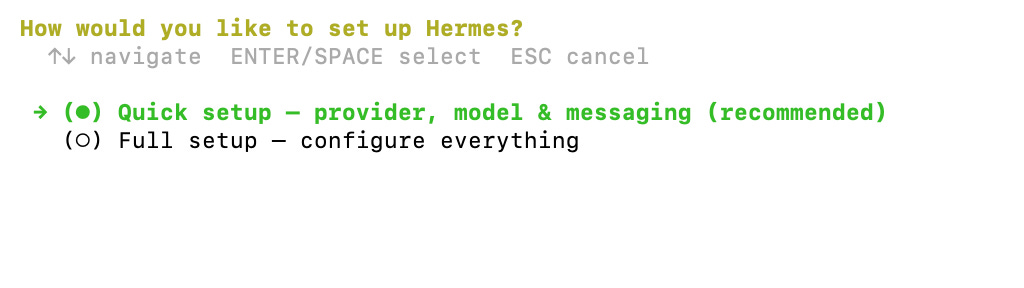
Connecting Kilo Gateway is built right into the Hermes CLI, along with many great providers like Hugging Face, Z.ai and Moonshot AI. Just select Kilo Code and follow the system prompts to add your API key and select a default model (which can be changed anytime in a session using the /model command).
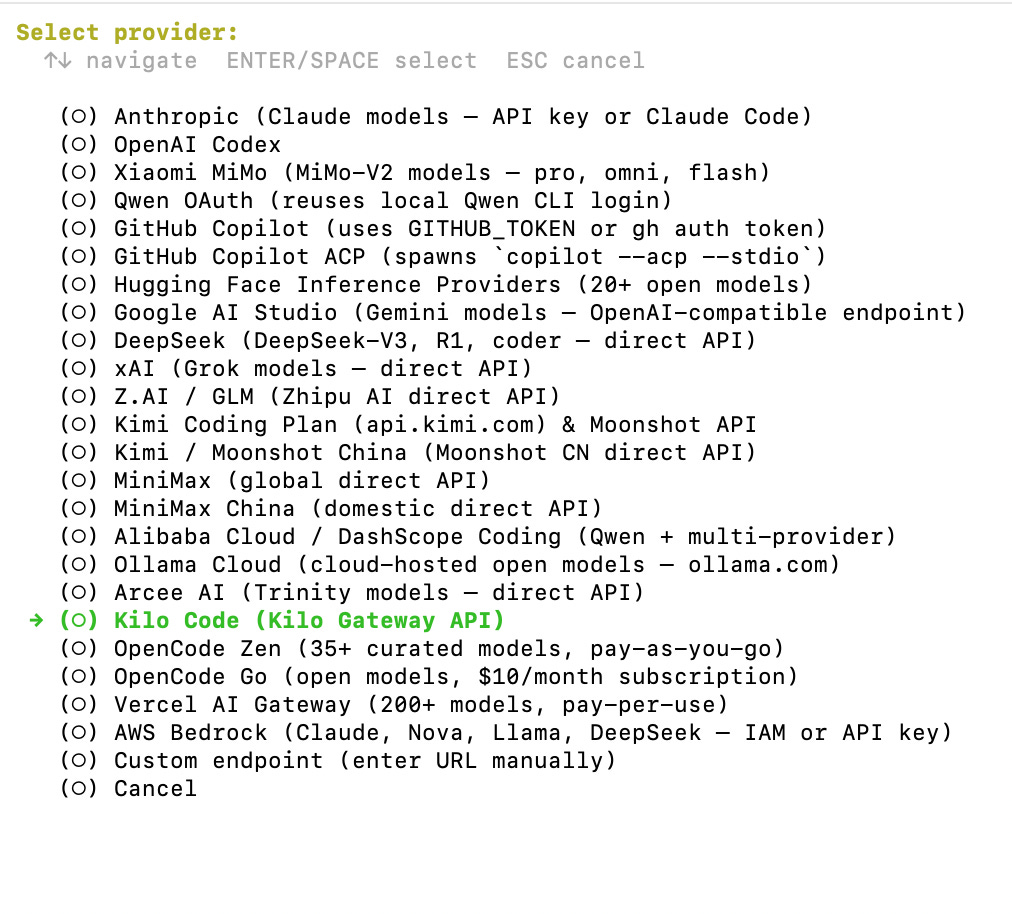
If you start with a different provider, or want to change after you get your Hermes agent up and running, just use the command hermes model in the terminal. Note that this needs to be done from outside a Hermes session (Hit Ctrl + C and then set it up and start a new session). After activating Kilo Code as your provider, Hermes will default to your chosen model.
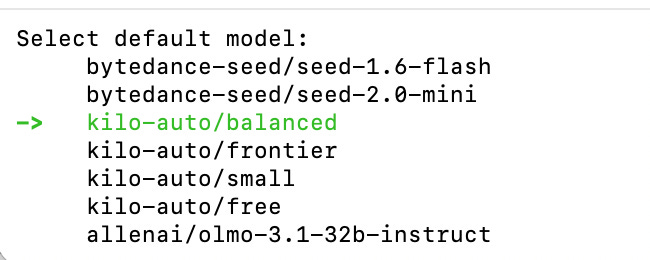
Note: Always check the Hermes docs for the most up-to-date installation guide.
We’re here to help you unlock model freedom to power your AI agents. With Kilo Gateway’s robust routing and Hermes’s continuous learning, your agent will have the horsepower it needs to get smarter every session. And if you want even more horsepower, check out Kilo Pass to maximize your AI output per dollar.
Already using it!