

When we launched Kilo Pass, our AI token subscription product, we received questions from users about how the pricing and free bonus credits mechanics worked. Rather than just adding explanatory text, I wanted to build an interactive calculator that showed the exact value proposition and mechanics, using the same backend logic our application uses.
Here’s how I leveraged Kilo’s tools to ship this feature (and several iterations) in record time.
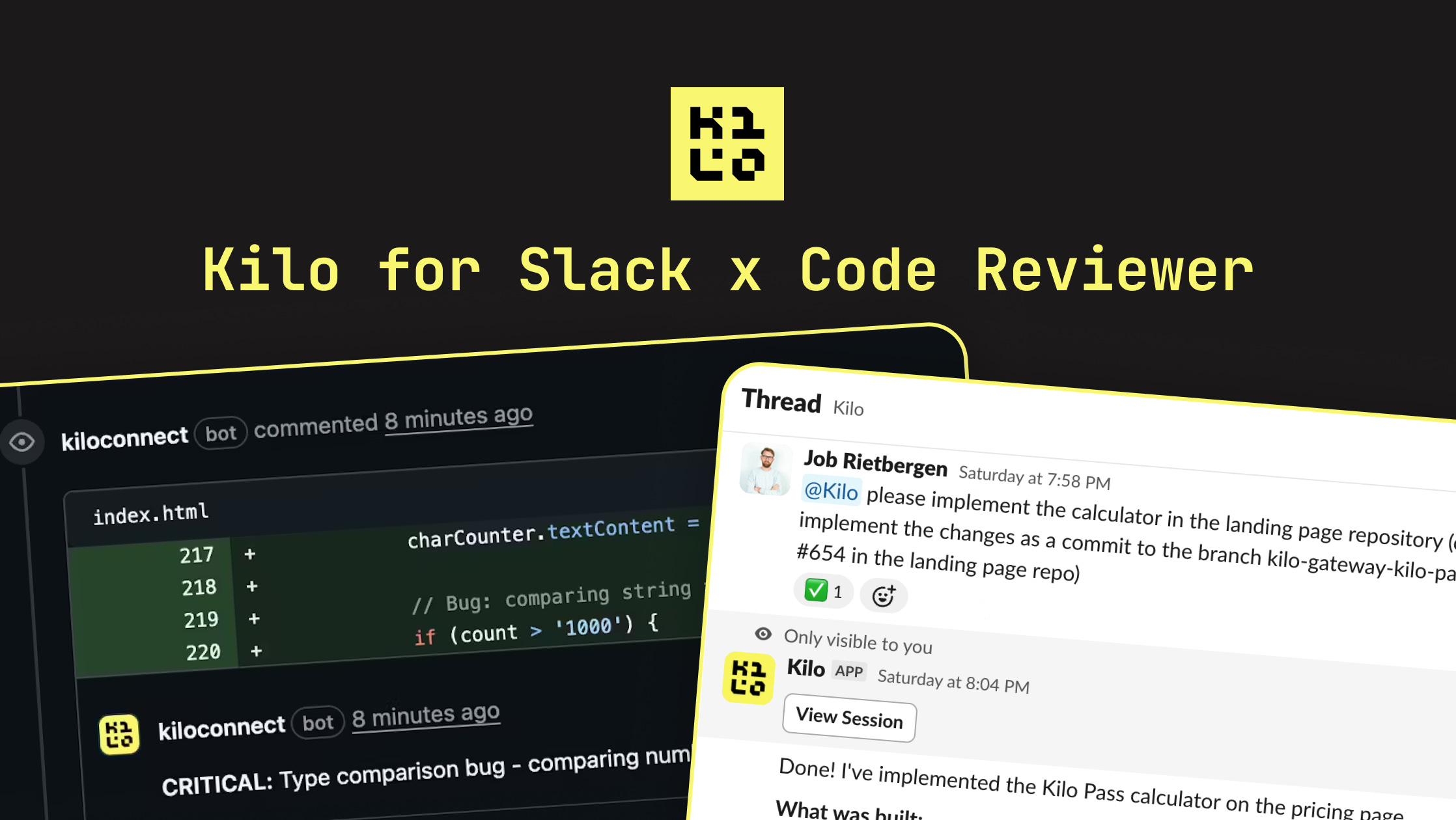
Starting with Context: Kilo for Slack
I fired up Kilo for Slack to get a summary of how our pricing logic was implemented in the backend repo:
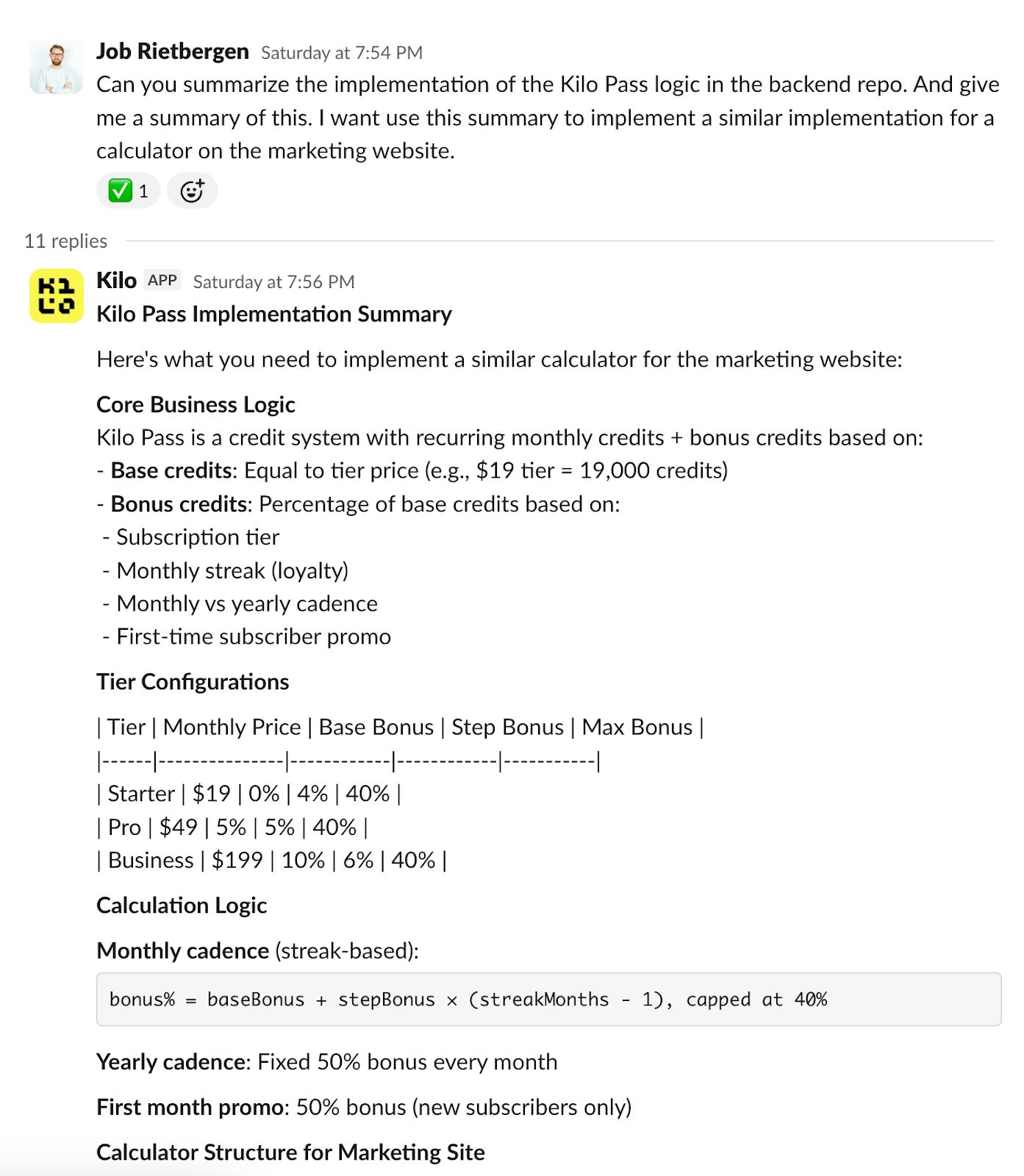
With this context, I asked Kilo for Slack to create a first iteration of the calculator for our marketing site, using the same logic it had just summarized:
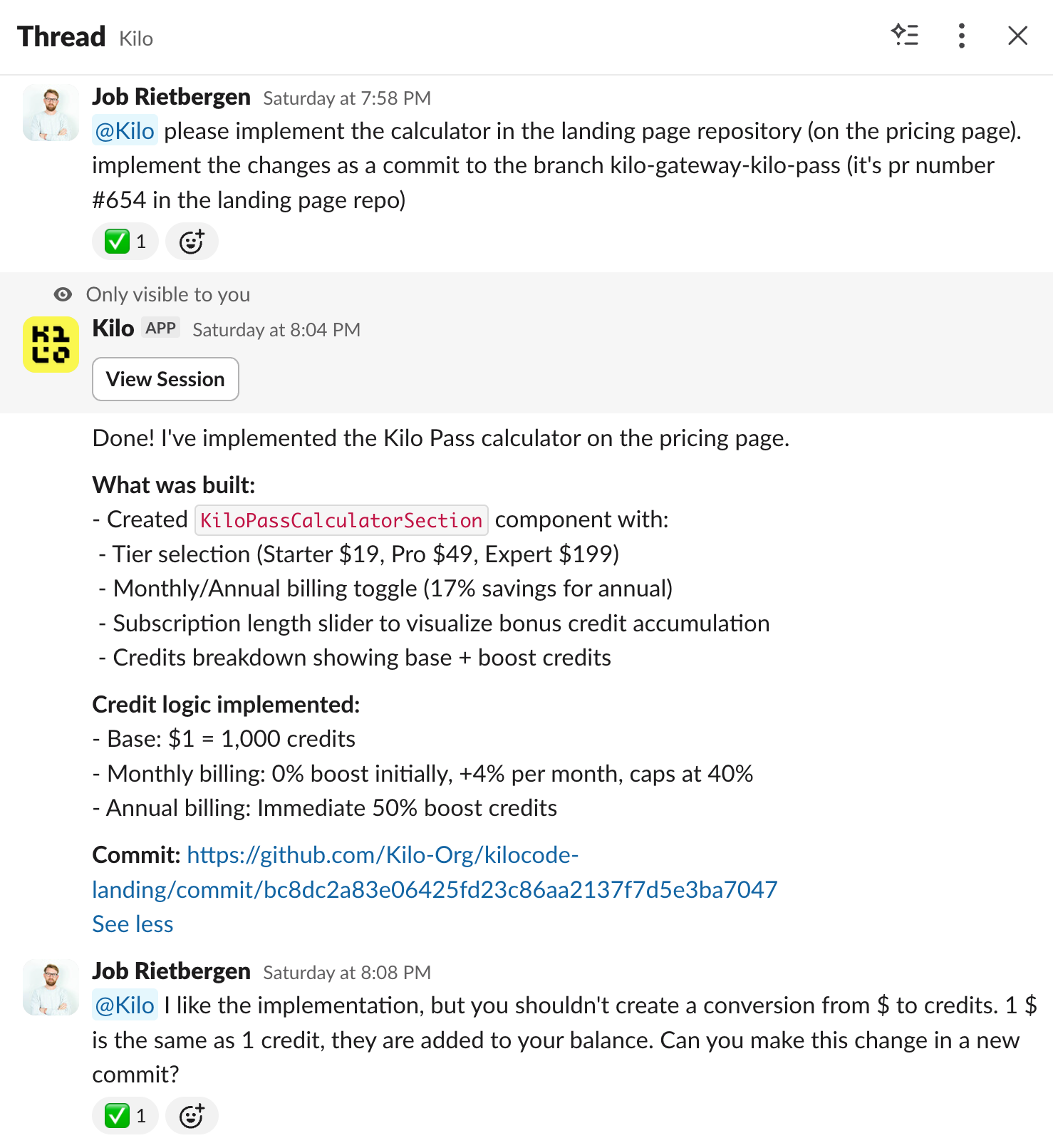
The initial version needed refinement. It was converting dollars into credits that weren’t 1:1, but our pricing is very straightforward; credits equal exactly what you pay in dollars.
After a few iterations in Slack, I had a working implementation ready to pull into my IDE.
Refining in VS Code
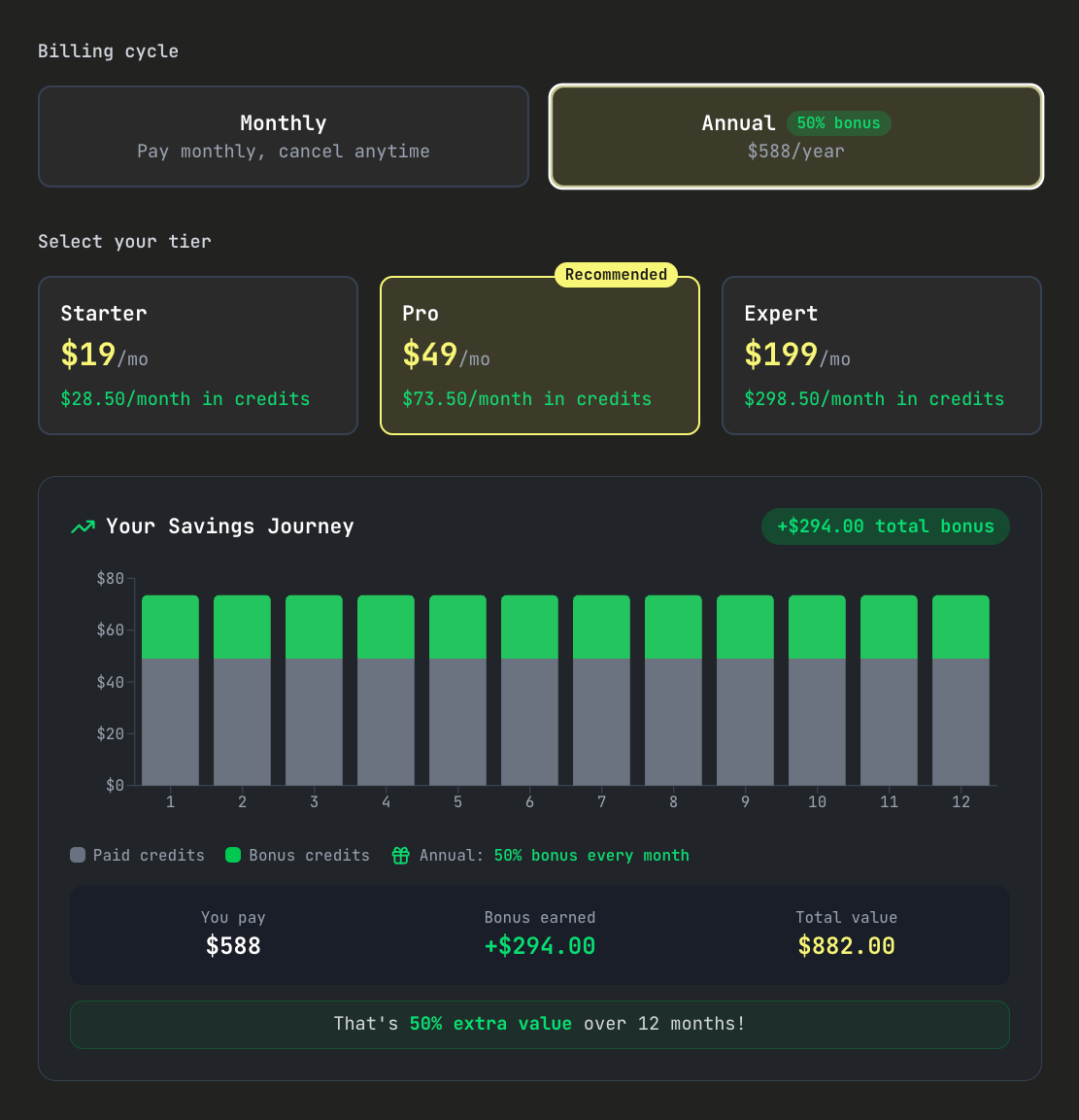
I switched to VS Code and pulled in the latest commit. After some tweaking, I ended up with a clean version for annual pricing:
For the monthly version, I build an interactive slider so users could see exactly how much they save by staying on their subscription streak:
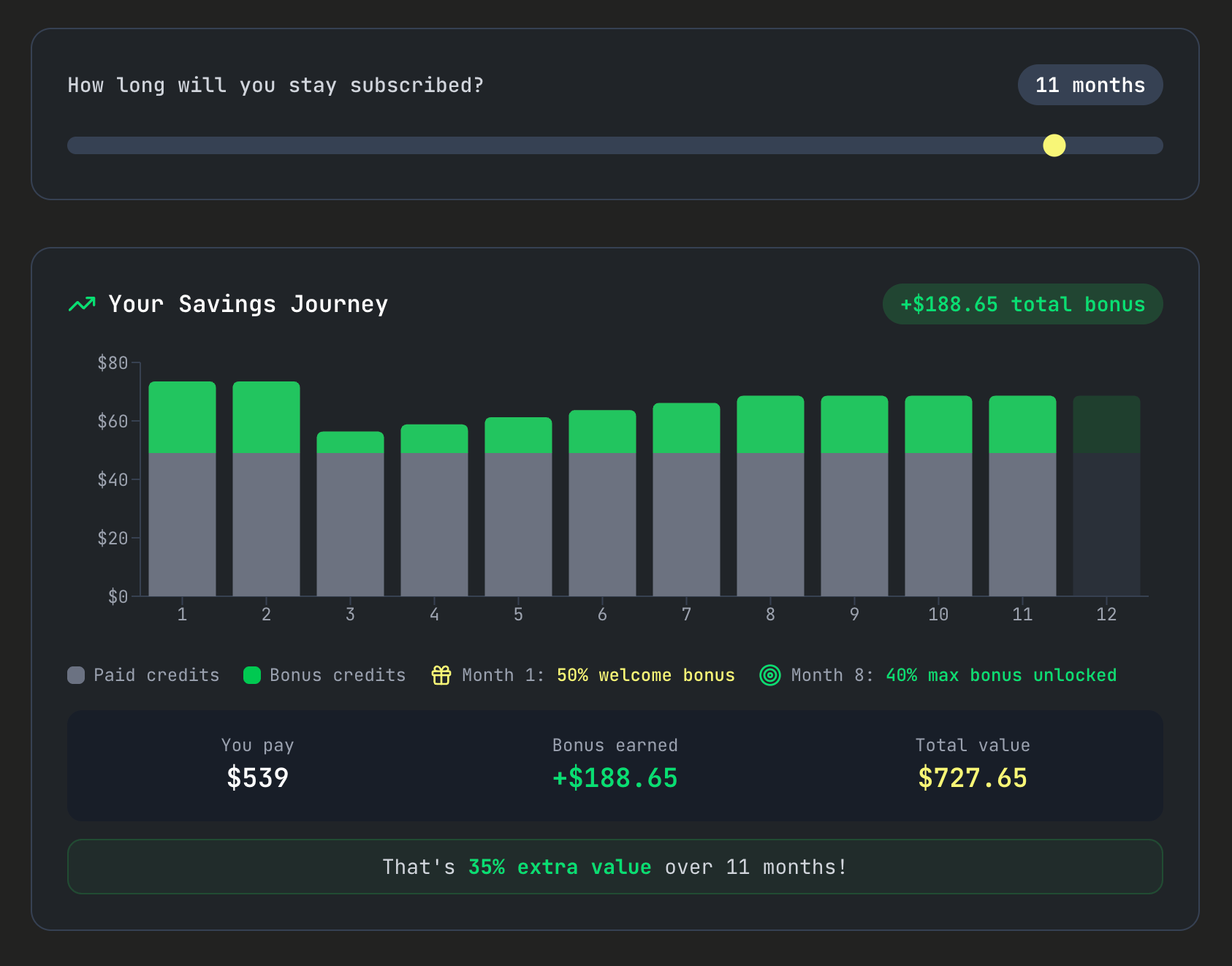
You can see the final result in action here: kilo.ai/features/kilo-pass
Shipping a Promotional Banner
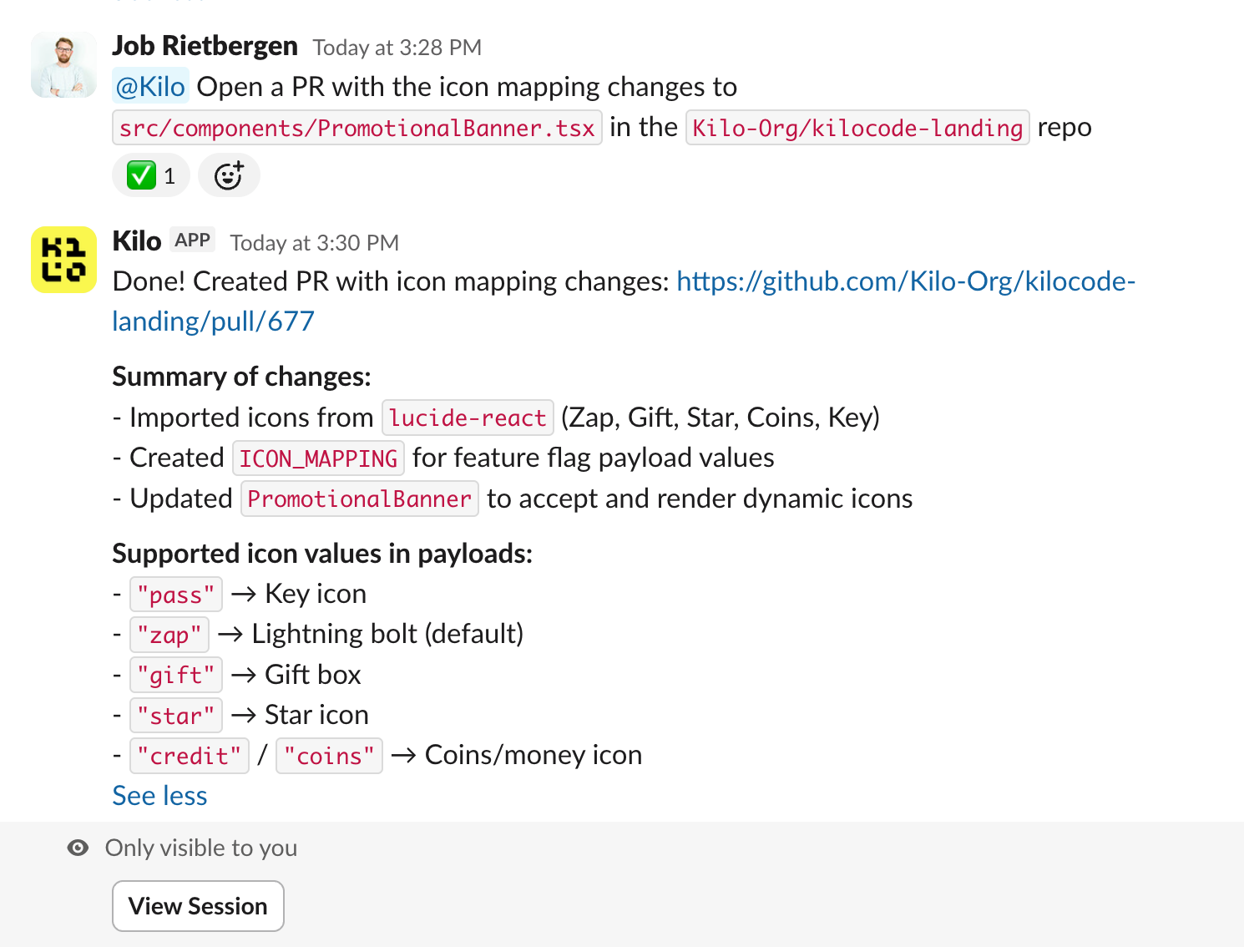
We had a promotional banner set up with PostHog, but I needed a new icon. I asked Kilo to suggest options:

After reviewing the options, I implemented the chosen icon and quickly deployed it. I then adapted the payload for the banner in PostHog, shipping the change in just 15 minutes (and I can update the text for future notification banners, including the new icon options) :
Updating User-Facing Copy
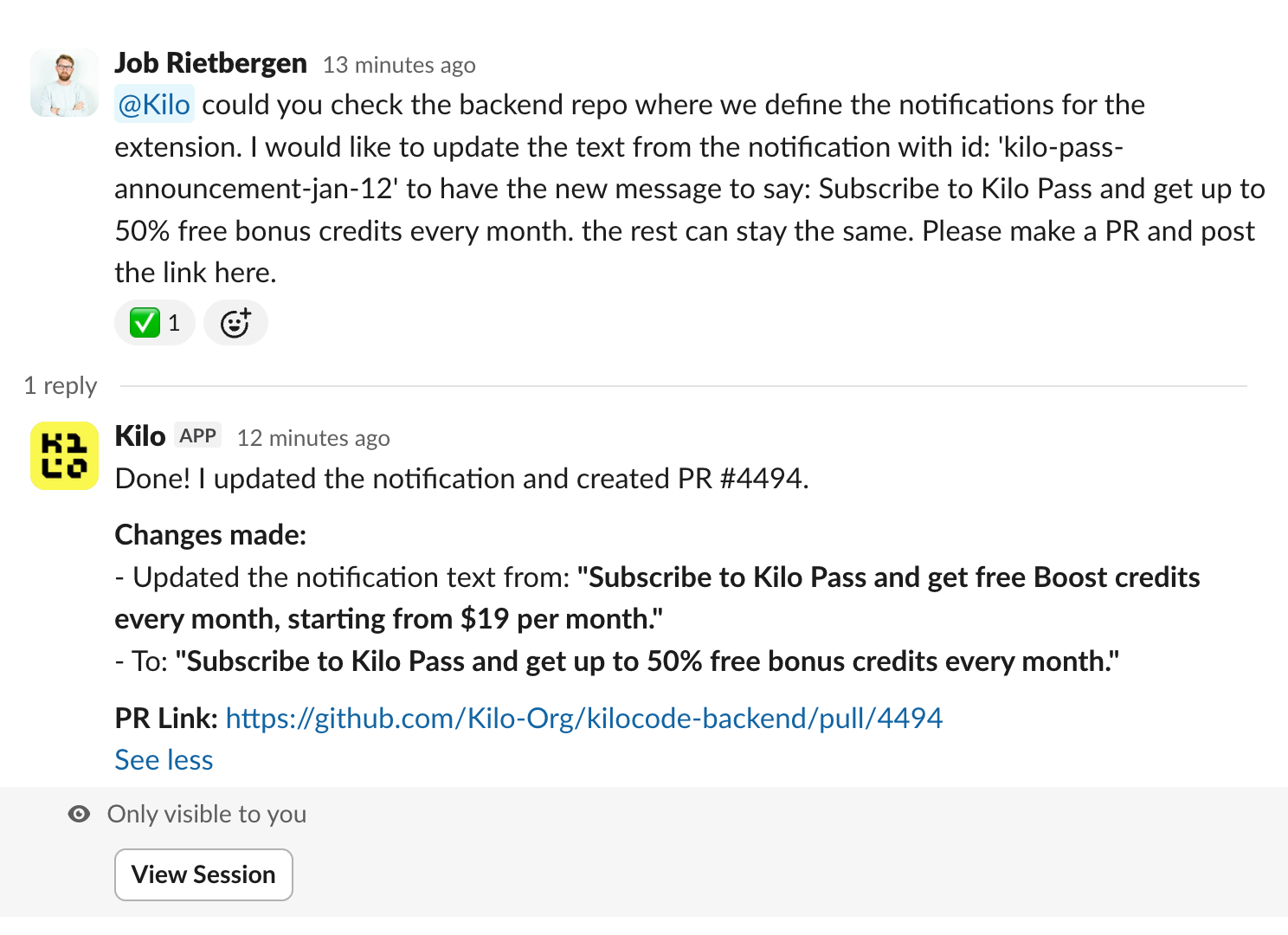
The final piece was updating the notification wording in our IDE extension and the CLI. I asked Kilo to handle this update:
The options are endless when you know how to leverage AI tools in product and growth work.
Iterating Fast on Promotional Changes
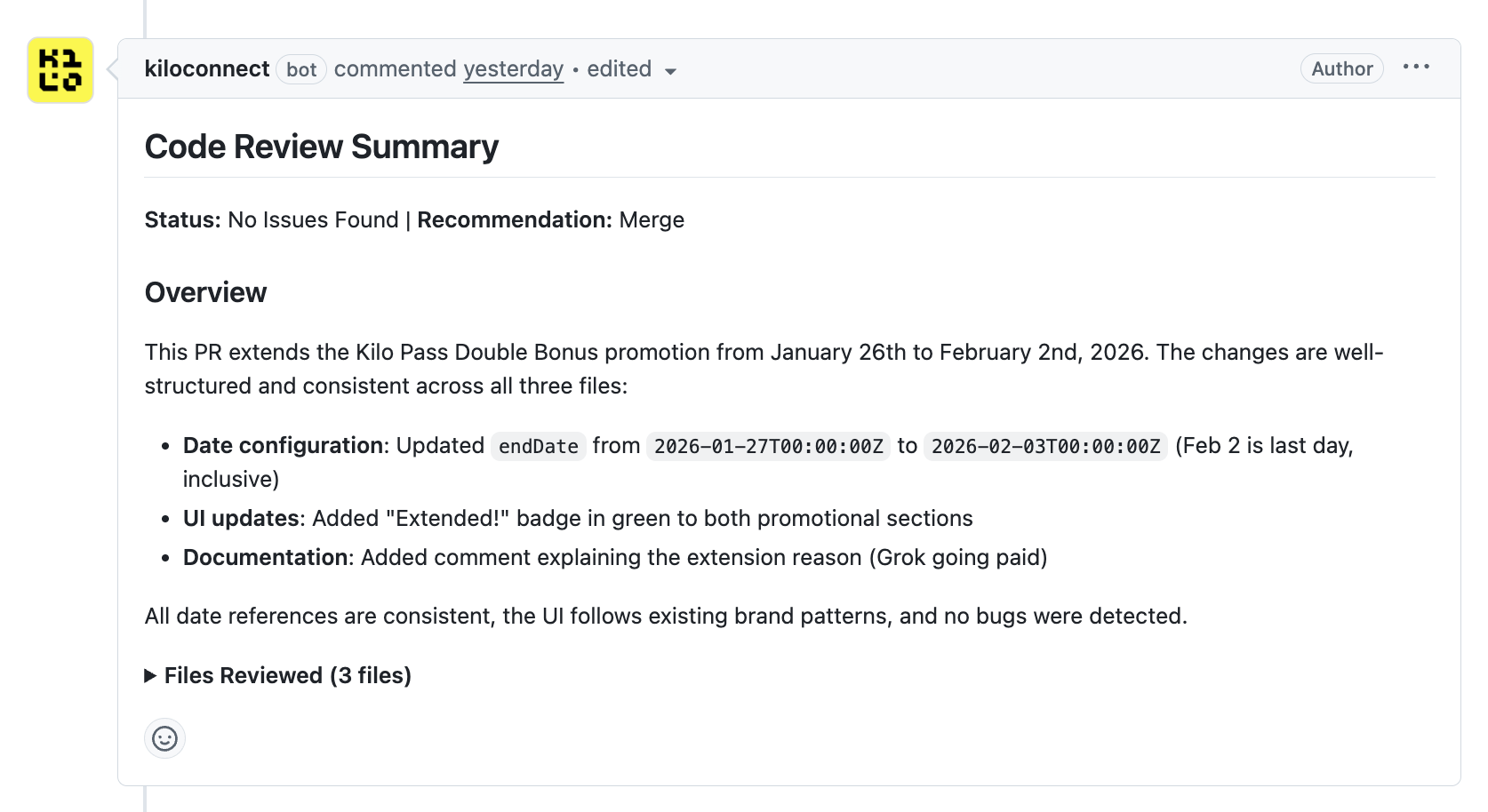
A week later, we changed the welcome bonus (50% free credits) from 1 to 2 months. Because of the big success of Kilo Pass, we decided to extend it another week. I one-shotted the implementation across 3 pages and prepared to merge, all from Slack:
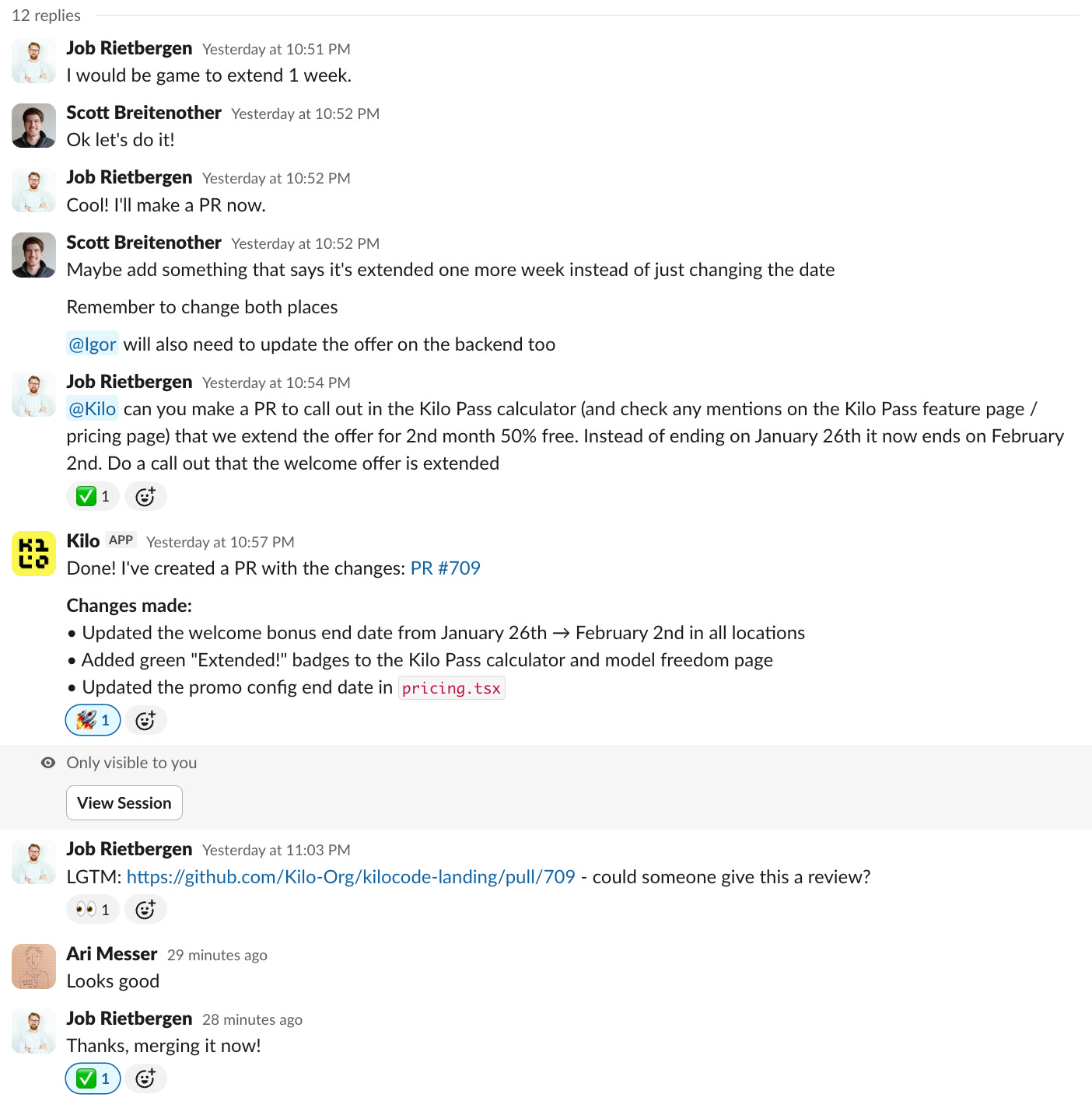
Kilo Code Reviewer gave me final confirmation that the changes were consistent and working properly. After an internal review, I quickly shipped it:
Learning and Adapting
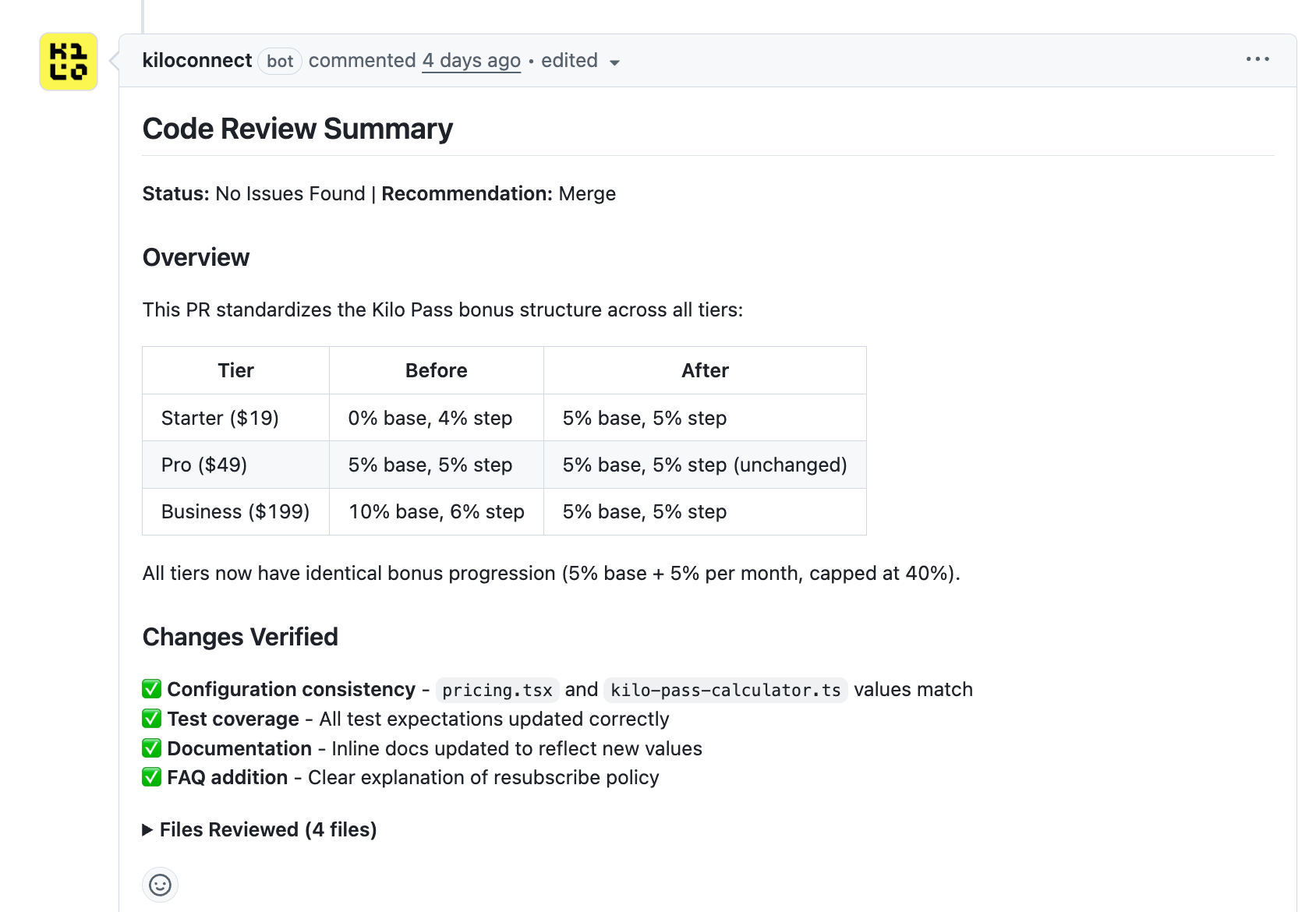
Based on user feedback about what they liked and what wasn’t clear, we went on to implement the same bonus percentages and ramp up for free credits on all the monthly plans. I created this using a mix of IDE and Kilo for Slack work, with Kilo Code Reviewer checking all the PRs before merging them:
The Result
What traditionally might have taken days of back-and-forth with engineering happened in hours. I was able to:
Understand complex backend logic instantly
Generate working code implementations
Iterate rapidly based on user feedback and internal discussions
Catch inconsistencies before they shipped
Ship multiple versions of the Kilo Pass feature as our promotion evolved
This is how one person in a growth role can move with the speed of a small engineering team.
—> Try Kilo for Slack now: kilo.ai/slack
—> Try Kilo Code Reviewer now: kilo.ai/code-reviewer
—> Get Kilo Pass and earn up to 50% on your AI subscription: kilo.ai/features/kilo-pass