

Kilo Desktop is a brand new experience for building with AI. It gives you the full breadth of cutting-edge AI without compromising speed, safety, or choice.
Frontier labs like OpenAI, Anthropic, and Google build remarkable models, but their agents tie you to their own model families. Trying an open-source model from NVIDIA, Moonshot, MiniMax, or Z AI means changing your setup. Running a local model adds another tool to manage. Before you can build what you have in mind, you’re stitching together the tools to do it.
Kilo Desktop puts that work in one app. You get native access to more than 500 AI models, agentic coding and data science workflows that plan before they build, and built-in management of local models and conda environments. Go from an idea to a plan, to working code, to testing the result, all in the same place.
One app. Every use case.
Build a first prototype, add a feature to an existing app, analyze a dataset, or debug a failing pipeline. Kilo Desktop gives you a place to work through the whole project without switching tools every time the task changes.
Workspaces
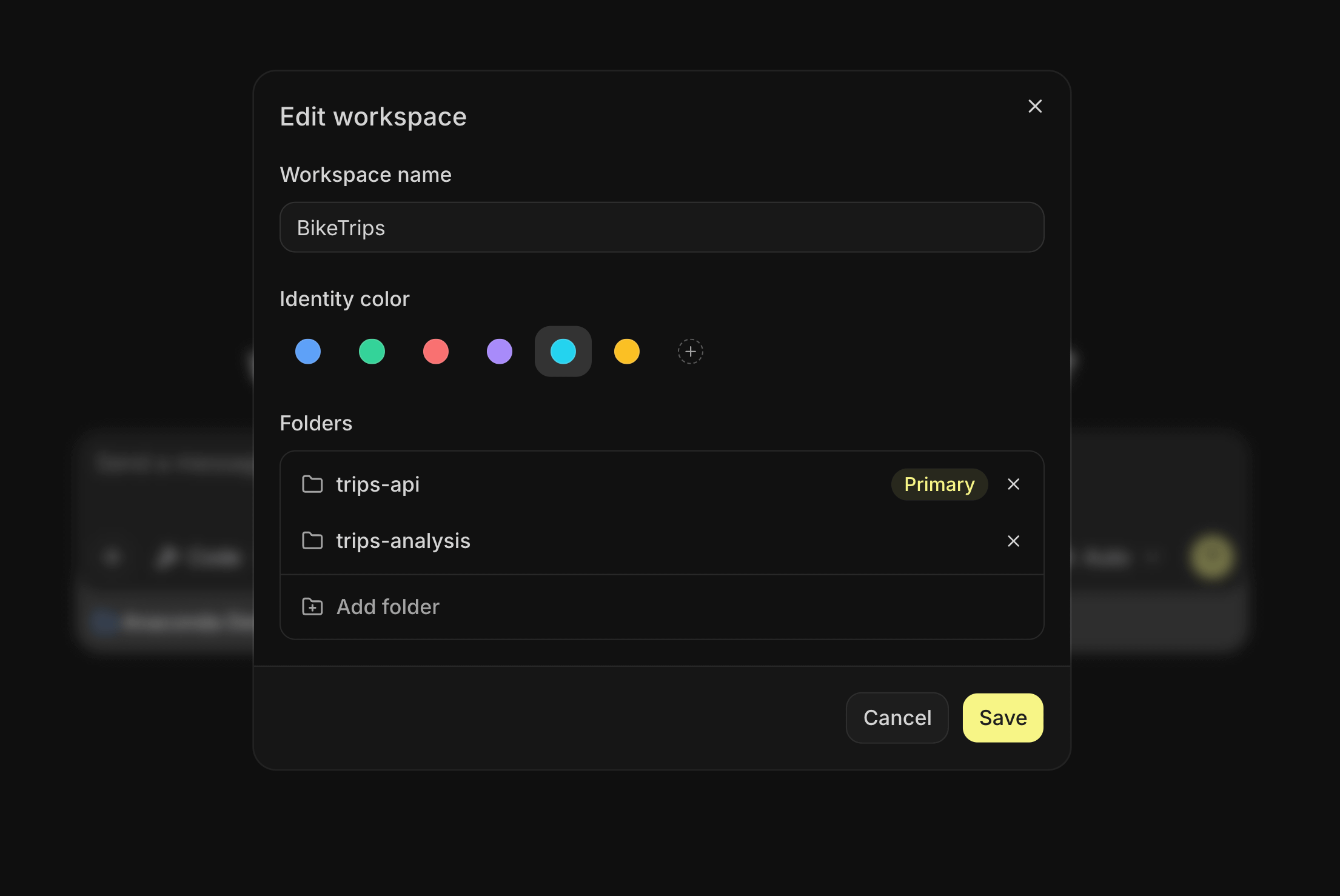
Real projects rarely live in one folder. Your frontend, API, and analysis might sit in different repositories, and most coding agents can only see one of them. A Kilo Desktop workspace is a named group of folders from your machine, so the agent can read across your project while it builds. It can use the analysis to write the service, or check the API while updating the frontend, without you copying files between them.
Agent modes
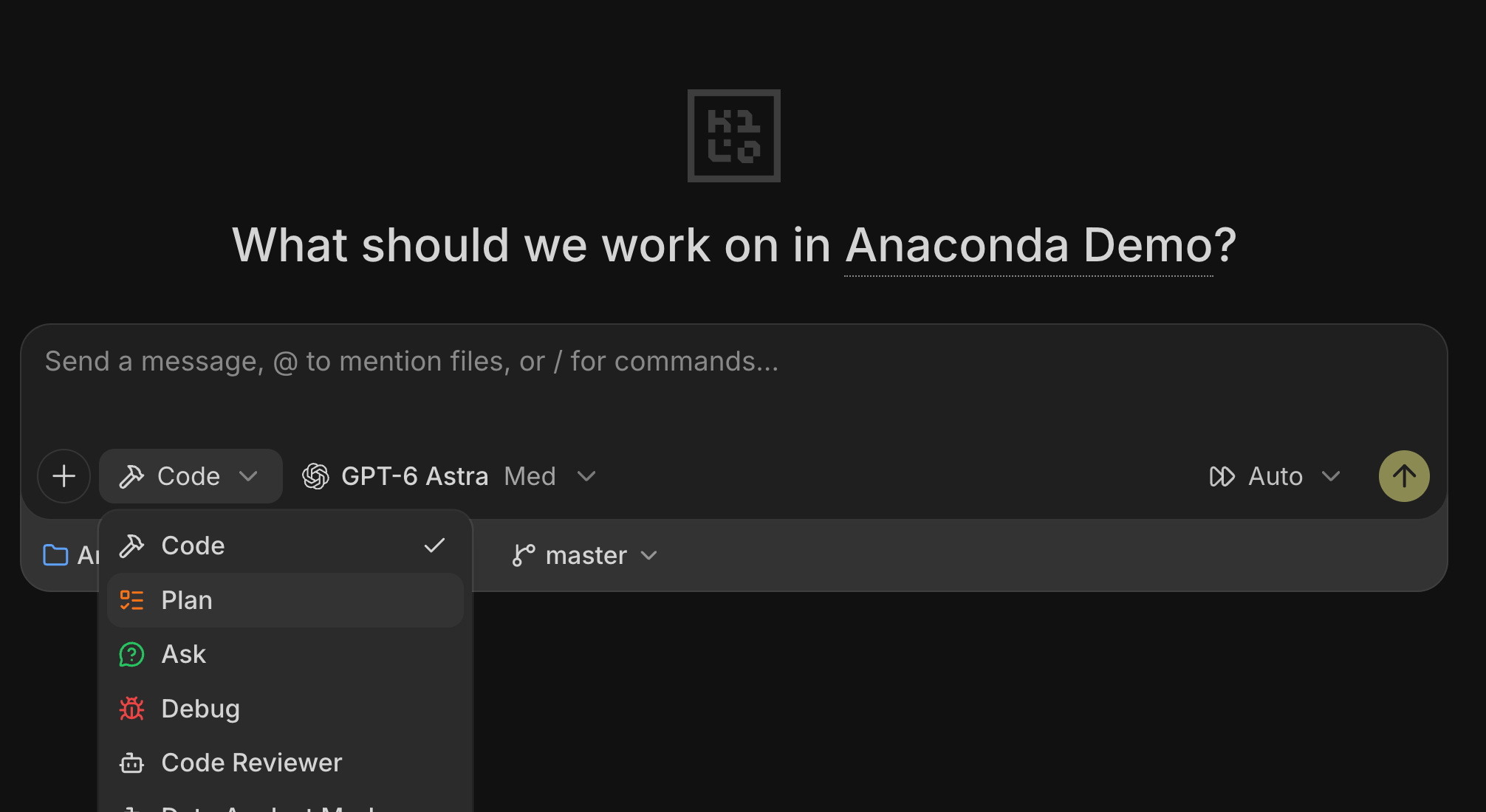
Kilo Desktop ships with four agents. Code writes and edits files. Plan reads your project and returns a step-by-step implementation plan without touching a line. When you approve a plan, Code takes over, splits the plan into subtasks, and runs them in parallel with sub-agents.
Ask answers questions about your code without changing anything, so you can understand how a project works before diving in. Debug finds what broke and fixes it. You can also build custom agents for your own workflows and share them with your team.
One app. Your entire workflow.
Notebooks that agents can edit
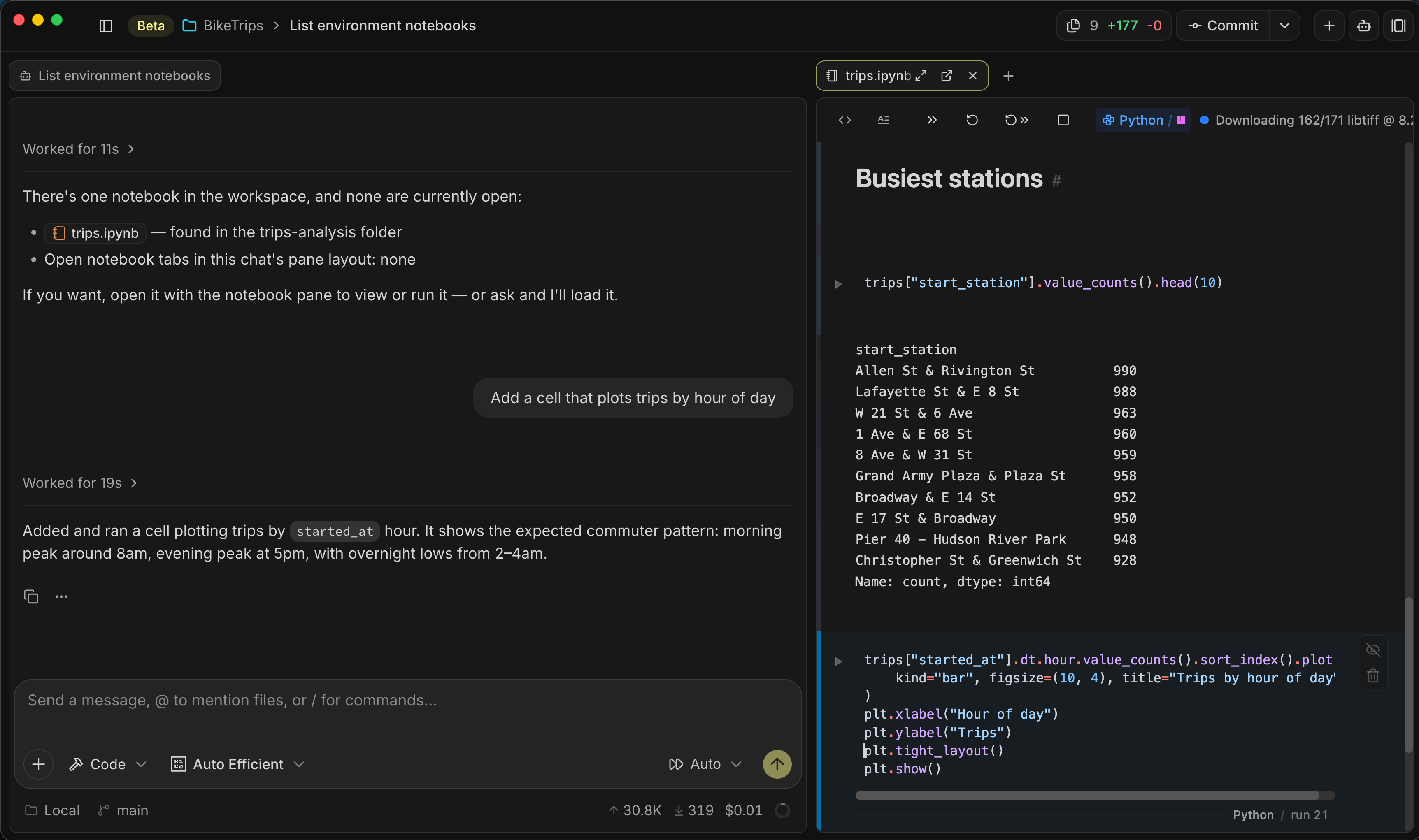
In most tools, AI help with a notebook means pasting cells into a chat and pasting answers back. In Kilo Desktop, the agent edits the notebook directly, and you watch its cursor move through the cell as it writes. Explore a dataset, test an idea, or work through an analysis with the agent. You review the work as it happens, in the notebook, with the data loaded.
Conda environments without a terminal
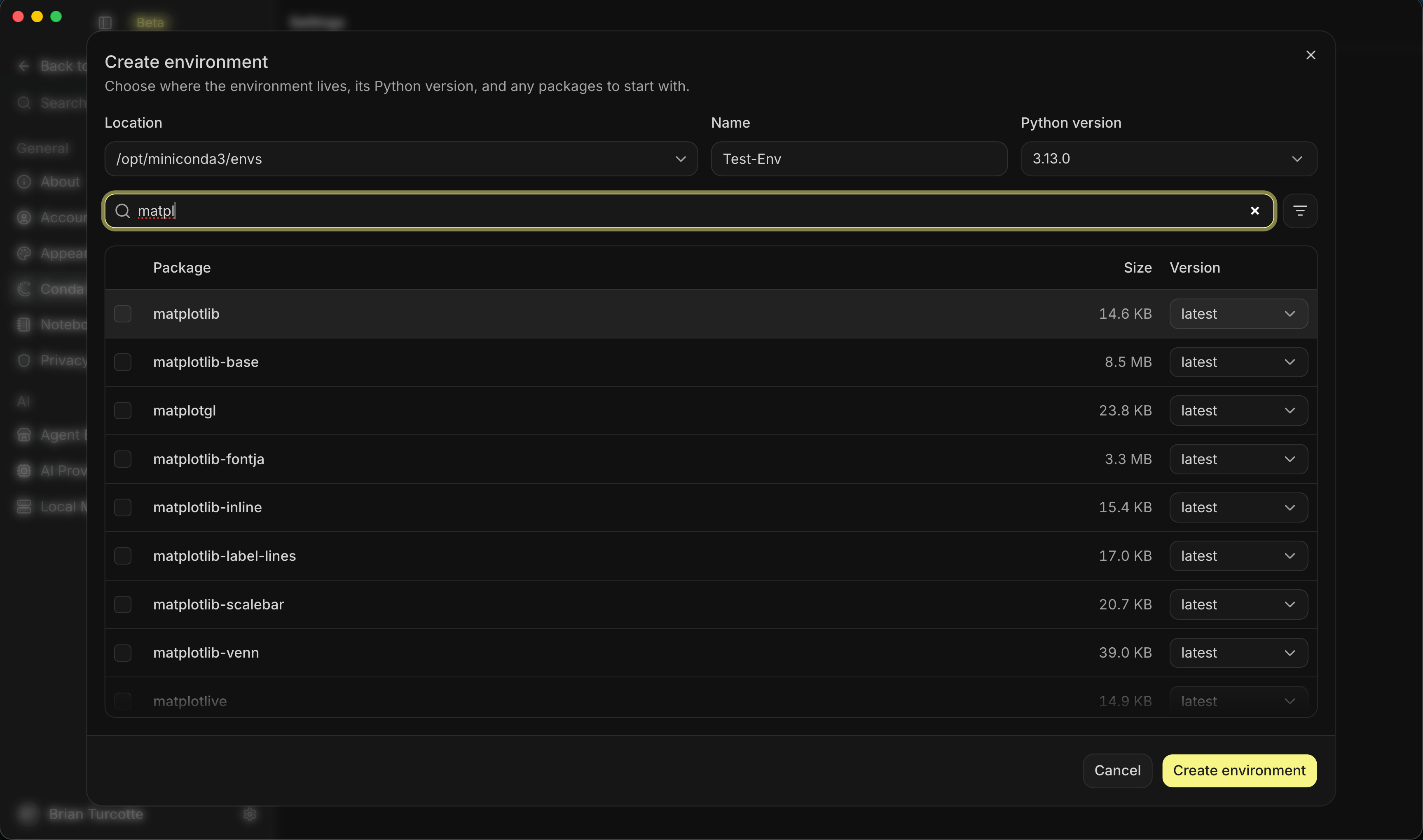
Getting a project running shouldn’t take longer than building the first version. Kilo Desktop creates and manages conda environments inside the app and draws packages from Anaconda’s catalog of more than 19,000 vetted packages. You get the right dependencies before the first prompt, with less time spent on setup.
A layout built for review
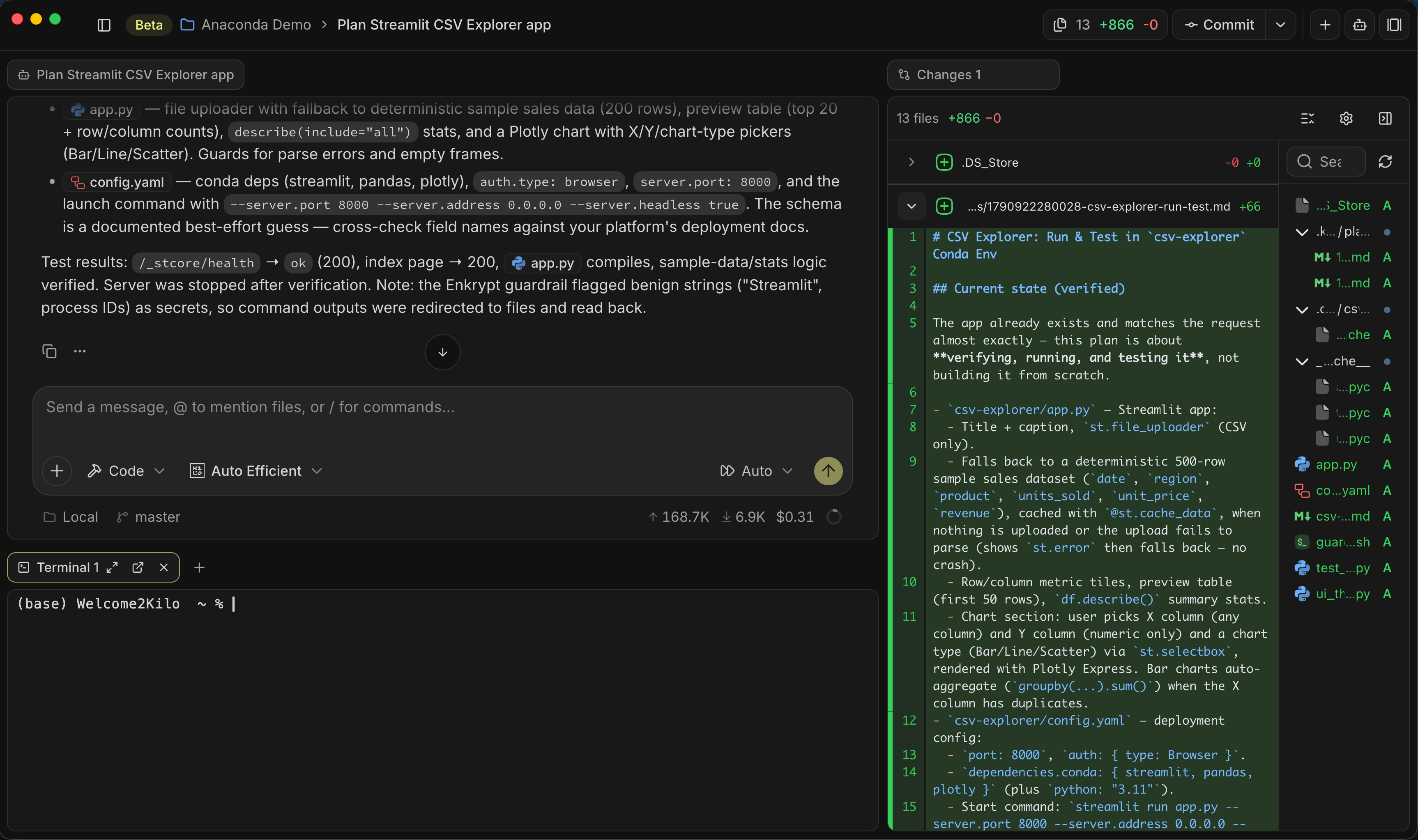
Chats, notebooks, files, diffs, and terminals all open as tabs, and you arrange them into groups however the work demands. Keep the diff view open while the agent writes to see changes as they land, then run the result in a terminal beside the chat. You can follow what the agent is doing and try what it builds without leaving the app.
For wide layouts, carousel mode lets you set each panel’s width and scroll across them. Any tab can go full screen or pop out onto a second monitor, and it snaps back into place when you’re done.
One app. Massive power.
500+ models, and a router that picks for you
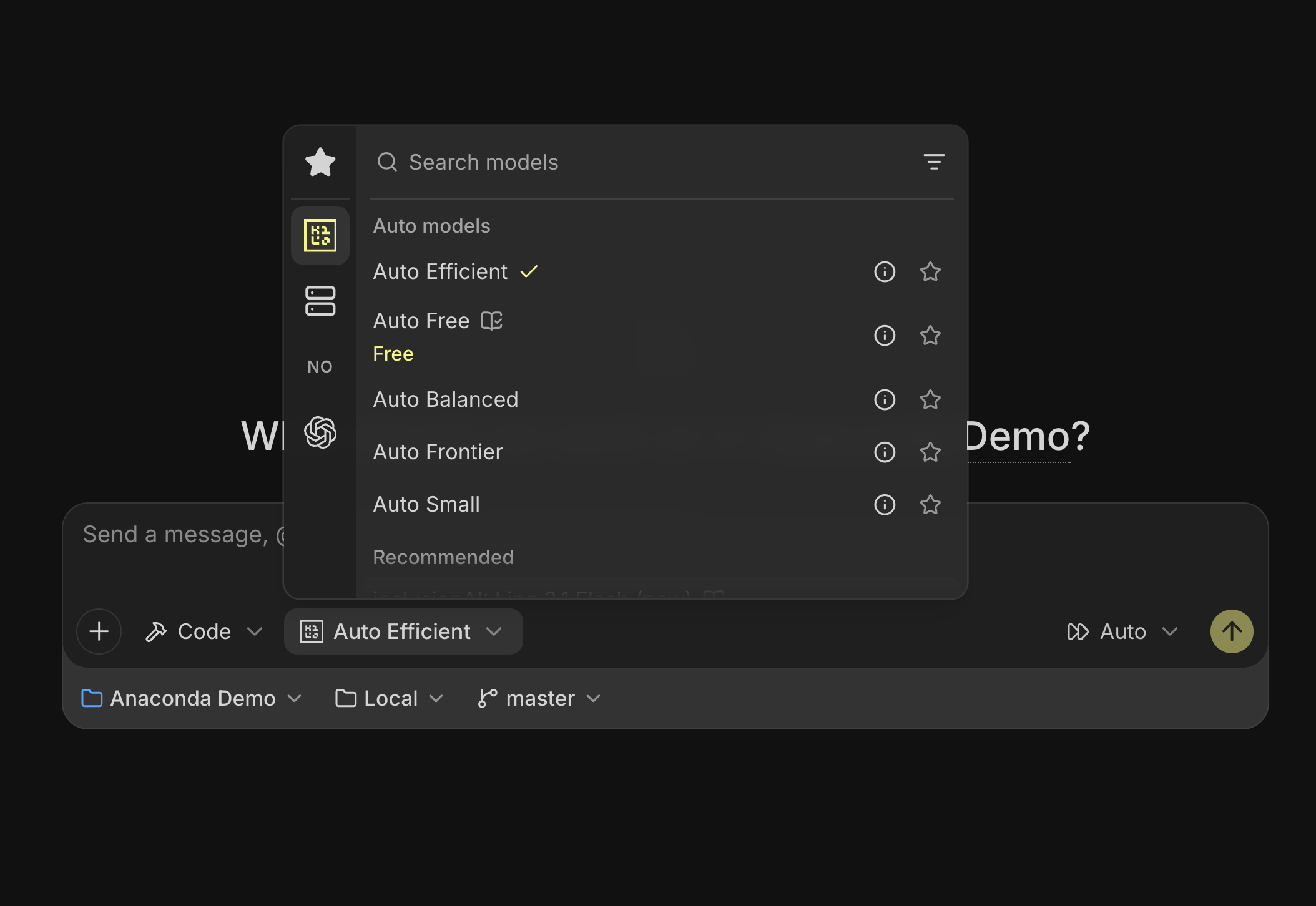
Every major frontier lab, the leading open-source models, and providers from every geography are available in one picker. Try different models as you build without moving your project into another tool.
If you’d rather not choose, Kilo’s auto routers choose for you. Auto Efficient checks your request against Kilo Bench, our own coding benchmark, and sends it to the cheapest model that has proven capable of that kind of task. You pay for what the job needs, so you can keep experimenting without using your most expensive model for every edit.
Bring your own providers
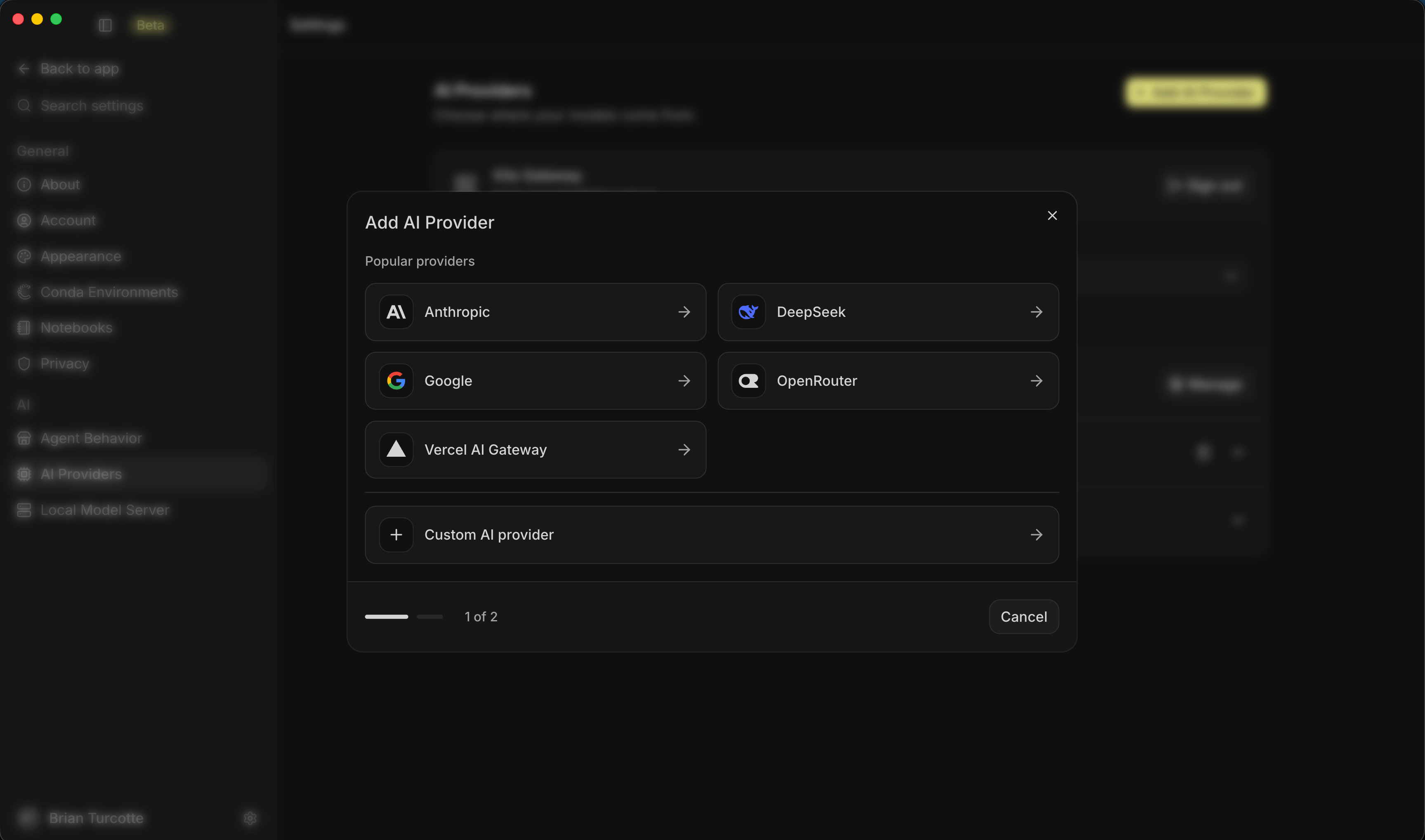
Already have a model subscription, an API key, or a model you host yourself? Models you host or subscribe to elsewhere plug in through a preset or a custom endpoint with your own API key.
Local models
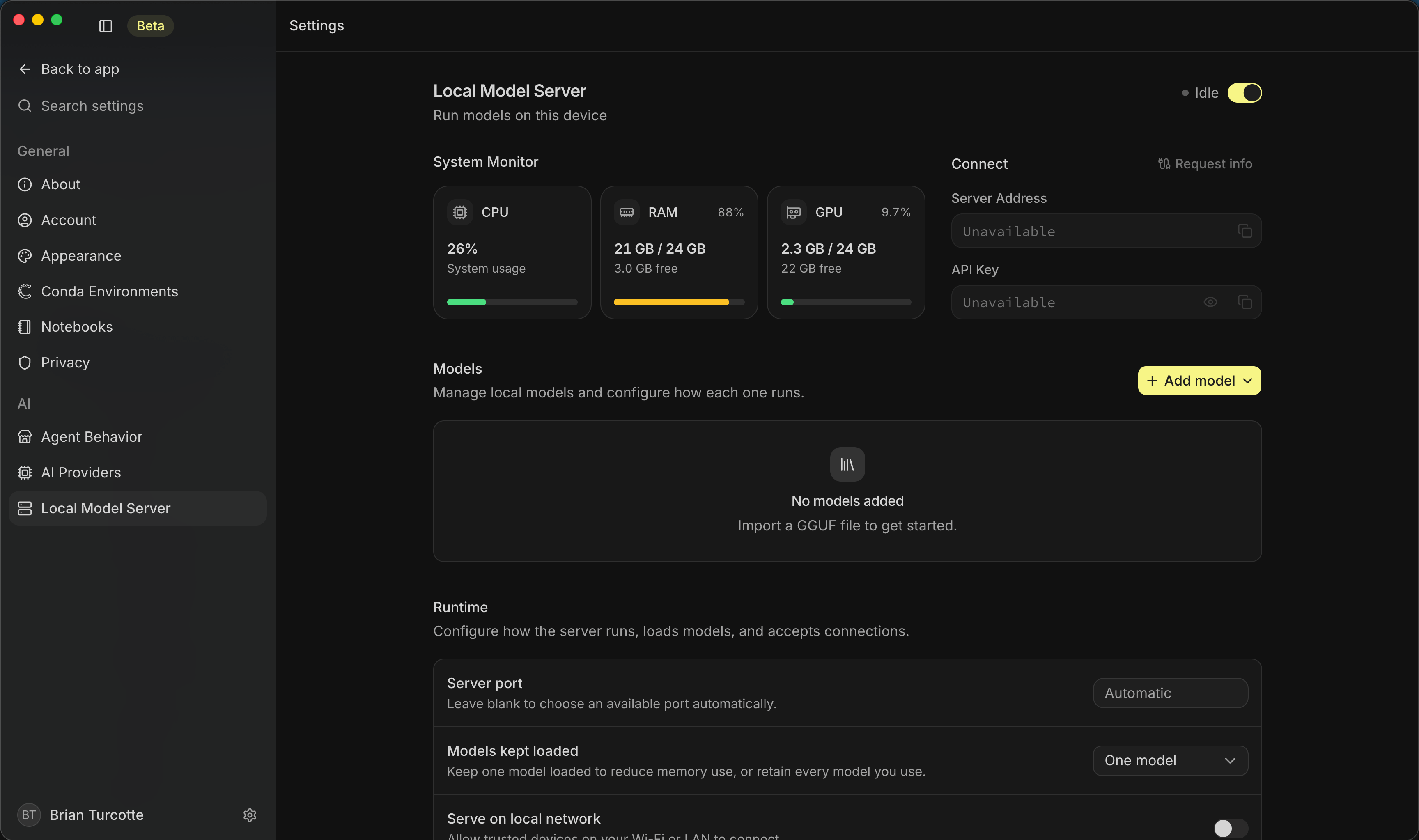
Some work should never leave your machine. Kilo Desktop includes a local model server that runs open models directly on your hardware, where your prompts stay with them. One setting controls whether local requests carry Kilo’s full agent toolkit for working on code or run without it for lighter, faster interactions.
Skills, MCP servers, and custom agents
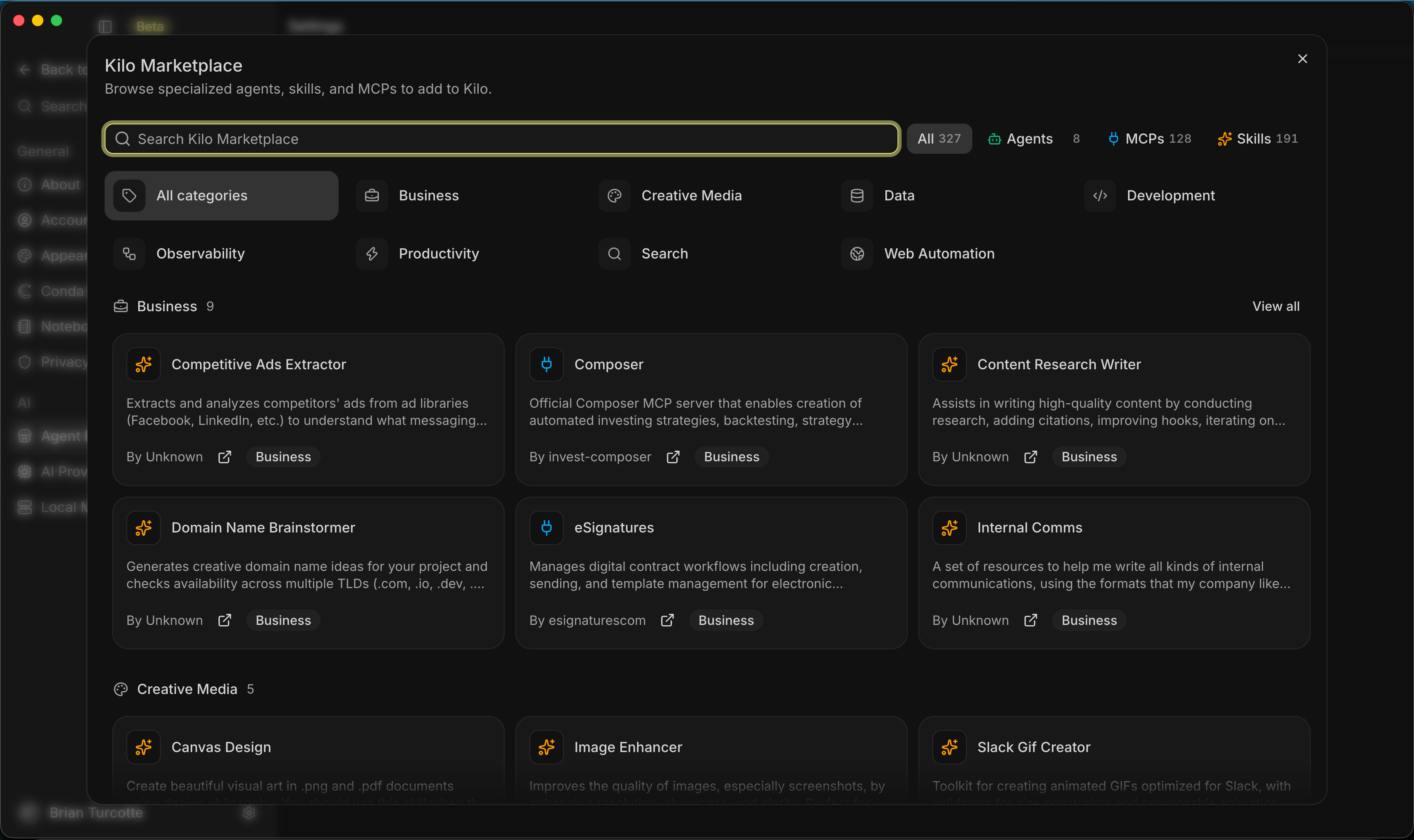
Make Kilo Desktop fit the way you build. The Kilo marketplace carries skills, Model Context Protocol (MCP) servers, and custom agents, and you can install any of them for one workspace or for all of them. An agent you shape for one project follows you to the next, so you don’t have to rebuild your setup every time you start something new.
Built for you. Ready for your team.
When you’re building with a team, Kilo Desktop gives administrators control over which models people can use, which providers and geographies are allowed, what each agent is permitted to do, and which skills it can install. The controls live in the product, so everyone can build within the boundaries your team sets.
Kilo Desktop is available to download today. Bring an idea, open a project, and start building. We’d love to see what you make.
A legit comment asking about data retention policy is hidden. Why?
The linux download for Kilo Desktop is only .deb. I looked for kilo desktop code so I could figure out how to repackage for my linux system, but it's not clear (to me) where that might be. The github releases don't contain Kilo Desktop. Does this mean desktop is proprietary and closed source or is this gap simply the outcome of freshness and many moving pieces? Please be clear.
https://github.com/Kilo-Org/kilocode/issues/14851