

Cloud Agents already let you run Kilo from anywhere, with no local machine required. But what if your agent could start working before you even opened the dashboard?
That’s exactly what Webhook Triggers unlock. They let external systems kick off Cloud Agent sessions via HTTP requests, turning Kilo into an event-driven automation platform that responds the moment something happens in your development ecosystem.
Let’s dig into what this actually enables.
What are Webhook Triggers?
At their core, webhook triggers are HTTP endpoints that initiate Cloud Agent sessions. You configure a trigger with:
An Agent Environment Profile (your env vars, secrets, and setup commands)
A prompt template that can dynamically reference the incoming request payload
A target repository to work against
When an external system hits your webhook URL, Kilo spins up a Cloud Agent session, clones your repo, and starts executing based on your prompt template—all without any manual intervention.
In the prompt template, you can reference request data using placeholders like {{body}}, {{bodyJson}}, {{headers}}, and {{query}}. This means the content of the triggering event becomes the context for what the agent does.
Use Case Example 1: Issue-to-Implementation Pipelines
Here’s a workflow that compresses days of back-and-forth into minutes.
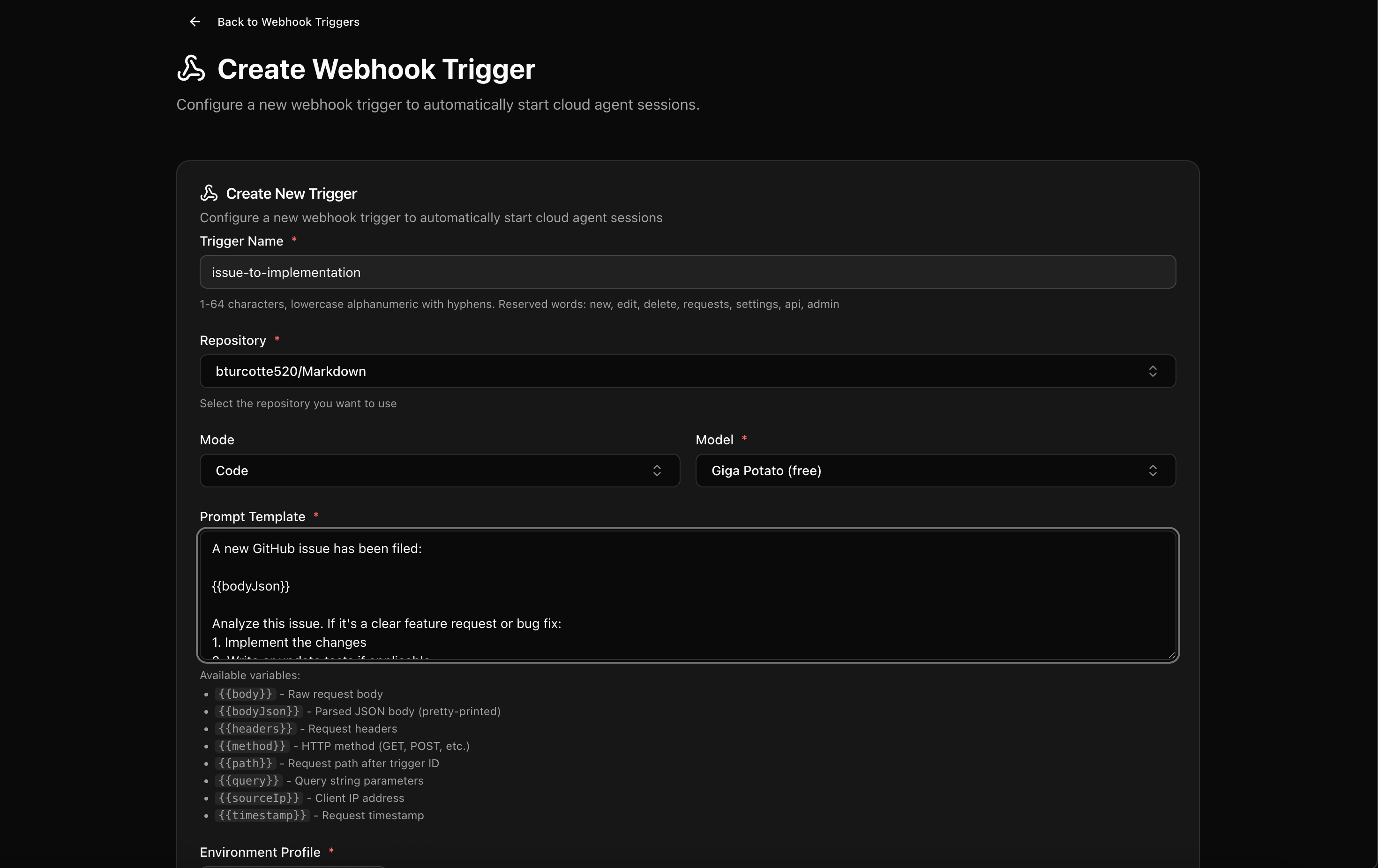
Configure a webhook that fires when a new GitHub issue is created (or labeled with something like ai-implement). The incoming payload contains the issue title, description, and any attached context. Your prompt template might look like:
A new issue has been filed:

{{bodyJson}}

Analyze this issue. If it’s a well-specified feature request or bug fix:

1. Create a plan.md outlining your approach

2. Implement the changes

3. Write or update tests as needed

4. Commit with a message referencing the issue number
The Cloud Agent creates a dedicated branch, implements the feature, and pushes commits as it works. You check back in for a PR that’s ready for review, instead of an issue waiting in your backlog.
This isn’t about replacing engineering judgment - it’s about eliminating the friction between “we identified a problem” and “we started working on it.”
Use Case 2: Automated Dependency Updates
Dependency management is the kind of work that everyone knows matters but no one wants to own. Webhooks make it automatic.
Set up a scheduled job (or hook into Dependabot/Renovate notifications) that triggers your webhook with a payload containing outdated dependencies. The agent can:
Update package versions across the codebase
Run the test suite to verify nothing breaks
Fix any breaking changes introduced by major version bumps
Generate a changelog summarizing what changed and why
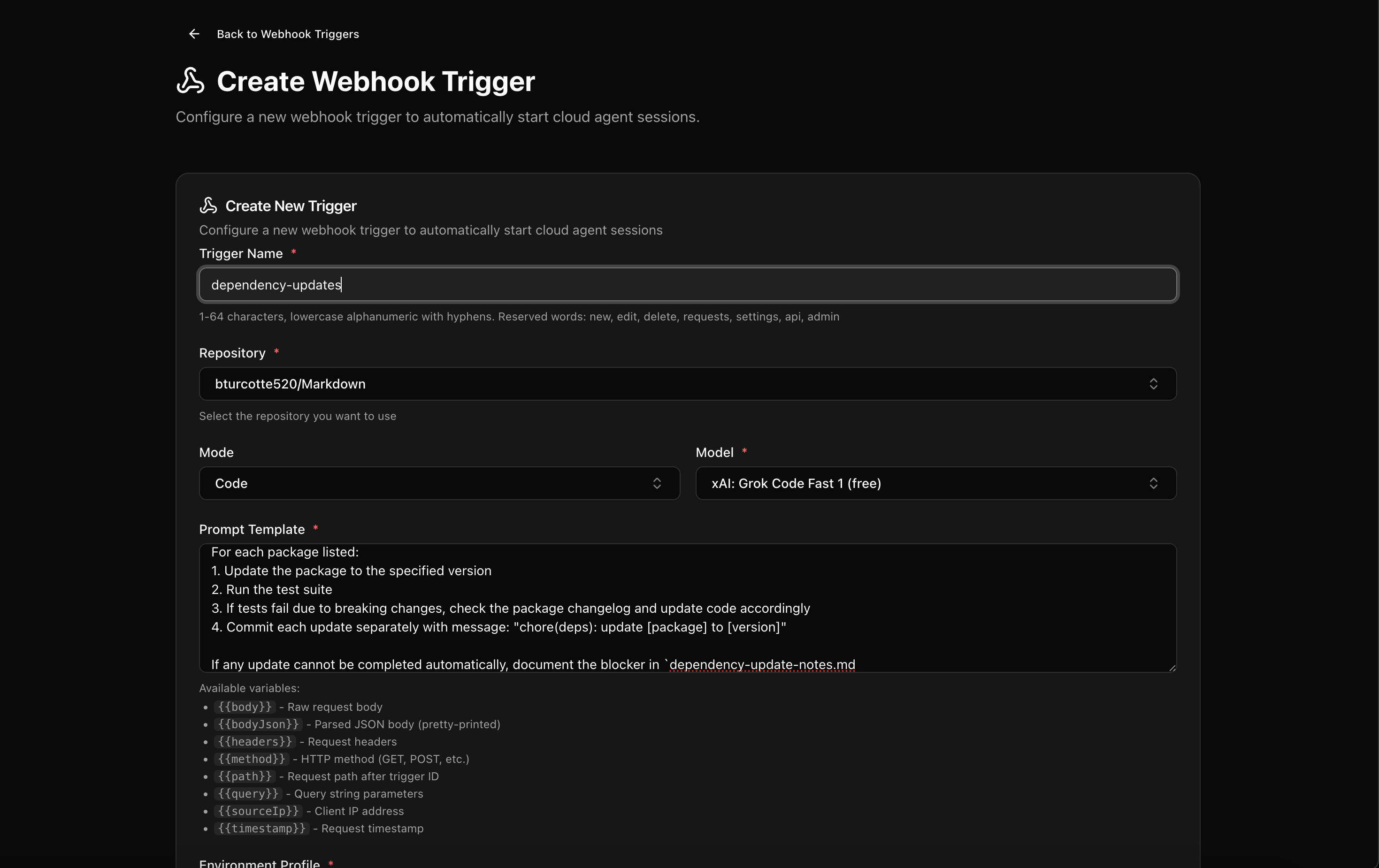
Dependency updates are available:

{{bodyJson}}

For each package listed:
1. Update the package to the specified version
2. Run the test suite
3. If tests fail due to breaking changes, check the package changelog and update code accordingly
4. Commit each update separately with message: "chore(deps): update [package] to [version]"

If any update cannot be completed automatically, document the blocker in `dependency-update-notes.md
For organizations running multiple repos, this turns a quarterly maintenance slog into continuous, automated upkeep. The agent does the tedious work; you review the results.
Use Case 3: PR-Triggered Documentation Sync
Documentation drift is inevitable. Code changes, docs don’t, and suddenly your README isn’t telling the truth.
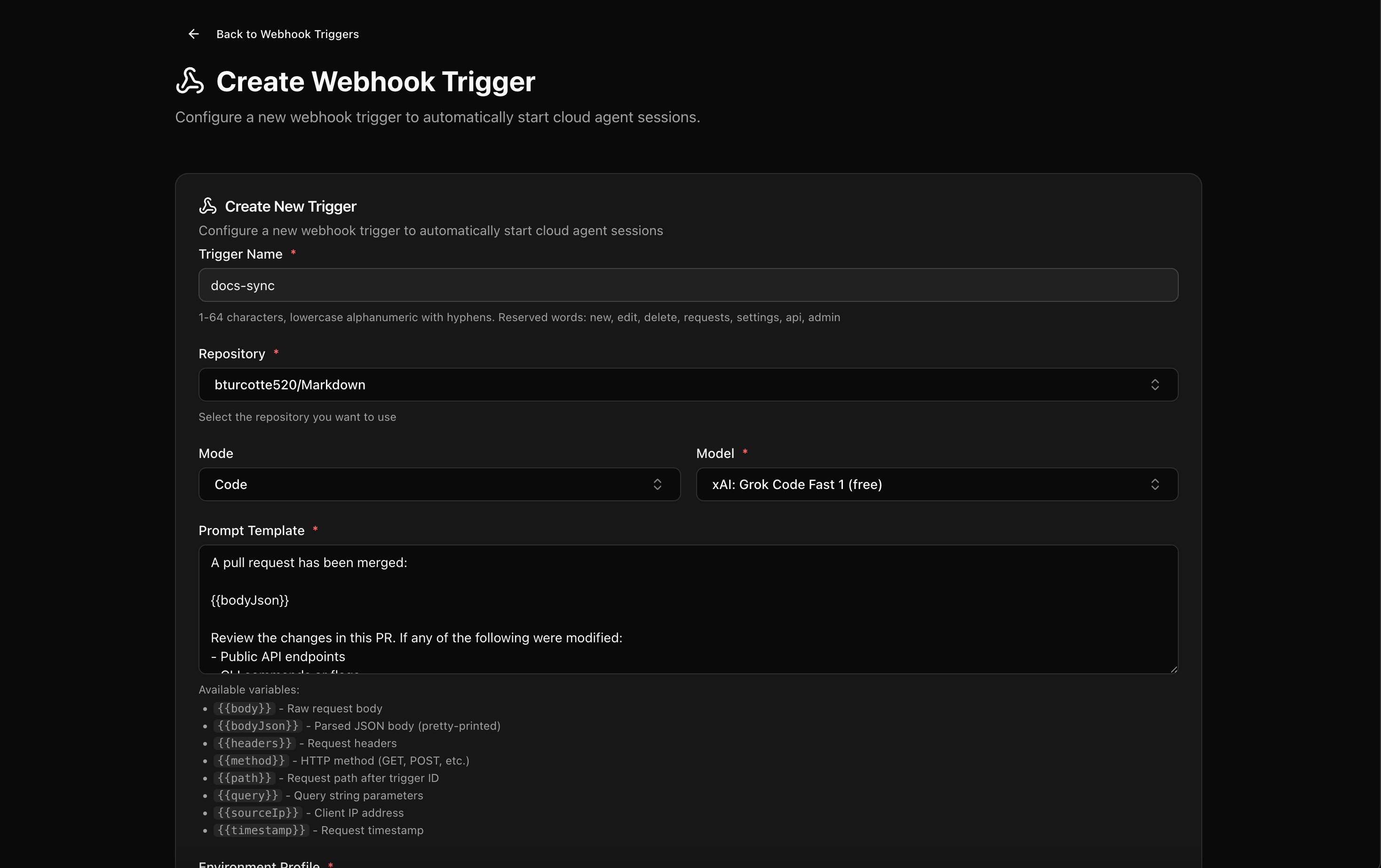
Wire up a webhook to fire on merged PRs. The payload contains the diff, commit messages, and PR description. Your agent can:
Scan for changes to public APIs, CLI flags, or configuration options
Update corresponding documentation files
Ensure code examples still work
Push a follow-up commit (or open a new PR) with the doc updates
Dependency updates are available:

{{bodyJson}}

For each package listed:
1. Update the package to the specified version
2. Run the test suite
3. If tests fail due to breaking changes, check the package changelog and update code accordingly
4. Commit each update separately with message: "chore(deps): update [package] to [version]"

If any update cannot be completed automatically, document the blocker in `dependency-update-notes.md`.
This pairs nicely with Kilo’s Code Reviews feature - your AI reviewer catches code issues before merge, and your webhook-triggered agent keeps docs in sync after.
Use Case 4: Tech Debt Cleanup on Autopilot
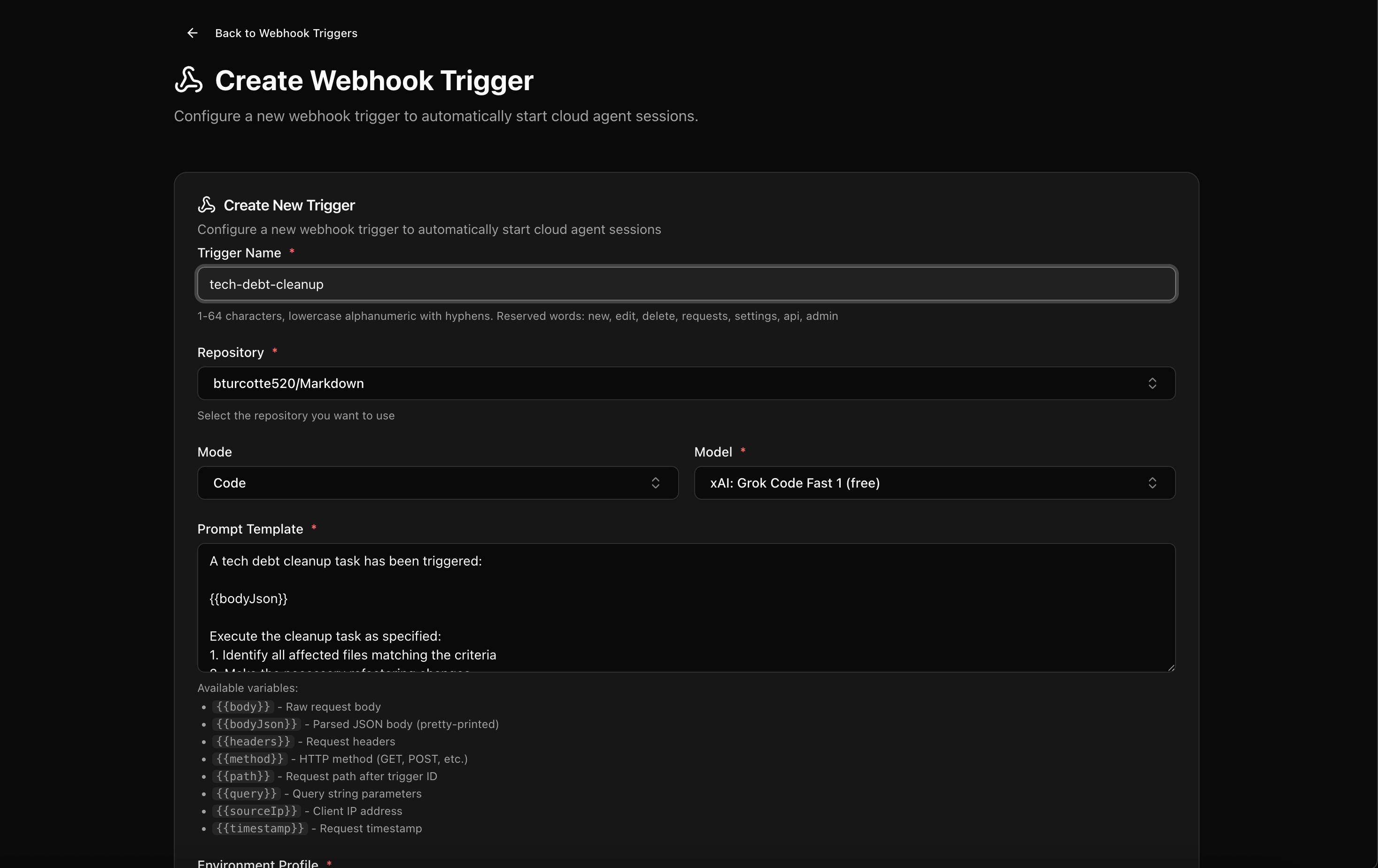
Every codebase has that corner nobody wants to touch. The legacy module with no tests. The deprecated API that’s still used in 47 places. The TODO comments from 2022.
Webhooks let you schedule regular tech debt sweeps without blocking anyone’s sprint. Trigger a session with a payload specifying the cleanup task:
A tech debt cleanup task has been triggered:

{{bodyJson}}

Execute the cleanup task as specified:
1. Identify all affected files matching the criteria
2. Make the necessary refactoring changes
3. Ensure no functionality is altered
4. Run tests to verify nothing is broken
5. Commit with message: "refactor: [task description]"

Document your changes in `cleanup-summary.md` including:
- Files modified
- Number of occurrences updated
- Any manual follow-up needed
The agent can identify usage sites, refactor to the new API, update tests, and push incremental PRs. You control the scope and pace; the agent handles the grind.
This works especially well for tasks that are:
Low complexity but high effort (find-and-replace across hundreds of files)
Easily verifiable (tests pass, build succeeds)
Low risk to business logic
Use Case 5: Security Vulnerability Response
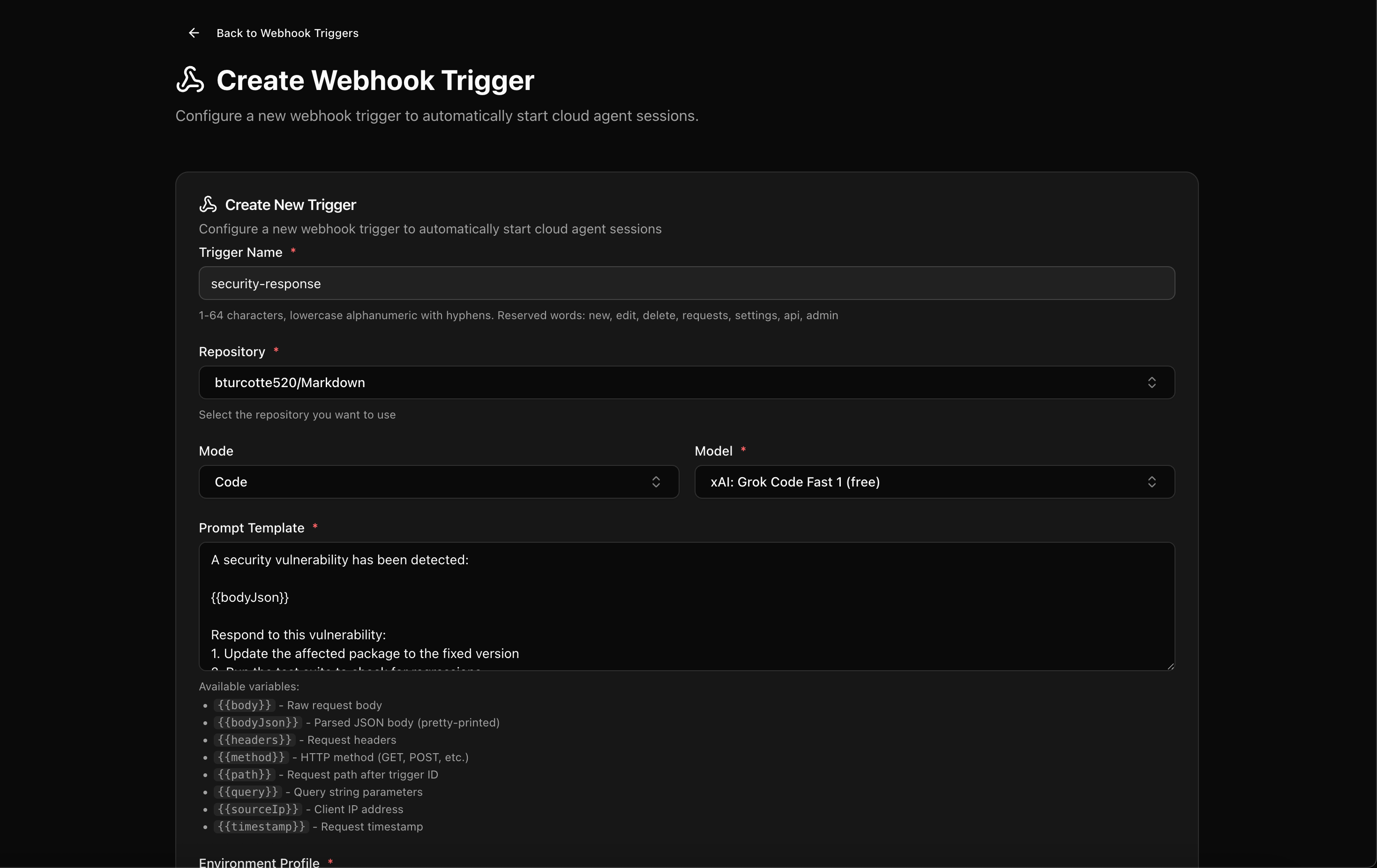
When a CVE drops for a dependency you’re using, the clock starts ticking. Webhooks can compress your response time dramatically.
Integrate with your security scanning pipeline, and when a vulnerability is detected, fire a webhook with the details:
A security vulnerability has been detected:

{{bodyJson}}

Respond to this vulnerability:
1. Update the affected package to the fixed version
2. Run the test suite to check for regressions
3. If tests fail, review the changelog and fix breaking changes
4. Check for any other usages of vulnerable patterns mentioned in the CVE

Commit with message: "security: patch {{body.vulnerability.id}} in [package]"

If the update cannot be completed automatically, create `security-remediation-notes.md` explaining what manual steps are needed.
The agent can:
Update the dependency to the patched version
Run your test suite to catch regressions
Document the change for compliance purposes
Flag any breaking changes that need human attention
For regulated industries where you need to demonstrate rapid response to security issues, this creates an audit trail of automated remediation attempts.
Use Case 6: On-Call Assistance
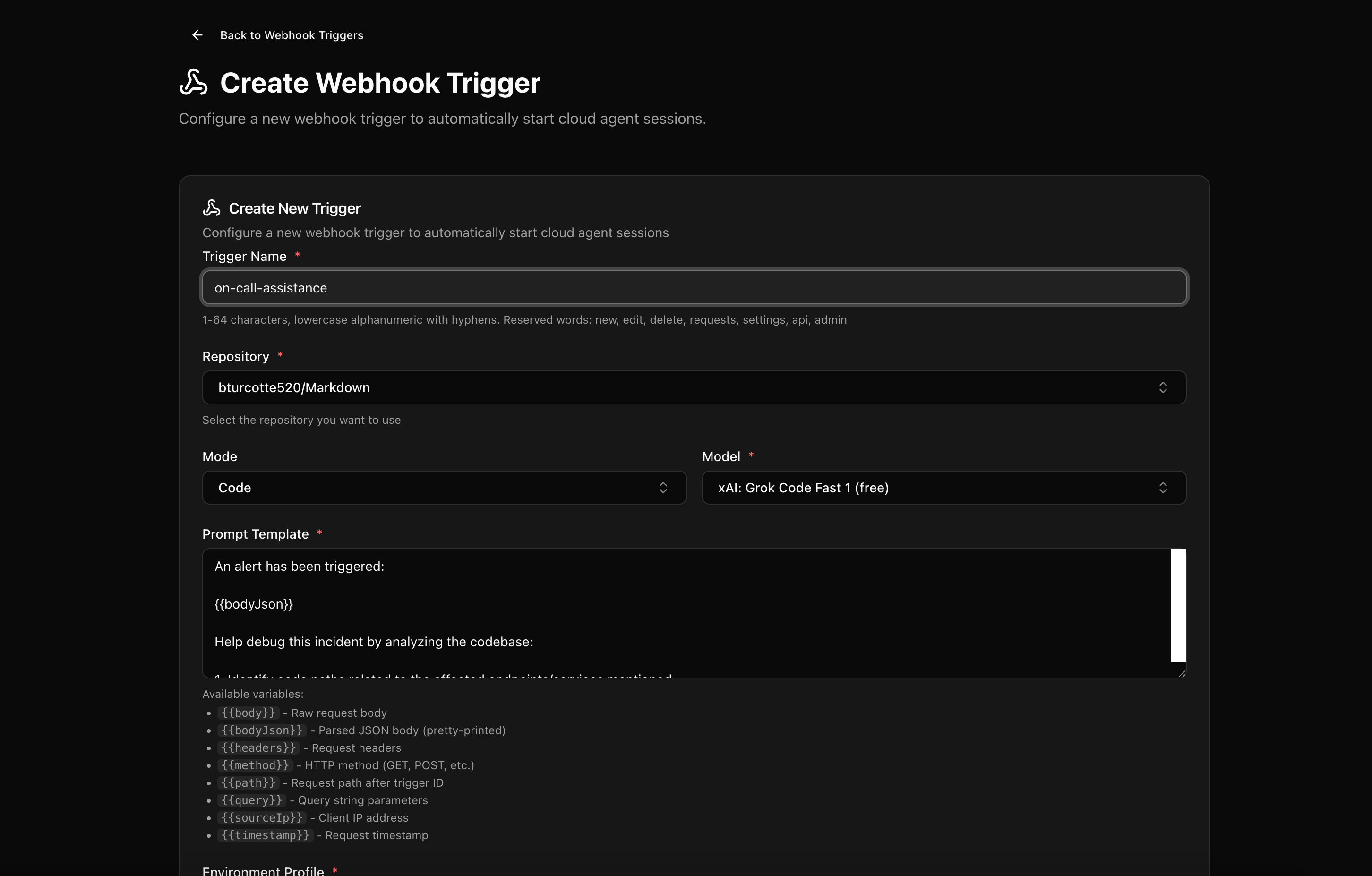
On-call rotations are stressful enough without spending the first 20 minutes of an incident context-gathering. Webhooks can give your agent a head start.
Hook into your alerting system, and when an alert fires, trigger a Cloud Agent session with the alert payload:
An alert has been triggered:

{{bodyJson}}

Help debug this incident by analyzing the codebase:

1. Identify code paths related to the affected endpoints/services mentioned
2. Check git history for recent changes to those files (last 7 days)
3. Look for error handling patterns that might explain the symptoms
4. Search for any TODOs or FIXMEs in the affected areas

Document your findings in `incident-analysis.md` with:
- Relevant file paths
- Recent commits that touched those files
- Potential root causes based on code analysis
- Suggested areas to investigate

Do not make any code changes. This is analysis only.
This agent won’t fix your production incident, but it can compile relevant context, identify recent changes, and surface information that would otherwise take you 15 minutes to dig up manually.
Setting This Up
Webhook triggers are managed through your Kilo Dashboard at app.kilo.ai/cloud/webhooks. The basic flow:
Create an Agent Environment Profile with your repo’s required env vars and setup commands
Configure a Webhook Trigger, specifying the profile and prompt template
Copy the generated webhook URL
Configure your external system to POST to that URL when relevant events occur
For personal accounts, webhook sessions run in your existing Cloud Agent container - you can watch them execute in real-time. Organization webhooks run in dedicated compute as a bot user, with completed sessions available to share or fork.
Limitations
Webhooks are designed for low-volume, trusted-source invocations:
Max payload size: 256 KB
No binary or multipart payloads
Max 20 concurrent requests per trigger
Session data retained for 7 days (beta)
These aren’t meant to replace your CI system for high-frequency jobs. They’re for the automation that CI can’t do - the intelligent, context-aware work that benefits from having a full agent environment.
Security Considerations
The docs are direct about this: webhook payloads can be susceptible to prompt injection if they contain untrusted input. During the beta, Anthropic recommends using webhooks only with trusted sources.
This means internal systems, your own CI pipelines, and first-party integrations. It doesn’t mean accepting arbitrary POST requests from the internet without validation on your end.
The Bigger Picture

Webhooks transform Cloud Agents from a “pull” model (you open the dashboard and start a session) to a “push” model (events in your ecosystem trigger agent work automatically).
This is the difference between AI as a tool you use, and AI as a teammate that’s always working. The agent doesn’t replace your judgment - it handles the work that doesn’t need your judgment. You review results instead of doing the work yourself.
Combined with Kilo’s other features - Code Reviews for automated PR feedback, Deploy for one-click shipping, Sessions that sync across every interface - webhooks close the loop on a fully automated development pipeline where the only human touchpoints are the ones that actually require human thinking.
Webhook triggers are currently in beta. If you’re interested in pushing the boundaries of what’s possible with event-driven AI automation, join our Discord and share what you’re building in the #cloud-agents channel.
Not just 2 not next week not supposed guy grop men community group men feAc inght feac sport gym
Wronh prompt in Case 3 :( Could you please update the post?