


Cloud Agents let you run Kilo without a local machine. This update adds several new ways to review and collaborate with the agent, along with a handful of quality-of-life improvements across the dashboard.
Here’s what’s new.
One branch, multiple agents
You can now point several chats at the same branch or git checkout, working at the same time. Plan a change in one chat, save that plan to a file, then open a second chat to implement it, both live on the same branch together. Each chat keeps its own context, but they’re working against the same code.
This matters for anything that doesn’t fit neatly into a single conversation. Draft the architecture in one session, hand the implementation to another, and keep a third open for a narrower fix, all running in parallel without the chats stepping on each other’s state.
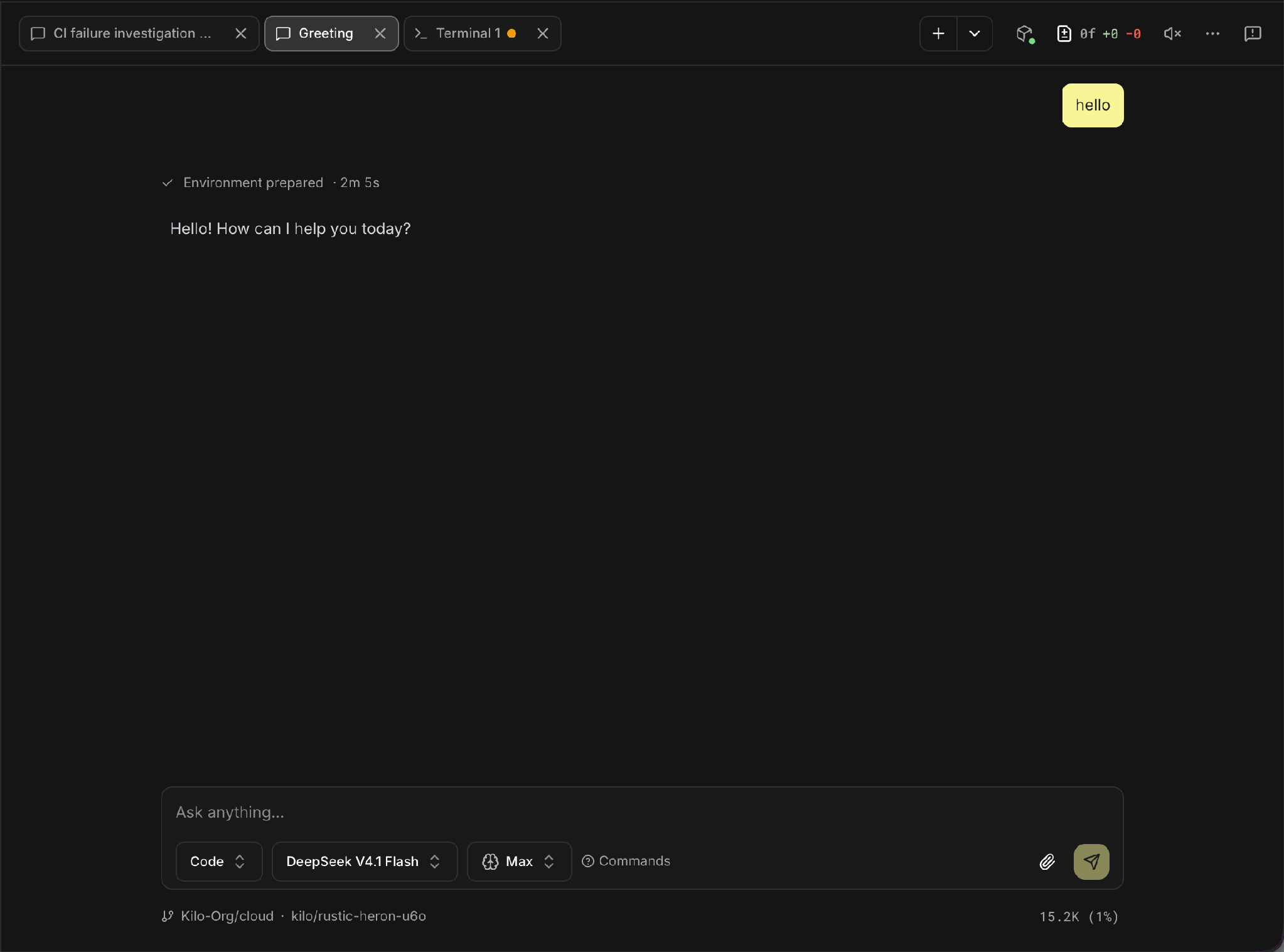
Three tabs on the same branch (kilo/rustic-heron-u6o): two chats and a terminal.
A diff viewer that takes comments
Every cloud agent session now has a diff viewer. It lists every file changed on the branch, and tapping one opens a full file diff.
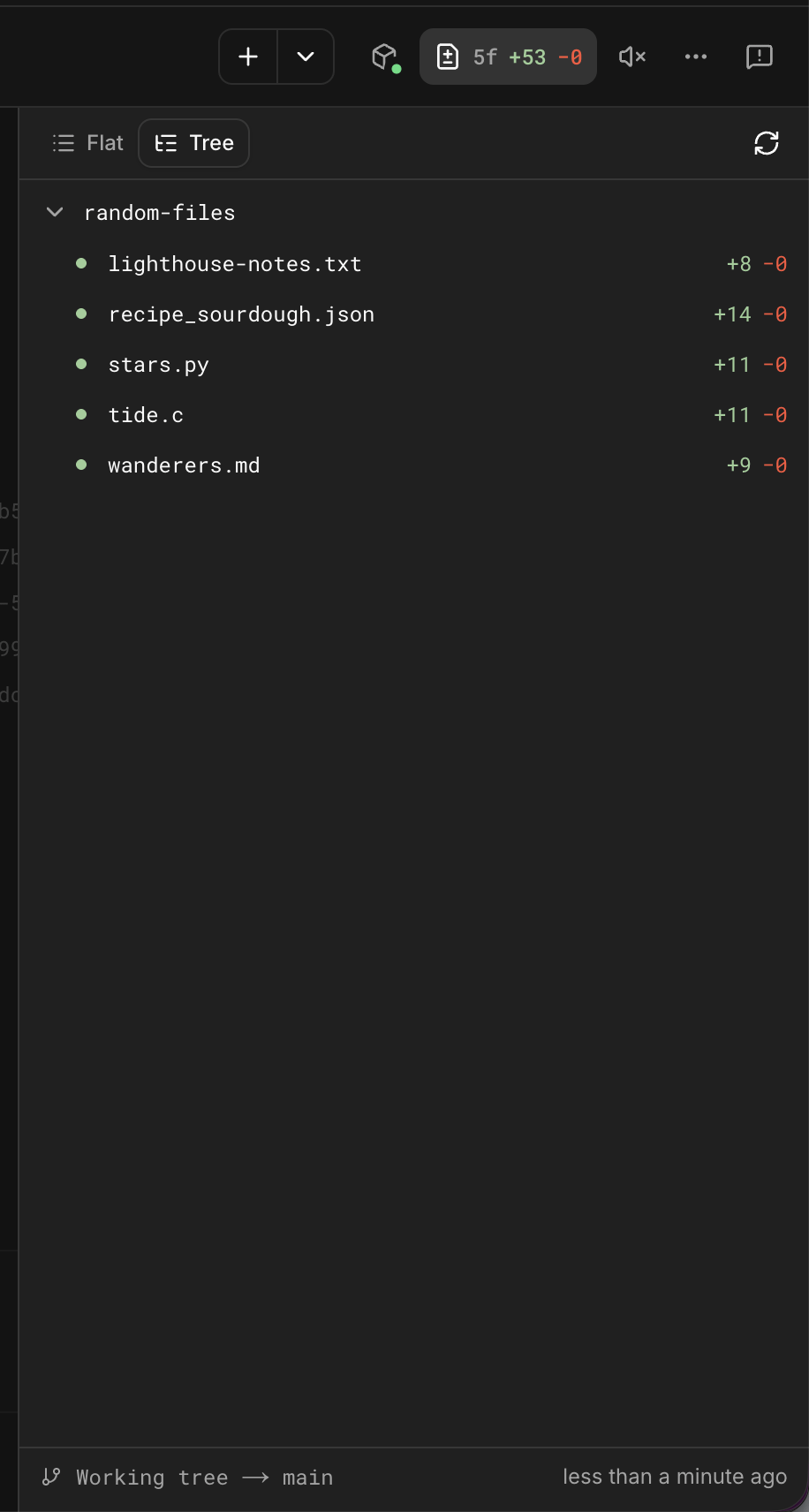
The diff viewer’s file list, tree view, with line counts per file.
You’re not just reading the diff. You can comment directly on it, and that comment gets sent straight back to the chat as a review.
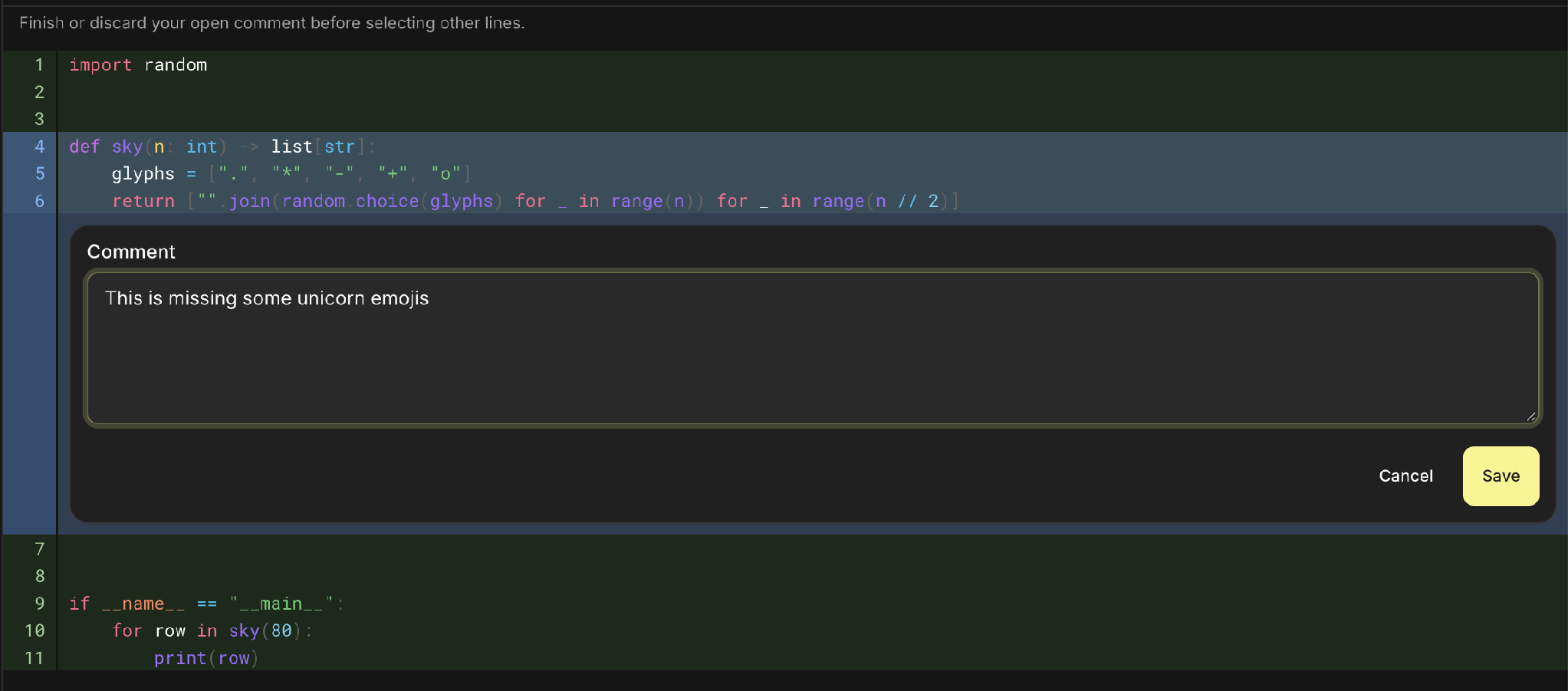
Commenting inline on lines 4-6 of a diff.
The comment gets collected into a review you can send to whichever chat on that worktree should act on it.
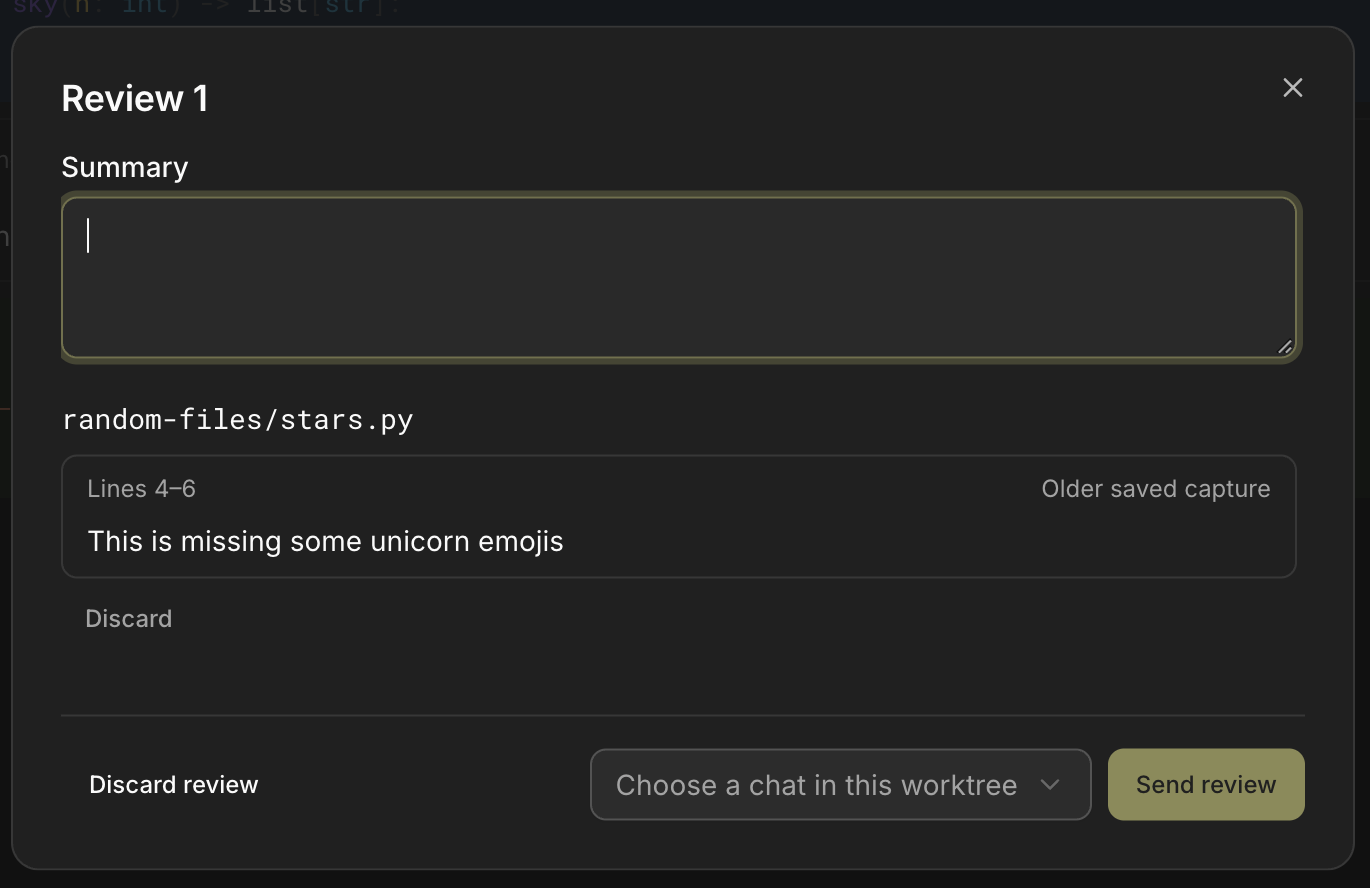
The review panel before sending: one comment, ready to send to a chat.
The agent sees your note on the exact line you flagged, instead of a general instruction to “fix the auth logic.” For anyone using Cloud Agents to run reviews on their own PRs, this closes the loop: see the change, mark the problem, send it back, no copy-pasting line numbers into the chat.
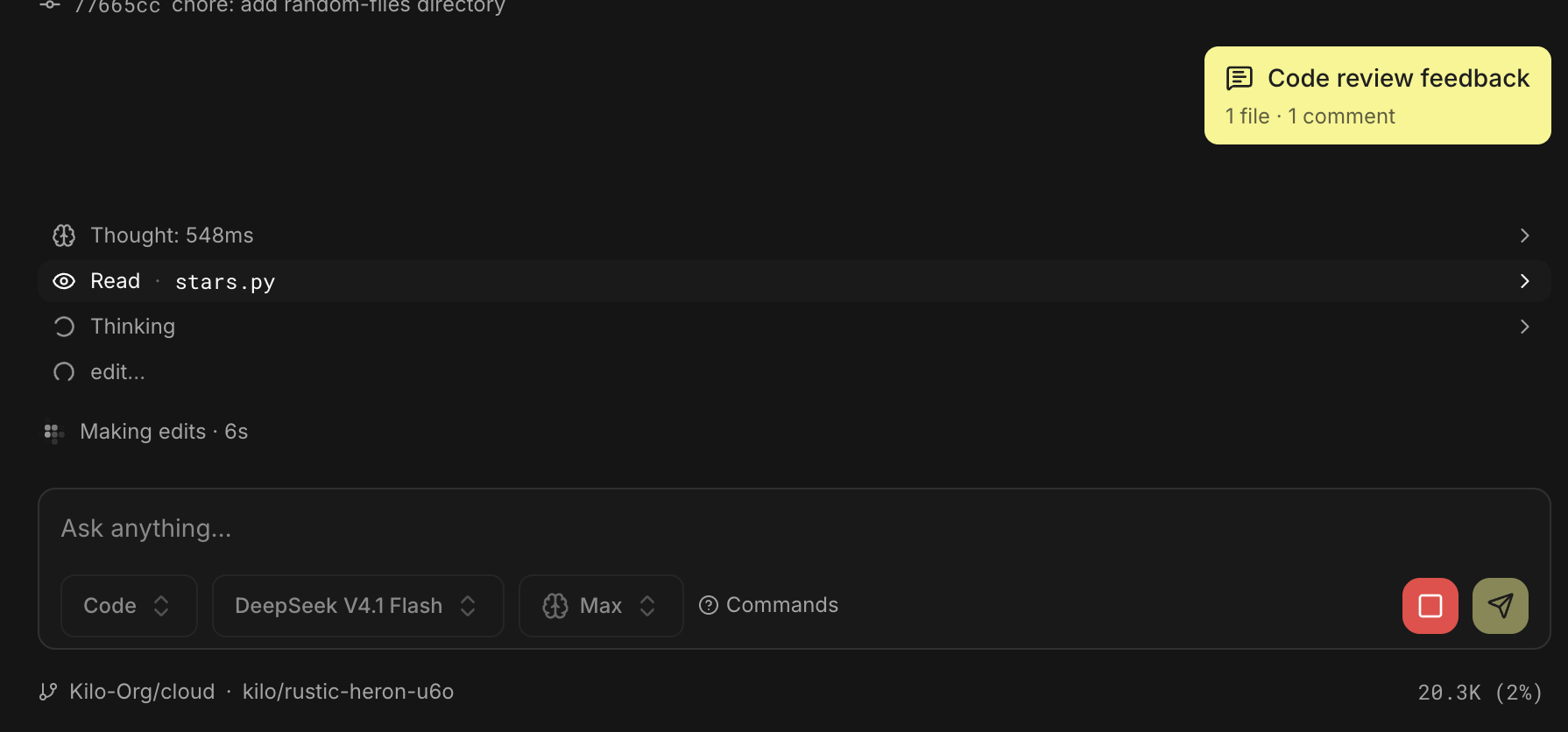
The review lands in the chat as a single, file-and-comment-count card.
Know what your sandbox is doing
A new status button shows whether a session’s sandbox is sleeping or active, along with its specs: provider, sandbox type, vCPU and memory. If you’ve got several sessions running and you’re trying to figure out which ones are actually doing something versus idling, this is the answer instead of a guess.
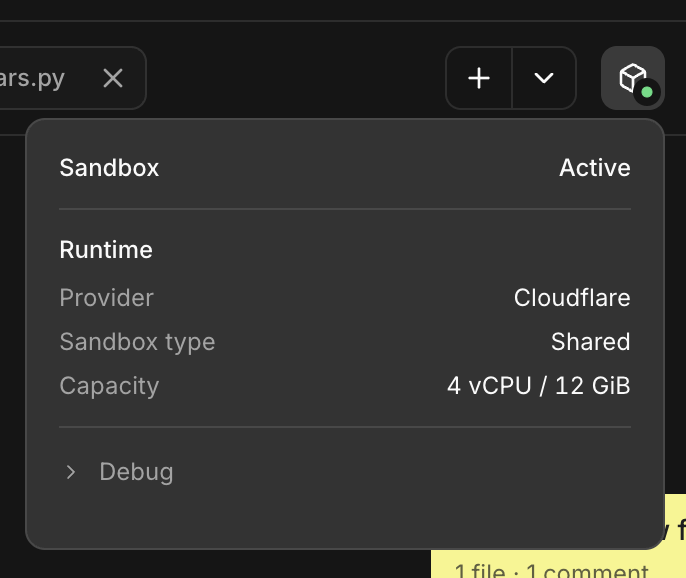
Sandbox status: Active, Cloudflare, shared, 4 vCPU / 12 GiB.
A terminal, right in the session
Every Cloud Agents session has a terminal tab, giving you a direct line into the sandbox the agent is running in. Run a command yourself, check a log, poke at the environment, all without leaving the session or pulling the branch down locally.
Folders, for when you have more than a few sessions open
Sessions can now be organized into folders. If you’re running Cloud Agents as a coordination layer, spinning up one agent per PR or one per review angle, folders keep that from turning into an unsorted list you have to scroll through to find the session you actually want.
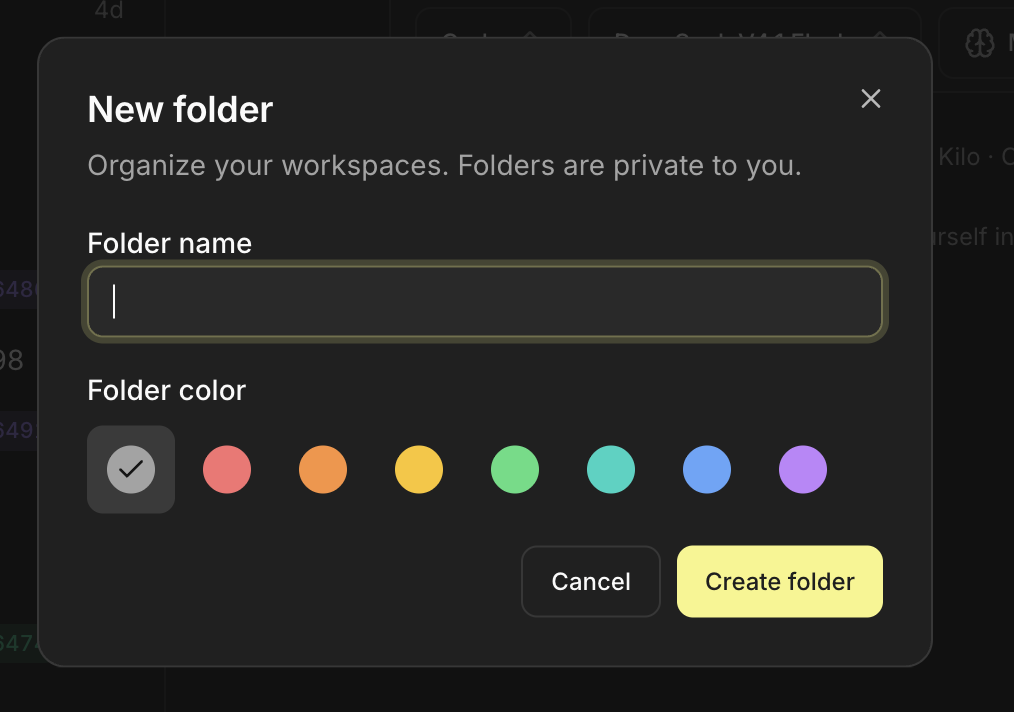
Creating a folder, with a color to tell it apart at a glance.
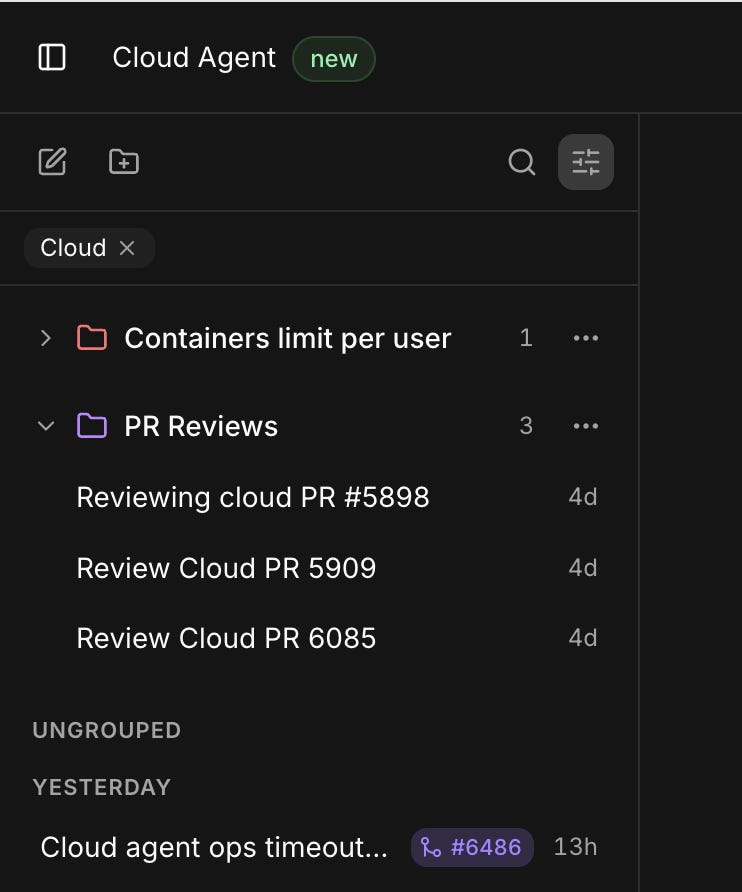
Sessions grouped into folders in the sidebar.
These features are live now for everyone using Kilo’s Cloud Agents. Learn more at kilo.ai/cloud, or get started at app.kilo.ai/cloud.