

My KiloClaw agent was producing more ideas than I could keep up with in a single chat thread.
So I built it a proper workspace with status tracking, comments, and a self-improvement loop. A long weekend later, it evolved into an operating system for my daily work.
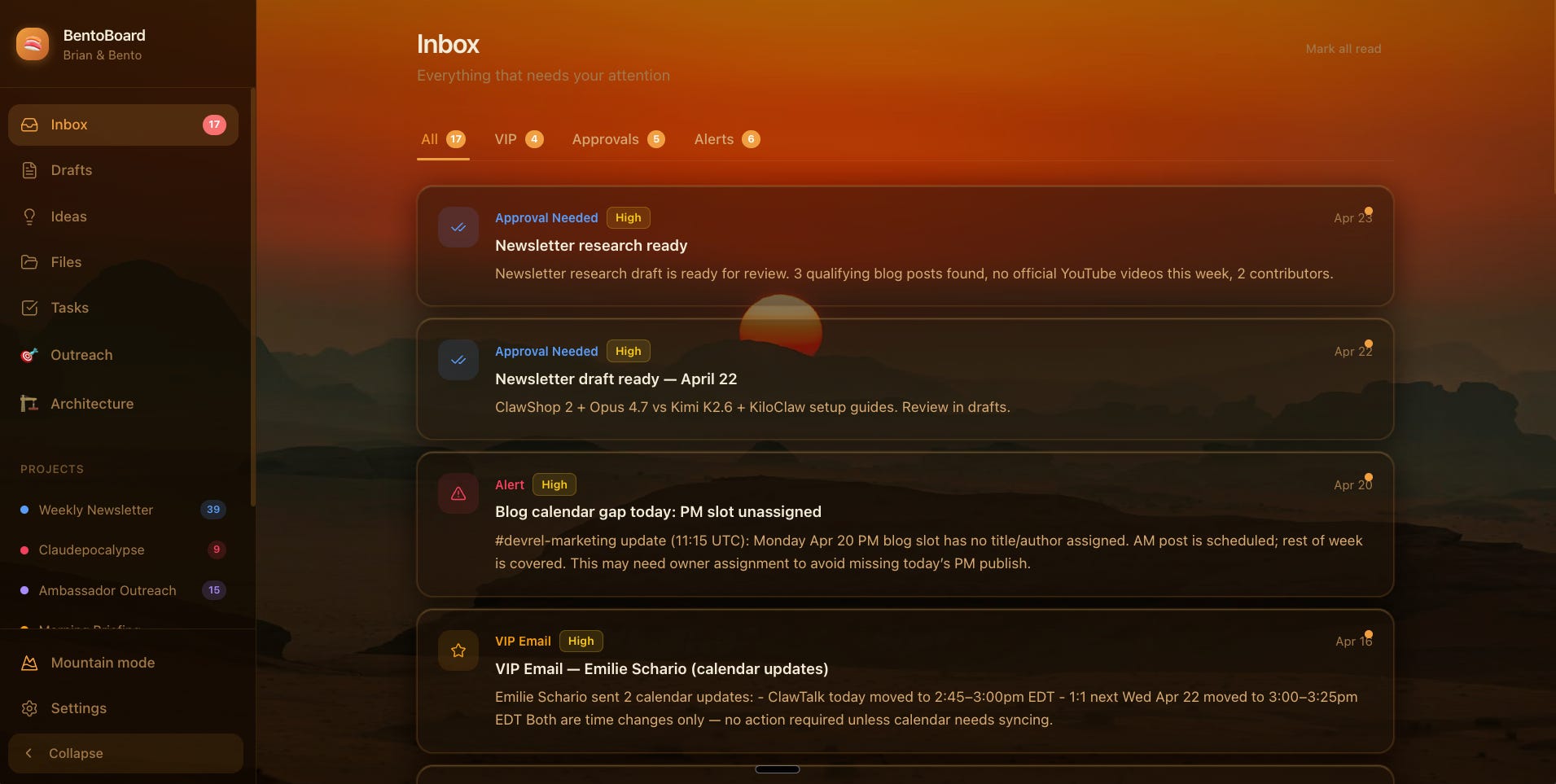
I do Developer Relations at Kilo (alongside an incredible team). My work consists of things like product marketing, events, and content creation.
My personal AI assistant, which I named “BentoBot”, runs on KiloClaw (our hosted and fully managed OpenClaw service). If you don’t already know, OpenClaw is a 24/7 proactive AI assistant that can actually do things for you. It’s different than the previous generation of chat-based agents (ChatGPT, Claude Desktop) in that it can act on your behalf while you’re offline and on a schedule - meaning you can offload almost any manual work that doesn’t require your immediate input.
I had Bento automating a genuinely significant amount of background work: newsletters, outreach scans, email triage, morning briefings, trend monitoring, blog drafts. All of that was running in the background while I worked on other things.
By week two of living with Bento full-time, I had a problem that I didn’t anticipate. The agent was generating more proposals than I could actually read. My Telegram channel with Bento had become this firehose of ideas, drafts, and status updates, and I was scrolling past six things to find the one I needed to approve. I learned that I had offloaded so much work to Bento that the chat interface became a bit of a bottleneck. I also wanted to reserve the chat for when I needed to ask a question or to have a direct conversation with Bento, and clear out the stream of ideas and proposals without losing track of them.
I needed something with actual structure. A place where Bento could park proposed work and I could walk up to it on my own schedule, approve or reject things, leave feedback, and move on without worrying about missing something in the scroll. So I built it - and I’m not a software engineer.
Before the Dashboard
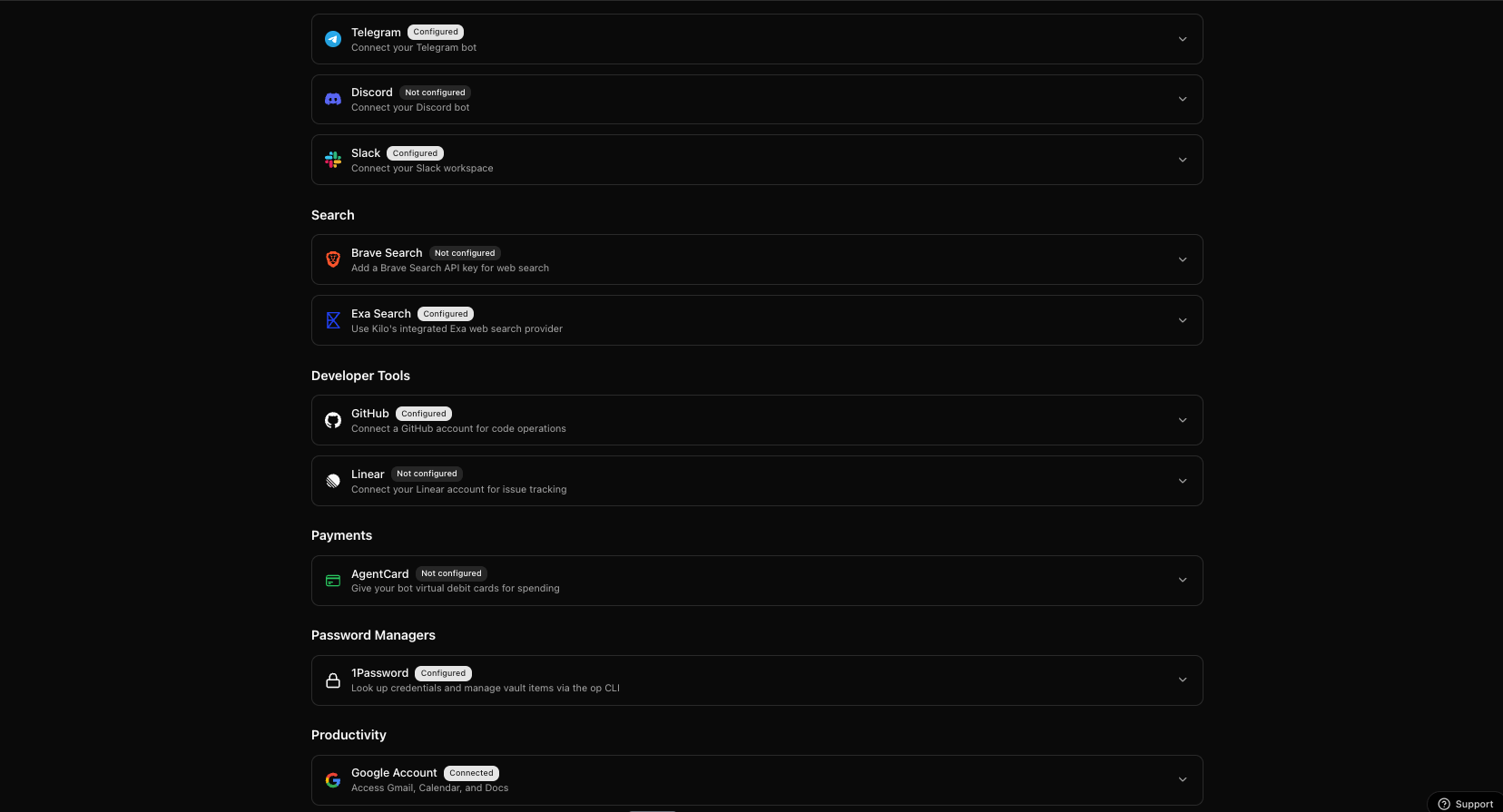
Before even conceiving of this dashboard, I had already given BentoBot access to many different accounts, and a list of sources from which it could ingest context about me and the overall industry.
I gave Bento its own dedicated Google account with access to Gmail, Google Drive, and Calendar, and then began forwarding my emails to that address so that it could read my inbound emails without giving it write access.
I also added it to our company Slack as a bot. One, so I could chat with it there, and two, so that it could ingest every Slack message that I could have read. I added it to relevant channels, and gave it a hard rule: Never send a message in Slack outside our DMs without my express-written consent.
Finally, I gave it its own dedicated GitHub account so that it would have a place to store code that I could access. I told it to add my GitHub account as an owner on any repo it created, and since KiloClaw can natively access the Kilo CLI, I knew it would be ready to build on my command.
One Prompt to Start
The entire spec for the dashboard was a single message to Bento:
“Build me a dashboard where you can drop proposed work for me to review. Each item should have a type (idea, task, draft), a status (proposed, in_review, done, rejected), a project tag, and support for comments so we can go back and forth on things. Use Next.js and Supabase. I want to deploy it on Kilo Deploy.”
Bento came back with a schema and asked one clarifying question: did I want rich HTML content stored per item, or should items link out to files in the repo?
I said both. For example, embed rendered HTML for newsletter drafts that need inline previewing, and keep a file_path field so longer artifacts can reference the emails repo directly.
From there, we started vibing it out.
Two Tables, Everything Derived
The schema Bento proposed was minimal. Two tables. items is the core of the whole thing:
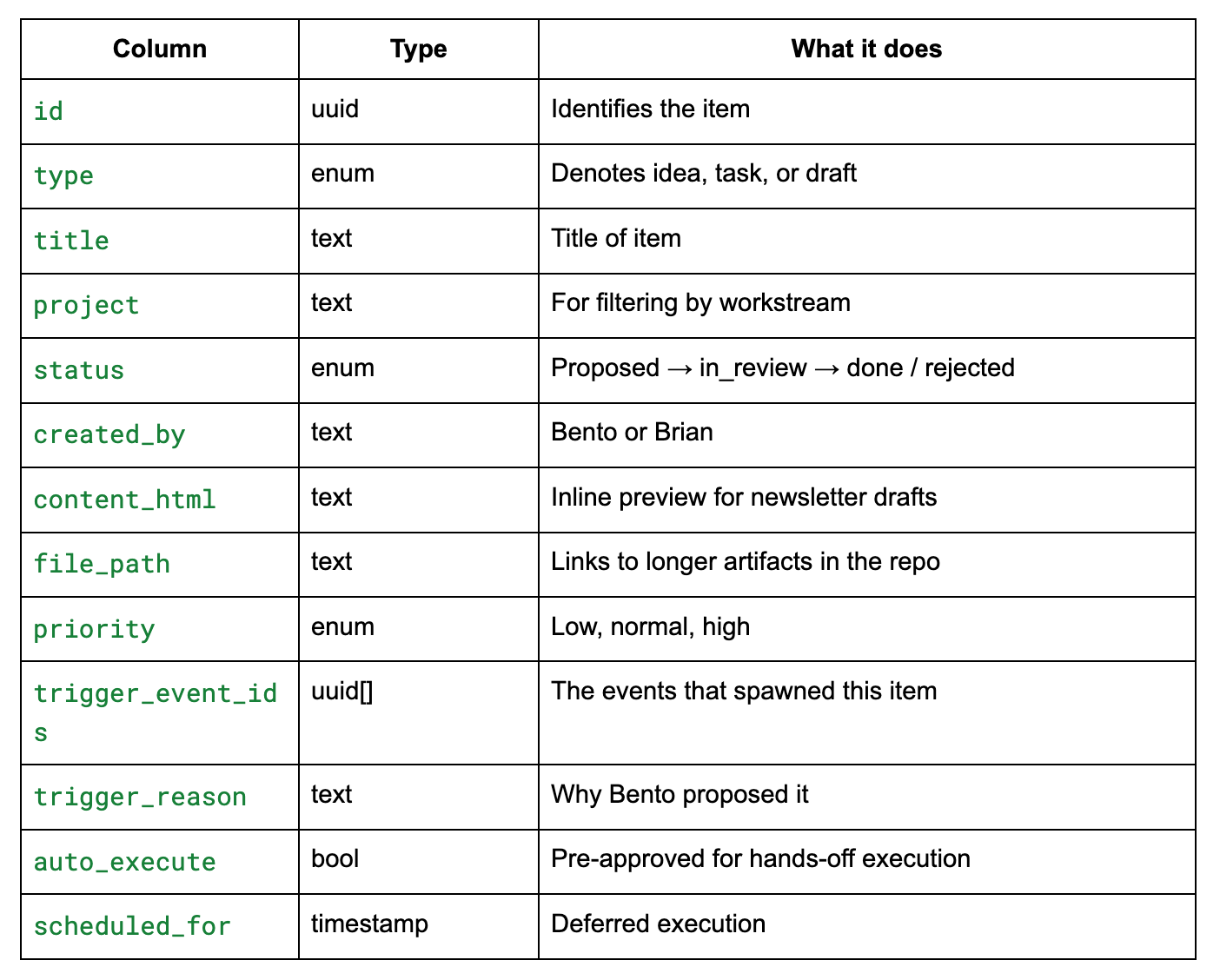
The second table is for comments. When Bento produced an item or artifact, I had a place to comment, and for it to comment back. That’s the whole data model. Everything else in the app is derived from these two tables.
The field that earns trust:
trigger_event_idsis the quiet hero of this schema. It lets Bento tie a proposed idea back to the specific events that spawned it: a tweet that went viral, a Hacker News thread, a PR from a competitor, an inbound email from a creator.When I click into an idea, I don’t just see “you should write a blog post about X.” I see why Bento thinks I should write it, with receipts. That one field turns the dashboard from a to-do list into an evidence board. It’s the difference between trusting the recommendation and just reading it.
Building the Frontend in Kilo
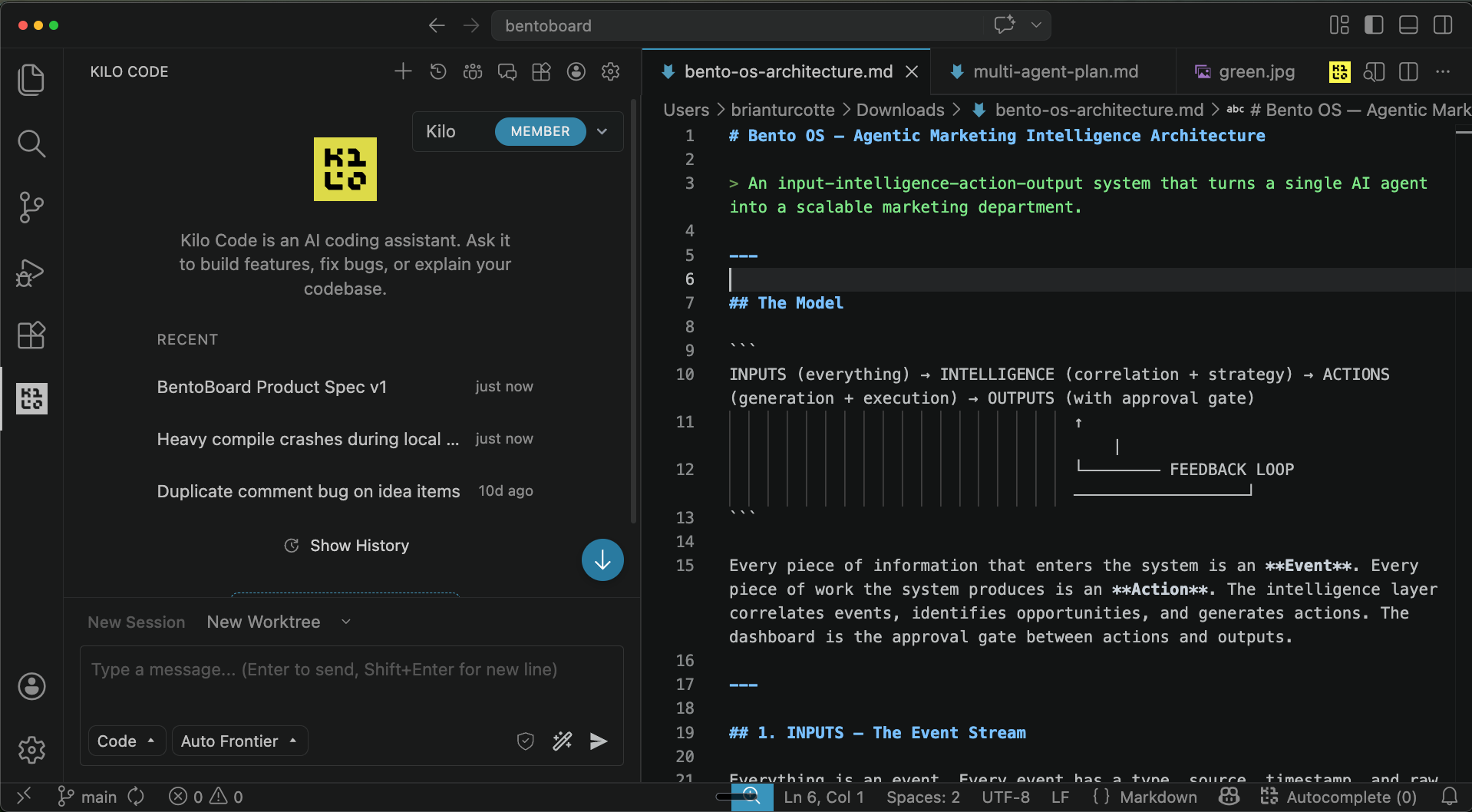
I built the UI in Kilo’s VS Code extension. When I say “I built it,” what I actually mean is I described what I wanted in natural language, watched it materialize, and then made tweaks until it felt right.
First prompt:
“Grid view of items. Sidebar for filters by project, status, and priority. Clicking an item opens a detail panel with the full content, the trigger reason, the comments thread, and buttons to approve or reject. Use Tailwind. Keep it dense; I want to see a lot at a glance.”
Kilo’s code mode shipped a working version in about 10 minutes. I ran it, and immediately wanted to change three things. The comment thread was buried below the fold, so I moved it to a persistent right rail. The approve/reject buttons were too small, so I promoted them to primary actions in the header. And there was no indication of how fresh each item was, so I added a timestamp badge on updated_at to see staleness at a glance.
The Supabase Backend
This part was surprisingly simple. I frankly wasn’t too familiar with Supabase; all I knew is that I needed a cloud-based backend to store all of the ideas and artifacts.
So, I just asked Bento directly how we could set it up. Bento replied and suggested that I create a free Supabase account, create a couple of tables (it gave me the commands), and grab a few API keys.
I stored the API Keys in Bento’s dedicated 1Password vault, which can also be set up from the Kilo Dashboard.
From there, Bento took control - using the Supabase API keys to format and adjust the tables until it integrated perfectly with our front-end, and shipping the items there.
Now I had a working front-end and back-end that I could test locally before shipping to a live URL.
The Heartbeat
Part of what makes OpenClaw special is the “heartbeat” function, which is essentially a list of cron jobs that it can run while you’re offline. This is the part that makes the whole thing actually work in practice, and it has two main functions in my case.
The first is something I already mentioned - ingesting context. Every morning at 7 am, it takes in:
News from blogs and X accounts that I trust
24 hours of messages from my email inbox and slack channels
Product updates from the open-source Kilo repo.
Then, it updates any existing items based on new information, and formulates net-new content ideas for me to wake up to. Again: all of these automations were accomplished by me simply chatting with BentoBot.
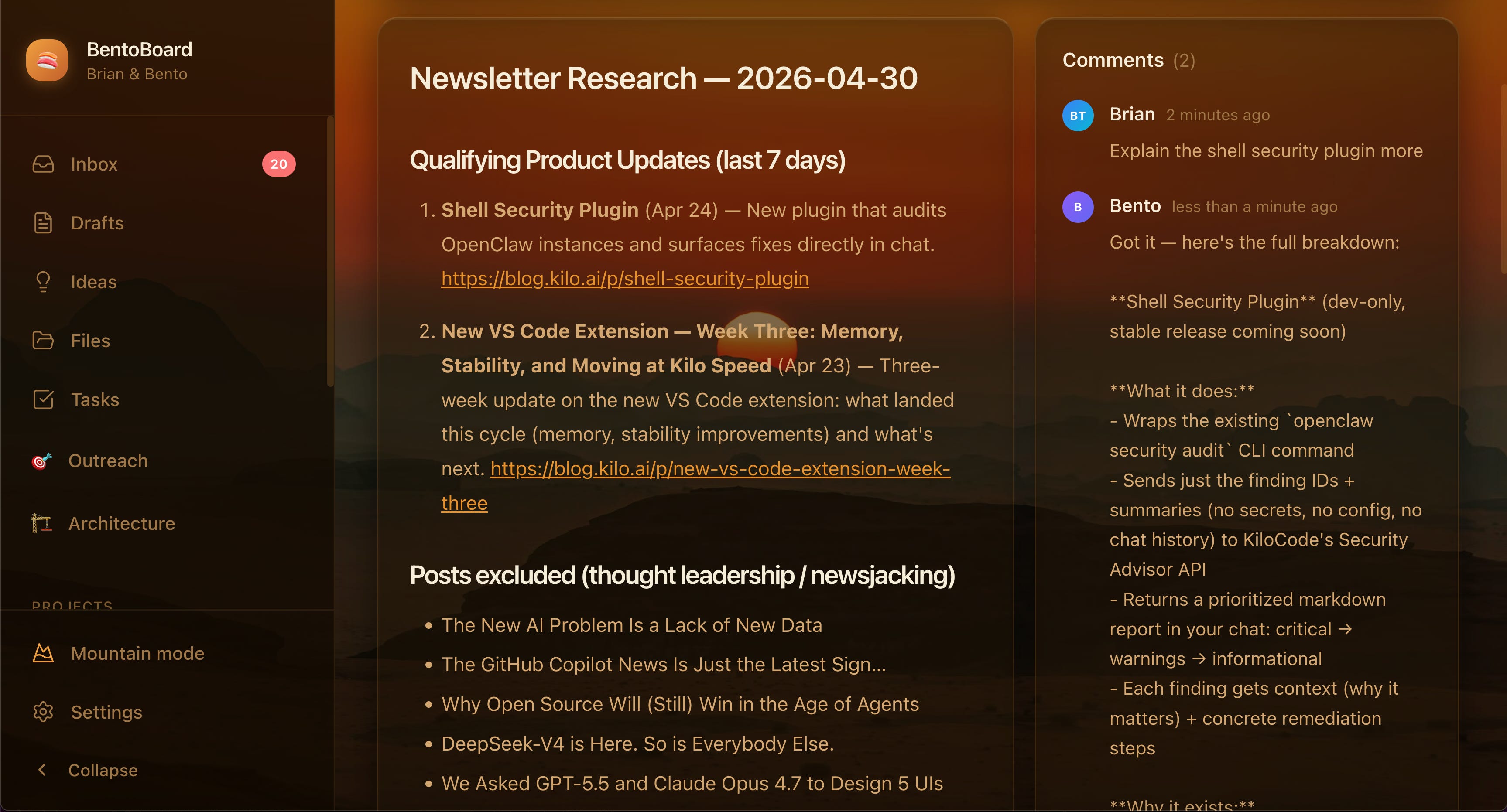
The other function is comments. At first, comments I left on the dashboard didn’t do anything - they were just rows in a table. For them to matter, Bento has to read them. And Bento reads them on its heartbeat, a loop that fires every few minutes as part of its main operating cycle.
This is what makes BentoBoard a product instead of a spreadsheet. The board is a state machine that Bento loops over. Every heartbeat, it runs through a short checklist:
New comments from Brian?
Respond, resolve, log
Items moved to approved?
Execute them
Items rejected with feedback?
Read the comment, revise
New items created by Brian?
Pick them up
The chat thread is still there for conversational things and for question/answer. But the dashboard is where work lives, and the heartbeat is what keeps it alive.
What It Looks Like After a Few Weeks
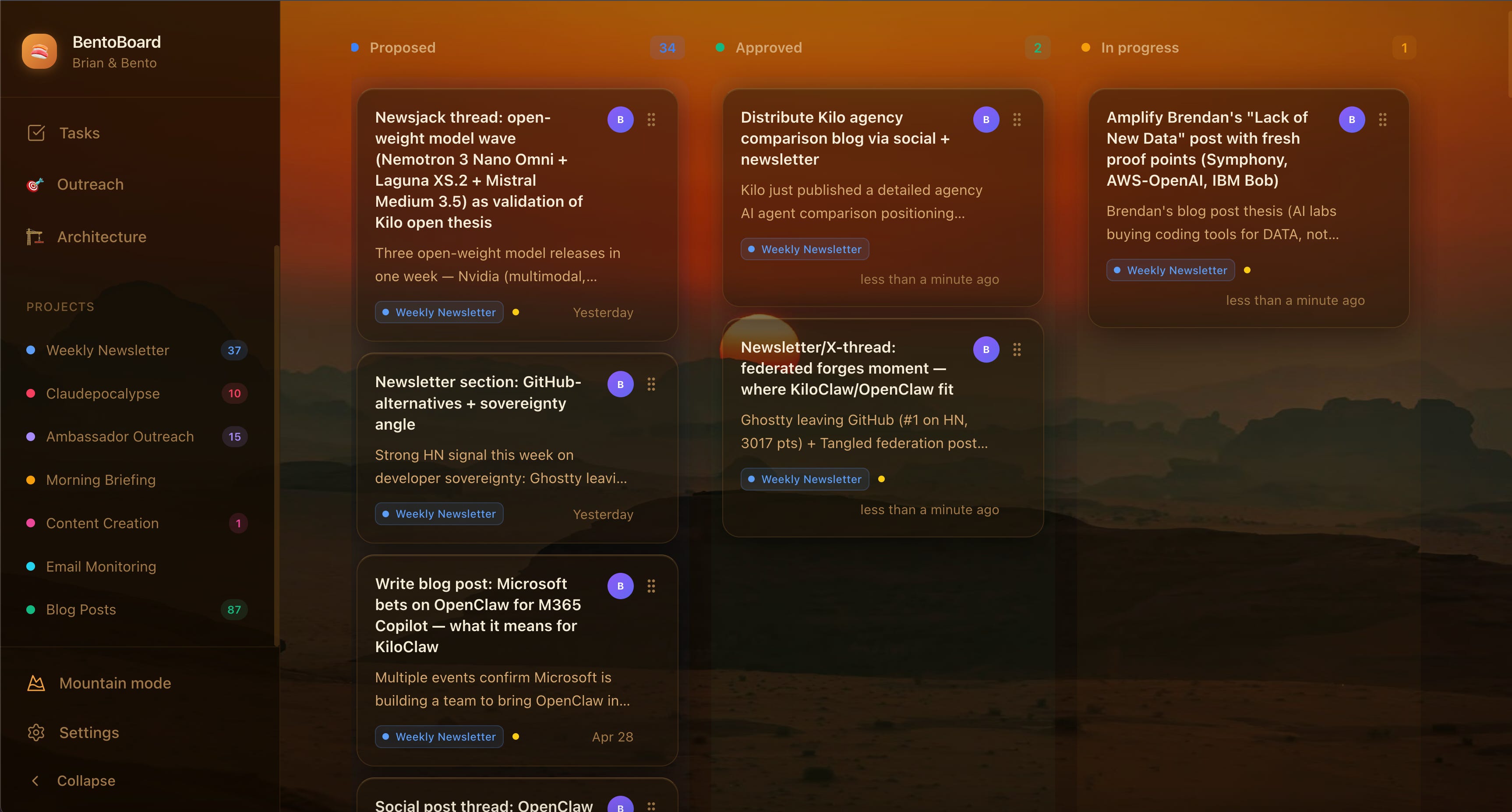
BentoBoard ended up becoming the center of gravity for my entire work operation. Here’s what it tracks as of this week:
Relationships to creators and connections: Over 200 people across 30 niches, with reply status and last-touch dates.
Weekly newsletter drafts: Full, rendered HTML embedded for preview before send, with completely automated content based on news from its Kilo context ingestion.
Daily ideas from the morning briefing pipeline, each linked to the source material
Full execution trail for completed tasks with links to the output (PRs, sent emails, published posts)
When someone asks me “how did you create that piece of content?” I can click the item, read Bento’s trigger reason, see the tweets or threads that inspired the idea, read through my own comments on the draft, and give them the full story of how it happened. That paper trail didn’t exist before. Decisions used to vanish into the chat, and now there’s a record.
Three Things I’d Tell You Before You Build One
1. The schema is the product.
Get this right and everything else falls into place. If your items table doesn’t distinguish between an idea the agent is proposing, a task it’s actively executing, and a draft that’s waiting on your review, the dashboard won’t stick. The created_by field matters more than you’d think too. At a glance, I need to know if something came from me or from Bento, because those require completely different responses.
2. Without the heartbeat, it’s a museum.
A dashboard that nobody checks is just a prettier to-do list. The heartbeat loop is what closes the gap between “I left feedback” and “the agent acted on it.” That loop is the entire mechanism. If your agent isn’t polling the board and reacting to state changes on its own, you’ve just built a Notion page.
3. Don’t overthink the frontend.
I spent maybe 60 minutes on UI. The agent built the skeleton, I adjusted layout and sizing, and we deployed. The value is in the schema, the heartbeat, and the integrations with everything else Bento touches. The UI is a window. Treat it like one.
Scaling the Pattern
BentoBoard took a long weekend to build. The schema took an hour. The frontend took an afternoon. The heartbeat integration took some minor debugging. And now it’s the single surface where my entire work operation gets proposed, reviewed, and executed.
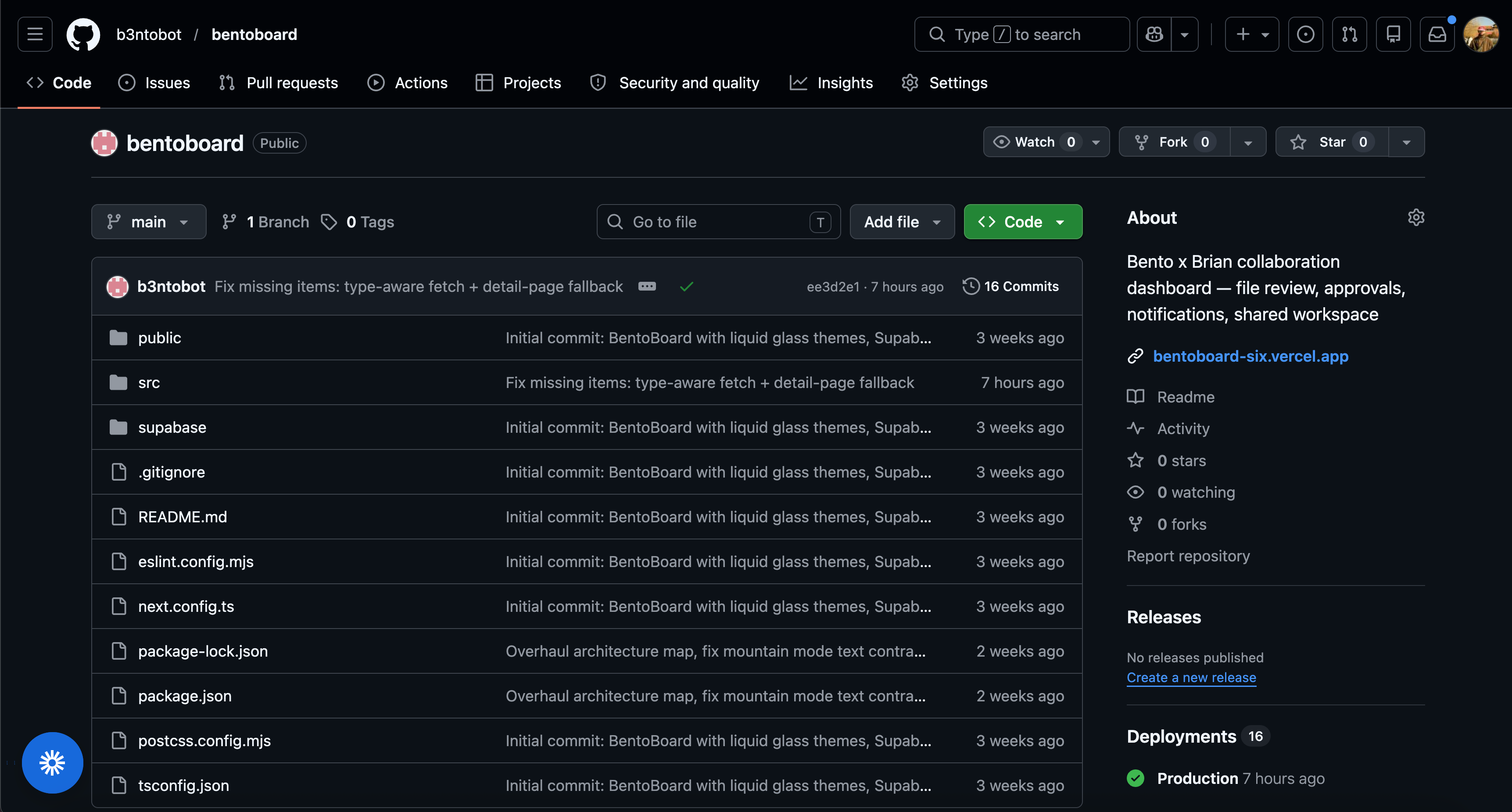
The point of this story is to prove that proactive, personal AI is not just a useful new generation of agents, but it can also be the building block upon which you build work-based operating systems for you or your whole team - and you can get your agent to build it all for you. If you want to check out the source code, I have open-sourced the front-end of BentoBoard here:
If you want to build something like this yourself, you can get started with KiloClaw for free at app.kilocode.ai/claw.
Thanks brian for this lovely use case, and as promised the repo :D shows the possibilities of kiloclaw with kilo cli. -georgeofthisjungle