

The big picture: Agent Skills let you teach Kilo Code once, then it remembers forever. No more repeating brand guidelines, coding standards, or custom workflows every single conversation.
How it works
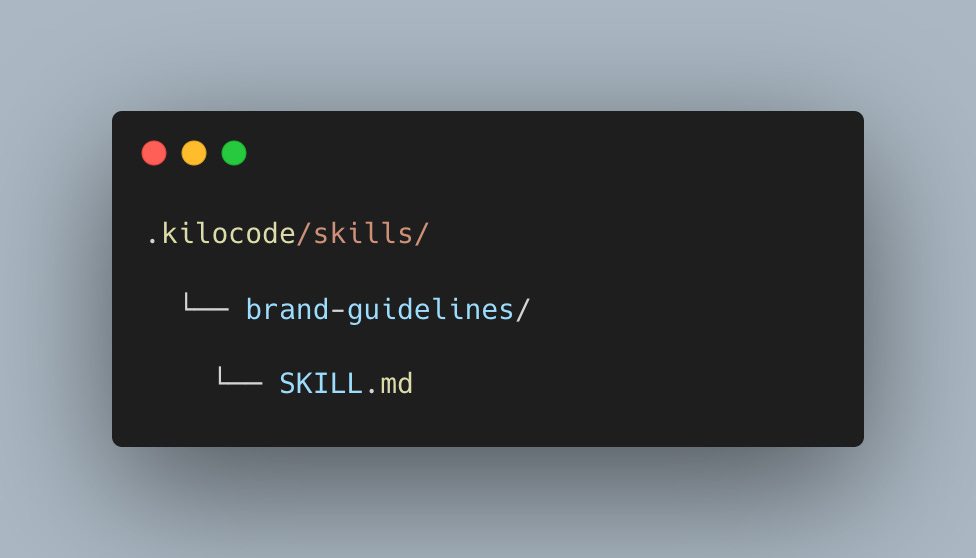
Create a folder named after your skill, add a SKILL.md file inside, and drop it into your skills directory. Kilo picks it up automatically when it initializes.
That’s it.
Ask Kilo to create a document? It discovers your “brand-guidelines” skill and applies your colors, fonts, layouts, and messaging—no back and forth, no explaining the same thing twice. It just knows.
Each SKILL.md contains YAML frontmatter (name + description) followed by markdown instructions. The name must match the parent folder. The agent reads these instructions into context when a task matches the skill’s description.
---
name: my-skill-name
description: A brief description of what the skill does & when to use it
---
Why it matters
Skills are just markdown files following an open spec. Anyone can write them. They’re self-documenting, easy to audit, and shareable across teams.
You get two levels:
Global skills (~/.kilocode/skills/) for your own workflows across all projects
Project skills (.kilocode/skills/ in your repo) your whole team shares in version control
Skills can be mode-specific too. Put them in skills-code/ or skills-architect/ directories to load different expertise depending on what mode you’re working in. Project skills override global skills with the same name.
Use cases
Standardize API design patterns across your codebase
Create reusable refactoring workflows
Document best practices the AI should follow
Build specialized tools for your dev workflow
Share domain expertise with your team
Whatever you can come up with!
What’s next
A community marketplace already exists where devs share skills. Browse what others built or contribute your own.
Go deeper:
What workflow will you teach your agent first?
This is awesome. way to go coding team at Kilocode. !!